Zavedení
The NEXXT Wi-Fi Range Extender is designed to expand your existing Wi-Fi network coverage, eliminating dead zones and providing a stronger, more reliable internet connection throughout your home or office. This device supports dual-band frequencies (2.4GHz and 5.0GHz) and offers speeds up to 1200Mbps, ensuring seamless streaming, gaming, and browsing.

Image: The Nexxt Solutions Kronos 1200-AC Wi-Fi Range Extender, a white device with two external antennas and a wall plug, showing its indicator lights.
Klíčové vlastnosti
- WI-FI RANGE EXTENDER: Boosts internet connection to previously unreachable spaces, retransmitting an existing 802.11b/g/n signal across a larger area.
- WALL PLUG DESIGN: Cordless plug-in design allows flexible placement anywhere in your home or office.
- EASY CONNECT BUTTON: WPS button for instant connection and integration into the current network.
- WAN AND LAN PORTS: Includes a 10/100M Wan and Lan port for wired connections to devices like computers, gaming consoles, and TVs.
- WI-FI TOOLS FOR HOME: Transmits up to 556 feet, eliminating dead zones with universal repeater, internet router, and access point functionalities.

Image: The Nexxt Wi-Fi Extender in a home office environment, highlighting its key features such as universal repeater functionality, wall-mounted design, and push-and-connect setup.
Obsah balení
- NEXXT Wi-Fi Range Extender
- Návod k použití
Konec produktuview
Familiarize yourself with the components of your NEXXT Wi-Fi Range Extender.
Obrázek: Detailní záběr view of the Nexxt Wi-Fi Extender, detailing the LED indicators for Power, WAN/LAN, 2.4GHz, and 5GHz, along with the WPS button.
- LED napájení: Indikuje stav napájení.
- Kontrolka WAN/LAN: Indicates connection status for WAN/LAN port.
- 2.4G LED: Indicates 2.4GHz Wi-Fi band activity.
- 5G LED: Indicates 5GHz Wi-Fi band activity.
- Tlačítko WPS: Pro rychlé a bezpečné připojení k routeru.
- Resetovací tlačítko: Používá se k obnovení továrního nastavení (obvykle malé tlačítko s dírkou).
- Ethernetový port (LAN/WAN): For wired connections to devices or your main router.
Průvodce nastavením
Počáteční umístění
For optimal performance, place the extender in a location that is roughly halfway between your router and the area where you need improved Wi-Fi coverage. Avoid placing it near large metal objects, concrete walls, or other devices that emit radio frequency interference.
Zapnutí
Plug the NEXXT Wi-Fi Range Extender into a standard electrical outlet. Wait for the Power LED to light up, indicating the device is ready.
Způsoby připojení
Metoda 1: WPS (chráněné nastavení Wi-Fi)
- Zapojte extender do elektrické zásuvky poblíž hlavního routeru.
- Wait for the Power LED to stabilize.
- Press the WPS button on your main router. The WPS LED on your router may start blinking.
- Within two minutes, press the WPS button on the NEXXT Wi-Fi Range Extender. The WPS LED on the extender will start blinking.
- Wait for the WPS LED on both devices to become solid, indicating a successful connection. You can now unplug the extender and move it to your desired location.
Metoda 2: Web Nastavení prohlížeče
- Zapojte prodlužovač do elektrické zásuvky.
- On your computer or mobile device, connect to the extender's default Wi-Fi network (e.g., 'NEXXT_Extender' or similar, check the label on the device). No password is required initially.
- Otevřete a web prohlížeč a zadejte výchozí IP adresu (např.
192.168.10.1ornexxtwifi.com, check the manual or device label) in the address bar. - Follow the on-screen instructions to log in (default username/password is usually
admin/admin). - Select 'Repeater Mode' or 'Extender Mode' and choose your existing Wi-Fi network from the list. Enter your main Wi-Fi password.
- Configure the extender's Wi-Fi name (SSID) and password. You can choose to keep the same as your main network or create a new one.
- Save the settings and wait for the extender to restart. Your devices should now be able to connect to the extended network.

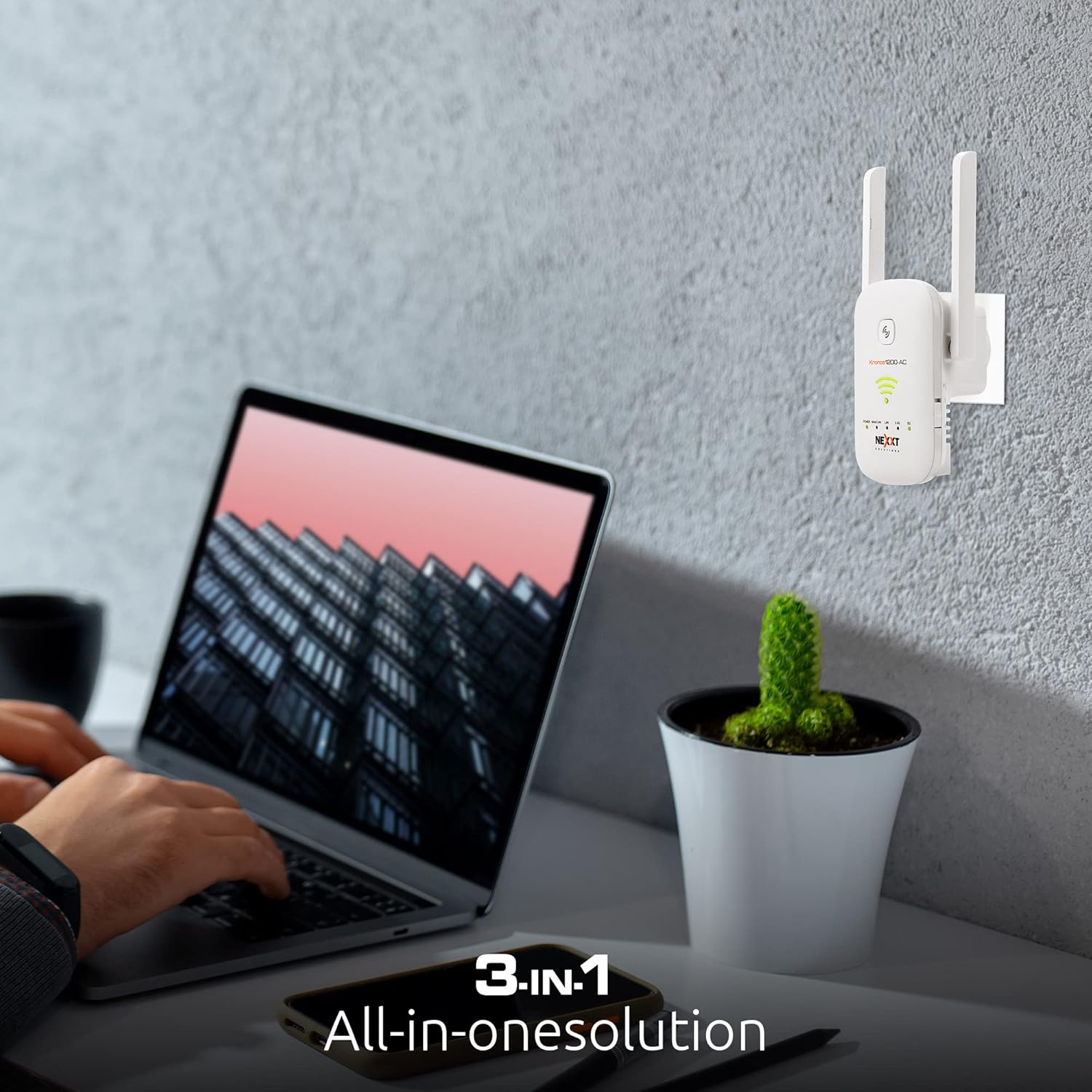
Image: A user interacting with a laptop, with the Nexxt Wi-Fi Extender plugged into a wall outlet in the background, illustrating the setup process.
Provozní režimy
The NEXXT Wi-Fi Range Extender supports multiple operating modes to suit various networking needs.
Režim opakovače (výchozí)
V tomto režimu se extender bezdrátově připojí k vašemu stávajícímu routeru a amplifies its signal, extending the Wi-Fi coverage to areas with weak or no signal. It uses the same SSID and password as your main network or a new one you define.
Režim přístupového bodu (AP)
In AP mode, the extender connects to your router via an Ethernet cable and broadcasts a new Wi-Fi network. This is ideal for converting a wired network connection into a wireless one, providing Wi-Fi access in a specific area.
Režim routeru
When configured as a router, the device can act as a primary internet gateway, connecting directly to your modem and creating a new Wi-Fi network for your home or office. This mode is suitable for small networks or as a temporary router solution.

Image: The Nexxt Wi-Fi Extender box, highlighting its 3-in-1 functionality as a universal repeater, router, and access point.
Údržba
- Aktualizace firmwaru: Regularly check the Nexxt Solutions website for firmware updates to ensure optimal performance and security. Follow the instructions provided with the update carefully.
- Čištění: Udržujte zařízení čisté a bez prachu. K otírání vnějšího povrchu používejte měkký, suchý hadřík. Nepoužívejte tekuté čisticí prostředky ani aerosoly.
- Optimální umístění: Pravidelně znovuview the extender's placement to ensure it remains in an optimal location for signal strength, especially if your network layout changes.
- Restartování: If you experience connectivity issues, try restarting the extender by unplugging it from the power outlet for 10 seconds and then plugging it back in.
Odstraňování problémů
| Problém | Možná příčina | Řešení |
|---|---|---|
| Extender se nezapíná | No power from outlet; faulty power adapter. | Ensure the power outlet is functional. Try a different outlet. Contact support if the issue persists. |
| No internet access after connecting to extender | Incorrect setup; extender not connected to main router; IP conflict. | Re-run the setup process (WPS or web browser). Ensure the extender is within range of your main router. Check your router's DHCP settings. |
| Weak signal from extender | Poor placement; interference. | Relocate the extender closer to your main router, ensuring it's still halfway to the dead zone. Avoid obstacles and interference sources. |
| Cannot access extender's web stránka správy | Incorrect IP address; not connected to extender's Wi-Fi. | Ensure your device is connected to the extender's Wi-Fi network. Verify the correct IP address or domain name (e.g., 192.168.10.1 or nexxtwifi.com). Try clearing browser cache. |
| WPS connection fails | Router WPS issue; timing out. | Ensure WPS is enabled on your router. Press the WPS buttons within the specified time frame (usually 2 minutes). Try the web způsob nastavení prohlížeče. |
Technické specifikace
| Funkce | Detail |
|---|---|
| Číslo modelu | AEIEL905U1 |
| Bezdrátový typ | 802.11bgn |
| Rychlost přenosu dat | 1200 megabitů za sekundu |
| Třída frekvenčního pásma | Dvoupásmové (2.4 GHz a 5.0 GHz) |
| Porty | 10/100M WAN/LAN Port |
| Rozměry (DxŠxV) | 6 x 4 x 4 palce |
| Hmotnost položky | 3.2 unce |
| Výrobce | Další řešení |
Podpora a záruka
For technical support, frequently asked questions, and additional resources, please visit the official Nexxt Solutions webnebo kontaktujte jejich zákaznický servis.
Tento produkt je dodáván s a 1letá omezená záruka. Please refer to the warranty card included in your package or the official Nexxt Solutions webstránky pro podrobné podmínky.


