1. Úvod
Thank you for choosing the Karlsson Gummy Digital Alarm Clock. This manual provides essential information for the safe and efficient operation of your new alarm clock. Please read it thoroughly before use and retain it for future reference.
This digital alarm clock features a soft silicone exterior, a clear digital display, and essential functions like alarm and snooze, designed for ease of use and integration into any bedroom environment.
2. Bezpečnostní informace
- Udržujte zařízení mimo dosah vody a vysoké vlhkosti.
- Nevystavujte zařízení přímému slunečnímu záření nebo extrémním teplotám.
- Use only the specified battery type (3 x AAA batteries).
- Ujistěte se, že jsou baterie vloženy se správnou polaritou (+/-).
- Pokud zařízení nebudete delší dobu používat, vyjměte baterie, abyste zabránili jejich vytečení.
- Použité baterie zlikvidujte zodpovědně v souladu s místními předpisy.
- Nepokoušejte se zařízení rozebírat ani opravovat sami. Kontaktujte kvalifikovaný servisní personál.
3. Obsah balení
Zkontrolujte prosím balení, zda neobsahuje následující položky:
- 1 x Karlsson Gummy Digital Alarm Clock (Model KA5753GY)
Poznámka: Pro provoz jsou vyžadovány 3 x AAA baterie, které nejsou součástí balení.
4. Vlastnosti produktu
- Materiál: Soft Silicone exterior for a comfortable touch.
- Zobrazit: Clear Digital display showing hours and minutes.
- Funkce: Classic Alarm function and Snooze button.
- Čitelnost: Large numbers for easy reading, even in low light conditions with the light function.
- Zdroj napájení: Battery operated (3 x AAA batteries, not included).
- Rozměry: Approximately 7 cm (Height) x 14 cm (Width) x 5 cm (Depth).
5. Nastavení
5.1 Instalace baterie
- Najděte přihrádku na baterie na zadní straně budíku.
- Open the battery compartment cover by sliding it off.
- Insert 3 x AAA batteries, ensuring correct polarity (+ and -) as indicated inside the compartment.
- Bezpečně zavřete kryt bateriového prostoru.

Obrázek: Zpět view with battery compartment.
5.2 Počáteční zapnutí
Once batteries are installed, the digital display should light up, and the clock will be ready for time setting.
6. Návod k obsluze
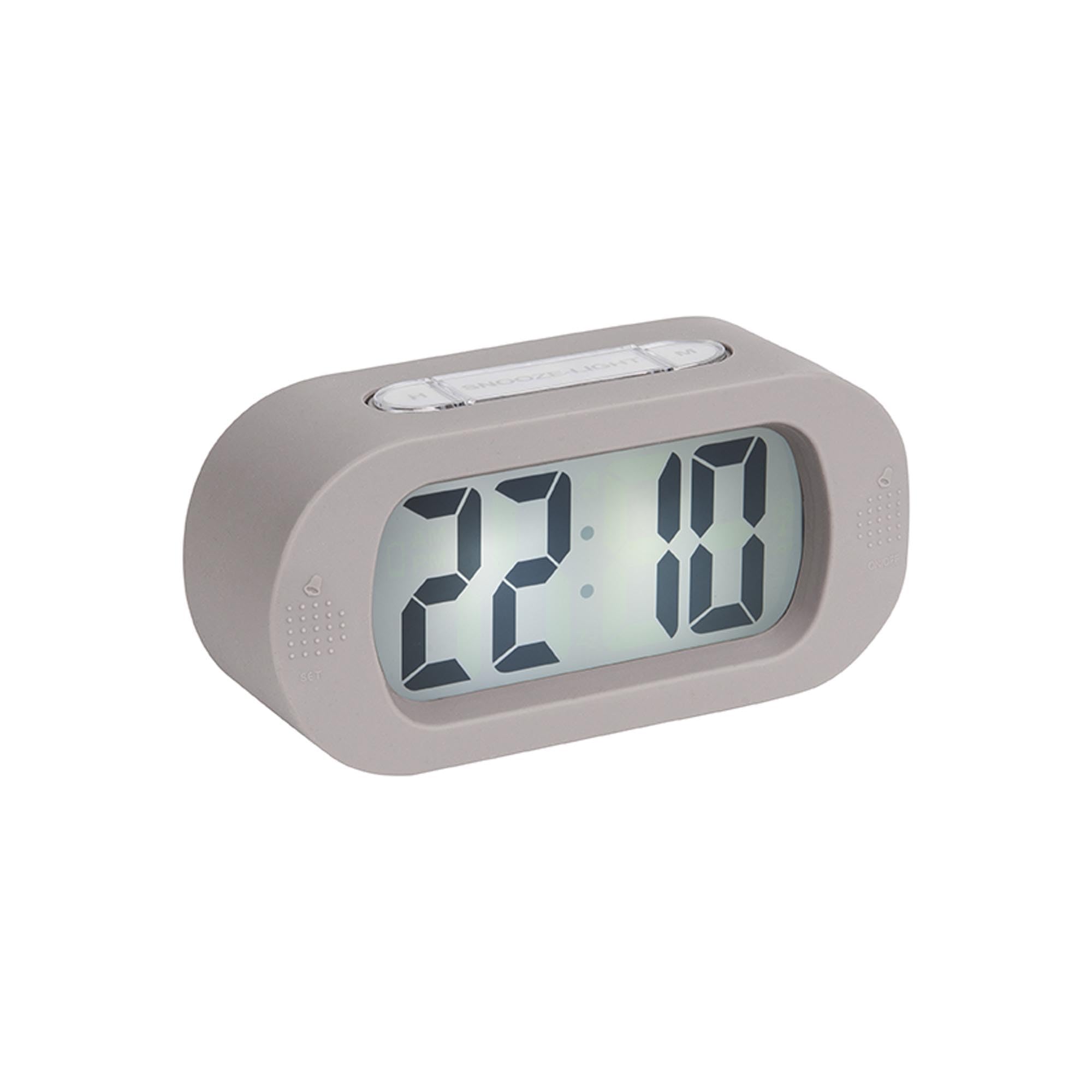
Obrázek: Přední strana view of the alarm clock.
6.1 Nastavení času
- Stiskněte a podržte "NASTAVENÍ ČASU" button (located on the back) until the hour digits start flashing.
- Použijte H. button (on top) to adjust the hour.
- Stiskněte tlačítko "NASTAVENÍ ČASU" button again to switch to minute setting.
- Použijte „M“ button (on top) to adjust the minutes.
- Stiskněte "NASTAVENÍ ČASU" naposledy pro potvrzení a ukončení režimu nastavení času.
6.2 Nastavení alarmu
- Stiskněte a podržte "SOUBOR" button (on the front bottom left) until the alarm hour digits start flashing.
- Použijte H. tlačítko pro nastavení hodiny budíku.
- Stiskněte "SOUBOR" again to switch to alarm minute setting.
- Použijte „M“ tlačítko pro nastavení minut budíku.
- Stiskněte "SOUBOR" naposledy pro potvrzení a ukončení režimu nastavení budíku.
6.3 Aktivace/deaktivace alarmu
To turn the alarm on or off, locate the alarm switch or button (often on the side or back, indicated by an alarm icon). Slide or press it to toggle the alarm status. A small alarm icon on the display usually indicates the alarm is active.
6.4 Funkce odložení
Když zazvoní budík, stiskněte velké "ODLOŽENÍ/SVĚTLO" button on top of the clock. The alarm will pause for a few minutes (typically 5-9 minutes) and then sound again. You can repeat this process.
6.5 Funkce světla
Stiskněte tlačítko "ODLOŽENÍ/SVĚTLO" button briefly to illuminate the display for a few seconds, allowing you to read the time in the dark.
7. Údržba
7.1 Čištění
Wipe the clock with a soft, dry cloth. Do not use abrasive cleaners or solvents, as these may damage the silicone surface or display.
7.2 Výměna baterie
When the display dims or the alarm weakens, it's time to replace the batteries. Follow the battery installation steps in Section 5.1.
8. Řešení problémů
| Problém | Možná příčina | Řešení |
|---|---|---|
| Displej je prázdný nebo tmavý. | Baterie jsou slabé nebo nesprávně vložené. | Replace batteries with new 3 x AAA batteries, ensuring correct polarity. |
| Alarm se nespustí. | Alarm není aktivován nebo jsou baterie slabé. | Ensure the alarm is switched ON. Replace batteries if needed. |
| Čas/budík nelze nastavit. | Buttons are not being pressed correctly or device is unresponsive. | Ensure you are pressing and holding the correct buttons as per instructions. Remove and reinsert batteries to reset the device. |
9. Specifikace
- Číslo modelu: KA5753GY
- Materiál: Silikon
- Barva: Teplá šedá
- Typ displeje: Digitální
- Rozměry (V x Š x H): Přibližně 7 cm x 14 cm x 5 cm (2.76 x 5.51 x 1.97 palce)
- Hmotnost: Přibližně 220 gramů (0.49 liber)
- Zdroj napájení: 3 x AAA baterie (nejsou součástí balení)
- Speciální vlastnosti: Alarm, Snooze, Light
- Typ pokoje: Ložnice
- Používání: Krytý
10. Záruka a podpora
For warranty information and customer support, please refer to the retailer where you purchased the Karlsson Gummy Digital Alarm Clock or visit the official Karlsson webUschovejte si doklad o koupi pro případné reklamace.
Online podpora: www.karlssonclocks.com