1. Úvod
The JBL LIVE 400BT are on-ear wireless headphones designed to deliver JBL Signature Sound. These headphones feature Bluetooth connectivity, a built-in microphone for hands-free calls, and integrated voice assistant support (Amazon Alexa). They also include Ambient Aware and TalkThru technologies for enhanced situational awareness and convenient conversations without removing the headphones. The headphones offer up to 24 hours of battery life and can be used with an audio cable when the battery is depleted.
2. Co je v krabici
Po otevření balení se ujistěte, že jsou přítomny všechny položky:
- JBL LIVE 400BT Headphones
- Nabíjecí kabel
- Aux Cable (3.5 mm)
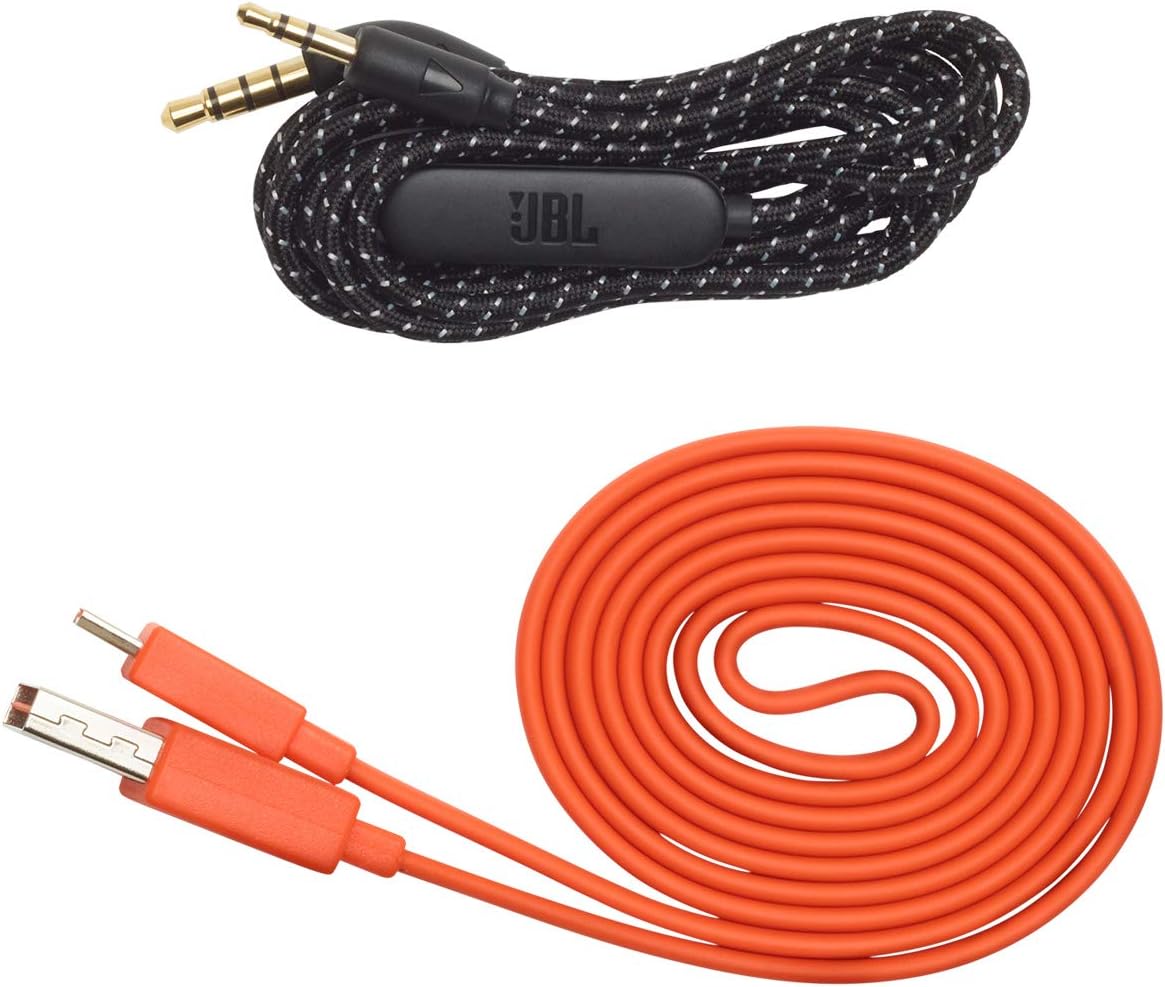
Image: JBL LIVE 400BT headphones shown with the included charging cable and 3.5mm aux cable.
3. Nastavení
3.1. Nabíjení sluchátek
Before first use, fully charge your JBL LIVE 400BT headphones. A full charge provides up to 24 hours of playback. A quick 15-minute charge can provide an additional 2 hours of listening time.
- Připojte dodaný nabíjecí kabel k nabíjecímu portu na sluchátkách.
- Druhý konec nabíjecího kabelu připojte k USB zdroji napájení (např. k síťovému adaptéru, USB portu počítače).
- LED indikátor na sluchátkách bude ukazovat stav nabíjení. Po plném nabití obvykle zhasne nebo změní barvu.
3.2. Zapnutí/vypnutí
- To power on, slide the power switch located on the right earcup.
- To power off, slide the power switch back to the off position.
3.3. Párování Bluetooth
The JBL LIVE 400BT headphones use Bluetooth 4.0 for wireless connectivity with a range of up to 10 meters.
- Ujistěte se, že jsou sluchátka vypnutá.
- Slide the power switch to the "on" position and hold it for approximately 3-5 seconds until the LED indicator flashes blue, indicating pairing mode.
- Na svém zařízení (chytrý telefon, tablet, počítač) povolte Bluetooth a vyhledejte dostupná zařízení.
- Select "JBL LIVE 400BT" from the list of available devices.
- Po připojení bude LED indikátor svítit modře.

Image: The right earcup of the JBL LIVE 400BT headphones, highlighting the power switch and LED indicator for Bluetooth pairing.
4. Ovládání sluchátek
4.1. Základní ovládací prvky
The headphones feature intuitive controls on the earcups for managing audio and calls.
- Přehrát/pozastavit: Stiskněte jednou multifunkční tlačítko.
- Další skladba: Dvakrát stiskněte multifunkční tlačítko.
- Předchozí skladba: Třikrát stiskněte multifunkční tlačítko.
- Zvýšení/Snížení hlasitosti: Použijte vyhrazená tlačítka hlasitosti.
- Přijmout/ukončit hovor: Během příchozího nebo aktivního hovoru stiskněte jednou multifunkční tlačítko.
- Odmítnout hovor: Během příchozího hovoru stiskněte a podržte multifunkční tlačítko po dobu 2 sekund.
4.2. Voice Assistant (Amazon Alexa)
Access Amazon Alexa directly from your headphones. Use the JBL App to set up your voice assistant preference.
- Ensure your headphones are connected to your smartphone via Bluetooth.
- Download and open the JBL Headphones App.
- Follow the in-app instructions to select and configure Amazon Alexa as your voice assistant.
- Once configured, tap the left earcup to activate Alexa and issue commands (e.g., "Play my favorite playlist," "Check the weather").
4.3. Ambient Aware and TalkThru Technology
These features allow you to stay connected to your surroundings or have conversations without removing your headphones.
- Ambient Aware: A touch of the Ambient Aware button (located on the left earcup) increases ambient sound, allowing you to hear what's happening around you while music continues at a lower volume.
- TalkThru: Activate TalkThru mode by pressing the TalkThru button (located on the left earcup). This significantly drops the music volume, enabling clear conversations with others without removing the headphones.
Video: Official JBL demonstration of the LIVE 400BT headphones, highlighting features like JBL Signature Sound, Ambient Aware, TalkThru technology, and voice assistant integration.
4.4. Kabelové připojení
If the battery runs out or you prefer a wired connection, use the provided 3.5mm audio cable.
- Zapojte jeden konec 3.5mm audio kabelu do audio konektoru na sluchátkách.
- Plug the other end into your audio source's 3.5mm output.
- The headphones will function passively, without requiring battery power.
5. Údržba
Proper care ensures the longevity of your JBL LIVE 400BT headphones.
- Čištění: K čištění náušníků a hlavového mostu používejte měkký, suchý hadřík. Nepoužívejte agresivní chemikálie ani abrazivní materiály.
- Skladování: When not in use, store the headphones in a cool, dry place. Avoid extreme temperatures. The headphones are foldable for compact storage.
- Péče o baterie: Abyste prodloužili životnost baterie, vyvarujte se častého úplného vybíjení sluchátek. Pravidelně je nabíjejte, i když je nepoužíváte neustále.
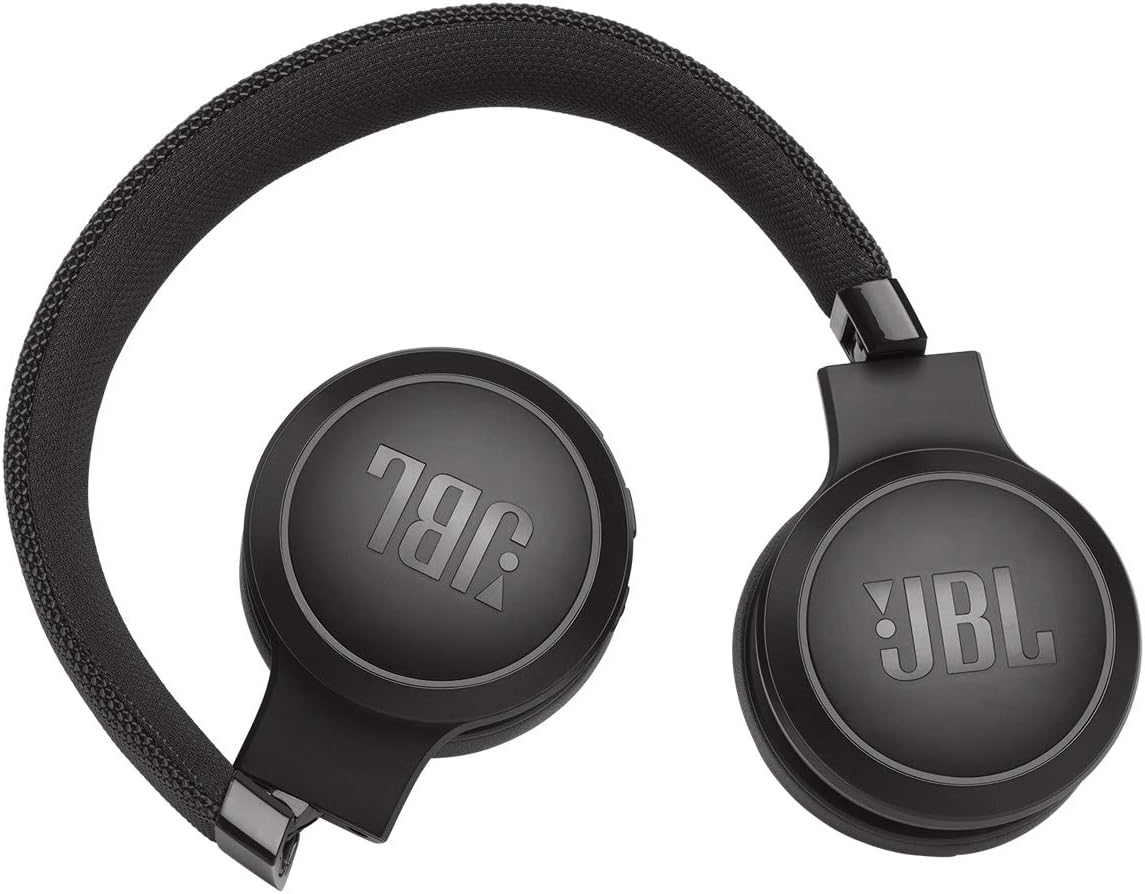
Image: JBL LIVE 400BT headphones shown in a folded position, demonstrating their portability and ease of storage.
6. Řešení problémů
If you encounter issues with your JBL LIVE 400BT headphones, refer to the following common solutions.
6.1. No Power / Cannot Turn Off
- Nabíjení baterie: Ensure the headphones are fully charged. A low battery can cause unexpected behavior.
- Cyklus napájení: If the headphones are stuck on or cannot be turned off, try connecting them to a charger for a few minutes, then attempt to power off again.
- Obnovení továrního nastavení: If the issue persists, a factory reset may resolve it. Consult the JBL support website or the full user manual for specific factory reset instructions for your model, as this often involves a combination of button presses.
6.2. Problémy s připojením Bluetooth
- Zajistěte režim párování: Verify the headphones are in pairing mode (flashing blue LED).
- Blízkost zařízení: Make sure the headphones are within 10 meters of your Bluetooth device.
- Zapomenout zařízení: On your device, "forget" or "unpair" the JBL LIVE 400BT from your Bluetooth settings, then attempt to pair again.
- Restartujte zařízení: Restart both your headphones and the Bluetooth device.
6.3. Žádný zvuk nebo nízká hlasitost
- Check Volume Levels: Ensure volume is turned up on both the headphones and your connected device.
- Correct Output: Verify that your device is sending audio to the JBL LIVE 400BT.
- Kabelové připojení: If using the aux cable, ensure it is fully inserted into both the headphones and the audio source.
7. Specifikace
| Funkce | Specifikace |
|---|---|
| Název modelu | JBL LIVE 400 - Black (JBLLIVE400BTBLKAM) |
| Značka | JBL |
| Technologie připojení | Bluetooth |
| Technologie bezdrátové komunikace | Bluetooth |
| Verze Bluetooth | 4.0 |
| Dosah Bluetooth | 10 metrů |
| Velikost zvukového ovladače | 40 milimetrů |
| Typ zvukového ovladače | Dynamický ovladač |
| Frekvenční odezva | 20 kHz |
| Citlivost | 106 dB |
| Impedance | 32 ohmů |
| Životnost baterie | 24 hodina |
| Doba nabíjení | 2 hodiny |
| Jack pro sluchátka | Zásuvka 3.5 mm |
| Typ ovládání | Alexa, Touch, Voice Assistant |
| Kontrolní metoda | Dotyk, Hlas |
| Kontrola hluku | Active Noise Cancellation (basic_noise_control) |
| Materiál | Umělá kůže |
| Hmotnost položky | 6.6 unce (185.8 gramů) |
| Rozměry produktu | 8.07 x 2.17 x 8.78 palce |
| Datum první dostupnosti | 7. ledna 2019 |
8. Záruka a podpora
For warranty information, technical support, or further assistance, please visit the official JBL support webnebo se obraťte na jejich zákaznický servis. Uschovejte si doklad o koupi pro případ reklamace.
Další zdroje a kontaktní informace naleznete na JBL Store na Amazonu.


