
1. Úvod
Thank you for choosing the Physionics ELTR01 Elliptical Trainer. This manual provides essential information for the safe assembly, operation, and maintenance of your fitness equipment. Please read it thoroughly before use and keep it for future reference.
The Physionics ELTR01 is designed to provide an effective full-body cardio workout in the comfort of your home, engaging various muscle groups while being gentle on your joints.

Image 1.1: Physionics ELTR01 Elliptical Trainer in use.
2. Bezpečnostní informace
- Před zahájením jakéhokoli nového cvičebního programu se poraďte s lékařem.
- Během používání udržujte děti a domácí zvířata mimo dosah zařízení.
- Place the trainer on a flat, stable surface with adequate clearance around it.
- Před každým použitím se ujistěte, že jsou všechny šrouby a matice bezpečně utažené.
- Nepřekračujte maximální hmotnost uživatele 120 kg (265 lb).
- Noste vhodné oblečení a obuv na cvičení.
- Pokud pocítíte mdloby, závratě nebo bolest, okamžitě přestaňte cvičit.
- The equipment is for home use only, not for commercial or therapeutic purposes.

Image 2.1: Maximum user weight capacity of 120 kg (265 lbs).
3. Obsah balení
Zkontrolujte prosím, zda jsou všechny součásti přítomny a nepoškozené. Pokud některé součásti chybí nebo jsou poškozené, kontaktujte zákaznickou podporu.
- Hlavní komponenty rámu
- pedály (2)
- Handlebars (2) with Pulse Sensors
- LCD monitor
- Abdominal Support Pad
- Montážní materiál (šrouby, podložky, matice)
- Montážní nářadí (klíče, imbusové klíče)
- Uživatelská příručka
4. Nastavení a montáž
Assembly typically requires two people. Follow the numbered steps in the included assembly diagram. Ensure all connections are secure before use.
- Vybalte všechny součásti a rozložte je na čistý, rovný povrch.
- Připevněte přední a zadní stabilizátory k hlavnímu rámu pomocí dodaných šroubů a podložek.
- Mount the main upright post to the base frame.
- Connect the handlebars and pedal arms to the main frame, ensuring proper alignment.
- Install the abdominal support pad onto its adjustable post.
- Attach the LCD monitor to its bracket and connect the sensor wires (pulse and speed).
- Secure the pedals to the pedal arms.
- Double-check all bolts and nuts for tightness.

Obrázek 4.1: Rozměry produktu pro plánování umístění.
5. Návod k obsluze
5.1 Začínáme
Step onto the pedals one foot at a time, holding onto the handlebars for balance. Begin a smooth, elliptical motion. The movement should feel natural and fluid.

Image 5.1: Key features of the elliptical trainer.
5.2 Funkce LCD monitoru
The digital LCD monitor tracks your workout progress. It typically displays the following functions:
- PULS: Your heart rate (when holding the pulse sensors).
- ČAS: Délka vašeho aktuálního tréninku.
- CELKOVÝ ČAS: Cumulative workout time.
- KALORIE: Odhad spálených kalorií.
- RPM (otáčky za minutu): Speed of your pedal strokes.
- SKENOVAT: Automaticky přepíná mezi všemi funkcemi displeje.
Use the 'MODE' button to select a specific function or 'SCAN' mode. The 'RESET' button clears all values.

Image 5.2: Close-up of the LCD monitor and its functions.
5.3 Adjustable Abdominal Support
The abdominal support pad can be adjusted for height and depth to provide comfort and stability during your workout. Loosen the adjustment knob, position the pad, and then tighten the knob securely.

Image 5.3: Detail of the two-way adjustable abdominal support.
5.4 Grip Pulse Monitor
To measure your heart rate, firmly grasp the pulse sensors on the handlebars. Your pulse will be displayed on the LCD monitor after a few seconds.

Image 5.4: How to use the grip pulse monitor.
5.5 Non-Slip Pedals
The textured, non-slip pedals are designed to ensure stability and safety during your exercise. Always ensure your feet are centered and secure on the pedals.
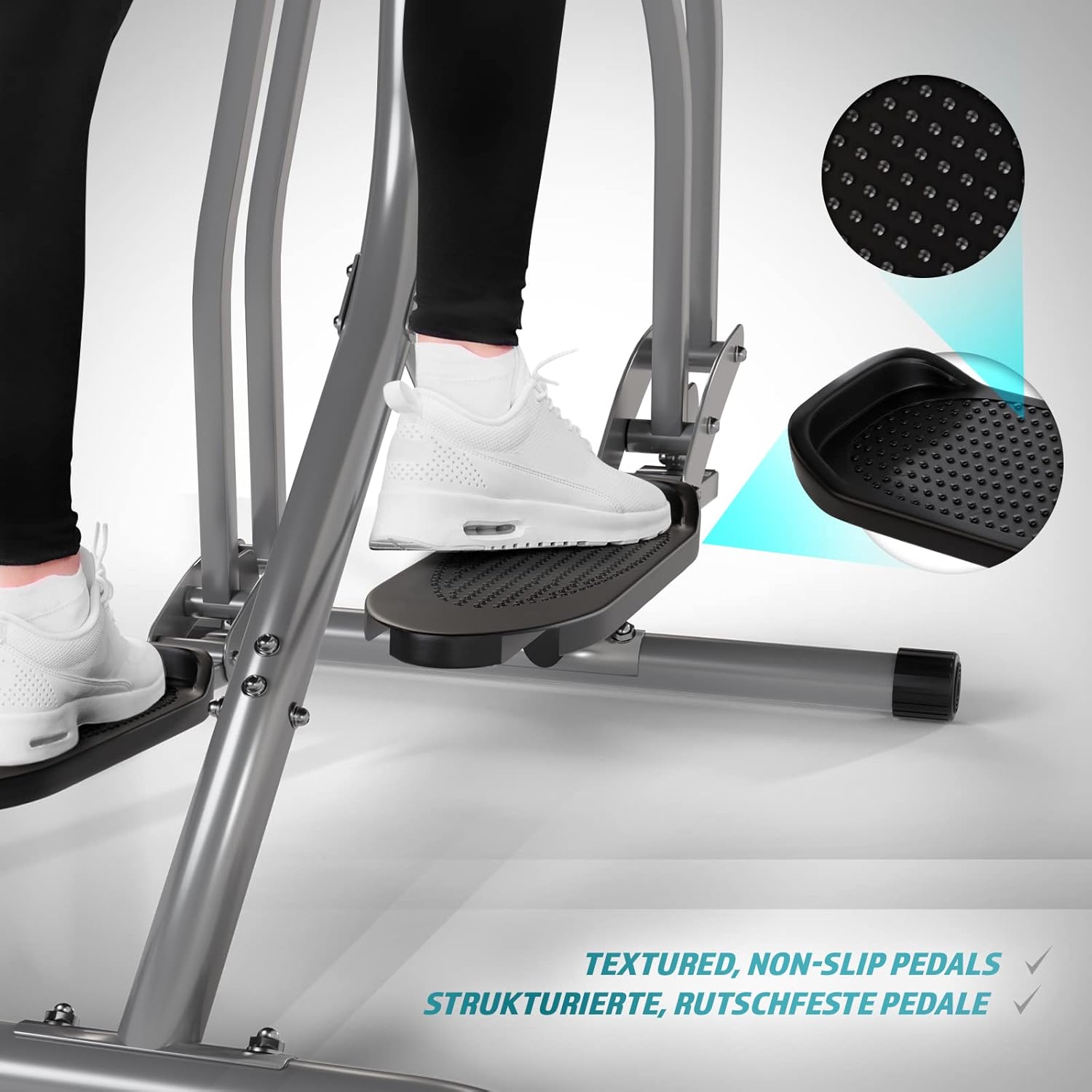
Image 5.5: Detail of the non-slip pedal surface.
5.6 Benefits of Elliptical Training
Elliptical training offers a low-impact workout that is beneficial for cardiovascular health, calorie burning, muscle toning, and improving balance and coordination. It is particularly gentle on joints compared to high-impact exercises.

Image 5.6: Elliptical training is gentle on joints.
6. Údržba
- Čištění: Otřete trenéra reklamouamp Po každém použití otírejte hadříkem, abyste odstranili pot a prach. Nepoužívejte abrazivní čisticí prostředky.
- Inspekce: Pravidelně kontrolujte utažení a opotřebení všech šroubů, matic a pohyblivých částí. Utáhněte všechny uvolněné upevňovací prvky.
- Mazání: Apply a small amount of silicone-based lubricant to moving joints and pivot points every few months to ensure smooth operation and prevent squeaking.
- Skladování: Store the trainer in a dry, cool place away from direct sunlight and moisture.
7. Řešení problémů
| Problém | Možná příčina | Řešení |
|---|---|---|
| LCD monitor nezobrazuje | Dead batteries; Loose sensor connection | Replace batteries; Check and secure all sensor cables. |
| Vrzání nebo skřípání | Uvolněné šrouby; Nedostatečné mazání; Opotřebované díly | Tighten all bolts; Lubricate moving joints; Contact support if noise persists. |
| Nepřesný odečet pulsu | Hands not firmly on sensors; Dry hands | Ensure firm, consistent contact with sensors; Slightly moisten hands if too dry. |
| Nestabilní během používání | Uneven surface; Loose frame connections | Move to a level surface; Check and tighten all frame bolts. |
8. Specifikace
| Funkce | Detail |
|---|---|
| Název modelu | Air Walker |
| Číslo modelu | ELTR01 |
| Značka | Fyzika |
| Barva | Stříbrná/černá |
| Rozměry produktu (D x Š x V) | 97 x 60 x 144.5 cm |
| Hmotnost položky | 17 kg |
| Hlavní materiál | Ocel, plast, pěna |
| Mechanismus odporu | Air, Manual |
| Doporučená maximální hmotnost | 120 kg |
| Maximum Step Length | 90 centimetrů |
| Velikost displeje | 90 Centimeters (Note: This value from source data may refer to step length or a general display size, not the physical screen size of the LCD monitor.) |
| Výrobce | FF Europe |
9. Záruka a podpora
For warranty information, please refer to the documentation included with your purchase or contact your retailer. If you require technical assistance, have questions about assembly, or need replacement parts, please contact Physionics customer support through their official website or the contact details provided at the point of purchase.
Please have your model number (ELTR01) and purchase date ready when contacting support.


