1. Úvod
This manual provides essential information for the installation, operation, and maintenance of your GIGABYTE GeForce GTX 1660 Ti Windforce OC 6G graphics card. Please read this manual thoroughly before installation and retain it for future reference.
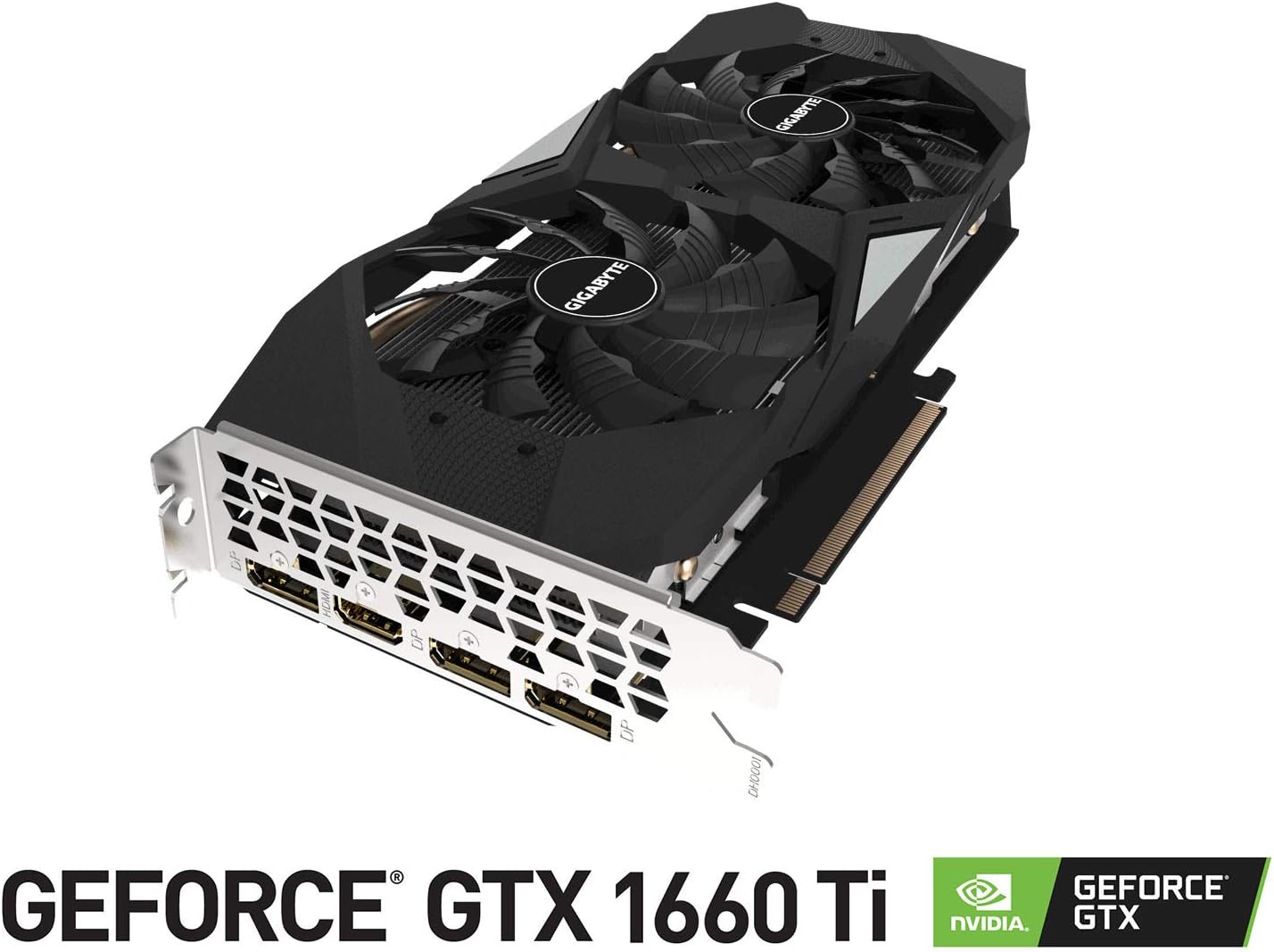
The GIGABYTE GeForce GTX 1660 Ti Windforce OC 6G is designed for enhanced graphics performance, featuring:
- Powered by GeForce GTX 1660 Ti integrated with 6GB GDDR6
- Windforce 2x cooling system with alternate spinning fans
- Intuitivní ovládání s enginem AORUS
- 6GB 192-bit GDDR6 memory interface
- Multiple display outputs: 1 x HDMI, 3 x DisplayPort
- Rozhraní PCI Express 3.0 x16
2. Co je v krabici
Ověřte, zda jsou v balení přítomny všechny položky:
- GIGABYTE GeForce GTX 1660 Ti Windforce OC 6G Graphics Card
- Uživatelská příručka
3. Specifikace
| Funkce | Specifikace |
|---|---|
| Jednotka grafického zpracování | NVIDIA GeForce GTX 1660 Ti |
| Video paměť | 6 GB GDDR6 |
| Rychlost paměti | 12000 MHz |
| Rozhraní paměti | 192bitový |
| Maximální rozlišení obrazovky | 7680x4320 |
| Výstupní porty | 1 x HDMI 2.0B, 3 x DisplayPort 1.4 |
| Bus Standard | PCI Express 3.0 x16 |
| Chladicí systém | WINDFORCE 2X se střídavými ventilátory |
| Rozměry (DxŠxV) | 10.43 x 4.76 x 1.57 palce |
| Hmotnost položky | 15.9 unce |
4. Nastavení a instalace
Before proceeding with the installation, ensure your system meets the minimum requirements and that your power supply unit (PSU) has sufficient wattage and the necessary PCIe power connectors.
4.1 Kontroly před instalací
- Vypnout: Vypněte počítač a odpojte napájecí kabel ze zásuvky.
- Otevřený případ: Sejměte boční panel skříně počítače.
- Statický výboj: Ground yourself by touching a metal part of your computer chassis to discharge any static electricity.
- Odbavení: Ensure there is enough physical space in your case for the graphics card.
4.2 Fyzická instalace
- Locate an available PCI Express 3.0 x16 slot on your motherboard.
- Remove any expansion slot covers that correspond to the graphics card's size (typically two slots).
- Opatrně zarovnejte grafickou kartu se slotem PCIe a pevně ji zatlačte, dokud bezpečně nezapadne. Může se ozývat cvaknutí.
- Připevněte grafickou kartu ke skříni pomocí šroubů.
- Connect the appropriate PCIe power cable(s) from your power supply to the graphics card. This model typically requires an 8-pin connector.
- Vyměňte boční panel skříně počítače.
4.3 Instalace ovladače
- Connect your monitor to one of the graphics card's output ports (HDMI or DisplayPort).
- Zapněte počítač.
- Once the operating system loads, download the latest drivers from the official GIGABYTE or NVIDIA webmísto.
- Dokončete instalaci ovladače podle pokynů na obrazovce.
- Chcete-li použít změny, restartujte počítač.
5. Ovládání grafické karty
Once installed and drivers are updated, your GIGABYTE GeForce GTX 1660 Ti is ready for use. It will automatically handle graphics processing for applications and games. For optimal performance, ensure your operating system and game titles are up-to-date.
You can use NVIDIA's control panel or GIGABYTE's AORUS Engine software to monitor performance, adjust fan curves, and customize settings for specific applications or games.
6. Údržba
Správná údržba zajistí dlouhou životnost a optimální výkon vaší grafické karty.
- Čištění prachu: Pravidelně čistěte prach z ventilátorů a chladiče stlačeným vzduchem. Před čištěním se ujistěte, že je počítač vypnutý a odpojený od sítě.
- Aktualizace ovladačů: Udržujte ovladače grafické karty aktualizované, abyste mohli těžit z vylepšení výkonu a oprav chyb.
- Monitorování teploty: Use monitoring software to keep an eye on the GPU temperature, especially during heavy loads. Ensure adequate airflow within your PC case.
- Fyzická kontrola: Periodically check for any loose cables or connections.
7. Řešení problémů
Pokud narazíte na problémy s grafickou kartou, zkuste následující kroky pro řešení potíží:
- Bez displeje: Ensure the monitor cable is securely connected to the graphics card and the monitor is powered on. Verify the graphics card is fully seated in the PCIe slot and power cables are connected.
- Problémy s ovladači: Reinstall the latest drivers from the official GIGABYTE or NVIDIA website. Try using Display Driver Uninstaller (DDU) to completely remove old drivers before installing new ones.
- Přehřívání: Check for proper airflow in your PC case. Clean dust from the graphics card fans and heatsink. Ensure fan speeds are adequate using monitoring software.
- Problémy s výkonem: Ensure your game or application settings are not excessively high for the card's capabilities. Check for background applications consuming resources.
- Nestabilita systému: If your system crashes or freezes, ensure your power supply unit (PSU) is sufficient for the graphics card and other components. Check for any conflicts with other hardware.
8. Obrázky produktů



9. Produktová videa
10. Záruka a podpora
GIGABYTE products are covered by a limited warranty. For detailed warranty terms and conditions, please refer to the official GIGABYTE webwebu nebo záruční kartu dodanou s vaším produktem. Uschovejte si doklad o koupi pro případ reklamace.
For technical support, driver downloads, and further assistance, visit the official GIGABYTE support page. You can also find FAQs and community forums for common issues and solutions.


