1. Úvod
The TROTEC TP10 is a high-precision infrared thermometer designed for non-contact surface temperature measurements across a wide range. This device is suitable for various applications, including industrial diagnostics, HVAC system maintenance, and general temperature monitoring. Its advanced features ensure accurate and reliable readings, even for small or distant objects.
This manual provides essential information for the safe and effective use of your TP10 infrared thermometer. Please read it thoroughly before operating the device and keep it for future reference.
2. Bezpečnostní pokyny
Dodržujte následující bezpečnostní opatření, abyste předešli zranění a poškození zařízení:
- Bezpečnost laseru: The TP10 uses a Class 2 laser. Do not stare directly into the laser beam or direct it at other people's eyes. Avoid prolonged exposure.
- Provozní prostředí: Nepoužívejte zařízení ve výbušném prostředí nebo v blízkosti hořlavých materiálů.
- Teplotní limity: Do not expose the device to extreme temperatures outside its specified operating range.
- Elektrická bezpečnost: Nepokoušejte se zařízení otevírat ani upravovat. Veškerý servis svěřte kvalifikovanému personálu.
- Manipulace s horkými povrchy: When measuring hot surfaces, be aware of potential burns from contact. The infrared thermometer measures surface temperature only.
- Čištění: K čištění používejte měkký, suchý hadřík. Nepoužívejte abrazivní čisticí prostředky nebo rozpouštědla.
3. Konec produktuview
The TROTEC TP10 is a robust and ergonomic infrared thermometer designed for ease of use and high accuracy. It features a clear digital display and intuitive controls.
Klíčové vlastnosti:
- Wide temperature measurement range: -50°C to +1850°C (-58°F to +3362°F).
- High optical resolution of 75:1 for precise measurements of small or distant objects.
- Adjustable emissivity for accurate readings on various surface types.
- Integrated data logging function for storing up to 30 measurement points.
- Automatic display of Minimum, Maximum, Differential, and Average values.
- Clear, high-resolution digital display with backlight.
- Laser targeting for precise aiming.
- Funkce automatického vypnutí pro úsporu energie baterie.
- Indikace stavu baterie.
Součásti zařízení:

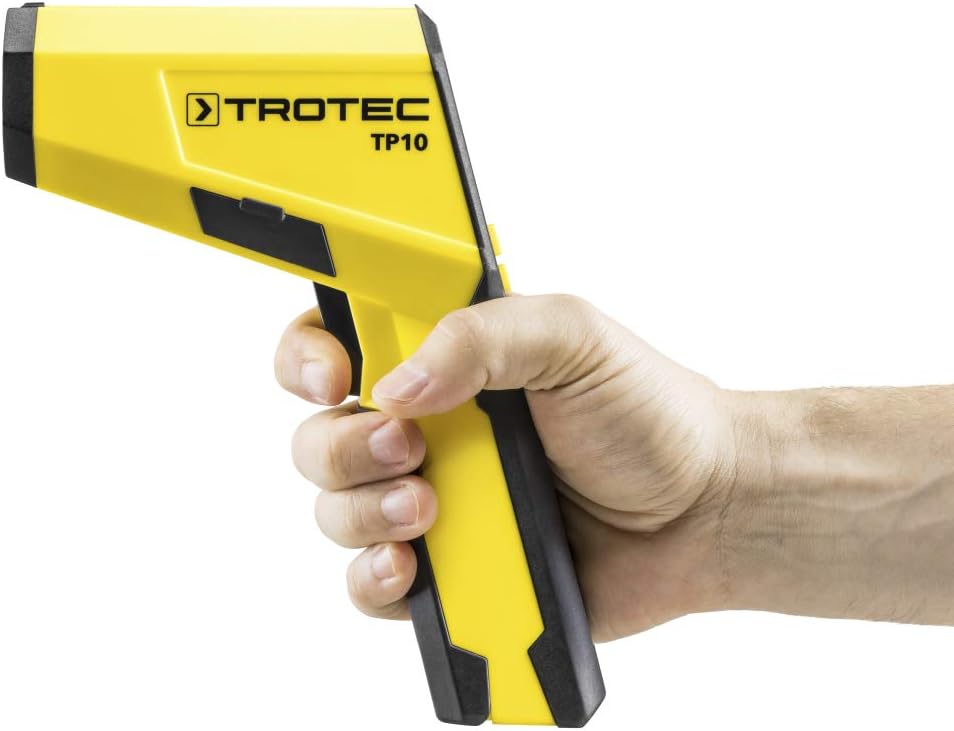
The device features a pistol-grip design for comfortable handling. The main body houses the infrared sensor and laser emitter at the front, with the trigger located on the underside of the handle. The digital display is positioned at the rear, providing clear visibility of measurement data and settings.
4. Nastavení
4.1 Instalace baterie
- Locate the battery compartment cover on the handle of the device.
- Otevřete kryt jeho posunutím nebo odjištěním.
- Insert the required batteries (e.g., 9V battery, not specified in data, assuming common type) according to the polarity indicators (+/-).
- Bezpečně zavřete kryt bateriového prostoru.
4.2 Zapnutí/vypnutí
Press the trigger to power on the device. The device will automatically power off after a period of inactivity to save battery life.
4.3 Výběr jednotky (°C/°F)
The device allows selection between Celsius (°C) and Fahrenheit (°F). Refer to the on-screen menu or dedicated button (if available) to switch between units. This setting is usually found within the 'MODE' options.
4.4 Úprava emisivity
Emissivity (ε) is a crucial setting for accurate infrared temperature measurement. Different materials emit infrared energy differently. The TP10 allows for adjustable emissivity to match the surface being measured. Consult an emissivity table for common materials. Adjust the emissivity value using the device's menu buttons (e.g., F1, F2, F3, MODE) to ensure accurate readings.
5. Návod k obsluze
5.1 Provedení měření
- Point the infrared sensor (front of the device) towards the target surface.
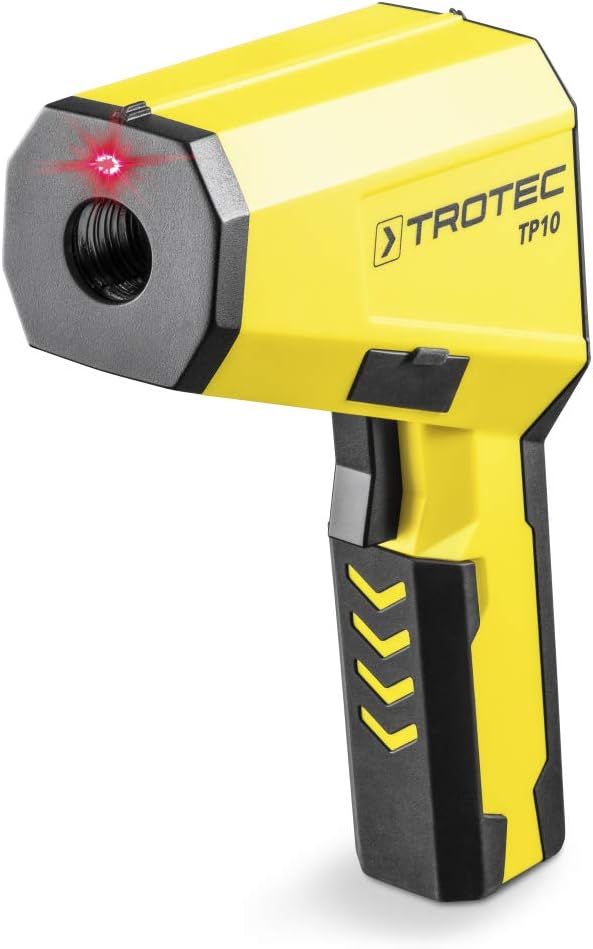
- Press and hold the trigger. The laser pointer will activate to indicate the measurement spot.
- The current surface temperature will be displayed on the screen.
- Release the trigger to hold the measurement on the display.
5.2 Porozumění zobrazení
The TP10's digital display provides comprehensive information:
- Aktuální teplota: The primary reading in the selected unit (°C or °F).
- Min/Max Values: Displays the minimum and maximum temperatures recorded during a continuous measurement.
- Diff (Differential) Value: Shows the difference between the maximum and minimum recorded temperatures.
- Avg (Average) Value: Calculates the average temperature over a measurement period.
- Emissivity Setting (E): Indicates the currently set emissivity value.
- Stav baterie: An icon indicating the remaining battery life.

5.3 Protokolování dat
The TP10 can store up to 30 measurement points. To use the data logging function:
- Initiate a measurement as described above.
- While holding the trigger or after releasing it (depending on mode), press the 'SAVE' button (often F2 or F3) to store the current reading.
- To recall stored data, navigate through the menu using the 'MODE' button and select the data logging review volba.
5.4 Poměr vzdálenosti k bodu (D:S)
The TP10 has a D:S ratio of 75:1. This means that at a distance of 75 units, the measurement spot diameter is 1 unit. For example, at 75 cm distance, the spot size is 1 cm. Maintain an appropriate distance to ensure the target completely fills the measurement spot for accurate readings.

6. Údržba
6.1 Čištění
Keep the device clean to ensure optimal performance. Wipe the casing s měkkým, damp cloth. Do not use harsh chemicals or abrasive materials. Pay special attention to keeping the infrared lens and laser aperture clean and free of dust or debris.
6.2 Skladování
Pokud zařízení delší dobu nepoužíváte, vyjměte baterie, abyste zabránili jejich vytečení. Skladujte zařízení na chladném a suchém místě, mimo dosah přímého slunečního záření a extrémních teplot.
6.3 Výměna baterie
When the battery indicator shows low power, replace the batteries promptly to avoid interruption of operation. Follow the battery installation steps in Section 4.1.
7. Řešení problémů
| Problém | Možná příčina | Řešení |
|---|---|---|
| Zařízení se nezapne. | Vybité nebo nesprávně vložené baterie. | Vyměňte baterie nebo zkontrolujte polaritu. |
| Readings are inconsistent or inaccurate. | Incorrect emissivity setting; lens is dirty; target is too small or too far. | Adjust emissivity; clean lens; ensure target fills measurement spot (D:S ratio). |
| Display shows "Lo" or "Hi". | Temperature is outside the device's measurement range. | Ensure the target temperature is within -50°C to +1850°C. |
| Laser does not activate. | Laser function is disabled or device malfunction. | Check device settings for laser activation. If problem persists, contact support. |
8. Specifikace
| Funkce | Detail |
|---|---|
| Značka | TROTEC |
| Číslo modelu | 3510003046 (TP10) |
| Rozsah měření | -50 °C až +1850 °C (-58 °F až +3362 °F) |
| Optické rozlišení (D:S) | 75:1 |
| Emisivita | Nastavitelný |
| Záznam dat | Up to 30 measurement points |
| Typ zobrazení | Digital, High-resolution |
| Konektivita | USB |
| Speciální funkce | High-resolution display, Min/Max/Diff/Avg functions, Laser targeting, Auto Power Off |
| Rozměry produktu | 16.8 x 5.6 x 22.5 cm |
| Hmotnost položky | 1.19 kg |
| Materiál | Plast |
| Certifikace | CE |
9. Záruka a podpora
For warranty information, technical support, or service inquiries, please refer to the documentation included with your product or visit the official TROTEC webUschovejte si účtenku jako doklad o koupi pro případné reklamace.
Výrobce: TROTEC
Model: TP10 (3510003046)


