1. Úvod
Děkuji za nákupasing the Marathon CL030050P Digital Desk Clock. This compact and versatile clock is designed for convenience, offering a clear digital display with a soft blue backlight, an alarm with snooze function, temperature display, and multi-language day of the week display. This manual provides detailed instructions for setup, operation, and maintenance to ensure optimal performance.
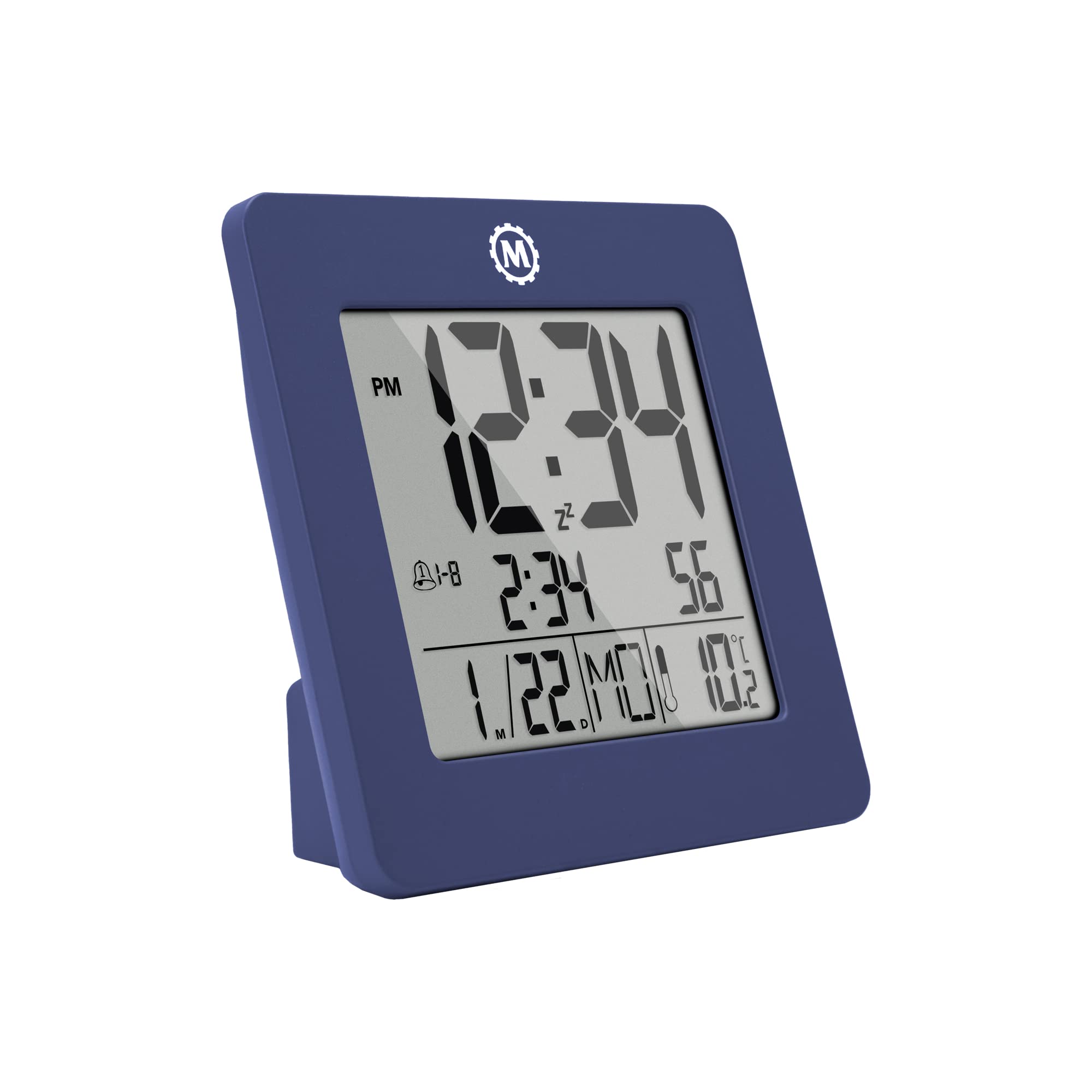
Obrázek 1: Přední strana view of the Marathon CL030050P Digital Desk Clock.
2. Obsah balení
- Marathon CL030050P Digital Desk Clock
- Uživatelská příručka (tento dokument)
- Baterie (předinstalované nebo dodávané samostatně)
3. Nastavení
3.1 Instalace baterie
The clock operates on batteries. If batteries are not pre-installed, open the battery compartment cover on the back of the clock and insert the required batteries, ensuring correct polarity (+/-). Close the cover securely.
3.2 Initial Settings (Time, Date, Language, Temperature Unit)
The back of the clock features several buttons for configuration:
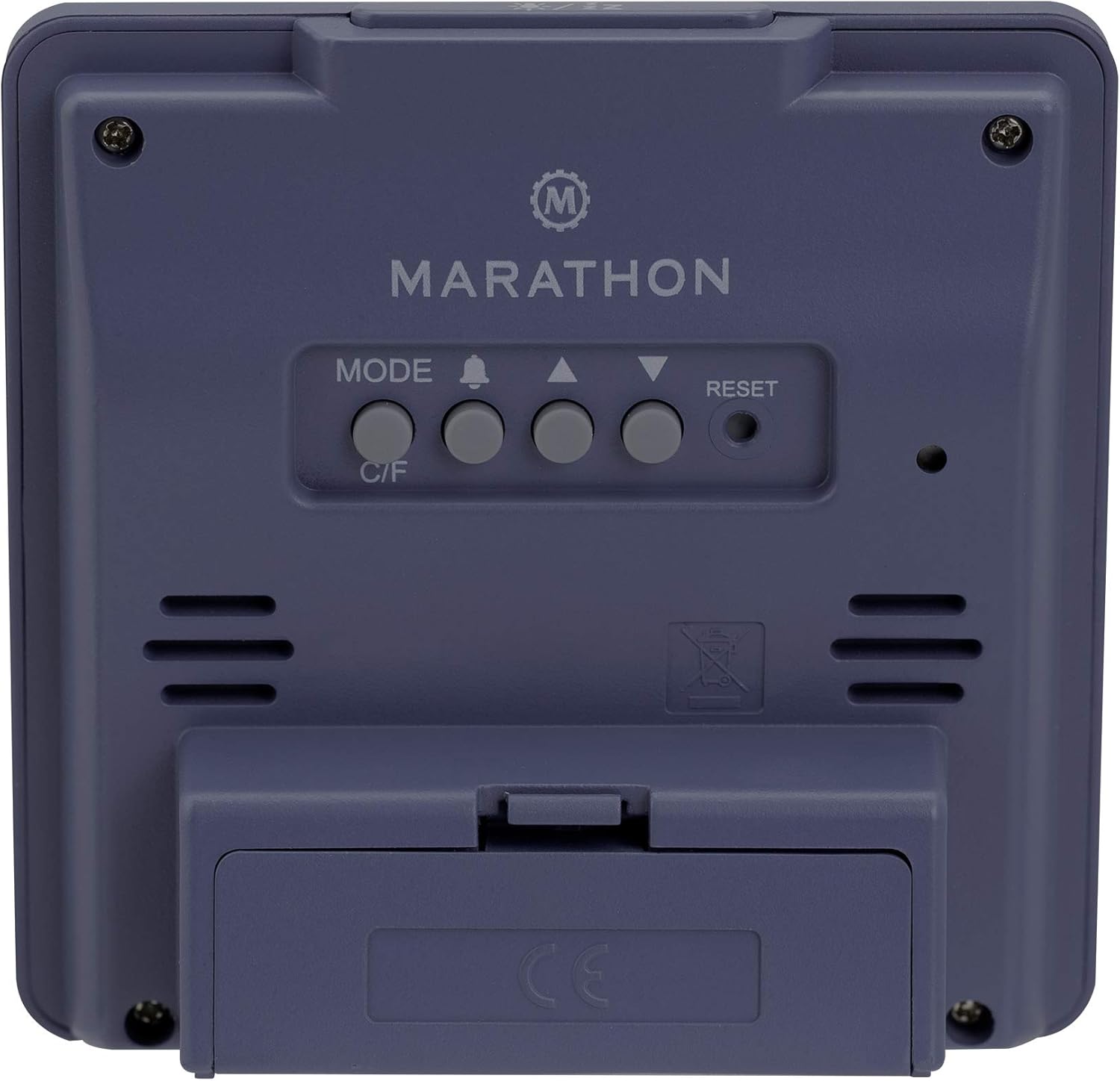
Obrázek 2: Zadní view of the clock with control buttons.
- Nastavit čas a datum: Stiskněte a podržte MODE pro vstup do režimu nastavení času. Pomocí NAHORU (▲) a DOLŮ (▼) buttons to adjust the flashing value (e.g., hour, minute, year, month, day). Press MODE znovu pro potvrzení a přechod k dalšímu nastavení.
- 12/24hodinový formát: While in time setting mode, press the NAHORU (▲) tlačítko pro přepínání mezi 12hodinovým (s indikátorem AM/PM) a 24hodinovým formátem času.
- Day of Week Language: The day of the week can be displayed in 7 languages (English, Dutch, French, Spanish, Italian, Danish, German). This setting is typically adjusted within the date setting sequence. Use NAHORU (▲) or DOLŮ (▼) to select your preferred language when the day of the week is flashing.
- Temperature Unit (C/F): Stiskněte tlačítko C / F button on the back of the clock to switch between Celsius (℃) and Fahrenheit (℉) temperature display.
4. Návod k obsluze
4.1 Režimy zobrazení
The clock continuously displays time, date, and temperature. The large, high-contrast display ensures readability.
4.2 Aktivace podsvícení
The clock features a soft blue Nightglow Super Glow backlight. To activate the backlight, press any button on the clock. The backlight will illuminate for a few seconds, providing temporary visibility in low-light conditions.
4.3 Nastavení alarmu
- Stiskněte tlačítko ALARM (🔔) jedním stisknutím tlačítka view aktuální čas alarmu.
- Stiskněte a podržte ALARM (🔔) button to enter alarm setting mode. The hour digit will flash.
- Použijte NAHORU (▲) a DOLŮ (▼) tlačítka pro nastavení hodiny. Stiskněte ALARM (🔔) pro potvrzení a přechod k nastavení minut.
- Adjust the minute using the NAHORU (▲) a DOLŮ (▼) tlačítka. lis ALARM (🔔) pro potvrzení a ukončení režimu nastavení budíku.
- Chcete-li aktivovat/deaktivovat budík, stiskněte tlačítko ALARM (🔔) button briefly outside of setting mode. An alarm icon will appear/disappear on the display.
4.4 Funkce odložení
Když zazní budík, stiskněte libovolné tlačítko (kromě RESETOVAT) to activate the snooze function. The alarm will temporarily stop and sound again after a few minutes (snooze duration is typically fixed and cannot be adjusted). To turn off the alarm completely, press the RESETOVAT button or let it ring for its full duration.

Figure 3: The clock is compact and fits comfortably in hand.
5. Údržba
5.1 Čištění
Hodiny otřete měkkým, suchým hadříkem. Nepoužívejte abrazivní čisticí prostředky ani rozpouštědla, protože by mohly poškodit displej neboasing.
5.2 Výměna baterie
When the display becomes dim or the clock functions erratically, it is time to replace the batteries. Open the battery compartment on the back, remove the old batteries, and insert new ones, observing correct polarity. Dispose of old batteries responsibly.
6. Řešení problémů
- Displej je prázdný nebo tmavý: Zkontrolujte instalaci baterií. V případě potřeby baterie vyměňte.
- Nesprávný čas/datum: Re-enter time and date settings as described in Section 3.2.
- Alarm nezní: Ensure the alarm is activated (alarm icon visible on display). Check alarm volume if adjustable (this model may not have adjustable volume).
- Clock unresponsive: Stiskněte tlačítko RESETOVAT button on the back of the clock using a pointed object (e.g., a paperclip). This will reset the clock to factory defaults, and you will need to set the time and date again.
7. Specifikace
| Model | CL030050P |
| Značka | Maratón |
| Barva | French Blue |
| Velikost | Malý |
| Materiál | Plast |
| Typ zobrazení | Digitální |
| Vlastnosti | Alarm, Temperature Display |
| Zdroj napájení | Napájení z baterie |
| Rozměry produktu | 9.4 x 3.81 x 9.4 cm (3.7 x 1.5 x 3.7 palce) |
| Hmotnost položky | 0.1 kilogramu (100 g) |
| Vnitřní/venkovní použití | Krytý |

Figure 4: Product dimensions for the Marathon CL030050P Digital Desk Clock.
8. Záruka a podpora
For warranty information or technical support, please refer to the warranty card included with your product or visit the official Marathon webPokud narazíte na jakékoli problémy, které nejsou uvedeny v této příručce, obraťte se na zákaznický servis.


