1. Úvod
Děkuji za nákupasing the Lenco DIR-170WA Internet Desk Radio. This versatile device offers a wide range of audio options, including Internet Radio, DAB+, FM, Bluetooth connectivity, USB playback, and AUX input. This manual provides detailed instructions to help you set up, operate, and maintain your radio for optimal performance.
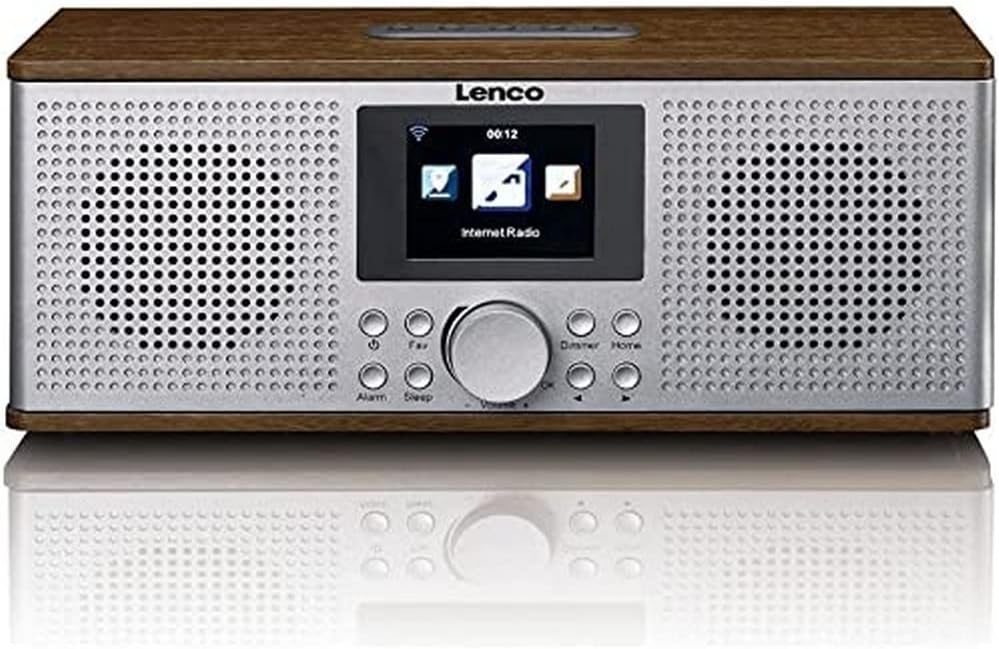
Obrázek 1.1: Přední strana view of the Lenco DIR-170WA Internet Desk Radio, showcasing its walnut wood finish, silver front panel with dual speakers, central display, and control buttons.
2. Bezpečnostní informace
Please read these safety instructions carefully before using the device and keep them for future reference. Incorrect use may result in electric shock or fire.
- Nevystavujte zařízení dešti ani vlhkosti, abyste předešli požáru nebo úrazu elektrickým proudem.
- Zajistěte dostatečné větrání. Neblokujte žádné větrací otvory.
- Používejte pouze nástavce/příslušenství určené výrobcem.
- Odpojte zařízení během bouřky nebo když se delší dobu nepoužívá.
- Veškeré opravy svěřte kvalifikovanému servisnímu personálu.
- Neumísťujte zařízení do blízkosti zdrojů tepla, jako jsou radiátory, tepelné regulátory, kamna nebo jiná zařízení (včetně amplifikátory), které produkují teplo.
3. Obsah balení
Po vybalení ověřte, zda jsou všechny položky přítomny a v dobrém stavu.
- Lenco DIR-170WA Internet Desk Radio
- Dálkové ovládání
- Napájecí adaptér
- Uživatelská příručka (tento dokument)
4. Konec produktuview: Ovládací prvky a připojení
Familiarize yourself with the various buttons, knobs, and ports on your Lenco DIR-170WA.

Figure 4.1: Close-up of the Lenco DIR-170WA's front panel, highlighting the central color display, large rotary knob for volume and selection, and surrounding control buttons such as Alarm, Sleep, Fav, Dimmer, and Home.
Ovládací prvky na předním panelu:
- Zobrazit: Color screen for navigation and information.
- Rotary Knob (Volume/Select): Turn to adjust volume or scroll through menus; press to confirm selection.
- Tlačítko budíku: Nastavovat a spravovat alarmy.
- Tlačítko spánku: Nastavte časovač spánku.
- Tlačítko Oblíbené: Přístup k oblíbeným stanicím nebo jejich uložení.
- Tlačítko stmívače: Upravte jas displeje.
- Tlačítko Domů: Návrat do hlavní nabídky.
- Navigační tlačítka (vlevo/vpravo): Move through menus or tune stations.
Připojení zadního panelu:
- Příkon: Připojte dodaný napájecí adaptér.
- USB port: Pro přehrávání médií z USB.
- Vstup AUX: Připojte externí audio zařízení pomocí 3.5mm kabelu.
- Anténa: Extendable telescopic antenna for DAB+ and FM reception.
5. Nastavení
5.1 Připojení napájení
- Connect the power adapter to the DC IN port on the rear of the radio.
- Zapojte napájecí adaptér do elektrické zásuvky.
- The radio will power on and enter standby mode or the initial setup wizard.
5.2 Průvodce počátečním nastavením
The first time you power on the radio, a setup wizard will guide you through essential settings.
- Výběr jazyka: Use the rotary knob to select your preferred language and press to confirm.
- Konfigurace sítě: The radio will prompt you to connect to a Wi-Fi network. Select "Yes" to proceed.
- Vyhledávání sítí: Rádio prohledá dostupné sítě Wi-Fi. Vyberte svou síť ze seznamu.
- Zadejte heslo: Use the rotary knob to navigate the on-screen keyboard and enter your Wi-Fi password. Press the rotary knob to confirm each character and then select "OK" to connect.
- Time/Date Setup: Choose to set the time and date manually or synchronize automatically via network.
6. Provozní režimy
The Lenco DIR-170WA offers multiple listening modes. Press the Domov button to return to the main menu and select your desired mode.
6.1 Internetové rádio
Získejte přístup k tisícům rozhlasových stanic z celého světa prostřednictvím Wi-Fi připojení.
- From the main menu, select "Internet Radio".
- You can browse stations by location, genre, or use the search function.
- To save a station as a favorite, tune into the station and press the Fav button. Follow the on-screen prompts to store it.
6.2 DAB+ rádio
Užijte si vysoce kvalitní digitální rozhlasové vysílání.
- Úplně vytáhněte teleskopickou anténu.
- From the main menu, select "DAB+ Radio".
- The radio will perform a scan for available DAB+ stations.
- Use the rotary knob to select a station from the list.
6.3 FM rádio
Tune into traditional analog FM broadcasts.
- Úplně vytáhněte teleskopickou anténu.
- From the main menu, select "FM Radio".
- Use the navigation buttons or rotary knob to manually tune to a frequency, or perform an auto-scan for available stations.
6.4 Režim Bluetooth
Streamujte zvuk bezdrátově ze zařízení s podporou Bluetooth.
- From the main menu, select "Bluetooth".
- The radio will enter pairing mode and become discoverable.
- On your smartphone or tablet, enable Bluetooth and search for "Lenco DIR-170WA".
- Select the radio to pair. Once connected, you can play audio from your device.
6.5 Přehrávání z USB
Přehrát zvuk filepřímo z USB flash disku.
- Vložte USB flash disk do USB portu na zadní straně rádia.
- From the main menu, select "USB".
- Procházejte si files and folders using the rotary knob and navigation buttons.
- Press the rotary knob to select and play a track.
6.6 Vstup AUX
Connect external audio sources like MP3 players or CD players.
- Connect one end of a 3.5mm audio cable (not supplied) to the AUX IN port on the rear of the radio.
- Connect the other end to the headphone output or AUX OUT of your external audio device.
- From the main menu, select "AUX In".
- Ovládejte přehrávání z externího zařízení.
7. Funkce alarmu
The DIR-170WA features a dual alarm function, snooze, and sleep timer.
7.1 Nastavení alarmů
- Stiskněte tlačítko Poplach tlačítko.
- Vyberte Alarm 1 nebo Alarm 2.
- Set the alarm time, duration, source (buzzer, Internet Radio, DAB+, FM), and frequency (daily, once, weekends, weekdays).
- Ensure the alarm is set to "On" and confirm your settings.
7.2 Odložení budíku a časovač spánku
- Odložit: When an alarm sounds, press the rotary knob or any button (except Power) to activate snooze. The alarm will sound again after a set interval.
- Časovač vypnutí: Stiskněte tlačítko Spát button repeatedly to cycle through sleep timer options (e.g., 15, 30, 60, 90 minutes, Off). The radio will automatically turn off after the selected time.
8. Údržba
Proper care ensures the longevity of your Lenco DIR-170WA.
- Čištění: Use a soft, dry cloth to clean the exterior of the radio. For stubborn marks, slightly damphadříkem vodou. Nepoužívejte abrazivní čisticí prostředky nebo rozpouštědla.
- Zobrazit: Gently wipe the display with a microfiber cloth to avoid scratches.
- Větrání: Ujistěte se, že větrací otvory jsou zbavené prachu a nečistot.
- Skladování: If storing the radio for an extended period, unplug it from the power outlet and store it in a cool, dry place.
9. Řešení problémů
Pokud narazíte na problémy s rádiem, podívejte se na následující běžné problémy a jejich řešení.
| Problém | Možná příčina | Řešení |
|---|---|---|
| Žádná síla | Napájecí adaptér není připojen nebo je zásuvka vadná. | Check power connections. Try a different power outlet. |
| Žádný zvuk | Volume too low; Mute activated; Incorrect mode selected. | Increase volume. Check if mute is on. Ensure correct operating mode (e.g., Internet Radio, Bluetooth). |
| Nelze se připojit k Wi-Fi | Incorrect password; Router too far; Network issue. | Zkontrolujte heslo k Wi-Fi. Přemístěte rádio blíže k routeru. Restartujte router. |
| Internet Radio buffering/disconnecting | Weak Wi-Fi signal; Internet connection unstable. | Improve Wi-Fi signal strength. Check your internet service provider. |
| DAB+/FM reception poor | Anténa není vysunutá; Oblast se slabým signálem. | Zcela vysuňte teleskopickou anténu. Zkuste přemístit rádio. |
| Párování Bluetooth se nezdařilo | Device not in pairing mode; Radio not discoverable. | Ensure both devices are in pairing mode. Restart Bluetooth on your device and the radio. |
10. Specifikace
Detailed technical specifications for the Lenco DIR-170WA.
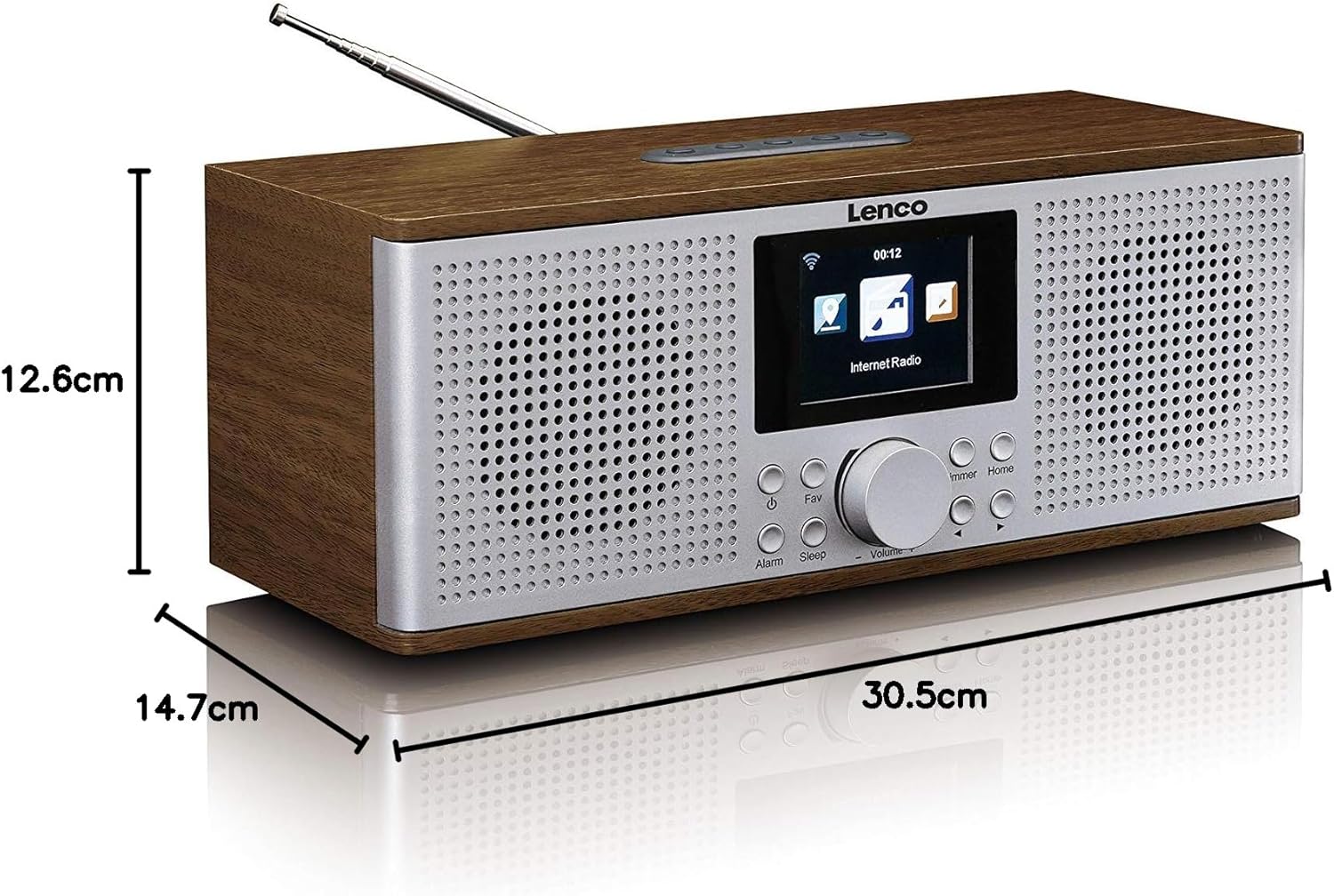
Figure 10.1: Diagram illustrating the dimensions of the Lenco DIR-170WA Internet Desk Radio: 30.5 cm (length), 14.7 cm (width), and 12.6 cm (height).
| Funkce | Specifikace |
|---|---|
| Číslo modelu | DIR-170WA |
| Rozměry produktu (D x Š x V) | 30.5 x 14.7 x 12.6 cm |
| Hmotnost | 2.3 kg |
| Technologie připojení | Wi-Fi, Bluetooth, USB, AUX |
| Rádiový tuner | Internetové rádio, DAB+, FM |
| Výstupní výkon | 2 x 10 W RMS |
| Speciální funkce | Built-In Clock, Alarm Function (Dual), Snooze, Sleep Timer |
| Materiál bydlení | Acoustically tuned MDF (Walnut finish) |
| Barva | Hnědá (ořech) |
11. Záruka a podpora
Lenco products are designed and manufactured to the highest quality standards. In the unlikely event that you experience any issues with your product, please refer to the warranty information provided with your purchase documentation. For technical support or service inquiries, please contact your local Lenco dealer or visit the official Lenco webstránky pro kontaktní údaje.
Uschovejte si prosím doklad o koupi pro uplatnění záruky.


