1. Úvod
This manual provides essential information for the proper setup, operation, and maintenance of your Eyeclops Digital Microscope & Camera. This device allows you to magnify objects up to 800 times, capture images, and record videos, making it suitable for exploring the microscopic world both indoors and outdoors.
Co je v krabici:
- 1 EyeClops Digital Microscope & Camera with built-in color screen
- Kabel USB 1
- 1 512MB MicroSD Card
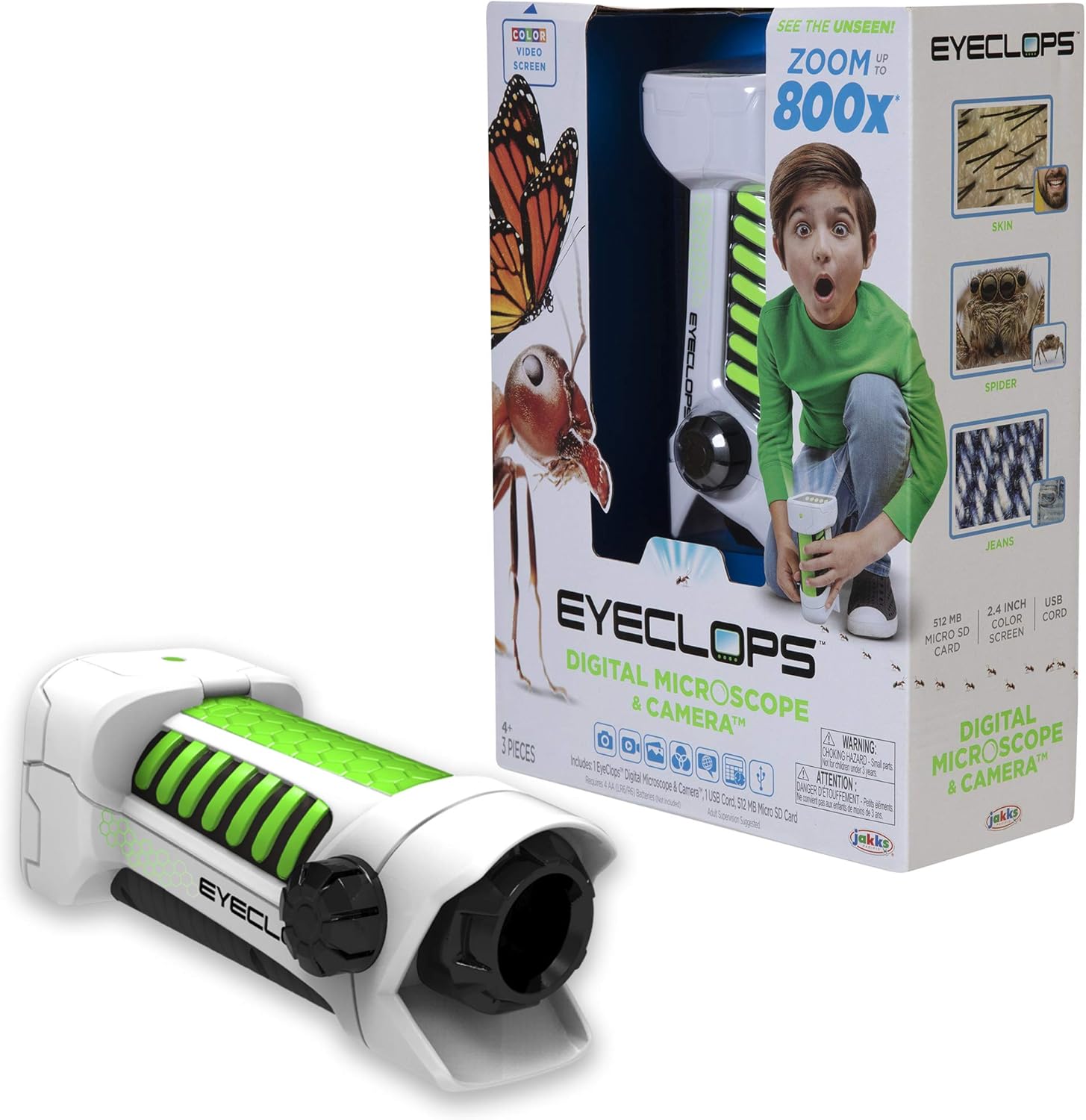
Obrázek 1.1: The Eyeclops Digital Microscope & Camera with its retail packaging. This image displays the device alongside its box, highlighting its compact design and the included accessories like the MicroSD card and USB cable.
2. Bezpečnostní informace
Před použitím zařízení si prosím přečtěte a pochopte následující bezpečnostní opatření:
- Nebezpečí udušení: This product contains small parts and is not suitable for children under 3 years of age. Adult supervision is recommended for all users, especially younger children.
- Bezpečnost baterie: Use only the specified battery type (4 AA batteries). Ensure correct polarity when inserting batteries. Do not mix old and new batteries, or different types of batteries. Remove batteries if the device will not be used for an extended period.
- Podmínky prostředí: Nevystavujte zařízení extrémním teplotám, přímému slunečnímu záření nebo vlhkosti.
3. Nastavení
3.1 Instalace baterie
- Najděte kryt přihrádky na baterii na zařízení.
- K otevření přihrádky na baterie použijte malý šroubovák.
- Insert 4 AA batteries, ensuring the correct positive (+) and negative (-) polarity as indicated inside the compartment.
- Nasaďte kryt prostoru pro baterie a zajistěte jej šroubem.
3.2 Vložení karty MicroSD
- Vyhledejte slot pro kartu MicroSD na boku zařízení.
- Gently insert the included 512MB MicroSD card into the slot until it clicks into place. Ensure the card is oriented correctly.
- Chcete-li kartu vyjmout, jemně ji zatlačte dovnitř, dokud nevyskočí.
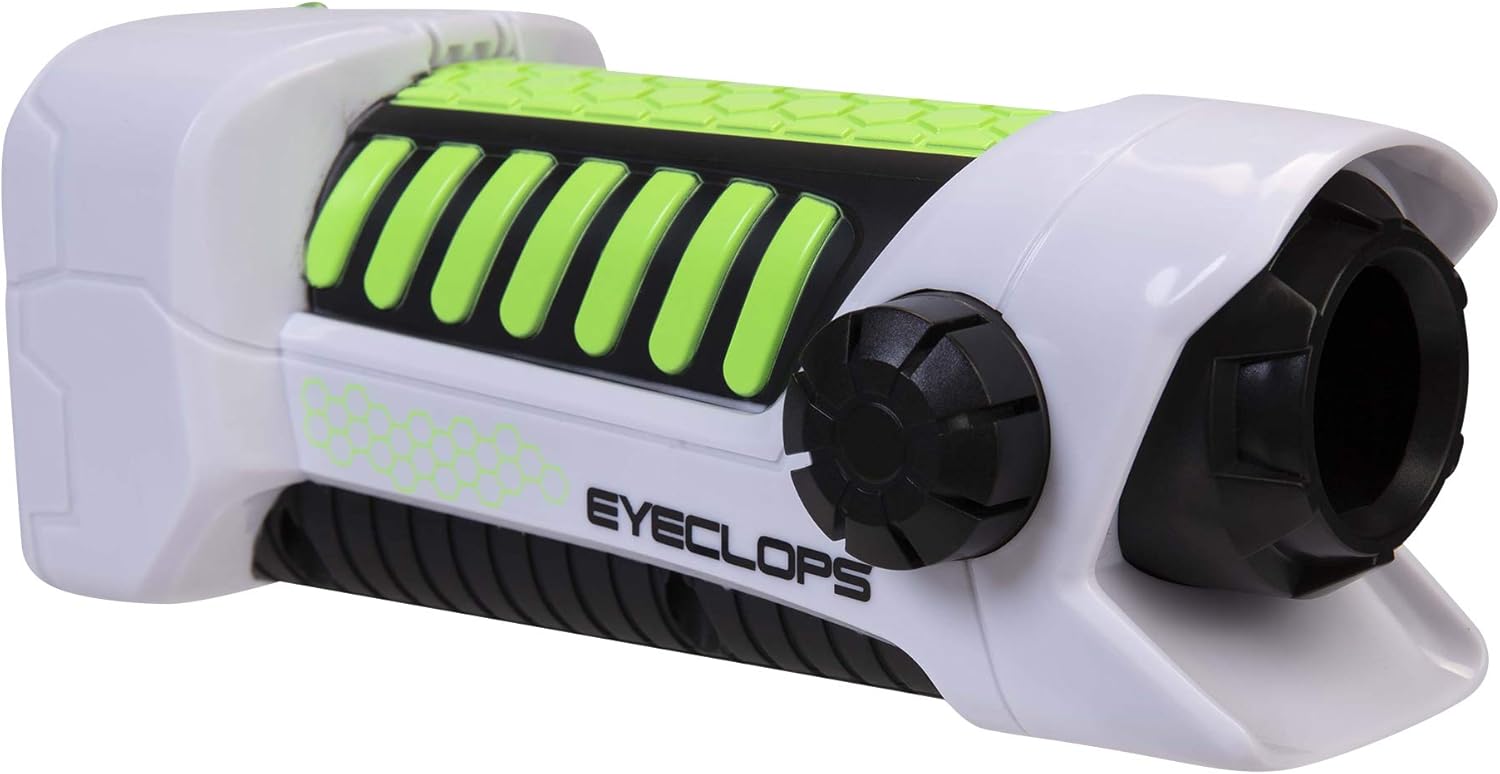
Obrázek 3.1: Strana view of the Eyeclops Digital Microscope, illustrating the general shape and location of external features such as the focus knob and lens. This view helps in identifying the MicroSD card slot and battery compartment.
4. Návod k obsluze
4.1 Zapnutí/vypnutí
- To power on the device, press and hold the Power button (usually located near the screen or grip).
- Chcete-li zařízení vypnout, znovu stiskněte a podržte tlačítko napájení, dokud se obrazovka nevypne.
4.2 Focusing and Zoom
- Point the lens of the microscope at the object you wish to observe.
- Upravte Zaostřovací knoflík (typically located on the side of the device) until the image on the 2.4-inch color screen appears clear.
- The device offers up to 800x magnification. The zoom level can be adjusted using dedicated zoom buttons (often marked with '+' and '-' symbols) or by moving the device closer to or further from the object.
4.3 Taking Pictures and Recording Video
- Once focused, press the Tlačítko fotoaparátu (often indicated by a camera icon) to capture a still image.
- Chcete-li nahrát video, stiskněte tlačítko Tlačítko Video (often indicated by a video camera icon). Press it again to stop recording.
- All captured images and videos are saved to the inserted MicroSD card.
4.4 Using as a Regular Camera
The Eyeclops Digital Microscope can also function as a regular camera. To use this feature, turn off the zoom function or adjust the focus for standard distance photography. This allows for capturing broader scenes or objects without extreme magnification.
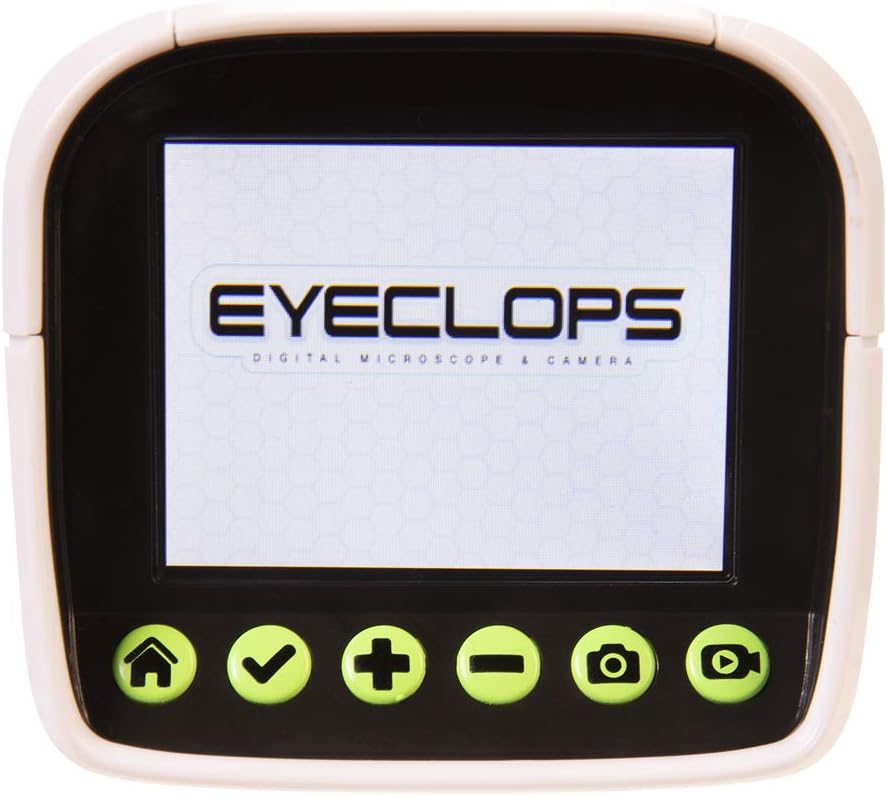
Obrázek 4.1: Detailní view of the Eyeclops Digital Microscope's 2.4-inch color screen and its control buttons. The buttons typically include Home, Select/Confirm, Zoom In (+), Zoom Out (-), Camera, and Video functions.

Obrázek 4.2: A child actively using the Eyeclops Digital Microscope to observe a small object, demonstrating the handheld operation and the visual engagement with the magnified view.
5. Přenos dat
5.1 Převod Files přes USB
- Connect the Eyeclops Digital Microscope to your Windows PC or Mac using the provided USB cable.
- Zařízení by se mělo v počítači zobrazit jako vyměnitelné úložné zařízení.
- Navigate to the device's storage or the MicroSD card folder to access your pictures and videos.
- Zkopírujte požadované files do vašeho počítače.
5.2 Převod Files via MicroSD Card Reader
Alternatively, you can remove the MicroSD card from the microscope and insert it into a compatible card reader connected to your computer to transfer files.
6. Údržba
- Čištění: Use a soft, dry cloth to clean the exterior of the device. For the lens and screen, use a specialized lens cleaning cloth and solution to avoid scratches. Do not use abrasive cleaners or solvents.
- Skladování: Store the microscope in a cool, dry place away from direct sunlight and extreme temperatures. Remove batteries if storing for extended periods to prevent leakage.
- Ochrana objektivu: The lens is designed to be slightly inset to prevent accidental touching. Avoid poking or scratching the lens.
7. Řešení problémů
- Zařízení se nezapne:
- Zkontrolujte, zda jsou baterie vloženy správně se správnou polaritou.
- Vyměňte za nové AA baterie.
- Blurry images/difficulty focusing:
- Ensure you are adjusting the Focus Knob slowly and precisely.
- Maintain a steady hand or place the object on a stable surface to minimize movement during observation or capture.
- Clean the lens if it appears smudged or dirty.
- Nelze přenést files do počítače:
- Ensure the USB cable is securely connected to both the microscope and the computer.
- Zkuste jiný port USB na počítači.
- Verify that the MicroSD card is properly inserted into the microscope.
- If issues persist, try using an external MicroSD card reader.
- Chyba karty MicroSD:
- Ujistěte se, že je karta správně vložena.
- Try reformatting the card (this will erase all data, so back up first).
- If the problem continues, the card may be faulty and require replacement.
8. Specifikace
| Funkce | Specifikace |
|---|---|
| Číslo modelu | 652331 |
| Maximální zvětšení | 800x |
| Vestavěná obrazovka | 2.4palcový barevný displej |
| Skladování | 512MB MicroSD Card (included) |
| Konektivita | USB |
| Zdroj napájení | 4 AA baterií (nejsou součástí balení) |
| Rozměry produktu | 9 x 3.5 x 11 palce (22.86 x 8.89 x 27.94 cm) |
| Hmotnost položky | 14.8 unce (420 gramů) |
| Doporučený věk | 6 - 9 let |
| Výrobce | Společnost Jakks Pacific Inc. |
9. Informace o záruce
For detailed warranty information, please refer to the documentation included with your product at the time of purchase or visit the official Eyeclops or Jakks Pacific Inc. webZáruční podmínky se obvykle vztahují na výrobní vady po stanovenou dobu od data nákupu.
10. Podpora
If you encounter issues not covered in this manual or require further assistance, please contact the manufacturer's customer support. Contact information can usually be found on the product packaging or the official Jakks Pacific Inc. webmísto.
