1. Úvod
Thank you for choosing the AUNA Silver Star Internet Stereo Radio. This versatile music device combines powerful performance with multiple features and a stylish design. It offers a wide range of listening options including Internet Radio, DAB+, FM, Bluetooth, and USB playback. This manual provides essential information for setting up, operating, and maintaining your device to ensure optimal performance and longevity.

Figure 1: AUNA Silver Star Internet Stereo Radio, front view s displejem a ovládacími prvky.
2. Bezpečnostní informace
Před použitím zařízení si pečlivě přečtěte všechny bezpečnostní pokyny. Uschovejte si tento návod pro budoucí použití.
- Zdroj napájení: Používejte pouze dodaný napájecí adaptér. Ujistěte se, že hlasitosttage odpovídá požadavkům vašeho regionu.
- Voda a vlhkost: Nevystavujte zařízení dešti, vlhkosti ani kapajícím/stříkajícím tekutinám. Na zařízení nestavte předměty naplněné tekutinami, například vázy.
- Větrání: Ensure adequate ventilation. Do not block ventilation openings. Maintain a minimum distance of 10 cm around the device for proper airflow.
- Teplo: Uchovávejte zařízení mimo dosah zdrojů tepla, jako jsou radiátory, topná tělesa, sporáky nebo jiné přístroje (včetně amplifikátory), které produkují teplo.
- Čištění: Před čištěním odpojte zařízení ze zásuvky. Použijte měkký, suchý hadřík. Nepoužívejte tekuté ani aerosolové čisticí prostředky.
- Servis: Nepokoušejte se tento výrobek opravit sami. Veškerý servis svěřte kvalifikovanému servisnímu personálu.
3. Obsah balení
Carefully unpack your AUNA Silver Star Internet Stereo Radio and check that all items are present and in good condition:
- AUNA Silver Star Internet Stereo Radio Unit
- Dálkové ovládání
- Síťový adaptér
- Uživatelská příručka (tento dokument)
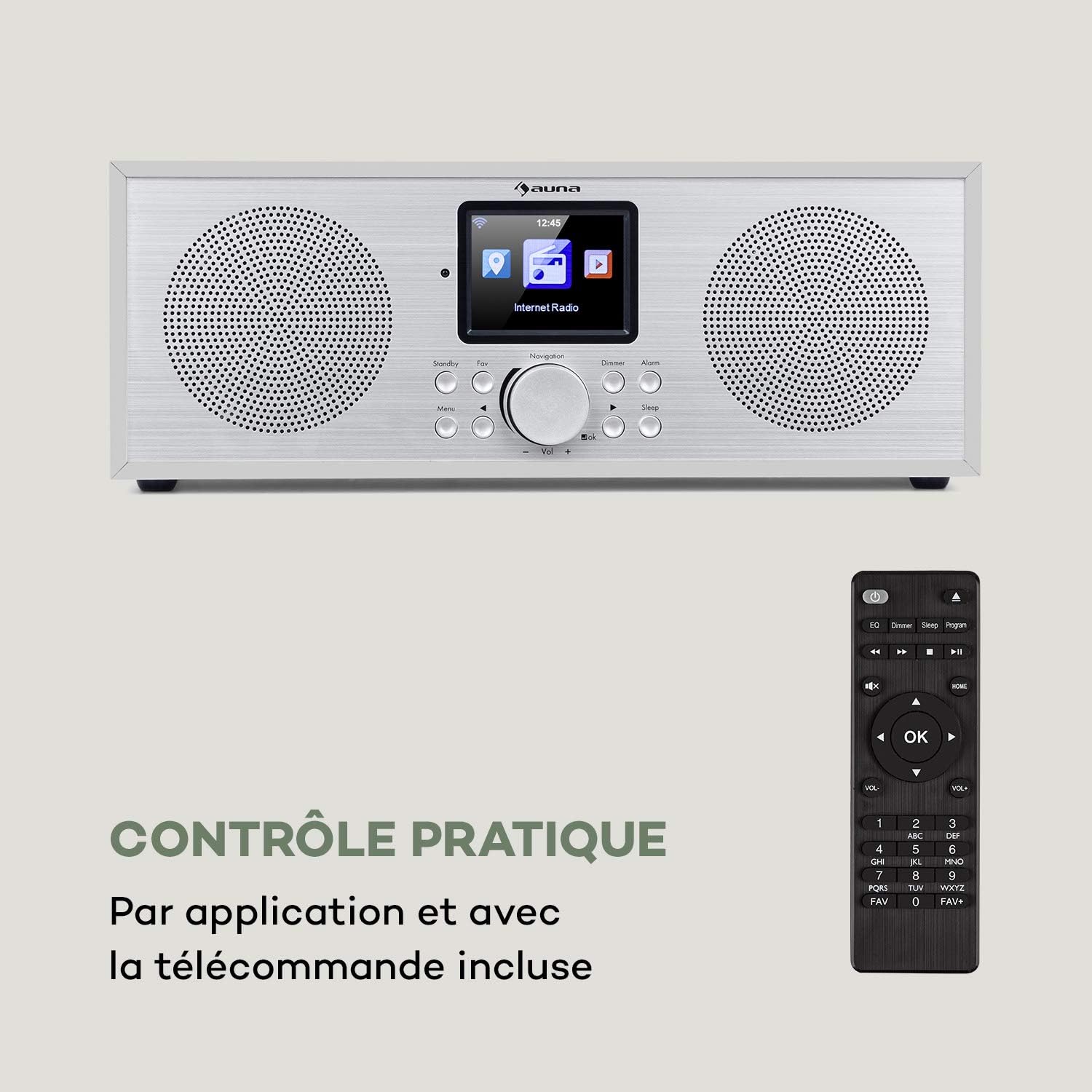
Figure 2: The AUNA Silver Star Internet Stereo Radio unit and its included remote control.
4. Nastavení
4.1 Připojení napájení
Connect the provided mains adapter to the "DC IN" port on the rear of the radio and then plug the adapter into a wall outlet. Ensure the ON/OFF switch on the back is set to "ON".
4.2 Připojení antény
For optimal FM and DAB+ reception, extend the telescopic antenna located at the rear of the unit fully.
4.3 Síťové připojení (Wi-Fi)
To access Internet Radio features, the device requires a Wi-Fi connection. Upon first power-on, the radio will guide you through the network setup process on its display. Select your Wi-Fi network from the list and enter the password using the navigation controls.
4.4 Externí připojení
The radio features various ports for external devices:
- AUX IN: Connect external audio sources (e.g., MP3 player) using a 3.5mm audio cable.
- LINE OUT: Connect the radio to an external amplifier or active speakers for enhanced audio output.
- USB: Insert a USB flash drive for MP3 file přehrávání.

Figure 3: Rear panel connections including AUX IN, LINE OUT, USB, and DC IN.
5. Návod k obsluze
5.1 Základní ovládací prvky
The radio can be operated using the buttons and rotary knob on the front panel, or via the included remote control. The 2.8" (7 cm) HCC display provides clear information and navigation.
- Napájení/pohotovostní režim: Press the Standby button to turn the unit on or off.
- Navigation Knob: Rotate to scroll through menus or adjust volume. Press to confirm selection.
- Menu: Vstupte do hlavní nabídky.
- Zadní: Vraťte se do předchozí nabídky.
- Oblíbené: Access favorite stations.
- stmívače: Upravte jas displeje.
- Poplach: Nastavte budíky.
- Spát: Nastavte časovač spánku.

Figure 4: The high-contrast color display for easy navigation.
5.2 Výběr režimu
From the main menu, you can select different operating modes:
- Internetové rádio: Access thousands of online radio stations worldwide. Browse by genre, location, or search.
- DAB+: Tune into digital audio broadcasting stations for high-quality sound.
- FM: Listen to traditional analog FM radio stations.
- Bluetooth: Pair your smartphone, tablet, or computer to stream audio wirelessly.
- USB: Přehrát MP3 files from a connected USB flash drive.
- AUX vstup: Play audio from an external device connected to the AUX IN port.
5.3 Párování Bluetooth
Spárování zařízení Bluetooth:
- Select "Bluetooth" mode on the radio. The radio will enter pairing mode.
- Na svém mobilním zařízení povolte Bluetooth a vyhledejte dostupná zařízení.
- Select "AUNA Silver Star" from the list. Once connected, you can stream audio to the radio.

Figure 5: Wireless audio streaming via Bluetooth from a smartphone.
5.4 Přehrávání z USB
Insert a USB flash drive into the USB port on the rear of the unit. Select "USB" mode from the menu. The radio will automatically detect and display playable MP3 files. Use the navigation controls to browse and select tracks.

Figure 6: Connecting a USB flash drive for MP3 playback.
5.5 Air Music Control App
For convenient control, download the "Air Music Control" app from your smartphone's app store (available on App Store and Google Play). This app allows you to control the radio, browse stations, and manage settings from your mobile device.

Figure 7: Controlling the radio using the Air Music Control app.
6. Údržba
6.1 Čištění
Always unplug the radio from the power outlet before cleaning. Use a soft, dry, lint-free cloth to wipe the surfaces. Do not use abrasive cleaners, waxes, or solvents as they may damage the finish. Avoid spraying liquids directly onto the unit.
6.2 Skladování
If you plan to store the radio for an extended period, unplug it from the power supply and store it in a cool, dry place, away from direct sunlight and extreme temperatures.
7. Řešení problémů
If you encounter issues with your AUNA Silver Star Internet Stereo Radio, refer to the following common problems and solutions:
| Problém | Možná příčina | Řešení |
|---|---|---|
| Žádná síla | Napájecí adaptér není připojen; hlavní vypínač je vypnutý. | Ensure power adapter is securely connected and plugged into a live outlet. Check ON/OFF switch on the back. |
| Žádný zvuk | Příliš nízká hlasitost; Aktivováno ztlumení; Vybrán nesprávný zdroj. | Increase volume. Check if mute is active. Select the correct input source (Internet Radio, DAB+, FM, Bluetooth, USB, AUX). |
| Nelze se připojit k Wi-Fi | Incorrect password; Router issue; Weak signal. | Double-check Wi-Fi password. Restart your router. Move the radio closer to the router or use a Wi-Fi extender. |
| Špatný příjem DAB+/FM | Antenna not extended; Location interference. | Fully extend the telescopic antenna. Try repositioning the radio to a different location. |
| Přehrávání z USB nefunguje | USB format not supported; Files not MP3; USB drive issue. | Ensure USB drive is formatted to FAT32. Verify files are in MP3 format. Try a different USB drive. |
Pokud problém přetrvává i po vyzkoušení těchto řešení, kontaktujte zákaznickou podporu.
8. Specifikace
| Značka | AUNA |
| Číslo modelu | KC6-SilverStar ST WHs |
| Rozměry produktu | 33 x 12 x 15 cm (D x V x H) |
| Hmotnost položky | 2.3 kg |
| Výstupní výkon | 2 x 8 W RMS |
| Zobrazit | 2.8" (7 cm) HCC (High Contrast Color) |
| Technologie tuneru | FM, Internet Radio, DAB+ |
| Technologie připojení | Bluetooth, pomocný, Wi-Fi, USB |
| Materiál | Wood, Aluminium |
| Zdroj napájení | Elektrický kabel |
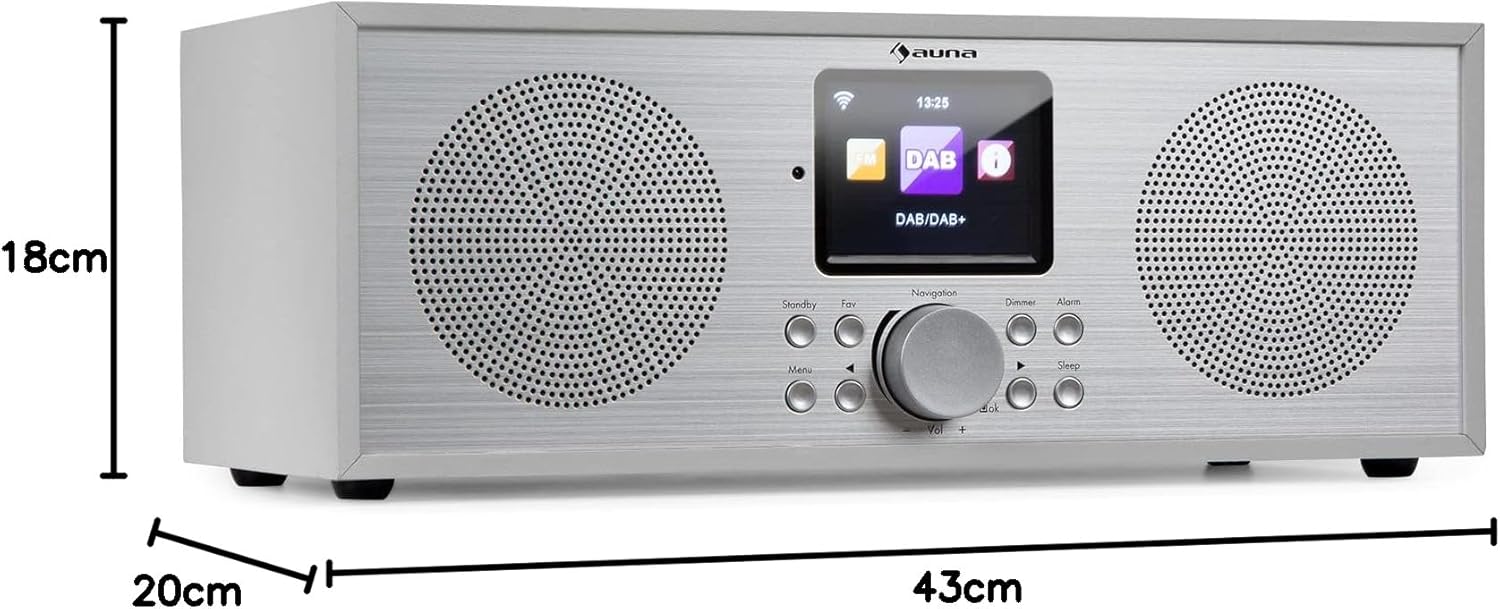
Obrázek 8: Rozměry produktu.
9. Záruka a podpora
Your AUNA Silver Star Internet Stereo Radio comes with a standard manufacturer's warranty. Please refer to the warranty card included in your package or visit the official AUNA webpodrobné záruční podmínky naleznete na webu.
For technical support, troubleshooting assistance beyond this manual, or spare parts, please contact AUNA customer service through their official webnebo kontaktní informace poskytnuté při nákupu.