1. Úvod
The Arlo Ultra 4K UHD Wire-Free Security Camera System provides advanced video and audio quality for monitoring your home or business. Designed for both indoor and outdoor use, this system offers features such as 4K video resolution, color night vision, a 180-degree field of view, two-way audio, an integrated spotlight, and a siren. The wire-free design allows for flexible placement and easy installation.
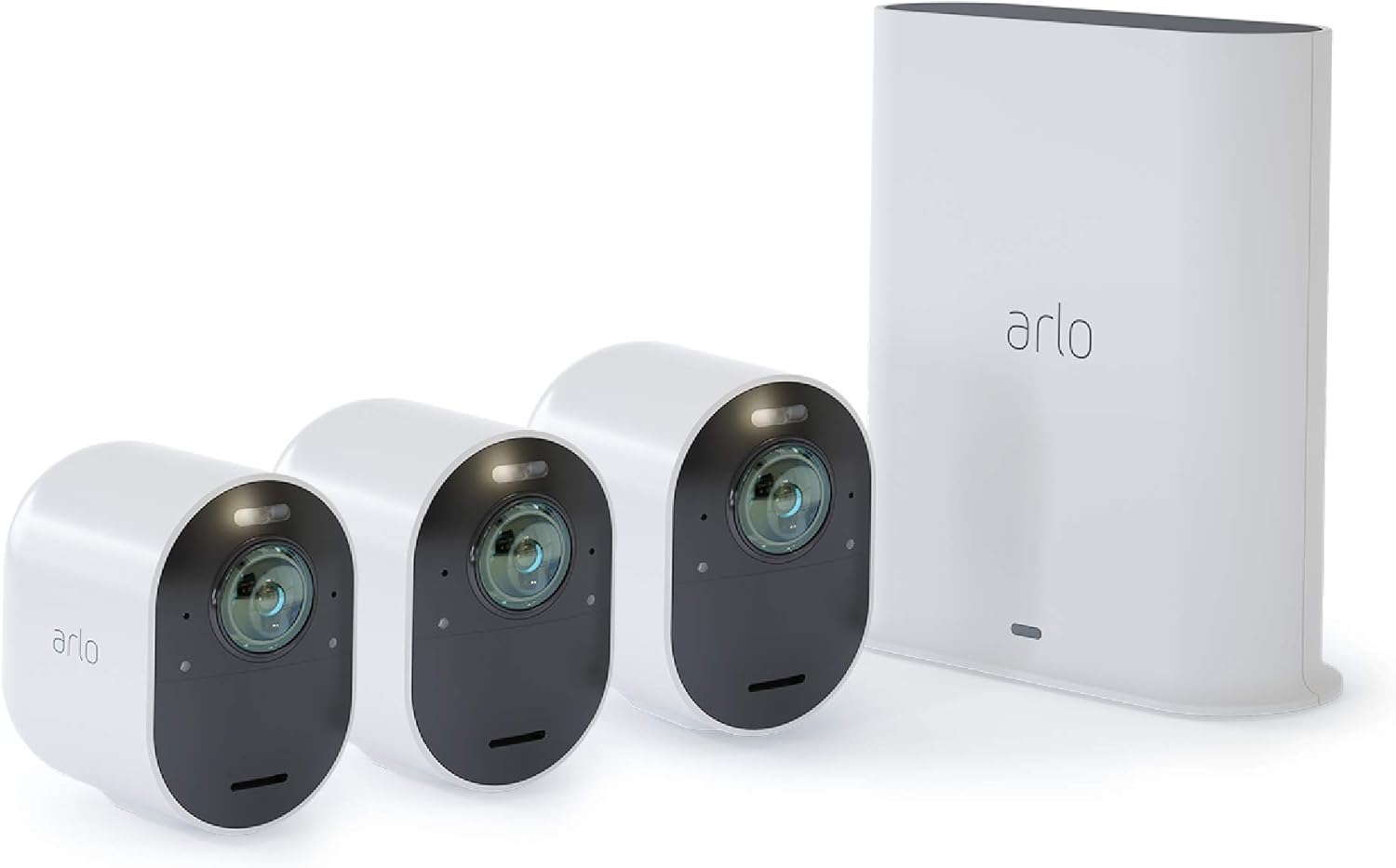
Image: The Arlo Ultra 4K UHD Wire-Free Security Camera System, showing three white cameras and the white SmartHub.
2. Co je zahrnuto
Ověřte, zda jsou v balení přítomny všechny komponenty:
- 3 Arlo Ultra Cameras
- 3 dobíjecí baterie
- Napájecí adaptér 1
- 1 magnetický nabíjecí kabel
- 1 ethernetový kabel
- 3 nástěnné držáky
- 3 Wall Mount Screw Sets
- 1 Rychlý průvodce
- 1 Video Monitoring Decal
- 1 SmartHub
3. Průvodce nastavením
3.1 Počáteční nabití baterie
Before installation, fully charge all camera batteries using the provided magnetic charging cable and power adapter. A full charge ensures optimal performance and battery life.
3.2 SmartHub Connection
- Connect the SmartHub to your router using the supplied Ethernet cable.
- Plug the SmartHub's power adapter into an electrical outlet.
- Wait for the SmartHub's LED indicator to turn solid blue, indicating it is ready.
3.3 Arlo App Installation and Account Setup
- Download the Arlo app from your device's app store (iOS or Android).
- Open the app and follow the on-screen instructions to create an Arlo account or log in if you already have one.
- Add your Arlo Ultra system by selecting 'Add New Device' and following the prompts.
3.4 Camera Synchronization
- Bring each camera within 1 to 3 feet (30 to 100 cm) of the SmartHub.
- Press the Sync button on the SmartHub for approximately two seconds and release. The Sync LED on the SmartHub will blink green.
- Press the Sync button on the camera for approximately two seconds and release. The camera's LED will blink blue.
- Once synchronized, the camera's LED will blink blue rapidly, then turn solid blue. Repeat for all cameras.
3.5 Umístění a montáž kamery
Select optimal locations for your cameras, considering coverage, Wi-Fi signal strength, and power access for charging. The cameras are weather-resistant for outdoor use.

Image: An Arlo Ultra camera mounted on an exterior wall, demonstrating its weather-resistant design during rainfall.
- Use the included wall mounts and screw sets to securely attach cameras to desired surfaces.
- Ujistěte se, že zorné pole kamery view pokrývá oblast, kterou chcete monitorovat.
4. Provoz
4.1 Živě View a Nahrávání
Access live video streams from your cameras via the Arlo app. The system automatically records video clips when motion or sound is detected, storing them in the cloud or on a local microSD card (not included).
4.2 4K UHD Video and HDR
The Arlo Ultra cameras capture video in 4K Ultra High Definition with High Dynamic Range (HDR), providing clear and detailed images. You can zoom in on recordings to observe fine details.

Image: A split image demonstrating the clarity of 4K video, with a zoomed-in section clearly showing a vehicle's license plate.
4.3 Barevné noční vidění
Unlike traditional black and white night vision, Arlo Ultra provides full-color video even in low-light conditions, enhancing identification and detail.
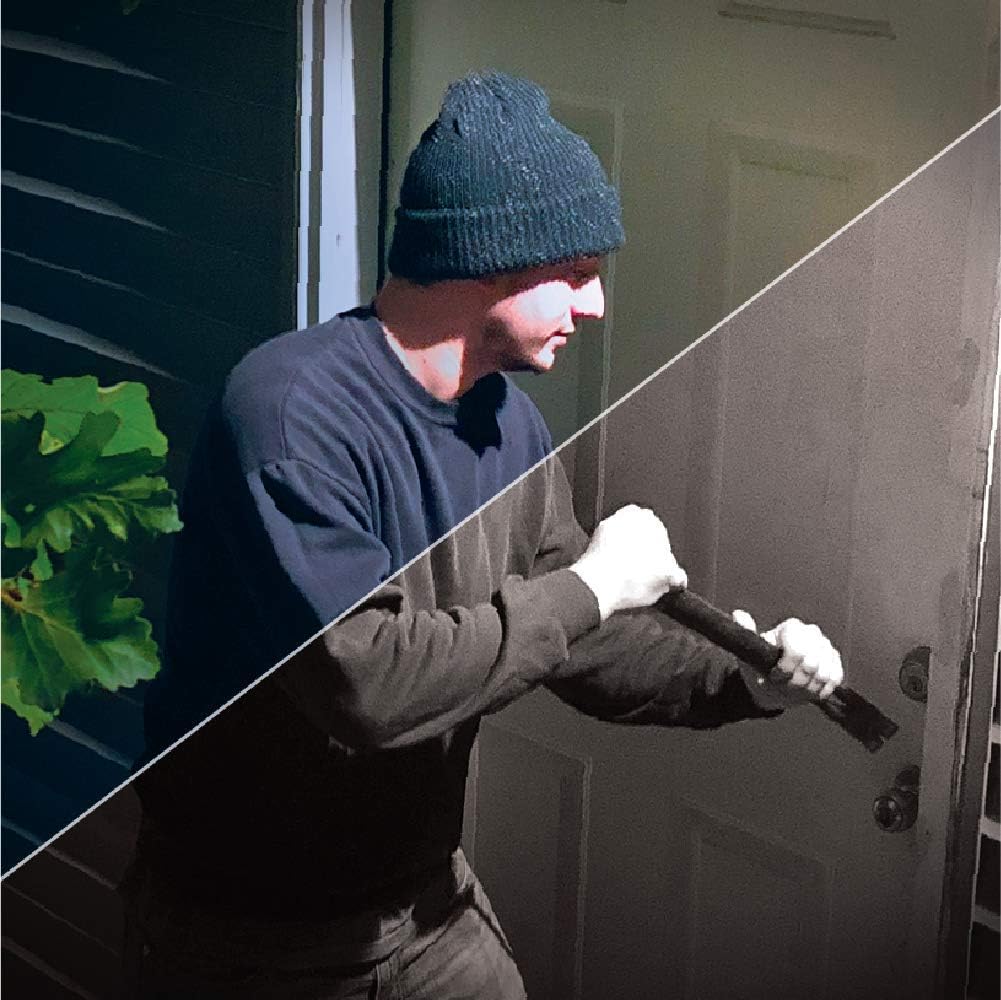
Image: A split image illustrating the difference between traditional black and white night vision and Arlo Ultra's color night vision, showing a person attempting to open a door.
4.4 Integrated Spotlight and Siren
Each camera features an integrated spotlight that can be activated manually or automatically upon motion detection. A built-in siren can also be triggered to deter unwanted visitors.

Image: An Arlo Ultra camera mounted on a wall, with its integrated spotlight actively illuminating a dark area.
4.5 180-Degree Field of View
The wide-angle lens provides a 180-degree diagonal field of view, allowing you to monitor a larger area with fewer cameras. Auto image correction reduces the fisheye effect.

Image: An illustration demonstrating the 180-degree field of view of the Arlo Ultra camera, covering a wide outdoor patio area.
4.6 Obousměrný zvuk
Communicate with visitors or deter intruders using the integrated speaker and microphone. Advanced noise-canceling technology ensures clear conversations.
4.7 Integrace chytré domácnosti
The Arlo Ultra system is compatible with Amazon Alexa and Apple HomeKit, allowing for voice control and integration into your smart home ecosystem.
5. Údržba
5.1 Nabíjení baterie
The Arlo Ultra cameras use rechargeable batteries. When the battery level is low, you will receive a notification via the Arlo app. Use the magnetic charging cable to recharge the battery. Charging time may vary.
5.2 Čištění
Pravidelně čistěte objektiv a kryt fotoaparátu měkkým hadříkemamp cloth to ensure optimal image quality and prevent debris buildup. Avoid using harsh chemicals or abrasive materials.
6. Řešení problémů
6.1 Camera Not Connecting to SmartHub
- Ensure the SmartHub is powered on and connected to the internet (solid blue LED).
- Ověřte, zda je baterie fotoaparátu nabitá.
- Attempt to re-sync the camera by following the steps in Section 3.4.
- Move the camera closer to the SmartHub during the sync process.
6.2 Špatná kvalita videa
- Check the camera lens for dirt or smudges and clean if necessary.
- Ensure the camera has a strong Wi-Fi signal to the SmartHub. Relocate the camera or SmartHub if the signal is weak.
- Verify that the camera's resolution settings in the Arlo app are set to 4K if desired.
6.3 Krátká výdrž baterie
- Frequent motion detection events, live streaming, or use of the spotlight/siren can reduce battery life. Adjust settings in the Arlo app.
- Ensure the camera is not placed in an area with constant, unnecessary motion.
- Extrémní teploty mohou ovlivnit výkon baterie.
7. Technické specifikace
| Funkce | Specifikace |
|---|---|
| Číslo modelu | VMS5340-100NAS |
| Rozlišení záznamu videa | 4K UHD |
| Pole View | 180 Degrees (Diagonal) |
| Noční vidění | Barevné noční vidění |
| Zvuk | 2-Way Audio with Noise Cancellation |
| Zdroj napájení | Nabíjecí baterie |
| Konektivita | Wi-Fi (via SmartHub) |
| Vnitřní/venkovní použití | Indoor, Outdoor (Weather-resistant) |
| Integrované funkce | Spotlight, Siren |
| Kompatibilní zařízení | Amazon Alexa, Apple HomeKit |
| Rozměry (D x Š x V) | 3.5 x 2.05 x 3.09 palce |
| Hmotnost položky | 11.7 unce (331 gramů) |
| Hodnocení mezinárodní ochrany | IP54 |
8. Záruka a podpora
8.1 Omezená záruka
The Arlo Ultra Security Camera System typically comes with a 1-year limited warranty from the date of purchase. This warranty covers defects in materials and workmanship under normal use. Please refer to the official Arlo warranty documentation for complete terms and conditions.
8.2 Zákaznická podpora
For technical assistance, troubleshooting beyond this manual, or warranty claims, please visit the official Arlo support webnebo kontaktujte jejich zákaznický servis. Více informací a zdrojů naleznete na Arlo Store on Amazon or the main Arlo webmísto.


