1. Konec produktuview
The Elecom M-FBL01DBXSBK is a 5-button wireless mouse designed for comfortable and quiet operation. It features a Blue LED sensor for versatile surface compatibility and a compact USB receiver.

Image 1.1: Elecom M-FBL01DBXSBK Wireless Mouse with its compact USB receiver.
2. Obsah balení
- Elecom M-FBL01DBXSBK Wireless Mouse
- USB bezdrátový přijímač
- AA Alkaline Battery (for operation confirmation)
- Uživatelská příručka (tento dokument)
3. Pokyny k nastavení
3.1. Instalace baterie
- Najděte kryt přihrádky na baterie na spodní straně myši.
- Posuňte nebo zvedněte kryt pro otevření přihrádky.
- Insert one AA alkaline battery, ensuring the positive (+) and negative (-) terminals align correctly with the markings inside the compartment.
- Bezpečně zavřete kryt bateriového prostoru.

Image 3.1: The underside of the mouse, indicating the battery compartment and power switch.
3.2. Připojení USB přijímače
- Remove the compact USB receiver from its storage slot on the underside of the mouse.
- Zapojte USB přijímač do volného portu USB-A na vašem počítači.
- Váš počítač by měl automaticky detekovat a nainstalovat potřebné ovladače. Může to chvíli trvat.
3.3. Zapnutí myši
After installing the battery and connecting the receiver, locate the power switch on the underside of the mouse and slide it to the 'ON' position. The mouse is now ready for use.
3.4. OS Compatibility
The Elecom M-FBL01DBXSBK Wireless Mouse is compatible with:
- Windows 11, Windows 10, Windows RT8.1, Windows 8.1, Windows 7, Windows Vista
- macOS High Sierra 10.13 a novější
Ensure your operating system is updated to the latest version and any service packs are installed for optimal performance.
4. Ovládání myši
4.1. Základní funkce
The mouse features five buttons and a scroll wheel:
- Levé tlačítko: Primární funkce kliknutí.
- Pravé tlačítko: Funkce sekundárního kliknutí (kontextová nabídka).
- Rolovací kolečko: Posouvá dokumenty a web pages vertically. Can also be pressed for a middle-click function.
- Tlačítko vpřed: Naviguje vpřed web prohlížeče popř file průzkumníci.
- Tlačítko Zpět: Naviguje zpět web prohlížeče popř file průzkumníci.

Image 4.1: The five buttons of the Elecom M-FBL01DBXSBK mouse, including the scroll wheel.
4.2. Quiet Click Feature
All five buttons incorporate a silent switch mechanism, significantly reducing clicking noise. This allows for quiet operation in various environments.

Image 4.2: The silent switch design minimizes operational noise.
4.3. Blue LED Sensor
The mouse is equipped with a Blue LED optical sensor, which provides accurate tracking on a variety of surfaces, including those with slight unevenness or dust. This enhances usability in diverse settings.

Image 4.3: The Blue LED sensor allows for comfortable use on various surfaces.
4.4. Bezdrátové připojení
The mouse utilizes a 2.4 GHz wireless band for stable communication. The effective radio distance is approximately 3 meters (9.8 feet) on magnetic surfaces (e.g., steel desks) and up to 10 meters (32.8 feet) on non-magnetic surfaces (e.g., wooden desks).
4.5. Indikátor baterie
An integrated battery indicator light notifies you when the battery level is low, signaling that a replacement is needed.
4.6. Elecom Mouse Assistant Software
Button functions can be customized using the free downloadable Elecom Mouse Assistant software. This allows users to reassign functions to the mouse buttons for improved workflow efficiency.
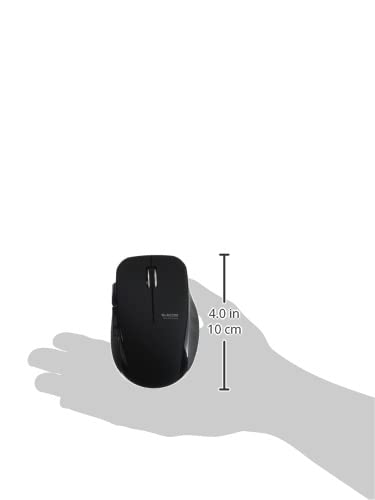
Image 4.4: The Elecom Mouse Assistant software enables button customization.
5. Údržba
5.1. Výměna baterie
When the battery indicator signals low power, replace the AA battery with a new AA alkaline, manganese, or NiMH battery. Follow the battery installation steps outlined in Section 3.1.
5.2. Čištění
To clean the mouse, gently wipe its surface with a soft, dry cloth. Avoid using harsh chemicals or abrasive materials, as these can damage the finish. Ensure no liquid enters the mouse.
5.3. Receiver Storage
The USB receiver can be stored inside the mouse body when not in use or during transport. This helps prevent loss of the receiver.
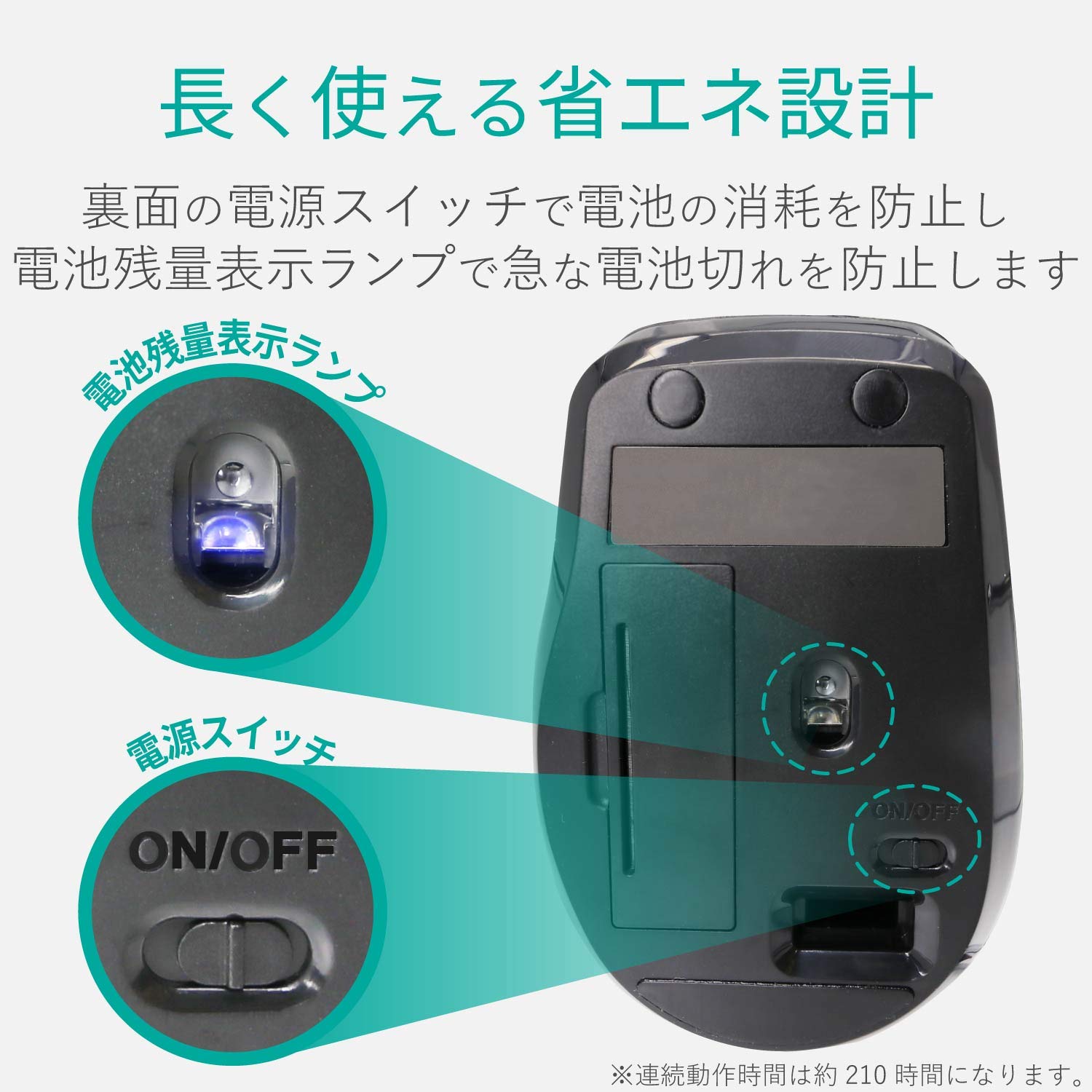
Image 5.1: The compact receiver can be stored within the mouse for convenience.
6. Řešení problémů
- Myš nereaguje:
- Check if the mouse is powered on (power switch on the underside).
- Ujistěte se, že je baterie správně nainstalována a není vybitá. V případě potřeby ji vyměňte.
- Ověřte, zda je USB přijímač bezpečně zapojený do funkčního USB portu v počítači. Zkuste jiný USB port.
- Restartujte počítač.
- Nepravidelný pohyb kurzoru:
- Clean the optical sensor area on the underside of the mouse.
- Ujistěte se, že myš používáte na vhodném povrchu. Vyhněte se vysoce reflexním nebo průhledným povrchům.
- Check for interference from other wireless devices. Move the mouse closer to the receiver.
- Tlačítka nefungují správně:
- If using Elecom Mouse Assistant, ensure button assignments are correct.
- Reinstall the Elecom Mouse Assistant software if issues persist.
7. Specifikace
| Rozhraní | USB |
| Tvar konektoru | USB-A samec |
| Kompatibilní OS | Windows 11, 10, RT8.1, 8.1, 7, Vista; macOS High Sierra 10.13+ |
| Rezoluce | 1600 počet |
| Komunikační metoda | metoda GFSK |
| Rádiová frekvence | pásmo 2.4 GHz |
| Radio Distance | Magnetic objects: 3m (9.8 ft); Non-magnetic objects: 10m (32.8 ft) |
| Metoda čtení | Optický senzorový systém (modrá LED) |
| Počet tlačítek | 5 (including wheel button) |
| Počet kol | 1 |
| Úložiště přijímače | Ano |
| Nepřetržitý provozní čas | Přibl. 210 hodin |
| Pohotovostní doba | Cca. 1666 dní |
| Estimated Battery Usage Time | Cca. 478 dní |
| Napájecí zdroj (hlavní jednotka) | 1 AA alkaline, manganese, or NiMH battery |
| Jmenovitý objemtage (Body) | 1.5V |
| Barva | Černý |
| Weight (Mouse) | Přibl. 62 g (bez baterie) |
| External Dimensions (Receiver) | 14.5 x 18.0 x 6.3 mm |
| Hmotnost (přijímač) | Přibl. 2 g |
8. Záruka a podpora
8.1. Záruční doba
Na tento produkt se vztahuje záruka 6 měsíců od data zakoupení.
8.2. Dotazy k produktům
For product inquiries or technical support, please contact the Elecom General Information Center:
- TEL: 0570-084-465
- FAX: 0570-050-012
- Reception Time: 10:00 - 19:00 (24/7)


