1. Úvod
Thank you for choosing the BLAUPUNKT CLRD 30 DAB+ FM Clock Radio. This device combines a digital radio with an alarm clock and a convenient USB charging function. This manual will guide you through the setup, operation, and maintenance of your new clock radio to ensure optimal performance and longevity.
2. Bezpečnostní informace
- Read all instructions carefully before use and retain them for future reference.
- Nevystavujte zařízení dešti, vlhkosti ani extrémním teplotám.
- Zajistěte dostatečné větrání; neblokujte žádné větrací otvory.
- Používejte pouze dodaný napájecí adaptér.
- Nepokoušejte se jednotku rozebírat ani upravovat. Veškerý servis svěřte kvalifikovanému personálu.
- Udržujte zařízení mimo dosah silných magnetických polí.
3. Obsah balení
Zkontrolujte prosím, zda jsou v balení přítomny všechny položky:
- BLAUPUNKT CLRD 30 DAB+ FM Clock Radio
- Napájecí adaptér
- Uživatelská příručka
- Záruční list

Image: Power adapter for the BLAUPUNKT CLRD 30 clock radio.
4. Vlastnosti produktu
- DAB+ a FM rádio: Enjoy a wide range of digital and analog radio stations with clear reception.
- USB nabíjecí port: Conveniently charge your smartphone or other USB-powered devices (5V, 2A output).
- Duální alarm: Set two independent alarm times with options to wake to radio or buzzer.
- Funkce odložení: Temporarily pause the alarm for a few extra minutes of sleep.
- Časovač vypnutí: Program the radio to turn off automatically after a set duration (up to 90 minutes).
- Dimmable LCD Display: Large display shows time, date, and radio information with adjustable brightness.
- 6W RMS Audio Output: Delivers clear and balanced sound.
5. Ovládací prvky a displej
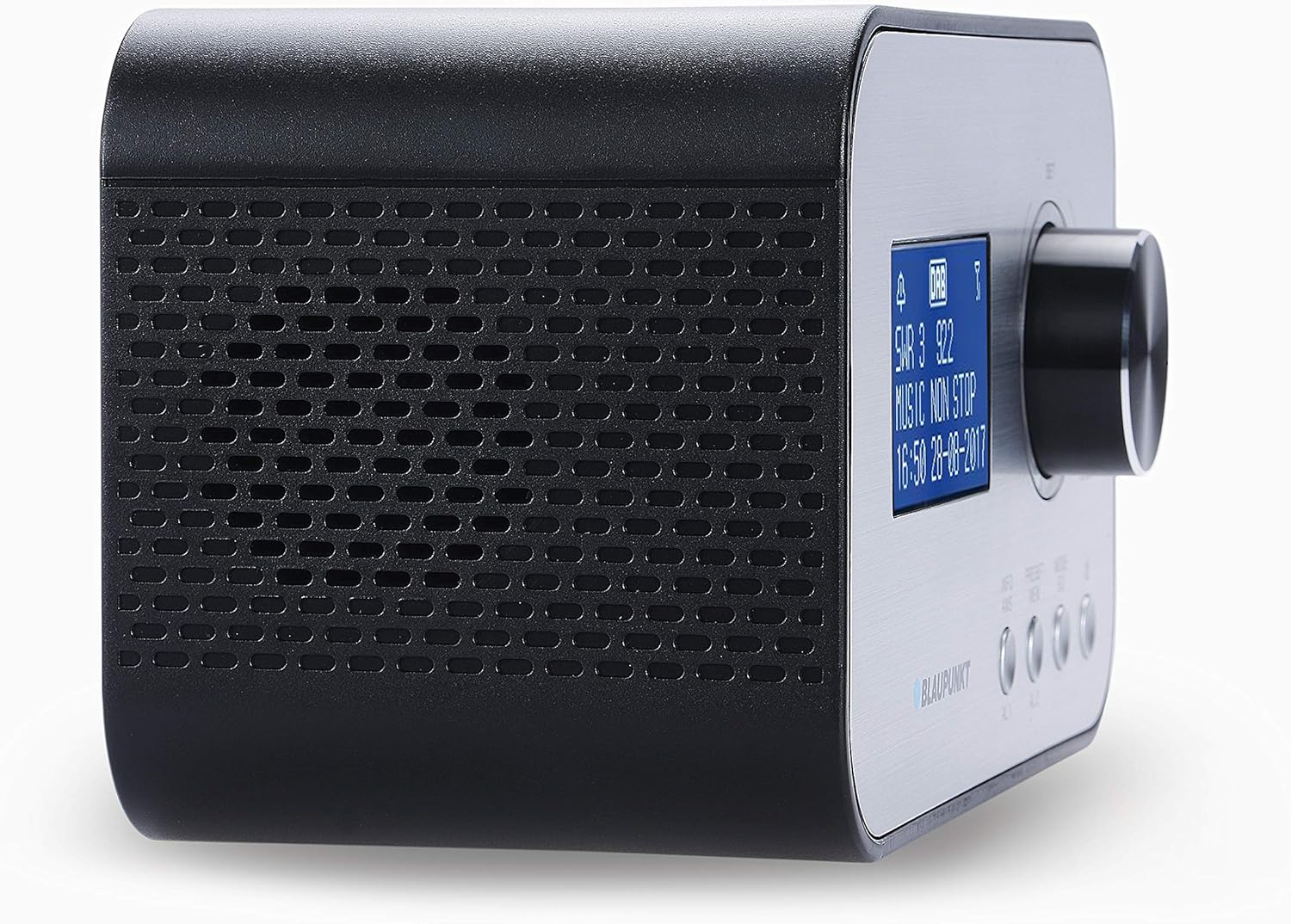
Obrázek: Přední a boční view of the BLAUPUNKT CLRD 30 clock radio, highlighting the display and main control knob.

Obrázek: Horní a boční view of the BLAUPUNKT CLRD 30 clock radio, showing the 'SNOOZE / SLEEP / DIMMER' button and other front panel controls.
Ovládací prvky na předním panelu:
- Zobrazit: Zobrazuje čas, datum, informace o rozhlasové stanici a možnosti nabídky.
- Control Knob (SET/SELECT/VOLUME): Rotate to navigate menus or adjust volume. Press to confirm selections.
- PRESET/MENU Button: Access preset stations or the main menu.
- MODE/INFO Button: Switch between DAB+, FM, and other modes; display additional information.
- Tlačítka AL1/AL2: Nastavte a aktivujte Budík 1 a Budík 2.
Ovládací prvky na horním panelu:
- SNOOZE / SLEEP / DIMMER Button: Press to activate snooze, set sleep timer, or adjust display brightness.
Připojení zadního panelu:

Obrázek: Zadní view of the BLAUPUNKT CLRD 30 clock radio, showing the DC 5V power input and the USB charging port.
- Vstup DC 5V: Připojte dodaný napájecí adaptér.
- USB Output (CHARGING ONLY): Connect your mobile device for charging.
- Teleskopická anténa: Pro optimální příjem rádia vysuňte.
6. Nastavení
6.1 Připojení napájení
- Insert the DC plug of the provided power adapter into the DC 5V input jack on the rear of the clock radio.
- Zapojte napájecí adaptér do standardní zásuvky.
- Jednotka se zapne a displej se rozsvítí.
6.2 Anténa
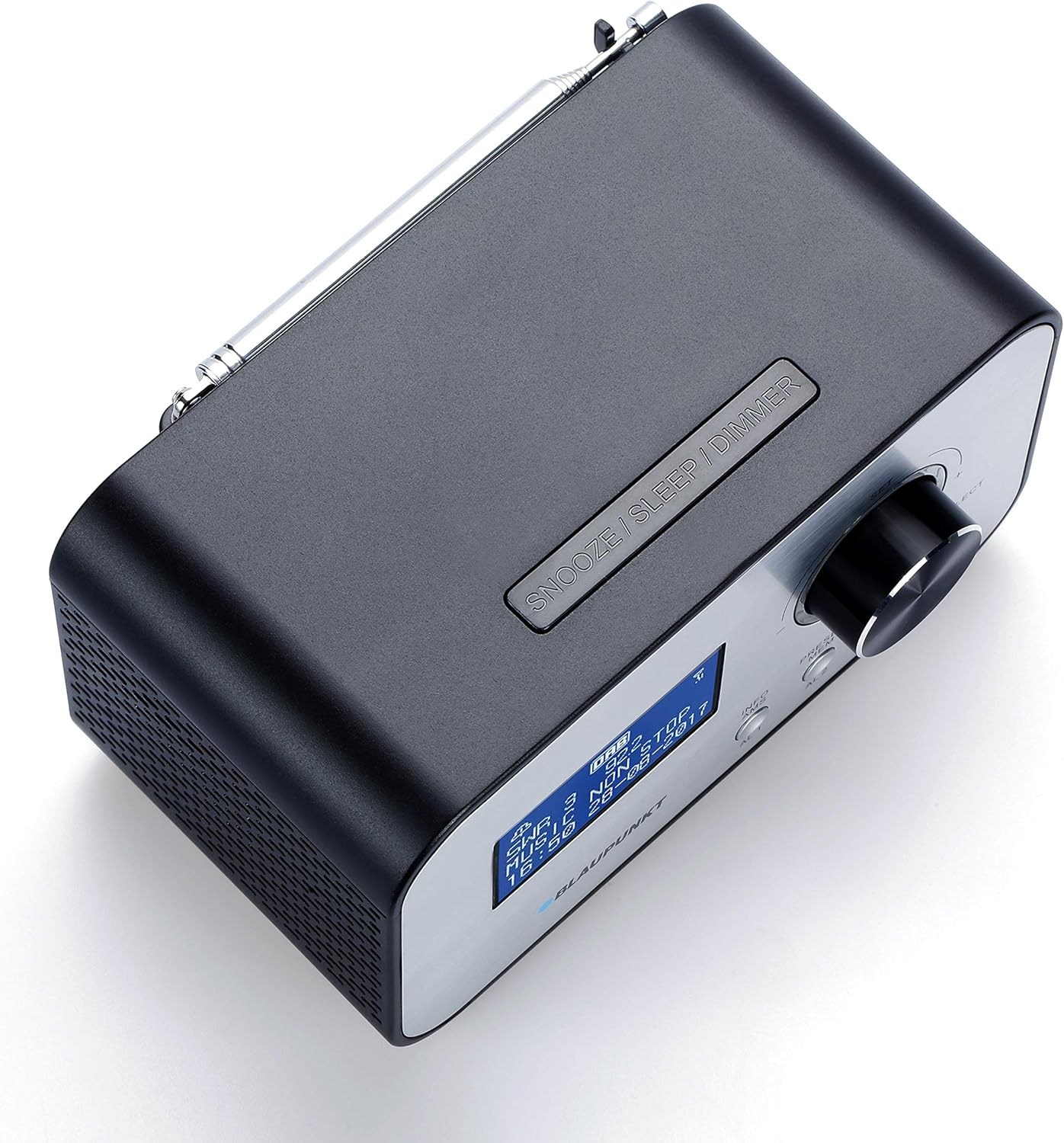
Obrázek: Nahoře view of the BLAUPUNKT CLRD 30 clock radio with its telescopic antenna fully extended for improved reception.
For optimal DAB+ and FM radio reception, fully extend the telescopic antenna located on the rear of the unit. Adjust its position for the best signal quality.
6.3 Initial Setup (Time, Date, Language)
Upon first power-on, the unit may automatically scan for DAB+ stations and set the time/date. If not, or if you wish to adjust settings:
- Stiskněte tlačítko PRESET/MENU tlačítko pro vstup do hlavní nabídky.
- Otočte Ovládací knoflík to navigate to 'System Settings' or 'Time/Date' and press the knob to select.
- Follow the on-screen prompts to set the time, date, and preferred language.
- For language, select English to ensure all menu options are understandable.
7. Návod k obsluze
7.1 Ovládání rádia (DAB+/FM)
- Stiskněte tlačítko REŽIM/INFO tlačítko pro přepínání mezi režimy rádia DAB+ a FM.
- DAB+ rádio: The radio will automatically scan for available DAB+ stations. Rotate the Ovládací knoflík to browse stations and press to select.
- FM rádio: Otočte Ovládací knoflík to manually tune to FM frequencies. Press and hold the knob for an automatic scan to the next available station.
- Nastavte hlasitost otáčením Ovládací knoflík během přehrávání.
7.2 Setting Alarms (AL1/AL2)
- Stiskněte buď AL1 or AL2 button to enter alarm setup for the respective alarm.
- Otočte Ovládací knoflík to adjust the hour and minute, pressing the knob to confirm each setting.
- Select the alarm source (Buzzer or Radio). If Radio, select the desired station.
- Set the alarm volume. Note that the minimum volume setting might be louder than expected for some users.
- Choose the alarm frequency (Daily, Weekdays, Weekends, Once).
- Confirm settings to activate the alarm. An alarm icon will appear on the display.
7.3 Funkce odložení
Když zazní alarm, stiskněte tlačítko SNOOZE / SLEEP / STMÍVÁNÍ button to temporarily silence the alarm. The alarm will sound again after a short interval (typically 9 minutes).
7.4 Časovač vypnutí
- Během přehrávání rádia stiskněte tlačítko SNOOZE / SLEEP / STMÍVÁNÍ Opakovaným stisknutím tlačítka můžete procházet možnostmi časovače vypnutí (např. 15, 30, 45, 60, 90 minut, VYP).
- Rádio se po uplynutí zvolené doby automaticky vypne.
7.5 USB nabíjení
Connect your smartphone or other USB-powered device to the USB output port on the rear of the clock radio using a compatible USB cable. The port provides 5V/2A output for charging.
7.6 Stmívač displeje
Stiskněte tlačítko SNOOZE / SLEEP / STMÍVÁNÍ button (when no alarm is active) to adjust the brightness of the LCD display. Cycle through available brightness levels to find your preferred setting. If the display appears too bright or too dim, adjust it using this button.
8. Údržba
- Před čištěním odpojte napájecí adaptér.
- Otřete přístroj měkkým, suchým hadříkem. Nepoužívejte abrazivní čisticí prostředky ani rozpouštědla.
- Keep the ventilation openings clear of dust.
9. Řešení problémů
- Bez napájení: Ujistěte se, že je napájecí adaptér bezpečně připojen k zařízení i k funkční zásuvce.
- Špatný příjem rádia: Fully extend and adjust the telescopic antenna. Try repositioning the unit to improve signal.
- Alarm nezní: Check that the alarm is activated (alarm icon on display) and the alarm volume is set appropriately. Ensure the time and alarm time are correct.
- Příliš jasný/tmavý displej: Použijte SNOOZE / SLEEP / STMÍVÁNÍ tlačítko pro přepínání úrovní jasu.
- Nabíjení přes USB nefunguje: Ensure the device is properly connected and the USB cable is functional. The USB port is for charging only, not data transfer.
- Difficulty with Menu Navigation: The menu system is primarily controlled by the Ovládací knoflík (rotate to navigate, press to select) and the PRESET/MENU button to access. If the language is incorrect, navigate to 'System Settings' to change it to English.
10. Specifikace
| Značka: | BLAUPUNKT |
| Číslo modelu: | CLRD 30 BK |
| Rozměry (D x Š x V): | 17 x 11.5 x 10.2 cm |
| Hmotnost: | 550 gramů |
| Materiál: | Plast |
| Technologie připojení: | USB |
| Technologie tuneru: | DAB+ |
| Zdroj napájení: | AC (adaptér je součástí balení) |
| Podporovaná rádiová pásma: | DAB+/FM |
| USB výstup: | 5V, 2A (Charging Only) |
11. Záruka a podpora
This product comes with a warranty. Please refer to the included warranty card for details regarding coverage and duration. For technical support or service inquiries, you may contact:
- Servisní horká linka: 00 800 1300 1400 (Free call)
- E-mail: blaupunkt@gt-support.de
Please have your model number (CLRD 30 BK) and purchase information ready when contacting support.


