Návod k obsluze Hemudu Univerzální otočný stolní televizní stolek HT04B-001
Model: HT04B-001
1. Úvod
This manual provides detailed instructions for the assembly, operation, and maintenance of your Hemudu Universal Swivel Tabletop TV Stand, model HT04B-001. This stand is designed to securely hold televisions ranging from 27 to 60 inches, with a maximum weight capacity of 99 lbs. It features an 80-degree swivel function and 4-level height adjustment for optimal viewIng.

Image 1.1: Hemudu Universal Swivel Tabletop TV Stand HT04B-001.
2. Bezpečnostní informace
Please read and understand all instructions before assembly and use. Failure to follow these instructions may result in property damage, serious injury, or death. If you have any questions, contact customer support.
- Nosnost: Do not exceed the maximum weight capacity of 99 lbs (45 kg). This stand is designed for televisions between 27 and 60 inches.
- Kompatibilita VESA: Ensure your TV's VESA mounting pattern is compatible with the stand (100x100mm to 400x400mm).
- Stabilní povrch: Televizní stolek vždy umisťujte na rovný, stabilní a vodorovný povrch.
- Děti a domácí mazlíčci: Keep children and pets away from the stand during assembly. Do not allow children to climb on or play with the stand or TV.
- Správná instalace: Ensure all screws are securely tightened according to the assembly instructions. Do not overtighten.
- Správa kabelů: Route all cables properly to prevent tripping hazards and accidental pulling of the TV.
3. Vlastnosti produktu
- Univerzální kompatibilita: Supports 27-60 inch TVs with VESA patterns from 100x100mm to 400x400mm.
- Funkce otáčení: Offers an 80-degree swivel range (±40 degrees) for flexible viewing úhly.
- Nastavení výšky: Features 4 levels of height adjustment to customize TV placement.
- Odolná konstrukce: Constructed with a heavy-duty steel pole and an 8mm thick tempered glass base for stability.
- Správa kabelů: Integrated cable pass-through port helps organize and conceal cables.
- Snadná montáž: Designed for straightforward installation with clearly labeled parts.
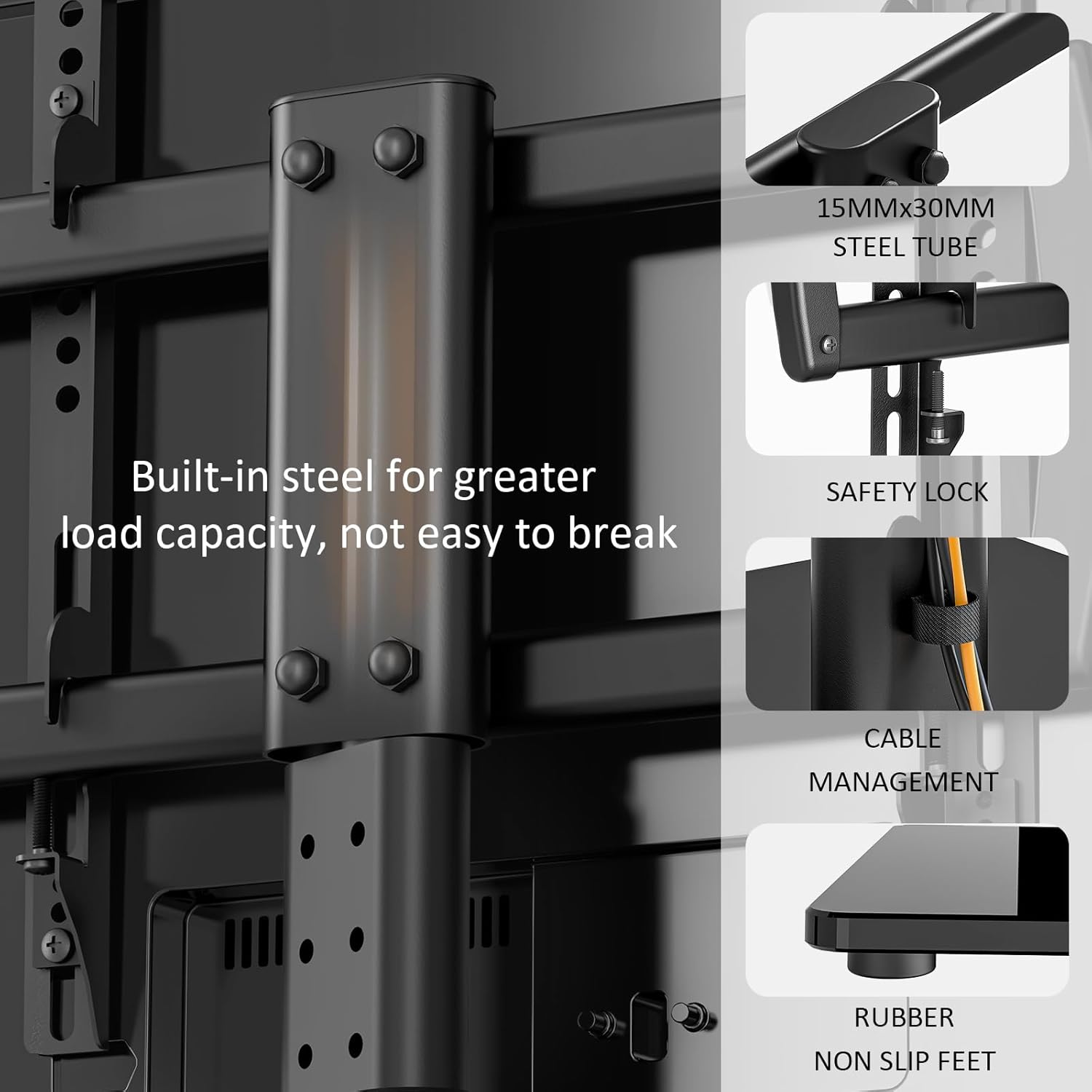
Obrázek 3.1: Detailní view of stand components: built-in steel for load capacity, safety lock, cable management, and non-slip rubber feet.
4. Specifikace
| Specifikace | Detail |
|---|---|
| Číslo modelu | HT04B-001 |
| Kompatibilní velikosti TV | 27 - 60 palce |
| Maximální nosnost | 99 lb (45 kg) |
| Kompatibilita VESA | 100x100mm, 200x100mm, 200x200mm, 300x200mm, 300x300mm, 400x200mm, 400x300mm, 400x400mm |
| Otočný rozsah | ±40 degrees (80 degrees total) |
| Nastavení výšky | 4 levels (Min 22.5", Max 26.1" from base to top of mounting plate) |
| Základní materiál | Tvrzené sklo 8 mm |
| Materiál tyče | Legovaná ocel |
| Product Dimensions (Base) | 15 x 9.9 palce |
| Hmotnost položky | 10.74 liber |
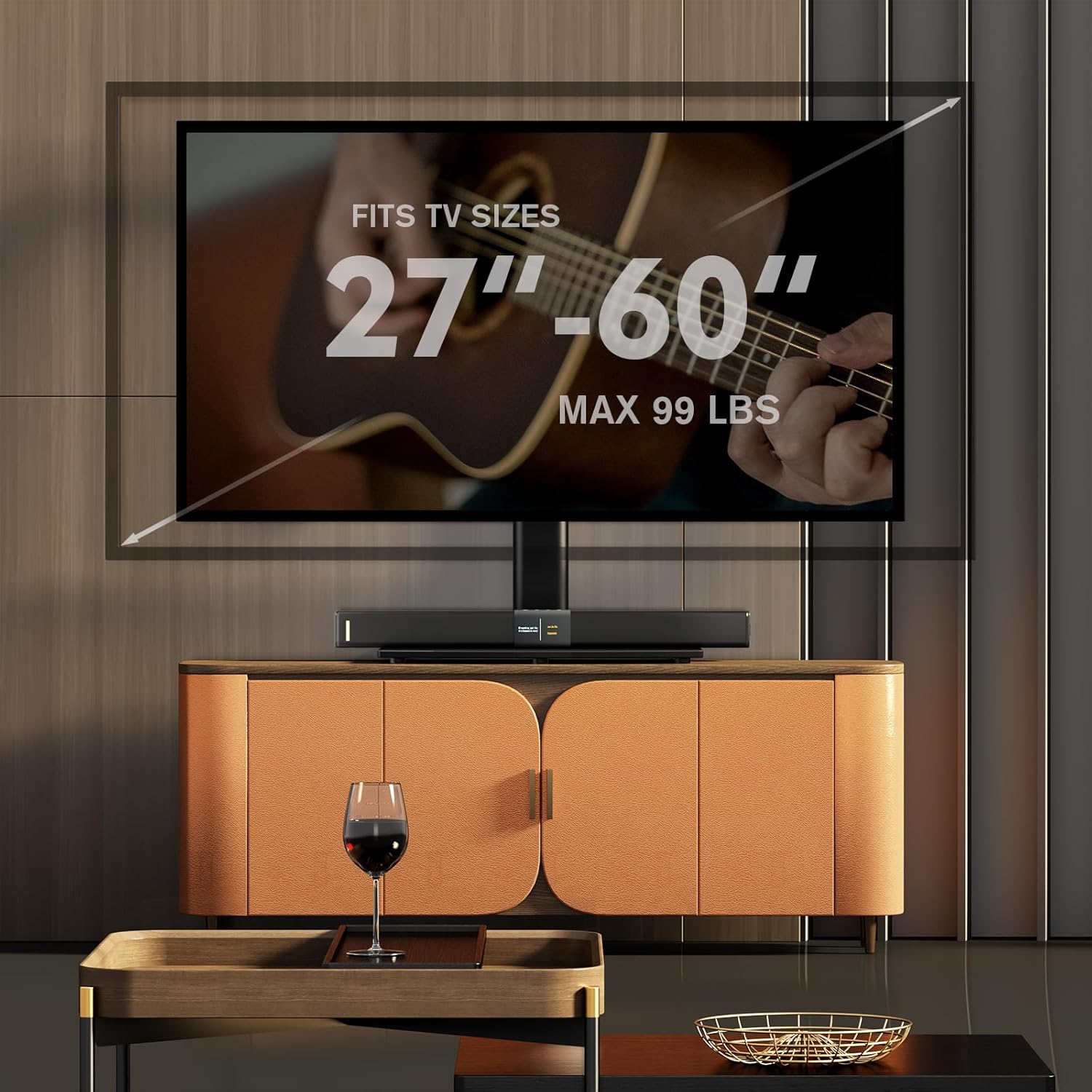
Image 4.1: TV size and weight capacity overview.
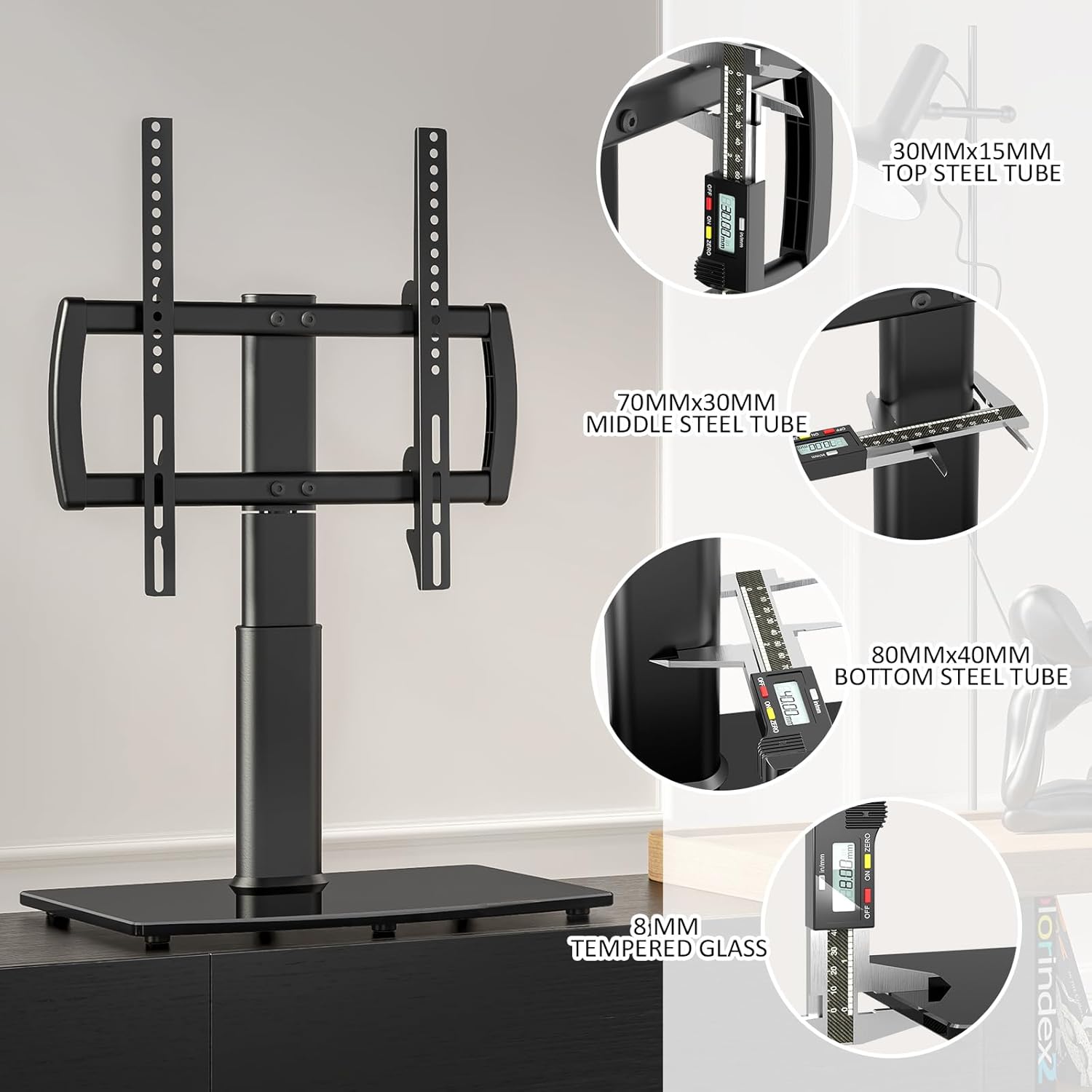
Image 4.2: Structural dimensions of the stand components.

Image 4.3: VESA mounting pattern compatibility table.
5. Montážní návod
The Hemudu TV stand is designed for quick and easy assembly. All necessary hardware is included and clearly labeled. It is recommended to have a second person assist with lifting the TV onto the stand.
Požadované nástroje (nejsou součástí dodávky):
- Šroubovák s křížovou hlavou
Montážní kroky:
- Rozbalte komponenty: Carefully remove all parts from the packaging and verify against the parts list in your included manual.
- Attach Support Column to Base: Secure the main support column to the tempered glass base using the provided screws and tools. Ensure it is firmly attached.
- Assemble TV Brackets: Attach the horizontal TV bracket arms to the vertical mounting rails.
- Attach Mounting Rails to TV: Select the appropriate screws, washers, and spacers for your TV's VESA mounting holes. Secure the vertical mounting rails to the back of your television.
- Upevnění televizoru na stojan: With assistance, carefully lift the television and hook the mounting rails onto the support column's bracket. Ensure the TV is centered and level.
- Zabezpečená televize: Use the safety lock screws to secure the TV to the stand, preventing accidental dislodgement.
- Upravit výšku (volitelné): If desired, adjust the TV height by repositioning the mounting rails on the support column before fully tightening.

Image 5.1: Illustration of the TV assembly process.
6. Provoz
Funkce otáčení:
The Hemudu TV stand allows for an 80-degree swivel range (40 degrees left and 40 degrees right). To adjust the viewing angle, gently grasp the sides of your television and rotate it to the desired position. The stand is designed for smooth and stable movement.
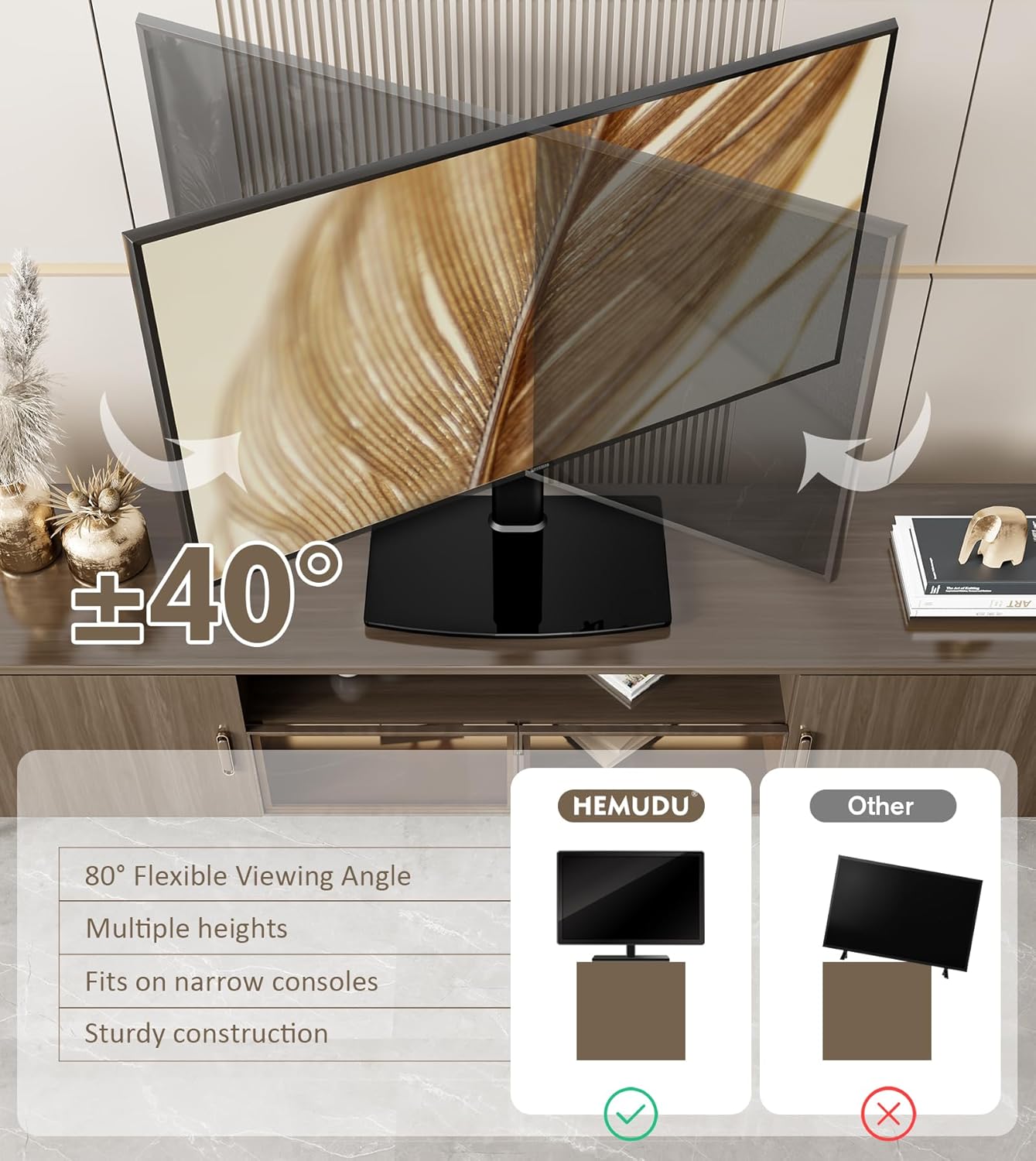
Image 6.1: Swivel function of the TV stand.
Nastavení výšky:
The stand offers 4 levels of height adjustment. To change the TV height, you will need to temporarily remove the TV from the stand. Adjust the position of the mounting rails on the main support column to one of the four available height settings, then re-mount and secure your television.

Image 6.2: Height adjustment feature.
Správa kabelů:
Utilize the integrated cable pass-through port on the support column to route and organize your TV and device cables. This helps maintain a tidy appearance and reduces cable clutter.
7. Údržba
- Čištění: Use a soft, dry cloth to clean the stand. For the tempered glass base, a glass cleaner can be used. Avoid abrasive cleaners or solvents that may damage the finish.
- Inspekce: Pravidelně kontrolujte všechny šrouby a spoje, zda jsou pevně utažené a bezpečné. V případě potřeby je dotáhněte.
- Vyhněte se přetížení: Do not place items on the stand that exceed its weight capacity.
8. Řešení problémů
- Televizor není vodorovně umístěn: Ensure the mounting rails are evenly positioned on the support column. Adjust as needed. Check that the stand is on a level surface.
- Stojan se zdá být nestabilní: Verify that all screws are fully tightened. Ensure the TV's weight and VESA pattern are within the stand's specifications. The stand must be placed on a firm, flat surface.
- Difficulty with swivel: Check for any obstructions around the base or TV. Ensure no cables are snagged.
- Chybějící části: If any parts are missing upon unboxing, contact Hemudu customer support immediately.
9. Záruka a podpora
For warranty information or technical support, please refer to the warranty card included with your product or contact Hemudu customer service through their official website or the retailer where the product was purchased. Please have your model number (HT04B-001) and purchase date available when contacting support.


