1. Úvod
This manual provides detailed instructions for the installation, operation, and maintenance of your Tonton 2K Wireless Security Camera System. Please read this manual thoroughly before using the product to ensure proper setup and functionality.

2. Co je v krabici
Po vybalení ověřte, zda jsou přítomny všechny komponenty:
- 1 x 2K NVR with 1TB HDD
- 6 x 3MP fotoaparáty
- 1 x 12V 2A Power Supply for NVR
- 6 x 12V 1A Power Supply for Cameras
- 6 Pack Screws

3. Nastavení
3.1 Počáteční připojení
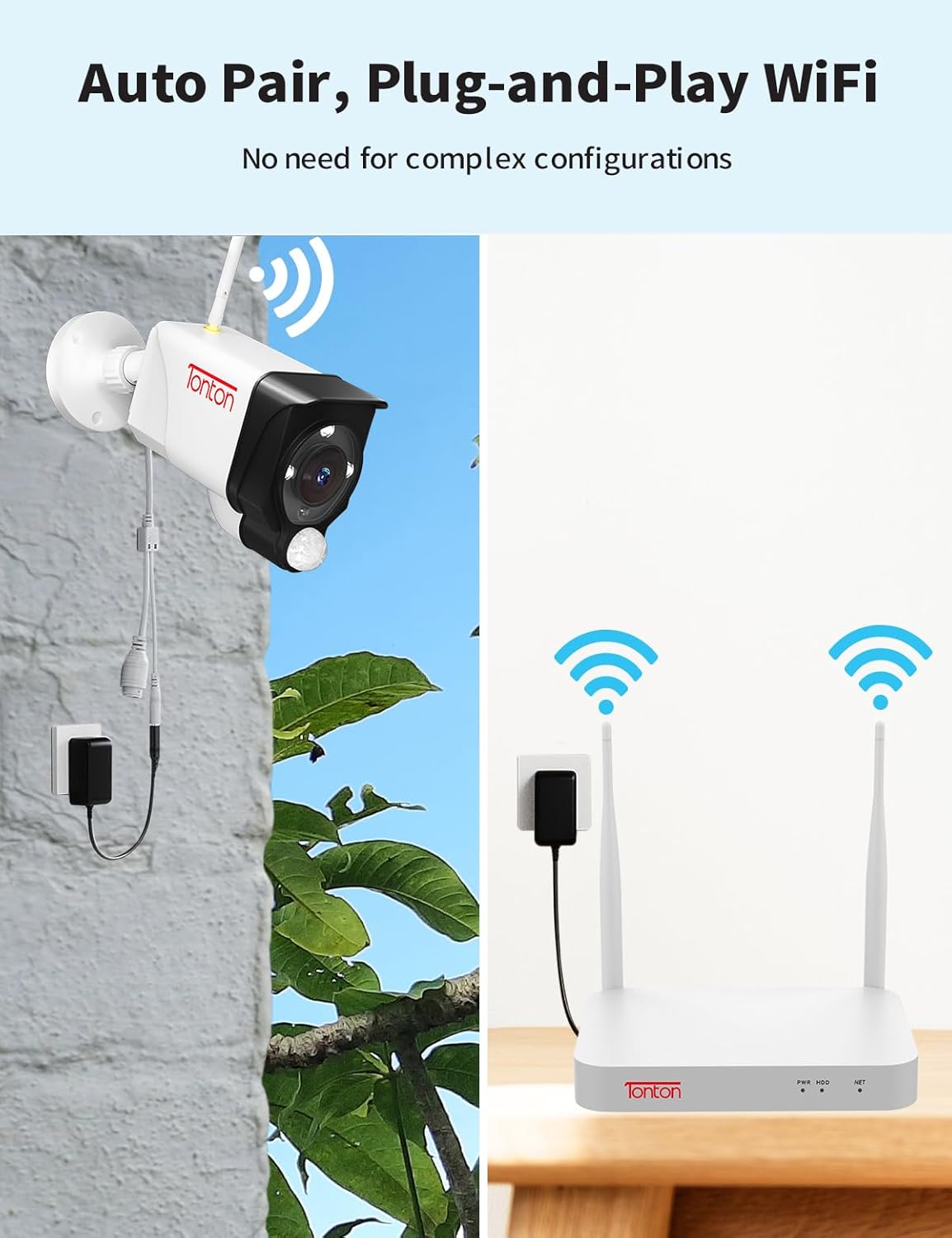
The Tonton security camera system is designed for plug-and-play operation. Cameras automatically pair with the NVR. Each camera requires a power source.
- Connect the NVR to a power source using the provided 12V 2A power supply.
- Connect each 3MP camera to a power source using its dedicated 12V 1A power supply.
- For remote access, connect the NVR to your router via WiFi or an Ethernet cable. The NVR has a built-in network card for direct WiFi connection.
- Connect the NVR to a monitor (not included) using an HDMI cable to view živé vysílání.


3.2 Umístění kamery
Outdoor cameras feature a 360° adjustable bracket for flexible positioning. Before permanent installation, test the camera's WiFi connection and field of view.
3.3 Mobile App Setup (EseeCloud)
To access your system remotely, download the 'EseeCloud' app:
- Download the 'EseeCloud' app from your device's app store.
- Zaregistrujte si účet a přihlaste se.
- Scan the device QR code on your NVR to add it to the app.

For PC software ('ismkit'), please contact customer support for download instructions.
3.4 How the Wireless Camera System Works
This video demonstrates the operational principles of the Tonton wireless camera system, showing how cameras connect to the NVR and how the system functions.
4. Návod k obsluze
4.1 Continuous Recording
The system supports 24/7 continuous recording. The pre-installed 1TB hard drive can store over 30 days of video. When the hard drive is full, it will automatically overwrite the oldest recordings.

4.2 Detekce a upozornění lidí pomocí umělé inteligence
The system utilizes PIR, motion, and AI humanoid detection sensors to minimize false alarms. When human motion is detected, you will receive mobile notifications and email alerts.

4.3 Obousměrný zvuk
Each camera features two-way audio, allowing you to hear and speak through the camera using the mobile app.

4.4 Režimy nočního vidění
The cameras offer three night vision modes: full color, infrared, and smart mode (default). The spotlight and siren alarm can illuminate your yard and deter intruders, recording color videos even at night.

4.5 Integrace s Alexou
The system is compatible with Amazon Alexa, allowing voice commands for viewpřenosy z kamery.

This video provides instructions on how to integrate and operate the Tonton security camera system with Amazon Alexa.
5. Údržba
- Pravidelný úklid: Pravidelně čistěte objektivy fotoaparátu měkkým hadříkemamp hadříkem pro zajištění ostré kvality obrazu.
- Aktualizace firmwaru: Check the EseeCloud app or Tonton webweb s dostupnými aktualizacemi firmwaru pro zajištění optimálního výkonu a zabezpečení.
- Kontrola připojení: Regularly verify that all cameras are powered and connected to the NVR. Ensure the NVR has a stable internet connection for remote access.
- Správa pevných disků: The 1TB HDD automatically overwrites old footage. For longer retention, consider upgrading the hard drive (up to 6TB) or backing up important recordings.
6. Řešení problémů
- Žádný obrázek/video: Ensure cameras and NVR are powered on and connected. Check all cables and power adapters.
- Slabý bezdrátový signál: Ensure cameras are within range of the NVR. Consider repositioning cameras or the NVR, or using the WiFi repeater function of the cameras.
- Falešné poplachy: Adjust detection sensitivity settings in the NVR or app. Utilize custom motion detection areas to exclude irrelevant zones.
- Problémy se vzdáleným přístupem: Verify the NVR is connected to the internet. Check router settings and ensure the EseeCloud app is updated.
- Kontaktujte podporu: If issues persist, refer to the support section for contact information.
7. Specifikace
| Funkce | Detail |
|---|---|
| Značka | Tonton |
| Číslo modelu | D5309HN8-W |
| Technologie připojení | Bezdrátový |
| Rozlišení záznamu videa | 2K, 3MP (2304*1296) |
| Počet kanálů | 10 |
| Kapacita paměti | 1 TB (rozšiřitelné až na 6 TB) |
| Zdroj napájení | Elektrický kabel (12V DC) |
| Rozměry položky (D x Š x V) | 13.31 x 16.34 x 7.48 palce |
| Doporučená použití | Indoor, Outdoor, Home, Business |
| Kompatibilní zařízení | Fotoaparáty, Osobní počítače, Chytré telefony, Televize, Tablety |
| Speciální funkce | PIR Sensor, Spotlight, 2 Way Audio, Metal Housing, 110 degree Viewing Angle, IP66 Weatherproof, Color Night Vision, 360 degree adjustable bracket, AI Humanbody Detection, Email/NVR/APP alerts, Remote Viewing, Smart Search Playback, USB backup, Cloud Storage Support, Privacy Mask Area (up to 4 areas), Works with Alexa |
| Technologie nízkého osvětlení | Noční barva |
| Ohnisková vzdálenost | F=3.6mm |
| Rozsah nočního vidění | Až 100 stop |
| Snímková frekvence | 15 snímků za sekundu |
| Režim nahrávání | Event, Schedule |
| Komprese videa | H.265 + |
| UPC | 654913788847 |
8. Záruka a podpora
For technical support or inquiries, please contact Tonton customer service:
- E-mail: sales@tontonsecurity.com
- Email výrobce: kontakt@tontonsecurity.com
You can also visit the official Tonton store for more information and resources: Obchod Amazonu v Tontonu.

The product is manufactured by Guangzhou Juan Intelligent Tech Joint Stock Co., Ltd Tonton security.


