1. Konec produktuview
The Rii Wired RGB LED Backlight Gaming Keyboard and Mouse Combo (Model: 8541666920) provides an ergonomic and responsive input solution for various computing environments. This combo features multi-color LED backlighting for the keyboard and mouse, dedicated multimedia keys, and adjustable mouse DPI settings. It is designed for plug-and-play compatibility with a wide range of operating systems.
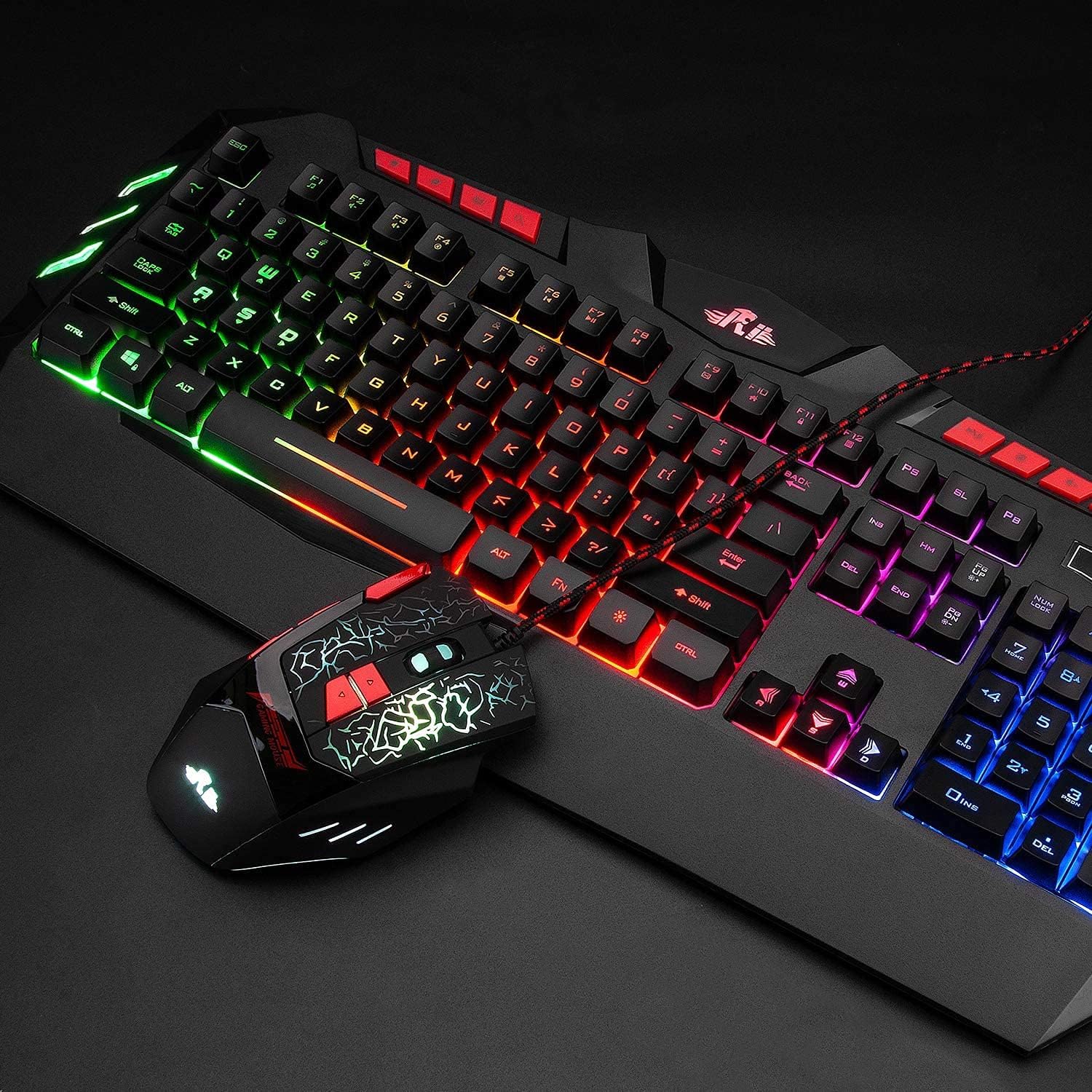
Image: The Rii Wired RGB LED Backlight Gaming Keyboard and Mouse Combo, showcasing both devices connected via USB.
2. Obsah balení
- Rii Wired RGB LED Backlight Gaming Keyboard
- Rii Wired RGB LED Backlight Gaming Mouse
- Uživatelská příručka (tento dokument)
3. Pokyny k nastavení
The Rii Wired RGB LED Backlight Gaming Keyboard and Mouse Combo is designed for simple plug-and-play operation. No additional drivers are typically required for basic functionality.
- Připojení klávesnice: Locate an available USB port on your computer (PC, Laptop, Gaming Console, Smart TV, etc.). Insert the USB connector of the keyboard firmly into the USB port.
- Připojte myš: Locate another available USB port on your computer. Insert the USB connector of the mouse firmly into the USB port.
- Rozpoznávání systému: Your operating system should automatically detect and install the necessary drivers for the keyboard and mouse. This process may take a few moments.
- Ověřte funkčnost: Once detected, the keyboard and mouse should be ready for use. Test by typing and moving the mouse to ensure proper operation.
Poznámka: While the keyboard and mouse are compatible with various operating systems including Windows, Mac OS, Chrome OS, and Android, the RGB backlight functionality on the keyboard may not be fully supported on Mac OS systems.
4. Návod k obsluze
4.1 Ovládání podsvícení klávesnice
The keyboard features multi-color RGB LED backlighting. Use the following key combinations to control the backlight:
- Nastavení jasu: Stiskněte FN + Page Up to increase backlight brightness. Press FN + Page Down pro snížení jasu podsvícení.
- Backlight Mode Switch: Stiskněte FN + Light Icon Key (usually located near the right Shift key) to cycle through different backlight modes.
- Podsvícení zapnuto/vypnuto: Stiskněte tlačítko Light Icon Key (without FN) to turn the backlight on or off.

Image: Illustration of multimedia keys and backlight control functions on the keyboard, including brightness adjustment and mode switching.
4.2 Nastavení DPI myši
The mouse features 4 adjustable DPI (Dots Per Inch) settings, allowing you to change cursor sensitivity on the fly. The available DPI values are 1000, 1600, 2000, and 2400.
- Change DPI: Stiskněte tlačítko Tlačítko DPI (typically located behind the scroll wheel) to cycle through the available DPI settings. The mouse's LED lighting may change to indicate the current DPI level.

Image: Close-up of the ergonomic mouse, highlighting the DPI adjustment button and precise optical sensor.
4.3 Multimediální klávesy
The keyboard includes dedicated multimedia keys for quick access to common functions:
- Control volume (increase, decrease, mute)
- Manage music playback (play/pause, previous, next)
- Quick access to email and web prohlížeč
4.4 Prohození kláves WASD a šipek
For certain gaming preferences, you can swap the functionality of the WASD keys with the Arrow keys.
- Swap Keys: Stiskněte FN + W to toggle between WASD and Arrow key functionality.

Image: Diagram illustrating how to switch between WASD and arrow key functions using the FN + W key combination.
4.5 Automatický režim spánku
To conserve energy, the keyboard automatically enters a sleeping mode after 10 minutes of inactivity, and its backlights will turn off. To awaken the keyboard and reactivate the backlights, simply press any key.
5. Údržba
Proper maintenance ensures the longevity and optimal performance of your Rii keyboard and mouse combo.
- Čištění: K otření povrchů klávesnice a myši použijte měkký, suchý hadřík. V případě odolných nečistot použijte lehceamp Lze použít hadřík s jemným mýdlem, ale zajistěte, aby se do zařízení nedostala žádná tekutina.
- Vyhněte se tekutinám: Do not expose the keyboard or mouse to excessive moisture or liquids, as this can cause damage to internal components.
- Skladování: Pokud zařízení delší dobu nepoužíváte, skladujte je na chladném a suchém místě mimo dosah přímého slunečního záření.
- Péče o kabely: Avoid bending or twisting the USB cables excessively to prevent internal wire damage.
6. Řešení problémů
If you encounter issues with your Rii keyboard and mouse combo, refer to the following common solutions:
- Klávesnice/myš nereaguje:
- Ensure the USB connectors are securely plugged into the computer's USB ports.
- Zkuste zapojit zařízení do různých USB portů na vašem počítači.
- Restartujte počítač.
- Test the devices on another computer to determine if the issue is with the devices or your system.
- Nefunguje podsvícení:
- Ensure the backlight is turned on using the Light Icon Key.
- Upravte jas pomocí FN + Page Up/Down.
- If using Mac OS, note that backlight functionality may be limited or unsupported.
- Mouse Cursor Movement is Erratic or Slow:
- Adjust the DPI setting using the Tlačítko DPI na myši.
- Ujistěte se, že senzor myši je čistý a bez překážek.
- Používejte myš na vhodném povrchu (např. podložce pod myš).
- Multimediální klávesy nefungují:
- Ensure your operating system and media player are properly configured to respond to standard multimedia key commands.
- Some systems may require specific software or settings to fully utilize multimedia keys.
7. Specifikace

Image: Detailed dimensions of the Rii keyboard and mouse.
| Funkce | Detail |
|---|---|
| Značka | Rii |
| Číslo modelu | 8541666920 |
| Technologie připojení | Kabel USB |
| podsvícení klávesnice | RGB LED (Multiple mixed colors) |
| Nastavení DPI myši | 1000-1600-2000-2400 (nastavitelné) |
| Typ klávesnice | Membrane (Mechanical feel) |
| Ergonomie | Ergonomic design for both keyboard and mouse |
| Kompatibilní operační systémy | Windows 8/7/Vista/XP/Me/NT, PC, Laptop, Google Android TV Box, HTPC, IPTV, Smart TV, Mac IOS, Chrome OS, Raspberry Pi |
| Keyboard Dimensions (approx.) | 480 mm (D) x 215 mm (Š) x 32 mm (V) |
| Mouse Dimensions (approx.) | 128 mm (D) x 81 mm (Š) x 40 mm (V) |
| Hmotnost položky | Approximately 2.2 pounds (combined) |
| Speciální funkce | Multimedia keys, Non-slip stand, Automatic sleep mode |
8. Informace o záruce
Rii products are manufactured to high-quality standards. This product is covered by a manufacturer's warranty against defects in materials and workmanship. The specific terms and duration of the warranty may vary by region and retailer. Please retain your proof of purchase for warranty claims.
For detailed warranty information, please refer to the warranty card included with your product or contact Rii customer support.
9. Podpora
If you require further assistance or have questions not covered in this manual, please contact Rii customer support through the following channels:
- Online podpora: Visit the official Rii webweb s častými dotazy, ovladači ke stažení a kontaktními formuláři podpory.
- E-mailová podpora: Refer to your product packaging or the Rii webwebu, kde najdete příslušnou e-mailovou adresu podpory.
- Podpora prodejců: For purchase-related issues, contact the retailer from whom you purchased the product.


