1. Úvod
This manual provides essential information for the installation, operation, and maintenance of your ZOTAC GAMING GeForce RTX 2080 Ti Triple Fan graphics card. Please read this guide thoroughly before proceeding with installation to ensure proper setup and to maximize the performance and lifespan of your product.
2. Konec produktuview
The ZOTAC GAMING GeForce RTX 2080 Ti Triple Fan graphics card is built on the NVIDIA Turing architecture, featuring advanced technologies for high-performance graphics. Key features include:
- Active Fan Control: Allows independent adjustment of fan rotations for optimized cooling.
- SPECTRA Lighting: Customizable RGB lighting system for aesthetic personalization.
- Real-time Ray Tracing: Enhances visual realism in supported applications.
- NVIDIA Ansel: Advanced in-game photography tool.
- NVIDIA G-SYNC Compatible: For smooth, tear-free gaming experiences with compatible displays.
- NVLink (SLI-ready): Supports multi-GPU configurations for increased performance.

Image 2.1: The ZOTAC GAMING GeForce RTX 2080 Ti Triple Fan graphics card alongside its retail packaging, showcasing design a branding produktu.

Obrázek 2.2: Detailní view of the graphics card, illustrating its dimensions (Length: 308mm, Height: 113mm, Width: 2.5 slots) and available display outputs: 3x DisplayPort 1.4, 1x HDMI 2.0b, and 1x USB Type-C.
3. Nastavení a instalace
Before installing your new graphics card, ensure your computer's power supply meets the recommended wattage and that your system is powered off and unplugged from the wall outlet. It is also advisable to wear an anti-static wrist strap to prevent electrostatic discharge.
3.1 Instalace hardwaru
- Prepare your system: Power down your computer, unplug the power cable, and open the computer case.
- Locate a PCI Express slot: Identify an available PCI Express 3.0 x16 slot on your motherboard. This graphics card occupies 2.5 slots in width.
- Remove existing graphics card (if applicable): Carefully unmount any old graphics card and remove its power connectors.
- Insert the graphics card: Align the graphics card with the PCI Express slot and press down firmly until it is securely seated. Secure the card to the chassis with screws.
- Připojte napájecí kabely: Connect two 8-pin PCIe power connectors from your power supply to the graphics card. The product includes two dual 6-pin to 8-pin adapter cables if needed.
- Zavřete případ: Once the card is securely installed and powered, close your computer case.
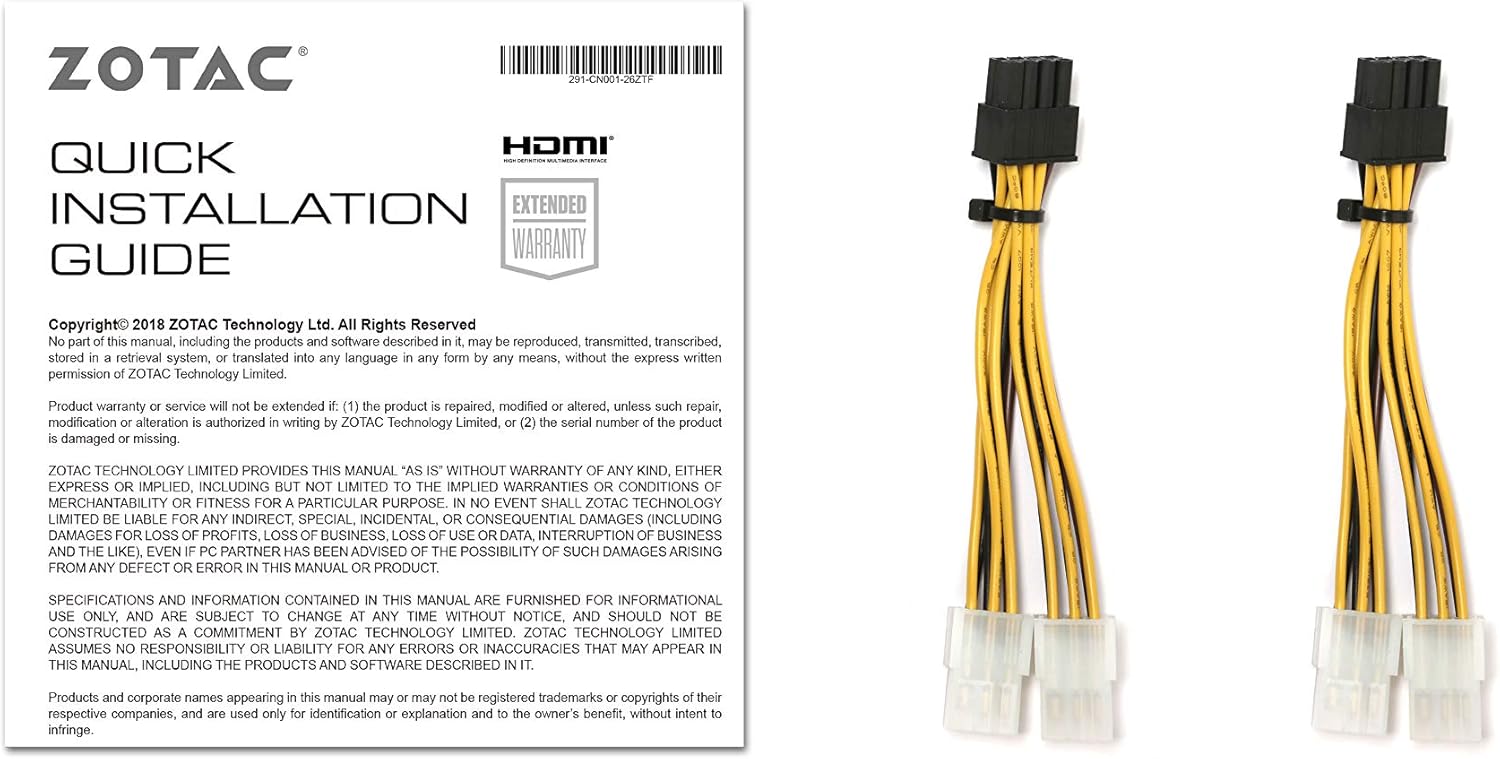
Image 3.1: The Quick Installation Guide and the included dual 6-pin to 8-pin power adapter cables, essential for connecting the graphics card to your power supply.
3.2 Instalace ovladače
After hardware installation, power on your computer. You will need to install the latest NVIDIA Game Ready Drivers for optimal performance. These can be downloaded from the official NVIDIA webweb (www.nvidia.com/drivers).
- Visit the NVIDIA driver download page.
- Select your product type (GeForce), product series (GeForce RTX 20 Series), product (GeForce RTX 2080 Ti), and operating system (Windows 10/7 x64).
- Download and run the installer, following the on-screen prompts.
4. Návod k obsluze
4.1 ZOTAC GAMING FireStorm Utility
The ZOTAC GAMING FireStorm utility allows you to monitor your graphics card, adjust fan speeds, and customize the SPECTRA RGB lighting. Download the latest version from the official ZOTAC webmísto.
4.2 Active Fan Control
Utilize the Active Fan Control feature within the FireStorm utility to independently manage the speed of the graphics card's fans. This allows for targeted cooling and noise optimization based on your system's needs.

Image 4.1: Diagram illustrating the Active Fan Control feature, showing how individual fan speeds can be adjusted to optimize airflow and cooling.
4.3 SPECTRA Lighting System
The SPECTRA lighting system offers customizable RGB illumination. Use the FireStorm utility to select colors and lighting effects to match your system's aesthetic.

Image 4.2: Visual representation of the SPECTRA lighting system, demonstrating various customizable color options for the graphics card's LED elements.
5. Údržba
Pravidelná údržba pomáhá zajistit dlouhou životnost a optimální výkon vaší grafické karty.
- Odstranění prachu: Pravidelně čistěte prach z ventilátorů a chladiče pomocí stlačeného vzduchu. Před čištěním se ujistěte, že je systém vypnutý a odpojený od sítě.
- Aktualizace ovladačů: Keep your graphics drivers updated by regularly checking the NVIDIA webstránky pro nejnovější verze.
- System Airflow: Ensure your computer case has adequate airflow to prevent heat buildup, which can affect card performance and lifespan.
6. Řešení problémů
If you encounter issues with your graphics card, refer to the following common troubleshooting steps:
- Žádný výstup na displej:
- Ujistěte se, že je kabel monitoru bezpečně připojen ke grafické kartě a monitoru.
- Verify that the graphics card is fully seated in the PCI Express slot.
- Check that all required PCIe power connectors are properly attached to the graphics card.
- Pokud je to možné, vyzkoušejte s jiným kabelem displeje nebo monitorem.
- Driver Issues / System Instability:
- Perform a clean installation of the latest NVIDIA drivers. Use Display Driver Uninstaller (DDU) in Safe Mode to remove old drivers before installing new ones.
- Ujistěte se, že máte aktuální operační systém.
- Check for conflicts with other installed software.
- Overheating / Performance Drops:
- Clean dust from the graphics card fans and heatsink.
- Ensure adequate airflow within your computer case.
- Monitor temperatures using the ZOTAC GAMING FireStorm utility or other monitoring software.
- Verify that fan speeds are set appropriately, or use Active Fan Control.
For further assistance, please visit the ZOTAC support webnebo kontaktujte jejich zákaznický servis.
7. Specifikace
| Funkce | Detail |
|---|---|
| GPU | NVIDIA GeForce RTX 2080 Ti |
| CUDA jádra | 4352 |
| Video paměť | 11GB GDDR6 |
| Paměťová sběrnice | 352bitový |
| Engine Boost Clock | 1605 MHz |
| Hodiny paměti | 14.0 Gbps |
| PCI Express | 3.0 |
| Zobrazení výstupů | 3 x DisplayPort 1.4, 1 x HDMI 2.0b, 1 x USB Type-C |
| Podpora více displejů | Možnost čtyřnásobného simultánního zobrazení |
| Doporučený zdroj napájení | 650-watt |
| Spotřeba energie | TBD-watt max (refer to product documentation for specific model) |
| Podpora operačního systému | Microsoft Windows 10/7 x64 |
| Card Dimensions (Length x Height x Width) | 308mm (12.13in) x 113mm (4.45in) x 2.5 slots (57mm / 2.24in) |
| Podpora API | Microsoft DirectX 12, Vulkan API, OpenGL 4.5 |
8. Záruka a podpora
ZOTAC products are designed for reliability and performance. This graphics card typically comes with a manufacturer's warranty. Please refer to the warranty information included with your product or visit the official ZOTAC website for detailed terms and conditions, including registration requirements for extended warranty where applicable.
For technical support, driver downloads, and frequently asked questions, please visit the ZOTAC support page:
When contacting support, please have your product model number (ZT-T20810F-10P) and serial number ready.


