1. Úvod
The Nady 4W-1KU HT Quad True Diversity 1000-Channel Professional UHF Wireless System is designed for demanding audio applications, offering exceptional sound quality and reliable performance. This system features automatic scanning across 1,000 UHF channels for interference-free operation and quick transmitter synchronization. With True Diversity circuitry and robust all-metal construction, it ensures maximum range and minimizes signal dropouts. The 1U rack-mountable receiver provides flexible output connections (XLR or 1/4").

Figure 1.1: Nady 4W-1KU HT Quad Wireless System, showing the main receiver unit and four HT-1KU handheld microphones.
2. Obsah balení
Ověřte, zda jsou v balení přítomny všechny komponenty:
- 1 x 4W-1KU Quad Receiver
- 4 x HT-1KU Handheld Transmitters (Microphones)
- 1 x Power Adapter (AC/DC)
- 2 x odpojitelné antény
- Rackmount Kit (brackets, screws, antenna extender cables)

Figure 2.1: Included accessories: detachable antennas, rackmount hardware, and antenna extender cables.
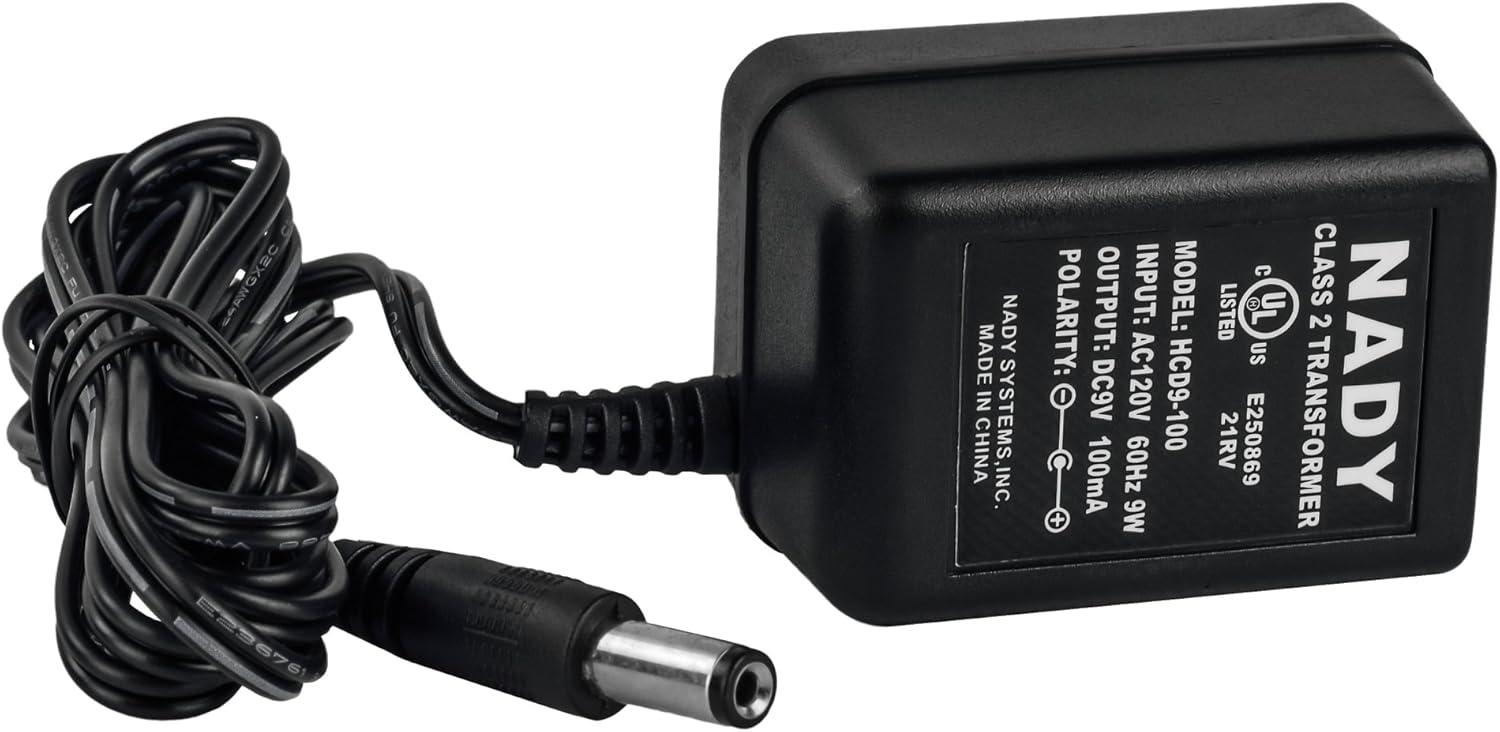
Figure 2.2: The Nady HCD9-100 power adapter for the receiver unit.
3. Konec systémuview
3.1. 4W-1KU Quad Receiver
The receiver unit houses four independent wireless receivers, providing 1000 selectable UHF frequencies per channel. It features True Diversity circuitry for enhanced signal stability and a backlit LCD for displaying frequency, volume, and RF signal strength.

Figure 3.1: Front panel of the 4W-1KU Quad Receiver, showing individual channel displays and controls.

Figure 3.2: Top image shows the rear panel with XLR and 1/4" outputs, and antenna connections. Bottom image shows the front panel.
Ovládací prvky a indikátory na předním panelu:
- Tlačítko napájení: Zapíná/vypíná jednotku.
- LCD displej: Shows channel number, group, volume, RF signal strength, and battery level.
- Tlačítka NAHORU/DOLŮ: Procházení nabídek a úprava nastavení.
- Tlačítko SET: Potvrzuje výběr.
- Okno IR synchronizace: For automatic frequency synchronization with transmitters.
- MUTE Level Control: Adjusts the squelch level for each channel.
Připojení zadního panelu:
- Anténní konektory: Pro upevnění přiložených antén.
- XLR výstupy: Four balanced XLR microphone level outputs (one for each channel).
- 1/4" Unbalanced Output: Mixed line level audio output.
- DC vstup: Pro připojení napájecího adaptéru.
3.2. HT-1KU Handheld Transmitter (Microphone)
The HT-1KU handheld microphone features an all-metal body for durability and the Nady DM-10 neodymium cartridge for clear audio and maximum feedback rejection. It includes an LCD display for monitoring group, channel, audio level, and battery status.

Figure 3.3: The HT-1KU handheld microphone with its LCD display.
Transmitter Controls and Indicators:
- Tlačítko napájení: Zapíná/vypíná mikrofon.
- LCD displej: Shows group, channel, audio level, and battery level.
- SET/UP/DOWN Buttons: For navigating menus and adjusting RF power (Hi/Low).
- IR okno: For receiving frequency synchronization from the receiver.
4. Nastavení
4.1. Vybalení a první kontrola
Carefully remove all components from the packaging. Inspect each item for any signs of damage. If any item is damaged or missing, contact Nady customer support immediately.
4.2. Receiver Placement and Connections
- Umístění: Position the 4W-1KU receiver in a stable location, ideally in a standard 19-inch equipment rack. Ensure adequate ventilation around the unit.
- Instalace antény: Attach the two included antennas to the antenna connectors on the rear panel of the receiver. For optimal range and minimal interference, you can use the included extender cables to mount the antennas on the front panel of the rack or in a clear line of sight.
- Připojení zvukového výstupu:
- For individual microphone outputs, connect XLR cables from the receiver's balanced XLR outputs (CH1, CH2, CH3, CH4) to the corresponding inputs on your audio mixer or ampživější.
- For a mixed output of all four microphones, connect a 1/4" TS cable from the receiver's unbalanced 1/4" output to a line-level input on your audio equipment.
- Připojení napájení: Connect the supplied AC/DC power adapter to the DC input on the rear of the receiver, then plug the adapter into a suitable AC power outlet.
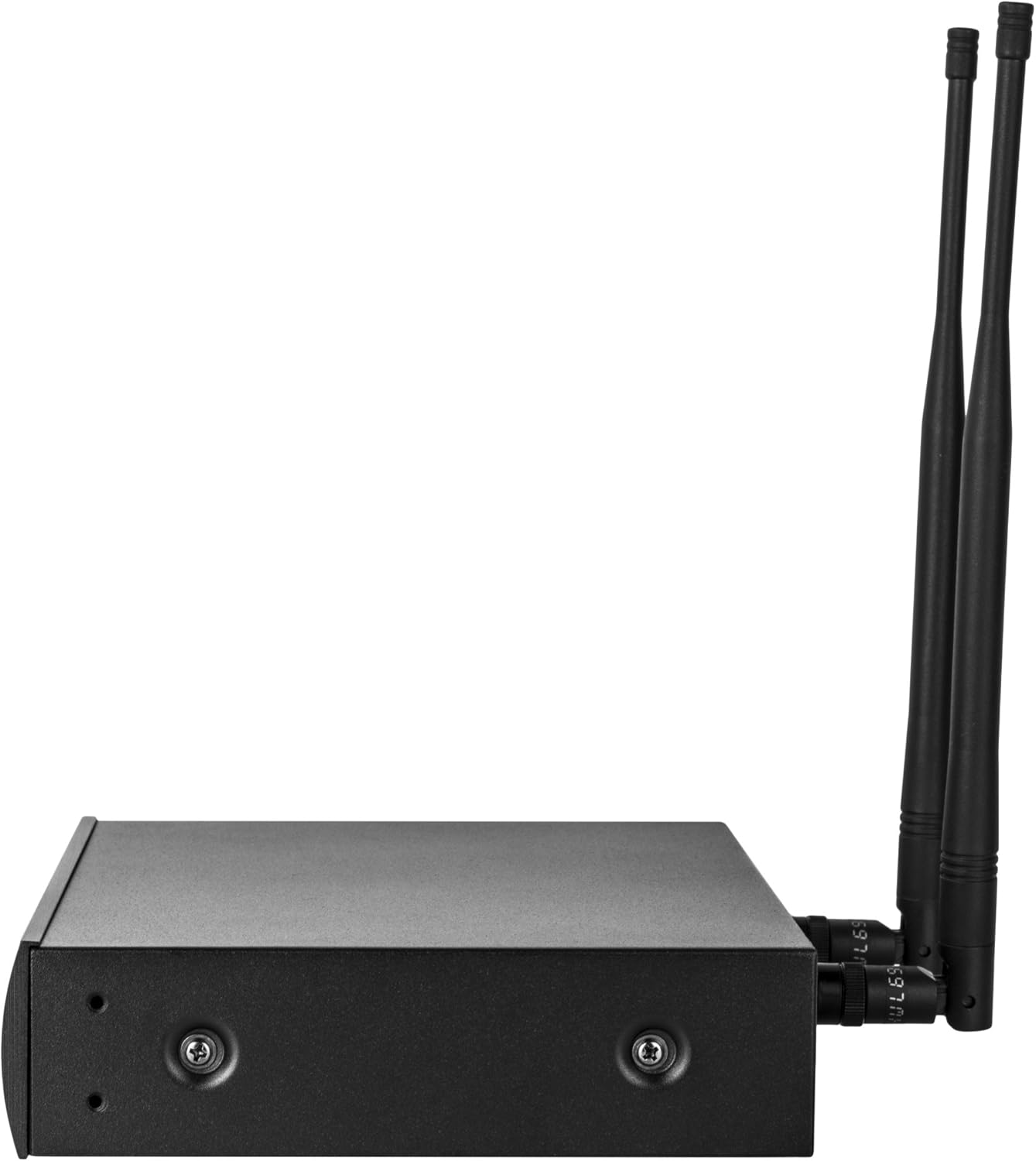
Obrázek 4.1: Strana view of the receiver, illustrating antenna attachment points.
4.3. Instalace baterie vysílače
Each HT-1KU handheld transmitter requires two AA batteries for operation.
- Unscrew the bottom cap of the handheld microphone.
- Insert two fresh AA batteries, observing the correct polarity (+/-) as indicated inside the battery compartment.
- Securely screw the bottom cap back onto the microphone.
Poznámka: Always use fresh, high-quality batteries for optimal performance and battery life. Remove batteries if the transmitter will not be used for an extended period.
5. Návod k obsluze
5.1. Zapnutí systému
- Stiskněte tlačítko MOC button on the front panel of the 4W-1KU receiver. The LCD displays will illuminate.
- For each HT-1KU handheld transmitter, press and hold its MOC button until the LCD display turns on.
5.2. Channel Selection and Synchronization
The 4W-1KU system offers 1000 selectable UHF frequencies per channel and features an automatic synchronization function.
- Automatic Channel Scan (Autoscan):
- On the receiver, select the desired channel (e.g., CH1) using the UP/DOWN buttons.
- Stiskněte tlačítko SOUBOR button to enter the channel selection menu.
- Navigate to the "SCAN" option and press SOUBOR. The receiver will automatically scan for a clear, interference-free frequency.
- Automatic Transmitter Pairing (IR Sync):
- Once a clear frequency is selected on the receiver, ensure the transmitter you wish to pair is powered on.
- Align the IR window on the transmitter with the IR Sync window on the receiver (for the corresponding channel).
- On the receiver, initiate the IR sync process (usually by pressing a dedicated SYNC button or selecting "SYNC" from the menu). The frequency information will be transmitted to the microphone.
- The transmitter's display should update to show the new frequency, indicating successful pairing.
- Manual Channel Selection (Advanced): For specific frequency requirements, you can manually select channels on the receiver and then use IR Sync to transfer the setting to the transmitter. Refer to the receiver's LCD menu for detailed manual tuning instructions.
5.3. Nastavení úrovní zvuku
The receiver has individual volume controls for each channel. Adjust these controls to achieve the desired output level for your audio mixer or amplifier. Start with the receiver's volume at a moderate level and fine-tune it on your mixer.
5.4. RF Power Settings (Transmitter)
The HT-1KU handheld transmitters offer selectable RF output power (Hi/Low).
- Hi (+14dBm / 25mW typical): Use for maximum range and in environments with high RF interference.
- Low (+4dBm / 2.5mW typical): Use for shorter ranges to conserve battery life and minimize interference with other wireless systems in close proximity.
To change the RF power setting, access the menu on the handheld transmitter's LCD display using the SET/UP/DOWN buttons.
6. Údržba
6.1. Čištění
- Otřete přijímač a vysílače měkkým, suchým hadříkem.
- Na odolné nečistoty použijte mírně damp hadříkem a poté důkladně osušte.
- Nepoužívejte abrazivní čisticí prostředky, rozpouštědla ani agresivní chemikálie, protože by mohly poškodit povrchovou úpravu a vnitřní součásti.
6.2. Výměna baterie
Replace the AA batteries in the handheld transmitters when the battery indicator on the LCD display shows low power. Always replace all batteries in a transmitter at the same time with new ones.
6.3. Skladování
When not in use for extended periods, store the system in a cool, dry place, away from direct sunlight and extreme temperatures. Remove batteries from transmitters before storage to prevent leakage and damage.
7. Řešení problémů
This section addresses common issues you might encounter with your Nady 4W-1KU HT Quad Wireless System.
| Problém | Možná příčina | Řešení | |
|---|---|---|---|
| Žádný zvuk z mikrofonu. |
|
| |
| Rušení nebo výpadky signálu. |
|
| |
| Poor audio quality (hollow, echoing, noise). |
|
| |
8. Specifikace
| Celkový systém | |
|---|---|
| Provozní frekvenční rozsah | 510.0 MHz - 534.9 MHz |
| Počet kanálů | 1000 selectable UHF frequencies per transmitter |
| Dynamický rozsah | 120 dB |
| Rozsah | Až 500 stop (přímá viditelnost) |
| Materiál | Kovová konstrukce |
| Rozměry produktu (přijímač) | 21 x 14 x 5.5 palce |
| Hmotnost položky | 11.92 libry |
| 4W-1KU Quad Receiver | |
| Systém přijímače | Dual conversion super heterodyne with True Diversity |
| Citlivost | -107 dBm |
| Audio Output Level (1/4" unbalanced) | 360mV adjustable |
| Audio Output Level (XLR balanced) | 24mV fixed |
| HT-1KU Handheld Transmitter | |
| RF Output Power (Hi) | +14dBm (25mW typical) |
| RF Output Power (Low) | +4dBm (2.5mW typical) |
| Zdroj napájení | 2 x AA baterie |
| Tvarový faktor mikrofonu | Ruční |
| Polární vzor | Jednosměrný |
9. Záruka a podpora
Nady Systems is dedicated to providing the best user experience possible. Since 1976, Nady has been a US-based brand with a US-based customer service center and valid product warranties.
For warranty information, technical support, or service inquiries, please visit the official Nady webnebo kontaktujte jejich oddělení zákaznických služeb. Můžete také navštívit Nady Store on Amazon pro více informací a produktových zdrojů.
Uschovejte si prosím doklad o koupi pro uplatnění záruky.


