Konec produktuview
Headset SteelSeries Arctis 3 nově definuje herní zvuk díky svému inovativnímu designu a poskytuje vynikající zvuk, pohodlí a styl na všech hlavních herních platformách. Disponuje kompletně přepracovaným audio systémem a novým designem mikrofonu pro bezkonkurenční čistotu zvuku.
Klíčové vlastnosti
- Optimal PS5 compatibility: Requires user to change settings on Sony PS5 – disable Sony 3D Audio and then increase default volume to 100%.
- All-Platform Design: Designed for everywhere you game, with superior sound, comfort and style on all gaming platforms, including PC, PlayStation, Xbox One, Nintendo Switch via detachable 3.5 millimeter cables.
- ClearCast Microphone: Widely recognized as the best mic in gaming, the Discord certified ClearCast microphone delivers studio quality voice clarity and background noise cancellation.
- Špičkový zvuk: Sound is your competitive advantage with the S1 speaker drivers, engineered to produce ultra-low distortion audio so you hear every detail.
- Celodenní pohodlí: Play all day with athletics inspired performance fabric AirWeave ear cushions that keep your ears cool and dry.
- Spatial Audio Ready: Windows Sonic Spatial Audio fully compatible with native surround sound built into Windows 10 PCs and Xbox One consoles; Headphone sensitivity: 98 dB.
Co je v krabici
- Sluchátka
- Uživatelská příručka

The SteelSeries Arctis 3 headset and its included accessories, ready for setup.
Nastavení
Připojení náhlavní soupravy
The Arctis 3 headset connects via detachable 3.5mm cables, ensuring broad compatibility across various gaming platforms.
Připojení k PC
For PC, use the included splitter extension cable to connect the headset's 3.5mm jack to separate microphone and headphone ports on your computer.
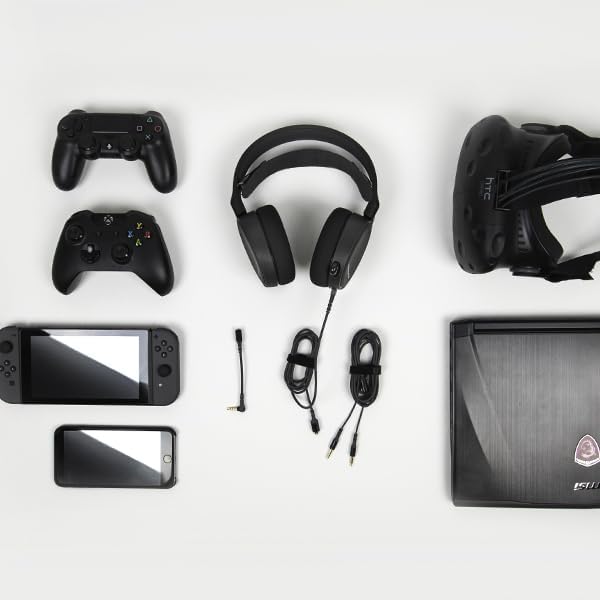
The SteelSeries Arctis 3 headset shown with various compatible devices and connection cables, highlighting its multi-platform design.
Console Connection (PlayStation, Xbox One, Nintendo Switch)
For consoles, connect the headset directly to your controller's 3.5mm audio jack.
Important PS5 Compatibility Note: To ensure optimal PS5 compatibility, disable Sony 3D Audio in your PS5 settings and increase the default volume to 100%.
Official SteelSeries video demonstrating the features and compatibility of the Arctis 3 Black Gaming Headset.
Obsluha náhlavní soupravy
Použití mikrofonu
The Discord-certified ClearCast microphone is retractable and delivers studio-quality voice clarity with background noise cancellation.
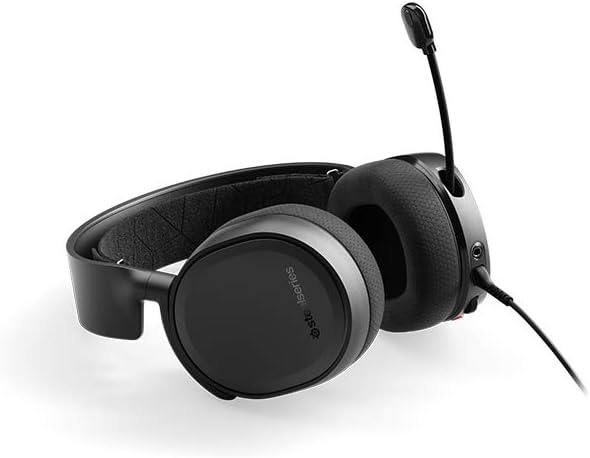
The SteelSeries Arctis 3 headset with its ClearCast microphone extended, ready for voice communication.
To extend the microphone, gently pull it out from the left earcup. To retract, push it back into the earcup until it is flush.
Ovládací prvky na headsetu
The left earcup features convenient controls for volume adjustment and microphone muting.
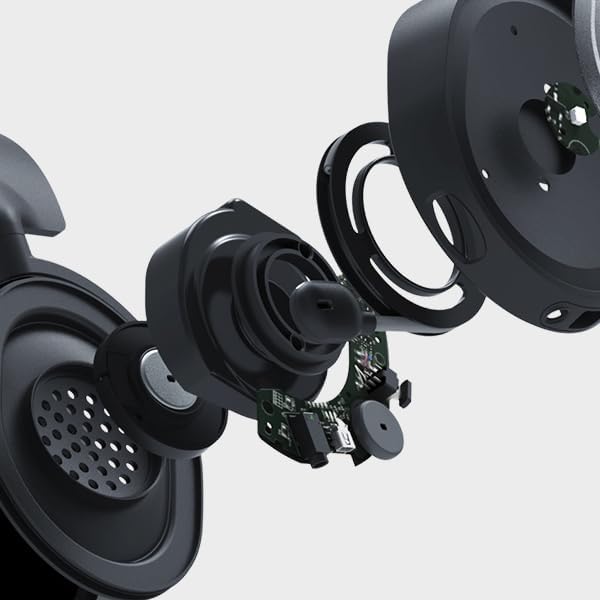
Detailní záběr view of the volume scroll wheel and microphone mute button located on the left earcup of the Arctis 3 headset.
- Kolečko hlasitosti: Posouváním nahoru nebo dolů upravte hlasitost zvuku.
- Tlačítko ztlumení mikrofonu: Press to mute or unmute your microphone.
Údržba
To ensure the longevity and optimal performance of your SteelSeries Arctis 3 headset, follow these maintenance guidelines:
- Čištění: K otření náušníků a hlavového mostu použijte měkký, suchý hadřík. Nepoužívejte abrazivní čisticí prostředky ani rozpouštědla.
- Skladování: Store the headset in a cool, dry place away from direct sunlight and extreme temperatures. When not in use, retract the microphone to protect it.
- Péče o kabely: S kabely zacházejte opatrně. Vyhněte se ostrým ohybům nebo nadměrnému tahání, abyste předešli poškození.
- Earcup Maintenance: The AirWeave ear cushions are designed for comfort and breathability. Periodically check them for wear and tear.
Odstraňování problémů
If you encounter issues with your SteelSeries Arctis 3 headset, refer to the following common troubleshooting steps:
- Žádný zvuk/nízká hlasitost:
- Ensure the 3.5mm cable is securely connected to both the headset and your device.
- Zkontrolujte kolečko hlasitosti na sluchátkách a nastavení zvuku na vašem zařízení.
- Verify that the microphone mute button is not engaged.
- For PS5 users, confirm Sony 3D Audio is disabled and volume is at 100% as per setup instructions.
- Mikrofon nefunguje:
- Ujistěte se, že je mikrofon zcela vysunutý.
- Check that the microphone mute button is not engaged.
- Verify microphone input settings on your PC or console.
- If using the PC splitter cable, ensure both jacks are correctly inserted into the microphone and headphone ports.
- Zkreslení zvuku:
- Snižte hlasitost na sluchátkách i na zařízení.
- Vyzkoušejte sluchátka s mikrofonem s jiným zařízením, abyste vyloučili problém s konkrétním zařízením.
Specifikace
| Funkce | Detail |
|---|---|
| Jack pro sluchátka | Mini-phone |
| Název modelu | Arctis |
| Technologie připojení | Kabelové |
| Zahrnuté komponenty | User Manual, Headset |
| Specifické použití pro produkt | Hraní |
| Téma | Videohra |
| Typ ovládání | Kontrola hluku |
| Funkce kabelu | Odnímatelné |
| Hmotnost položky | 10.4 unce |
| Typ zákaznického balíčku | Standardní balení |
| Počet jednotek | 1.0 Počet |
| Styl | Arctis 3 |
| Počet položek | 1 |
| UPC | 813682025212 |
| Globální obchodní identifikační číslo | 00813682025212 |
| Výrobce | SteelSeries APS |
| Rozměry produktu | 7.93 x 7.08 x 3.58 palce |
| ASIN | B07G12Z1HR |
| Číslo modelu položky | 61503 |
| Baterie | Jsou vyžadovány 1 lithium-polymerové baterie. |
| Zákazník Reviews | 4.2 z 5 hvězdiček (12,688 XNUMX hodnocení) |
| Pořadí nejprodávanějších | #23,643 in Video Games, #856 in PC Game Headsets |
| Je ukončeno výrobcem | Žádný |
| Datum první dostupnosti | 28. srpna 2018 |
| Značka | SteelSeries |
| Barva | Černý |
| Form Factor | Přes ucho |
| Impedance | 32 Ohmy |
| Frekvenční odezva | 22000 Hz |
Záruka a podpora
The SteelSeries Arctis 3 headset comes with a manufacturer's warranty. For detailed warranty information and support, please refer to the official SteelSeries website or the user manual.
You can download the full User Manual in PDF format: Uživatelská příručka (PDF)
For further assistance, visit the official SteelSeries store page: SteelSeries Store


