1. Úvod
This manual provides detailed instructions for the DIERYA DK63 Wireless Mechanical Gaming Keyboard. Please read this manual thoroughly before using the product to ensure proper operation and to maximize your user experience. The DK63 is a compact 60% mechanical keyboard designed for versatility across various platforms, offering both wired and wireless connectivity options.

Image 1.1: DIERYA DK63 60% Mechanical Keyboard showcasing its compact layout and dimensions (292.8mm width, 101mm height).
2. Klíčové vlastnosti
- 60% kompaktní rozvržení: The DK63 features a streamlined 60% layout, optimizing desk space while retaining essential functionality through function layer keys.
- Duální režimy připojení: Seamlessly switch between wired (USB-C) and wireless (Bluetooth 5.1) connections.
- Podpora více zařízení: Connects to up to 3 devices via Bluetooth, compatible with Mac, Windows, and Android operating systems.
- True Mechanical Switches: Equipped with durable mechanical switches (available in Blue, Brown, or Red variants) for a responsive typing and gaming experience.
- Dynamické RGB podsvícení: Features 8 distinct lighting effects and supports 16.8 million colors for personalized aesthetics.
- Přizpůsobitelný software: Utilize the DIERYA customizable software for macro recording and remapping keyboard buttons.

Image 2.1: The DIERYA DK63 keyboard demonstrating its ability to connect to up to 3 devices via Bluetooth, compatible with Mac, Windows, and Android.

Obrázek 2.2: Detailní záběr view of the true mechanical switches on the DIERYA DK63 keyboard, highlighting their design for durability and responsiveness.
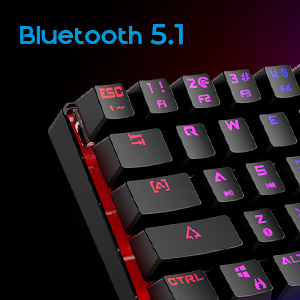
Image 2.3: Detail shot indicating Bluetooth 5.1 connectivity on the DIERYA DK63 keyboard.
3. Průvodce nastavením
3.1 Kabelové připojení
- Vyhledejte port USB-C na klávesnici.
- Connect the provided USB-C cable to the keyboard.
- Zapojte druhý konec kabelu USB-C do volného portu USB na počítači.
- Klávesnice bude automaticky rozpoznána vaším systémem a bude připravena k použití.
3.2 Bezdrátové připojení Bluetooth
- Nejprve se ujistěte, že je klávesnice nabitá nebo připojená přes USB-C.
- To switch to wireless mode, press Fn + R. The keyboard's indicator light will change to signify Bluetooth mode.
- To pair with a device, press and hold Fn+Z, Fn + Xnebo Fn+C for 3-5 seconds. The corresponding key's backlight will flash rapidly, indicating pairing mode.
- On your device (computer, tablet, or smartphone), enable Bluetooth and search for available devices.
- Select "DIERYA DK63" from the list of available devices to complete the pairing process.
- Once paired, the key's backlight will stop flashing and remain steadily lit.
- Chcete-li přepínat mezi spárovanými zařízeními Bluetooth, stiskněte Fn+Z, Fn + Xnebo Fn+C (short press) to select the desired device.
4. Návod k obsluze
4.1 Kombinace funkčních kláves
The DK63 utilizes the Fn key to access secondary functions printed on the keycaps. Hold down the Fn key and press the desired key to activate its secondary function.
- Fn + 1! to 0): F1 to F10 keys.
- Fn + -_ and =+: F11 and F12 keys.
- Fn + P: Tisk obrazovky.
- Fn + [: Domov.
- Fn + ]: Konec.
- Fn +;: Page Up.
- Fn + ': Page Down.
- Fn + klávesy se šipkami: Navigation (e.g., Fn + Up Arrow for Page Up, Fn + Down Arrow for Page Down, etc., depending on specific keycap legends).
4.2 Ovládání RGB podsvícení
The keyboard offers various lighting effects and customization options:
- Fn + \|: Procházejte různými světelnými efekty.
- Fn + šipka nahoru: Zvyšte jas podsvícení.
- Fn + šipka dolů: Snižte jas podsvícení.
- Fn + šipka doleva: Upravte rychlost světelného efektu.
- Fn + šipka doprava: Upravte rychlost světelného efektu.
- Specific keys may have additional lighting controls indicated on their keycaps.

Image 4.1: Screenshot of the DIERYA customizable software, showing options for lighting effects, color selection, macro recording, and key remapping.
4.3 Customizable Software
The DIERYA DK63 supports dedicated software for advanced customization. This software allows users to:
- Record and assign macros to specific keys.
- Remap individual key functions.
- Fine-tune RGB lighting effects, colors, and patterns.
Please refer to the DIERYA official website for software download and detailed instructions on its usage.
Video 4.2: Oficiální video s produktemasing the DIERYA DK63 60% Mechanical Gaming Keyboard, highlighting its design and RGB lighting effects.
5. Údržba
To ensure the longevity and optimal performance of your DIERYA DK63 keyboard, follow these maintenance guidelines:
- Čištění: Regularly clean the keyboard with a soft, dry cloth. For deeper cleaning, use a can of compressed air to remove dust and debris from between the keycaps. If necessary, gently wipe keycaps with a slightly damp cloth and mild soap solution, ensuring no liquid enters the keyboard.
- Vyhněte se tekutinám: Nevylévejte tekutiny na klávesnici. V případě polití klávesnici okamžitě odpojte a nechte ji před opětovným připojením zcela vyschnout.
- Skladování: Klávesnici skladujte na chladném a suchém místě mimo dosah přímého slunečního záření a extrémních teplot.
- Péče o kabely: Abyste předešli poškození, kabel USB-C nadměrně neohýbejte ani nekruťte.
6. Řešení problémů
If you encounter issues with your DIERYA DK63 keyboard, refer to the following common solutions:
6.1 Klávesnice nereaguje (kabelová)
- Ujistěte se, že je kabel USB-C bezpečně připojen ke klávesnici i k počítači.
- Zkuste připojit klávesnici k jinému USB portu na počítači.
- Pokud je k dispozici, otestujte klávesnici s jiným kabelem USB-C.
- Restartujte počítač.
6.2 Problémy s připojením Bluetooth
- Ensure the keyboard is in Bluetooth mode (Fn + R).
- Ověřte, že je na vašem zařízení povoleno Bluetooth.
- Make sure the keyboard is sufficiently charged. Low battery can affect Bluetooth performance.
- If already paired, try unpairing the keyboard from your device's Bluetooth settings and then re-pairing it.
- Ujistěte se, že klávesnice je v dosahu vašeho zařízení Bluetooth (obvykle až 10 metrů).
- Zabraňte rušení od jiných bezdrátových zařízení.
6.3 Podsvícení nefunguje nebo je nesprávné
- Zvyšte jas pomocí Fn + šipka nahoru.
- Přepínání světelných efektů pomocí Fn + \|.
- Ensure the keyboard is not in a mode where backlighting is intentionally off or dimmed.
- If using the customizable software, check the lighting settings within the application.
7. Specifikace produktu
| Funkce | Detail |
|---|---|
| Číslo modelu | DK63 |
| Značka | DIERYA |
| Bezdrátový typ | Bluetooth 5.1 |
| Technologie připojení | USB-C, Bluetooth |
| Hardwarová platforma | Notebook, PC |
| Hmotnost položky | 1.5 libry (přibližně 0.68 kg) |
| Rozměry produktu (DxŠxV) | 12 x 5.6 x 1.9 palců (přibližně 30.5 x 14.2 x 4.8 cm) |
| Zdroj napájení | Napájení baterií (1 lithium-iontová baterie je součástí balení) |
| Switch Type Options | Blue (Clicky), Brown (Tactile), Red (Linear) |
| Zahrnuté komponenty | USB kabel |
8. Záruka a podpora
DIERYA products are manufactured to high-quality standards. For information regarding warranty coverage, technical support, or service inquiries, please refer to the official DIERYA webwebu nebo se obraťte přímo na jejich zákaznickou podporu. Uschovejte si účtenku jako doklad o koupi pro případ reklamace.


