1. Důležité bezpečnostní pokyny
Před použitím tohoto výrobku si pečlivě přečtěte všechny bezpečnostní pokyny a uschovejte si tuto příručku pro budoucí použití. Nedodržení těchto pokynů může vést k úrazu elektrickým proudem, požáru nebo vážnému zranění.
- Tento spotřebič je určen pouze k použití v interiéru. Nepoužívejte jej venku ani na mokrých površích.
- Do not allow children to operate the vacuum cleaner. Supervise children and pets when the vacuum is operating.
- Do not use the vacuum cleaner to pick up large objects, sharp objects, or liquids.
- Ensure the charging base is placed against a wall in an open area, free from obstacles.
- Do not handle the charging base or vacuum cleaner with wet hands.
- Turn off the power switch and unplug the charging base before cleaning or performing maintenance.
- Use only the original power adapter and charging base provided by MOOKA.
- Pokud je napájecí kabel poškozen, musí jej vyměnit výrobce nebo kvalifikovaný servisní technik, aby se předešlo nebezpečí.
2. Konec produktuview
Familiarize yourself with the components of your MOOKA I3 Robot Vacuum Cleaner.
Robotický vysavač 2.1
The main unit of the MOOKA I3 Robot Vacuum Cleaner features a sleek, low-profile design allowing it to clean under furniture. It is equipped with various sensors for navigation and cleaning.

The robot utilizes laser distance sensors, numerous other sensors, and an advanced processor for intelligent navigation and cleaning. It employs a precise SLAM algorithm for efficient path planning.

The underside reveals a 3-point cleaning system, including dual side brushes, a floating main brush, and powerful suction for effective debris collection from various surfaces.
2.2 Dálkové ovládání
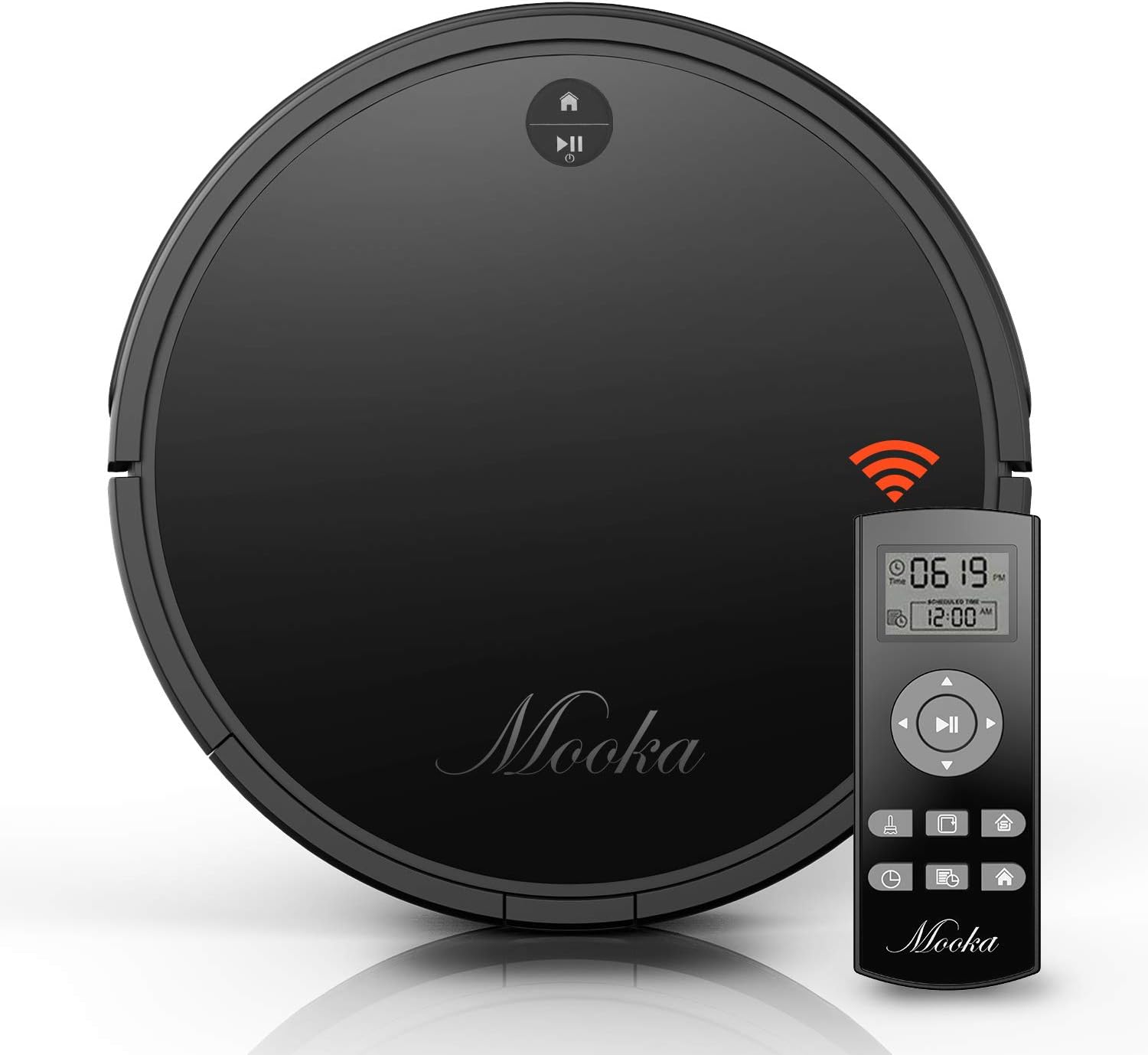
The remote control allows you to operate the vacuum cleaner from a distance, select cleaning modes, set schedules, and direct the robot manually. It requires 2 AAA batteries (not included).
2.3 Nabíjecí základna
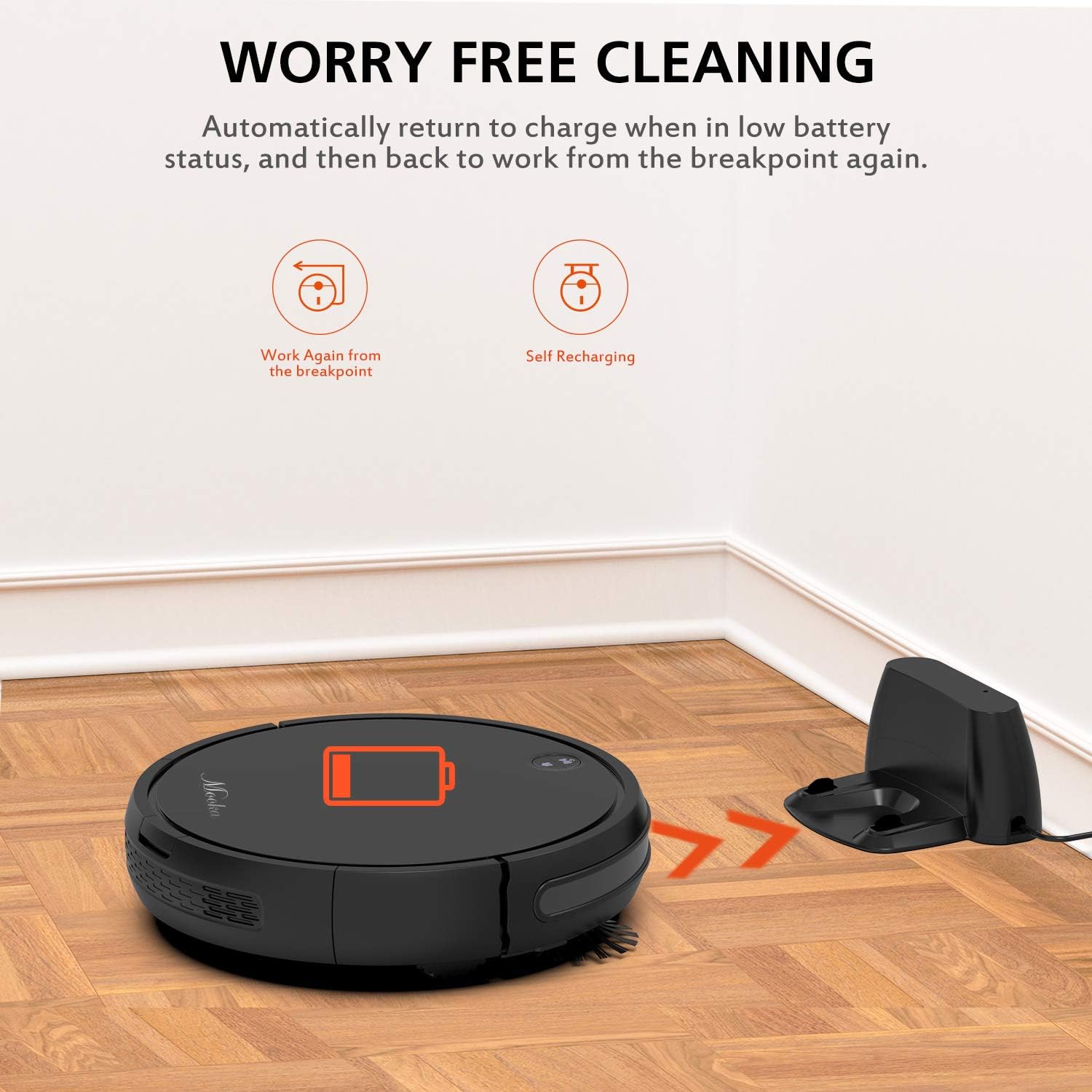
The charging base serves as the robot's home station, where it automatically returns to recharge when its battery is low or after completing a cleaning cycle. It connects to an AC power adapter.
2.4 Dodávané příslušenství

Balíček obsahuje následující položky:
- MOOKA I3 Robot Vacuum Cleaner
- Dálkové ovládání (2 baterie AAA nejsou součástí balení)
- Nabíjecí základna
- Napájecí adaptér
- HEPA-style Filter (1 pre-installed, 1 replacement)
- Boční kartáče (2 páry)
- Čisticí kartáč
- Šroubovák
- Návod k použití
3. Začínáme
3.1 Rozbalení
Opatrně vyjměte všechny součásti z obalu. Obal si uschovejte pro budoucí přepravu nebo skladování.
3.2 Umístění nabíjecí základny
Place the charging base against a wall in an open, uncluttered area. Ensure there is at least 1 meter (3 feet) of clear space to the front and 0.5 meters (1.5 feet) to each side of the charging base. Plug the AC power adapter into the charging base and then into a wall outlet. The indicator light on the charging base will illuminate.
3.3 Počáteční nabíjení

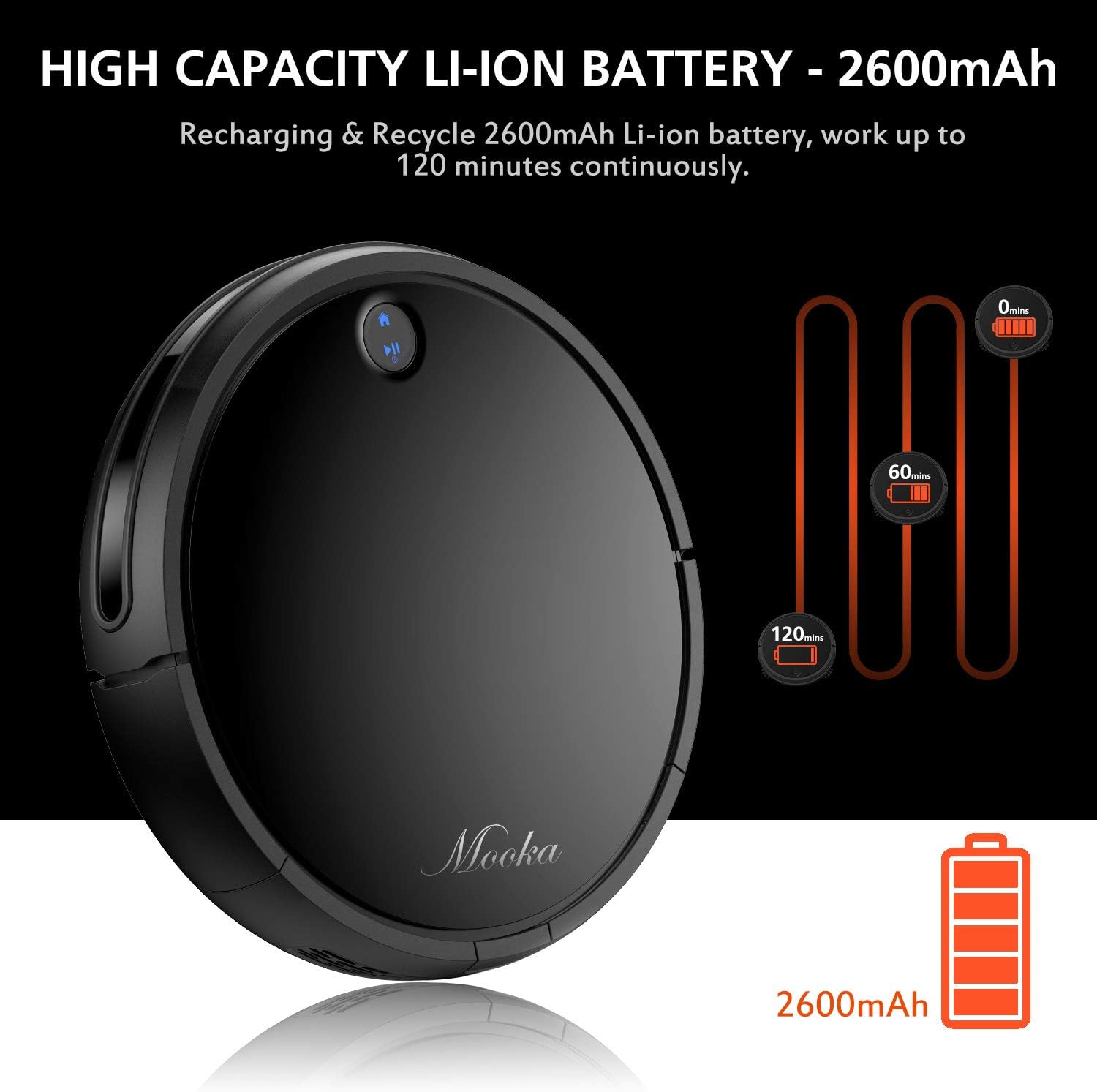
Before first use, fully charge the robot vacuum cleaner. Place the robot onto the charging base, ensuring the charging contacts align. The robot will emit a sound and the indicator light will show charging status. A full charge typically takes 3 to 5 hours. The robot features a 2600mAh Lithium-ion battery, providing approximately 100-120 minutes of cleaning time on a full charge.
The robot is designed to automatically return to its charging base when the battery is low, ensuring it is always ready for the next cleaning cycle.
3.4 Instalace bočních kartáčů
Attach the side brushes by pressing them onto the posts on the underside of the robot until they click into place. Ensure they are securely fastened.
4. Obsluha robotického vysavače
4.1 Zapnutí/vypnutí
- Zapnutí: Stiskněte tlačítko napájení na robotu nebo na dálkovém ovladači. Rozsvítí se kontrolka.
- Vypnutí: Press and hold the power button on the robot until the indicator light turns off, or use the power button on the remote control.
4.2 Režimy čištění
The MOOKA I3 offers multiple cleaning modes to suit different needs:
- Automatické čištění: The robot automatically navigates and cleans the entire floor area. This is the default mode.
- Bodové čištění: The robot cleans a concentrated area in a spiral pattern, ideal for small spills or heavily soiled spots.
- Čištění hran: Robot čistí podél stěn a hran nábytku, aby zajistil důkladné pokrytí.
- Úklid jednolůžkových pokojů: The robot cleans a specific room and then returns to its charging base.
4.3 Plánování úklidu
You can program the robot to clean automatically at a specific time each day (Daily Cycle Cleaning). Refer to the remote control section for detailed instructions on setting the time and schedule.
4.4 Používání dálkového ovladače
The remote control provides convenient access to all functions. Insert 2 AAA batteries into the remote control before use. The remote control distance is approximately 7 meters.
- Vypínač: Zapíná nebo vypíná robota.
- Směrová tlačítka: Ručně řiďte robota.
- Tlačítko Domů: Odešle robota zpět do nabíjecí základny.
- Tlačítka pro výběr režimu: Select Auto, Spot, Edge, or Single Room cleaning modes.
- Tlačítko Plán: Set or cancel daily cleaning schedules.
- Nastavení času: Adjust the current time on the robot.
5. Údržba a péče
Regular maintenance ensures optimal performance and extends the lifespan of your MOOKA I3 Robot Vacuum Cleaner.
5.1 Vyprázdnění nádoby na prach
The dust bin should be emptied after each cleaning cycle or when the 'full' indicator (if available) illuminates. Press the dust bin release button, remove the bin, and empty its contents into a trash receptacle.
5.2 Čištění HEPA filtru
Remove the HEPA filter from the dust bin. Tap it gently over a trash can to remove loose debris. The filter can be rinsed with water; ensure it is completely dry before reinserting. Replace the HEPA filter every 3-6 months, or as needed, to maintain suction performance.
5.3 Cleaning the Side Brushes and Main Brush
Periodically check the side brushes and main brush for tangled hair or debris. Use the provided cleaning tool or a pair of scissors to cut and remove any tangled hair. The side brushes can be pulled off for easier cleaning and replaced if worn.
5.4 Čištění senzorů
Wipe the anti-drop sensors, anti-collision sensors, and charging contacts on the robot and charging base with a clean, dry cloth. Keep these sensors clear of dust and debris for proper operation.
6. Řešení problémů
If you encounter issues with your MOOKA I3, refer to the table below for common problems and solutions.
| Problém | Možná příčina | Řešení |
|---|---|---|
| Robot se nezapne. | Slabá baterie; Vypnuto. | Nabijte robota; Zapněte hlavní vypínač. |
| Robot se nenabíjí. | Charging contacts dirty; Charging base not powered; Robot not aligned. | Clean charging contacts; Ensure charging base is plugged in; Realign robot on base. |
| Robot se často zasekává. | Překážky (kabely, koberce); Znečištěné senzory. | Odstraňte překážky; Vyčistěte senzory. |
| Špatný čisticí výkon. | Plná nádoba na prach; ucpaný filtr; zamotané/opotřebované kartáče. | Empty dust bin; Clean/replace filter; Clean/replace brushes. |
| Robot se nevrací do nabíjecí základny. | Nabíjecí základna je zablokovaná; Robot je příliš daleko od základny. | Ensure clear path to base; Manually place robot closer to base. |
7. Technické specifikace
Below are the technical specifications for the MOOKA I3 Robot Vacuum Cleaner:
| Funkce | Specifikace |
|---|---|
| Model | I3 |
| Barva | Černý |
| Suction Option | Direct Suction (Brushless Suction) |
| Režimy čištění | Auto, Edge, Spot, Single Room |
| Typ filtru | Vysoce účinný HEPA filtr |
| Boční kartáče | Dvojí |
| Pracovní svtage | DC 14.8V |
| Jmenovitý výkon | 24W |
| Typ baterie | Lithium-iontová |
| Kapacita baterie | 2600 XNUMX mAh |
| Automatické nabíjení | Ano |
| Časové plánování | Daily Cycle Cleaning |
| Doba nabíjení | Přibl. 3-5 hodiny |
| Kapacita nádoby na prach | 500 ml |
| Pracovní doba | 100-120 minut |
| Hmotnost položky | 6.1 libry |
| Doporučení pro povrch | Carpet, Wood, Tile |
| Speciální funkce | Remote Control, HEPA Filtration, Rechargeable Battery, Anti-Drop Sensors, Smart Anti-Collision |
8. Záruka a zákaznická podpora
MOOKA provides a 1LETÁ záruka for the I3 Robot Vacuum Cleaner from the date of purchase. Additionally, a 30denní záruka vrácení peněz is offered. This warranty covers manufacturing defects and issues arising from normal use.
For warranty claims, technical assistance, or any questions regarding your product, please contact MOOKA customer support. Please have your purchase receipt and product model number ready when contacting support.
Contact information for MOOKA customer support can typically be found on the product packaging, the official MOOKA webwebu nebo prostřednictvím svého prodejce.


