1. Úvod
Děkuji za nákupasing the CAIWEI A8AB-NEW Video Projector. This manual provides essential information for the safe and efficient operation of your device. Please read it thoroughly before use and retain it for future reference.
2. Bezpečnostní pokyny
- Nedívejte se přímo do objektivu projektoru, když je zapnutýamp je zapnuto.
- Zajistěte řádné větrání kolem projektoru, aby nedošlo k přehřátí.
- Nevystavujte projektor dešti ani vlhkosti.
- Používejte pouze napájecí adaptér dodaný s projektorem.
- Keep the projector away from flammable materials.
- Během bouřek nebo pokud projektor delší dobu nepoužíváte, odpojte jej ze zásuvky.
- Nepokoušejte se projektor opravovat sami. Veškerý servis svěřte kvalifikovanému personálu.
3. Obsah balení
Při vybalení prosím zkontrolujte, zda jsou všechny položky přítomny:
- CAIWEI A8AB-NEW Video Projector
- Napájecí kabel
- Dálkové ovládání
- HDMI kabel
- VGA kabel
- AV kabel
- Uživatelská příručka
4. Konec produktuview
Seznamte se s komponenty projektoru:
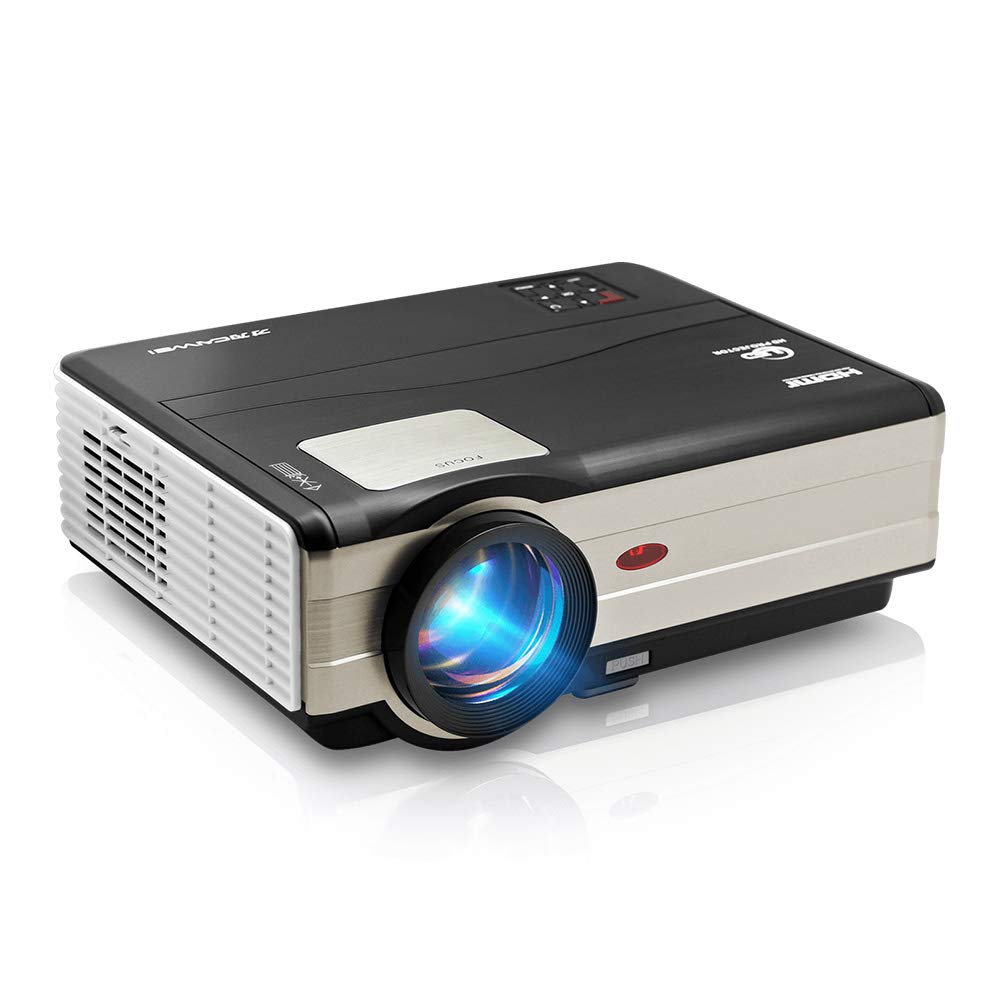
Obrázek 1: Přední view of the CAIWEI A8AB-NEW Video Projector, showing the lens and ventilation.
Přední panel
- Projekční čočka: Vysílá obraz.
- Zaostřovací kroužek: Upravuje jasnost obrazu.
- Korekce lichoběžníkového zkreslení: Koriguje lichoběžníkové zkreslení obrazu.
Zadní panel
- Napájecí port: Připojuje se k napájecímu kabelu.
- HDMI porty (x2): Connects to HDMI-enabled devices (e.g., Blu-ray player, game console).
- USB porty (x2): Connects to USB storage devices or other USB peripherals.
- VGA port: Connects to computers or laptops with VGA output.
- AV port: Connects to older devices using composite video and stereo audio.
- Audio výstup (3.5 mm): Připojuje se k externím reproduktorům nebo sluchátkům.
5. Nastavení
5.1 Umístění
Place the projector on a stable, flat surface or mount it to a ceiling. Ensure the projector is perpendicular to the projection screen or wall. The optimal projection distance varies, but generally, a larger distance yields a larger image.
5.2 Připojení napájení
- Připojte napájecí kabel k napájecímu portu projektoru.
- Zapojte druhý konec napájecího kabelu do elektrické zásuvky.
- Rozsvítí se kontrolka napájení.
5.3 Připojení vstupních zařízení
Projektor podporuje různé vstupní zdroje:
- HDMI: Connect an HDMI cable from your device (e.g., laptop, game console, streaming stick) to one of the projector's HDMI ports.
- USB: Vložte USB flash disk do USB portu pro přehrávání médií files přímo.
- VGA: Připojte kabel VGA z počítače k portu VGA projektoru.
- AV: Use the provided AV cable to connect to devices with composite video output.
- Bezdrátové připojení (Wi-Fi): For screen mirroring from smartphones or tablets, navigate to the 'Wireless Display' or 'Screen Mirroring' option in the projector's menu and follow the on-screen instructions. Ensure your device and the projector are on the same Wi-Fi network.
- Bluetooth: To connect external Bluetooth speakers, go to the Bluetooth settings in the projector's menu, enable Bluetooth, and pair with your desired audio device.
5.4 Zaostření a korekce lichoběžníkového zkreslení
- Zapněte projektor a zobrazte obraz.
- Otočte Zaostřovací kroužek on the lens until the image appears sharp and clear.
- If the image is trapezoidal (wider at the top or bottom), adjust the Korekce lichoběžníkového zkreslení dial or setting until the image is rectangular.
6. Návod k obsluze
6.1 Zapnutí/vypnutí
- Zapnutí: Stiskněte tlačítko napájení na projektoru nebo na dálkovém ovladači.
- Vypnout: Znovu stiskněte tlačítko napájení. V případě potřeby potvrďte vypnutí.
6.2 Navigace v nabídce
Use the navigation buttons (Up, Down, Left, Right, OK) on the projector or remote control to browse the on-screen menu. The 'Menu' button typically opens the main settings, and 'Exit' or 'Back' closes sub-menus.
6.3 Výběr vstupního zdroje
Press the 'Source' or 'Input' button on the remote control or projector. A list of available input sources (HDMI1, HDMI2, USB1, USB2, VGA, AV, Wireless Display) will appear. Select the desired source using the navigation buttons and press 'OK'.
6.4 Nastavení zvuku
Access the audio settings through the main menu to adjust volume, select audio output (internal speaker, external via 3.5mm jack, or Bluetooth), and modify sound modes.
6.5 Wireless/Bluetooth Connection
Refer to section 5.3 for detailed instructions on connecting via Wi-Fi for screen mirroring or Bluetooth for audio output.
7. Údržba
7.1 Čištění objektivu
Use a soft, lint-free cloth specifically designed for optical lenses. Gently wipe the lens surface. Avoid using abrasive cleaners or excessive force, which can scratch the lens.
7.2 Cleaning the Air Filter/Vents
Regularly check the air intake and exhaust vents for dust accumulation. Use a soft brush or a can of compressed air to gently clean the vents. This helps maintain proper airflow and prevents overheating.
7.3 Skladování
When not in use, store the projector in a cool, dry, and dust-free environment. Use the original packaging or a protective case to prevent damage.
8. Řešení problémů
| Problém | Možná příčina | Řešení |
|---|---|---|
| Na obrazovce není žádný obraz | Power not connected; Incorrect input source; Device not powered on. | Check power cable; Select correct input source; Ensure connected device is on. |
| Obraz je rozmazaný | Není nastavené zaostření; Projektor je příliš daleko/blízko. | Upravte zaostřovací kroužek; Změňte polohu projektoru. |
| Obrázek je lichoběžníkový | Lichoběžníkové zkreslení nebylo upraveno. | Upravte korekci lichoběžníkového zkreslení. |
| Žádný zvuk | Volume too low; Muted; Incorrect audio output; Cable issue. | Increase volume; Unmute; Check audio settings; Verify cable connections. |
| Dálkové ovládání nefunguje | Batteries dead; Obstruction; Out of range. | Vyměňte baterie; Odstraňte překážky; Zajistěte přímou viditelnost s infračerveným přijímačem. |
| Upozornění na přehřátí | Blocked vents; Poor ventilation. | Clear vents; Ensure adequate space around projector. |
9. Specifikace
- Model: A8AB-NEW
- Značka: CAIWEI
- Rozlišení displeje: 1280 x 800
- Technologie připojení: Bluetooth, HDMI, USB, VGA, Wireless
- Speciální vlastnosti: Vestavěné Wi-Fi, Přenosné, Bezdrátové
- Doporučená použití: Gaming, Home Theater
- Hmotnost položky: 6.1 libry
- Rozměry produktu: 11.2 x 14.7 x 5 palce
10. Záruka a podpora
CAIWEI products are designed for reliability and performance. For specific warranty details, please refer to the warranty card included with your purchase or contact CAIWEI customer support. If you encounter any issues not covered in this manual, please reach out to our support team for assistance.
Zákaznická podpora: Please visit the official CAIWEI website or contact your retailer for support information.


