1. Úvod a konecview
The Acer V226HQL is a 21.5-inch LED LCD monitor designed for various computing needs. It features Acer eColor technology for enhanced visuals and Acer ComfyView innovations to reduce glare, providing a comfortable viewing experience. This monitor offers a wide array of connectivity ports and incorporates eco-friendly features for energy efficiency.
The monitor is designed for adaptability, allowing users to find an optimal working angle with its quick and smooth tilt adjustment. The stand includes a magnetic area for organizing small items, and the monitor is also wall-mountable for space-saving configurations.

Obrázek 1: Přední strana view of the Acer V226HQL monitor, showcasing its display and Acer branding.
2. Nastavení
2.1 Vybalení a montáž
Carefully remove the monitor and all components from the packaging. Assemble the stand according to the instructions provided in the quick start guide. Ensure all connections are secure before proceeding.
2.2 Připojení monitoru
The Acer V226HQL monitor supports multiple input types. Connect the appropriate cable from your computer to the monitor's input port.
- Připojení HDMI: Use an HDMI cable for digital video and audio transmission.
- Připojení DVI-D: Use a DVI-D cable for digital video transmission.
- Připojení VGA: Use a VGA cable for analog video transmission.
After connecting the video cable, connect the power cable to the monitor and then to a power outlet.
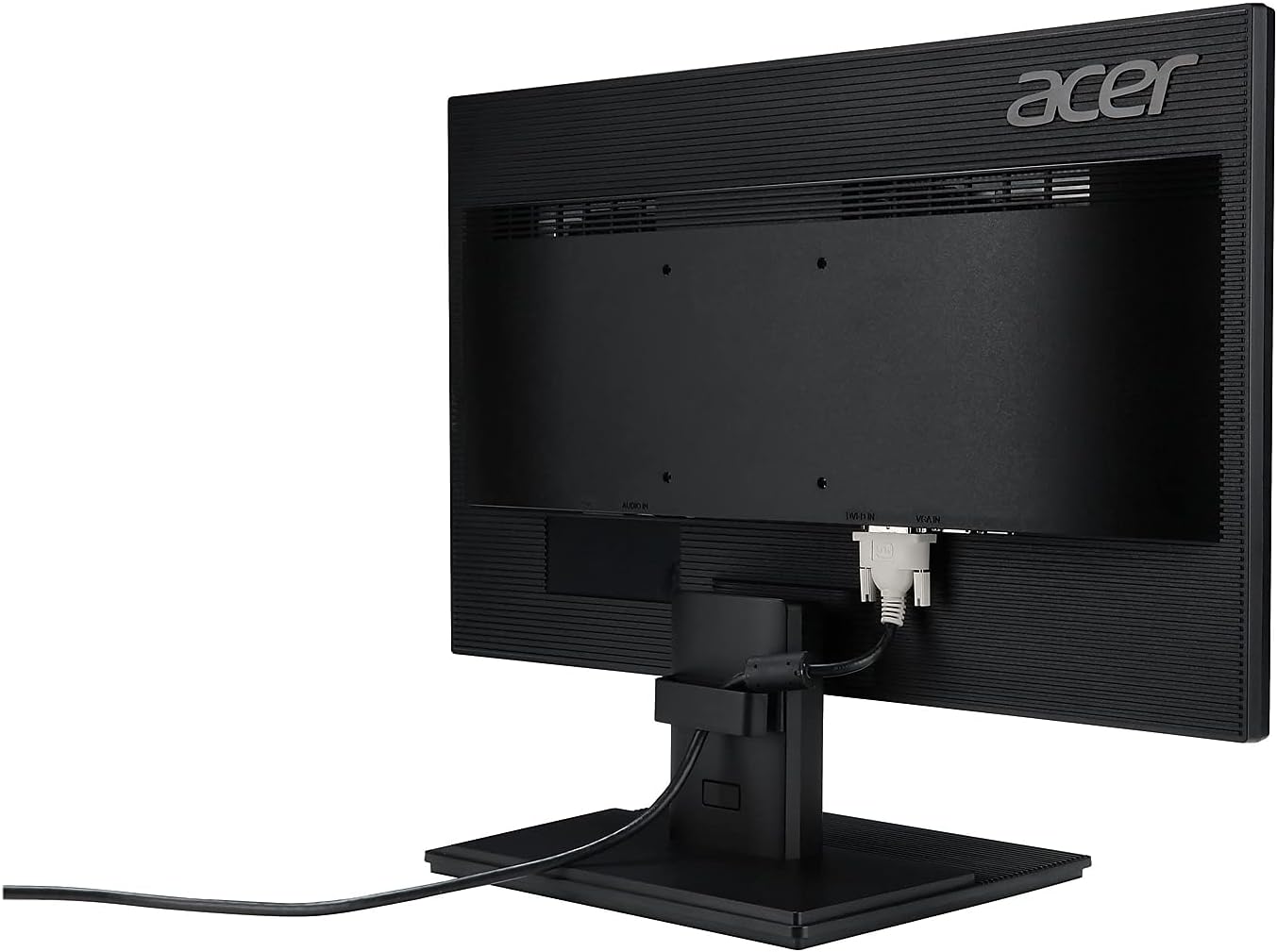
Obrázek 2: Zadní view of the Acer V226HQL monitor, illustrating the HDMI, DVI-D, and VGA input ports with an HDMI cable connected.
2.3 Montáž na stěnu
The monitor is compatible with VESA wall mounts. If you choose to wall-mount the monitor, ensure you use a VESA-compliant mounting kit and follow the kit's instructions carefully. The VESA mount points are located on the rear of the monitor.
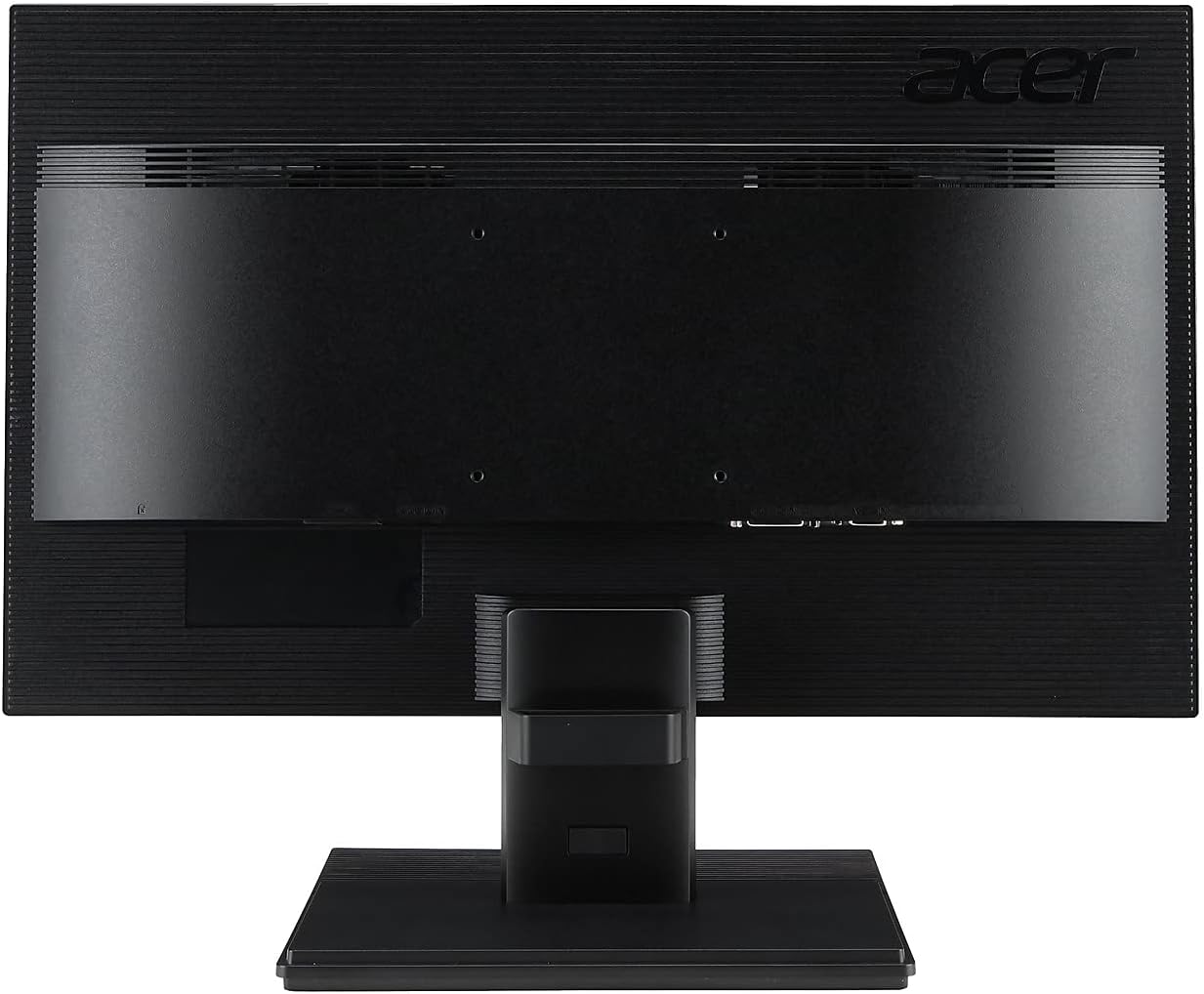
Obrázek 3: Zadní view of the Acer V226HQL monitor, showing the VESA mount points for wall installation.
3. Obsluha monitoru
3.1 Zapnutí/vypnutí
Locate the power button on the bottom right bezel of the monitor. Press it to turn the monitor on or off. A blue LED indicator will illuminate when the monitor is powered on.
3.2 Ovládací prvky OSD (On-Screen Display)
The monitor features several control buttons located on the bottom right bezel, adjacent to the power button. These buttons allow you to navigate the On-Screen Display (OSD) menu to adjust various settings:
- Jas: Upravte celkový jas obrazovky.
- Kontrast: Upravte rozdíl mezi nejjasnějšími a nejtmavšími oblastmi obrazu.
- Nastavení barev: Jemné doladění teploty barev, gamy a dalších parametrů souvisejících s barvami.
- Filtr modrého světla: Activate the blue light filter to reduce eye strain during prolonged use.
- Výběr vstupu: Ručně přepínejte mezi vstupy HDMI, DVI-D a VGA.
Refer to the detailed OSD menu guide in the full product manual for specific navigation and adjustment procedures.
4. Údržba
4.1 Čištění monitoru
Obrazovku monitoru jemně otřete měkkým hadříkem, který nepouští vlákna. V případě odolných skvrn...ampen the cloth with a mild, non-abrasive screen cleaner. Avoid using harsh chemicals or abrasive materials that could damage the screen surface.
Pro monitor casing, use a soft, dry cloth. Do not spray cleaning solutions directly onto the monitor.
4.2 Bezpečnostní opatření
- Zajistěte řádné větrání kolem monitoru, aby nedošlo k přehřátí.
- Nezakrývejte ventilační otvory.
- Nepokládejte na monitor ani na jeho kabely těžké předměty.
- Chraňte monitor před přímým slunečním zářením, zdroji tepla a nadměrnou vlhkostí.
- Před čištěním nebo pokud monitor nebudete delší dobu používat, odpojte napájecí kabel.
5. Řešení problémů
If you encounter issues with your Acer V226HQL monitor, refer to the following common troubleshooting steps:
- Bez displeje: Ensure the monitor is powered on and the video cable is securely connected to both the monitor and the computer. Verify that the correct input source is selected via the OSD menu.
- Špatná kvalita obrazu: Check the resolution settings on your computer to ensure they match the monitor's native resolution (1920 x 1080). Adjust brightness, contrast, and color settings through the OSD menu.
- Problémy s napájením: Confirm the power cable is properly connected to both the monitor and the power outlet. Test the power outlet with another device.
- Blikající obrazovka: Check for loose cable connections. Ensure the refresh rate is set correctly (60 Hz).
For more complex issues, consult the comprehensive troubleshooting section in the full product manual or contact Acer customer support.
6. Specifikace
| Funkce | Specifikace |
|---|---|
| Číslo modelu | V226HQL |
| Velikost obrazovky | 21.5 palců |
| Typ panelu | LCD LED |
| Maximální rozlišení | 1920 x 1080 (Full HD) |
| Poměr stran | 16:9 |
| Doba odezvy | 5 ms |
| Dynamický kontrastní poměr | 100,000,000:1 |
| Nativní kontrastní poměr | 1,000:1 |
| Horizontální Viewúhel | 170° |
| Vertikální Viewúhel | 160° |
| Jas (typický) | 250 cd/m² |
| Integrované reproduktory | 2 x 1.0W |
| Signální konektory | VGA, HDMI, DVI-D |
| Obnovovací frekvence | 60 Hz |
| Rozměry produktu (DxŠxV) | 2 x 20 x 12 palce |
| Hmotnost položky | 7.14 libry |
| Barva | Černý |
| Montáž na stěnu | Ano (kompatibilní s VESA) |
7. Záruka a podpora
7.1 Omezená záruka
This Acer V226HQL monitor comes with a Tříletá omezená záruka. Please retain your proof of purchase for warranty claims. The warranty covers defects in materials and workmanship under normal use. For full details on warranty terms and conditions, refer to the warranty card included with your product or visit the official Acer support webmísto.
7.2 Zákaznická podpora
For technical assistance, product inquiries, or warranty service, please contact Acer customer support. You can find contact information and support resources on the official Acer website. When contacting support, please have your monitor's model number (V226HQL) and serial number readily available.


