Zavedení
Welcome to the world of retro gaming with your new My Arcade All Star Arena Micro Player! This compact and portable mini arcade machine brings the excitement of classic arcade games right to your fingertips. Featuring 7 officially licensed Jaleco titles and an additional 300 retro-style bonus games, this device is designed for hours of entertainment at home or on the go. Please read this manual carefully to ensure proper setup and operation.
Co je v krabici
- My Arcade All Star Arena Micro Player
- Uživatelská příručka
Vlastnosti produktu
- 7 officially licensed Jaleco titles: GOAL!, BASES LOADED 1, 2, 3 & 4, RACKET ATTACK, and HOOPS.
- Over 300 additional retro-style bonus games.
- Full color 2.75" screen for clear display.
- Built-in speaker with adjustable volume control.
- 3.5 mm headphone port for private listening.
- Powered by 4 AA batteries (not included) or any USB-C cable (not included).
- Removable joystick for versatile gameplay.
- Compact design for playing at home or on the go.
Nastavení
Powering Your Micro Player
Your My Arcade All Star Arena Micro Player can be powered in two ways:
- Použití baterií AA: Insert 4 AA batteries (not included) into the battery compartment located on the back of the unit. Ensure correct polarity.
- Použití kabelu USB-C: Connect a USB-C cable (not included) to the USB-C port on the back of the unit and plug the other end into a compatible USB power source.

Obrázek: Zadní view of the Micro Player, highlighting the battery compartment and USB-C input for power.
Attaching/Removing the Joystick
The Micro Player features a removable joystick. You can attach it for classic arcade control or remove it to use the directional pad for certain games or personal preference.
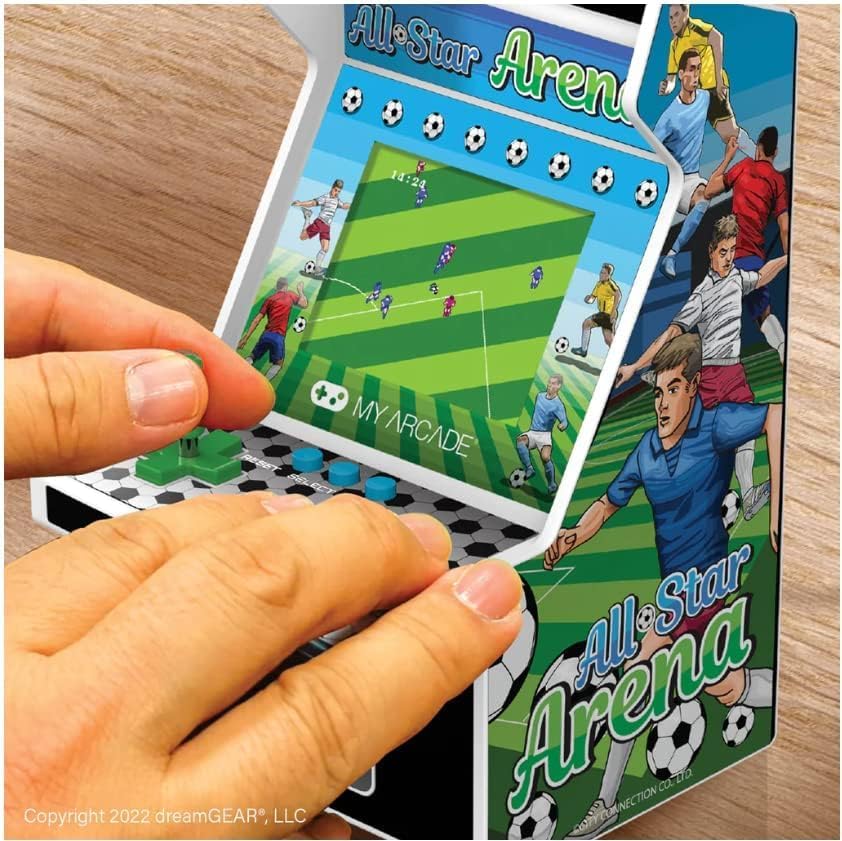
Image: A user's hands operating the My Arcade All Star Arena Micro Player, demonstrating the use of the joystick and buttons.
Návod k obsluze
Zapnutí/vypnutí
To turn on the Micro Player, press the power button, often designed to resemble a coin slot, located below the control panel. Press it again to turn the unit off.
Selecting and Playing Games
- Once powered on, use the joystick or directional pad to navigate the game selection menu.
- Press the 'Start' button to begin playing your selected game.
- Use the joystick/directional pad for movement and the action buttons for in-game commands (e.g., shoot, jump, pass).
- The 'Reset' button can be used to restart a game or return to the main menu.
Volume Control and Headphone Jack
Volume control buttons (+ and -) and a 3.5 mm headphone jack are located on the back of the unit. Use these to adjust the audio level or connect headphones for a private gaming experience.
Video: Oficiální video s produktemasing the My Arcade All Star Arena Micro Player, demonstrating its features and gameplay.
Bezpečnostní informace
WARNING: Not suitable for children under 3 years old due to small parts which may present a choking hazard.
Always supervise young children during play. Keep the device away from water and extreme temperatures. Do not attempt to disassemble or modify the unit.
Údržba
- Čistěte přístroj měkkým, suchým hadříkem. Nepoužívejte abrazivní čisticí prostředky ani rozpouštědla.
- Pokud používáte baterie, vyjměte je, pokud nebudete přístroj delší dobu používat, abyste zabránili jejich vytečení.
- Store the Micro Player in a cool, dry place when not in use.
Odstraňování problémů
Jednotka se nezapne
- Zkontrolujte, zda jsou baterie správně vloženy a zda nejsou vybité. V případě potřeby je vyměňte za nové.
- If using USB-C, ensure the cable is securely connected to a working power source.
Žádný zvuk nebo zkreslený zvuk
- Adjust the volume using the volume control buttons on the back of the unit.
- If headphones are connected, ensure they are fully plugged into the 3.5 mm jack.
For further assistance, please contact My Arcade customer support.
Specifikace
| Funkce | Detail |
|---|---|
| Číslo modelu | DGULN-4125 |
| Velikost obrazovky | 2.75 palce |
| Typ ovladače | Joystick (Removable) |
| Zdroj napájení | 4 AA Batteries (not included) or USB Type C (cable not included) |
| Hardwarové rozhraní | USB typ C |
| Typ zobrazení | LCD |
| Materiál | Plast |
| Form Factor | Ruční |
| Rozměry produktu | 4.5 x 4 x 6.8 palce |
| Hmotnost položky | 1.04 libry (470 gramů) |
| UPC | 845620041251 |
| Výrobcem doporučený věk | 14 let a více |
| Datum vydání | 31. srpna 2022 |
Záruka a podpora
My Arcade products are designed for durability and enjoyment. For information regarding warranty coverage, technical support, or replacement parts, please visit the official My Arcade webnebo se obraťte na jejich zákaznický servis. Uschovejte si doklad o koupi pro případ reklamace.


