1. Konec produktuview
The myCharge Unplugged Qi Wireless Charger is a versatile portable power bank designed to extend the battery life of your Qi-enabled devices and other USB-compatible devices. With a 10000mAh capacity, it offers both 10W fast wireless charging and 2.4A dual USB-A port charging. Its thin profile and soft-touch finish make it convenient for use at home, in the office, or while traveling. The pass-through charging feature allows the power bank and your device to charge simultaneously.
2. Klíčové vlastnosti
- Qi Wireless Charging & Dual USB Ports: Provides 10W fast wireless power and/or 2.4A via dual USB ports for up to 5x extra battery life.
- Qi Certified Compatibility: Works with a wide range of Qi-enabled devices including iPhone XS, XS Max, XR, X, 8, 8 Plus, Samsung Galaxy S8, S8+, Note 8, S7, S7 Edge, S6, S6 Edge, Nokia 9, Nexus 4, 5, Lumia 920, and other Qi-enabled devices.
- Pohodlí bez kabelu: Simply place your Qi-enabled smartphone on the power bank for wireless charging. Supports pass-through charging.
- Thin Profile & Soft-Touch Finish: Designed for portability, easily fitting into small bags or purses.
- Nabíjení více zařízení: Charge up to three devices simultaneously via wireless charging and USB-A ports.
3. Nastavení
3.1 Nabíjení powerbanky
Before first use, fully charge your myCharge Unplugged power bank. Connect the included recharge cable to the micro-USB input port on the power bank and plug the other end into a USB power adapter (not included) or a computer's USB port. The LED indicator lights will illuminate to show the charging progress. All four lights will be solid when fully charged.
Alternatively, the Dual model can be recharged wirelessly by placing it on a compatible wireless charging pad (not included).

Figure 3.1: The myCharge Unplugged Dual power bank with its micro-USB input and dual USB-A output ports.
4. Návod k obsluze
4.1 Kontrola stavu baterie
Press the power button on the side of the power bank. The LED indicator lights will show the remaining battery capacity. Four solid lights indicate a full charge, while one blinking light indicates a low battery.
4.2 Wireless Charging Your Device
- Ujistěte se, že vaše zařízení podporuje standard Qi.
- Place your Qi-enabled smartphone directly onto the wireless charging pad area on the top surface of the myCharge Unplugged power bank.
- Ensure the phone is centered on the charging pad for optimal connection. Charging should begin automatically.
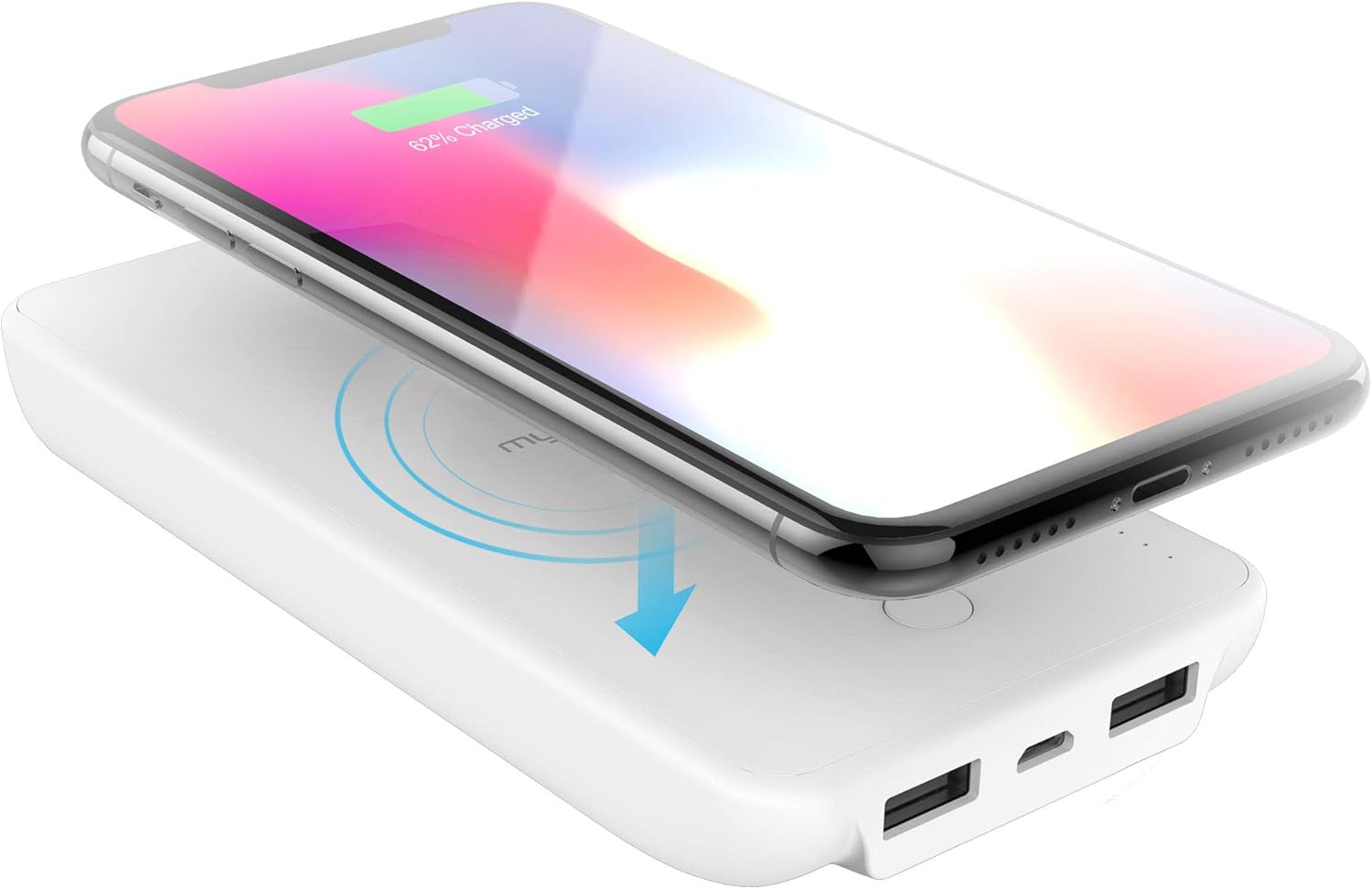
Figure 4.1: A smartphone being charged wirelessly by placing it on the myCharge Unplugged power bank.
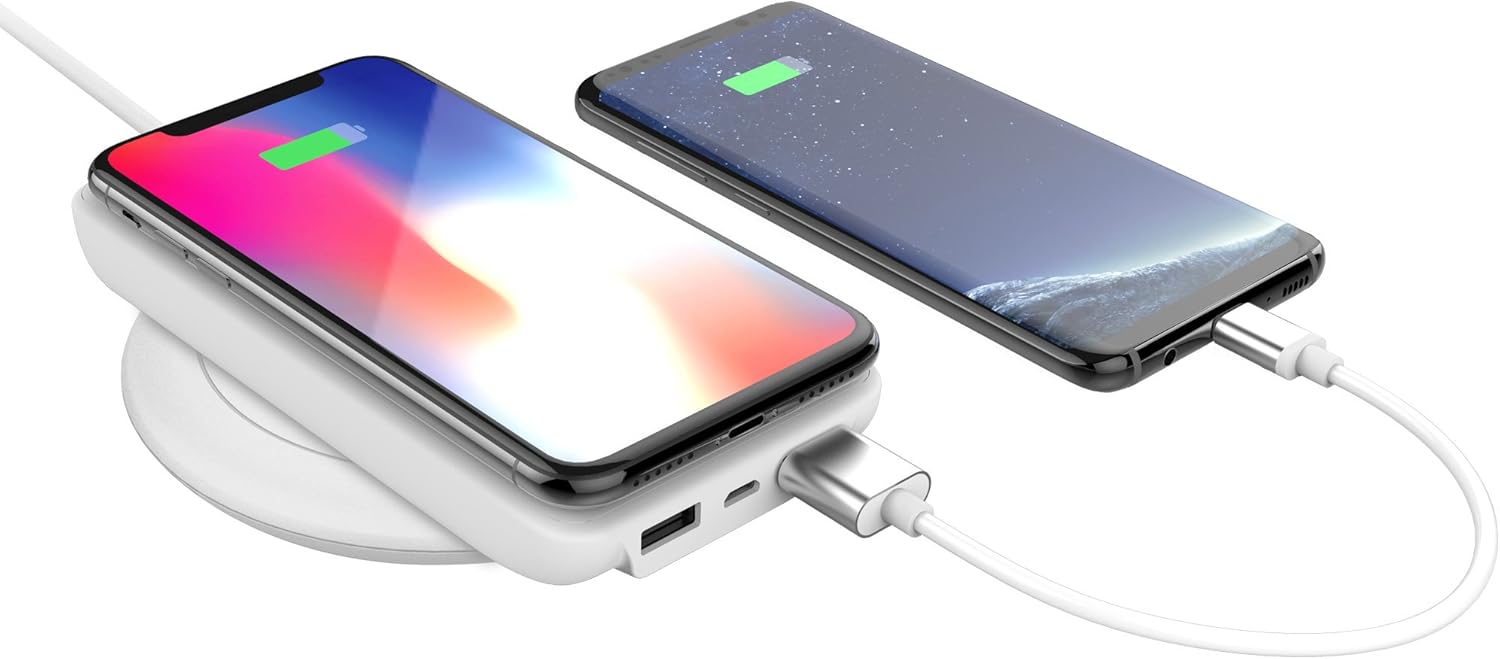
Figure 4.2: The myCharge Unplugged power bank simultaneously charging a smartphone wirelessly and another via a USB cable.
4.3 Wired Charging Your Device
- Connect your device's USB charging cable to one of the USB-A output ports on the myCharge Unplugged power bank.
- Connect the other end of the cable to your device. Charging should begin automatically.

Figure 4.3: Two smartphones charging simultaneously, one wirelessly and one via USB cable, from the myCharge Unplugged power bank.
5. Údržba
- Uchovávejte powerbanku v suchu a mimo dosah vlhkosti.
- Vyhněte se extrémním teplotám.
- Povrch čistěte měkkým, suchým hadříkem. Nepoužívejte agresivní chemikálie ani abrazivní materiály.
- Pokud se nepoužívá, skladujte na chladném a suchém místě.
6. Řešení problémů
6.1 Zařízení se nenabíjí bezdrátově
- Ujistěte se, že vaše zařízení podporuje standard Qi.
- Make sure the device is centered on the wireless charging pad.
- Zkontrolujte, zda je powerbanka dostatečně nabitá.
- Sejměte z telefonu všechny silné kryty, které by mohly rušit bezdrátové nabíjení.
6.2 Pomalé nabíjení
- Ensure you are using a high-quality charging cable for wired charging.
- For wireless charging, ensure your device supports 10W wireless charging. Some devices may only support 5W.
- Během nabíjení se vyhněte nadměrnému používání zařízení, mohlo by to proces zpomalit.
6.3 Powerbanka se nenabíjí
- Verify the charging cable is securely connected to both the power bank and the power source.
- Zkuste jiný USB napájecí adaptér nebo USB port.
- If charging wirelessly, ensure the wireless charging pad is functioning correctly and the power bank is properly aligned.
7. Specifikace
| Funkce | Detail |
|---|---|
| Rozměry produktu | 5.83 x 2.79 x 0.8 palce |
| Hmotnost položky | 8 unce |
| Číslo modelu | UPP10WW-A |
| Typ baterie | Lithium-kovová baterie (součástí balení) |
| Technologie připojení | USB, bezdrátový |
| Barva | Bílý |
| Výrobce | myarch |
| Typ konektoru | Qi Wireless Charging / Dual USB Ports |
| Kapacita baterie | 10000 miliamp hodiny |
| Speciální funkce | Portable Charger, Wireless, Wireless Charger |
8. Záruka a podpora
For warranty information and customer support, please visit the official myCharge webnebo se obraťte přímo na jejich zákaznický servis. Uschovejte si doklad o koupi pro případné reklamace.
Více informací a kontaktní údaje naleznete na myCharge Store on Amazon.