Zavedení
The VTech DS6151-2 is a 2-handset, 2-line cordless phone system designed for home or small business use. It features a digital answering system with a mailbox for each line, and message time and date stamps. This manual provides comprehensive instructions for setting up, operating, maintaining, and troubleshooting your phone system.
Co je v krabici
Ověřte, zda váš balíček obsahuje všechny níže uvedené položky:
- 2 Sluchátka
- 1 základní jednotka
- 1 Nabíjecí kolébka
- 2 baterie AAA (součástí balení)
- Napájecí adaptér pro základní jednotku
- Power adapter for charging cradle
- Kabely telefonní linky (2)

Image: The VTech DS6151-2 system, showing the main base unit with one handset docked, and a separate charging cradle with the second handset docked. Two telephone line connections are visible in the background.
Nastavení
Follow these steps to set up your VTech DS6151-2 cordless phone system:
- Připojení základní jednotky:
- Plug one end of the telephone line cord into the TEL LINE 1 jack on the back of the base unit.
- Zapojte druhý konec telefonního kabelu do telefonní zásuvky ve zdi.
- If using a second line, repeat for TEL LINE 2.
- Plug the small end of the base unit power adapter into the POWER jack on the back of the base unit.
- Zapojte větší konec napájecího adaptéru do elektrické zásuvky, která není ovládána vypínačem ve zdi.
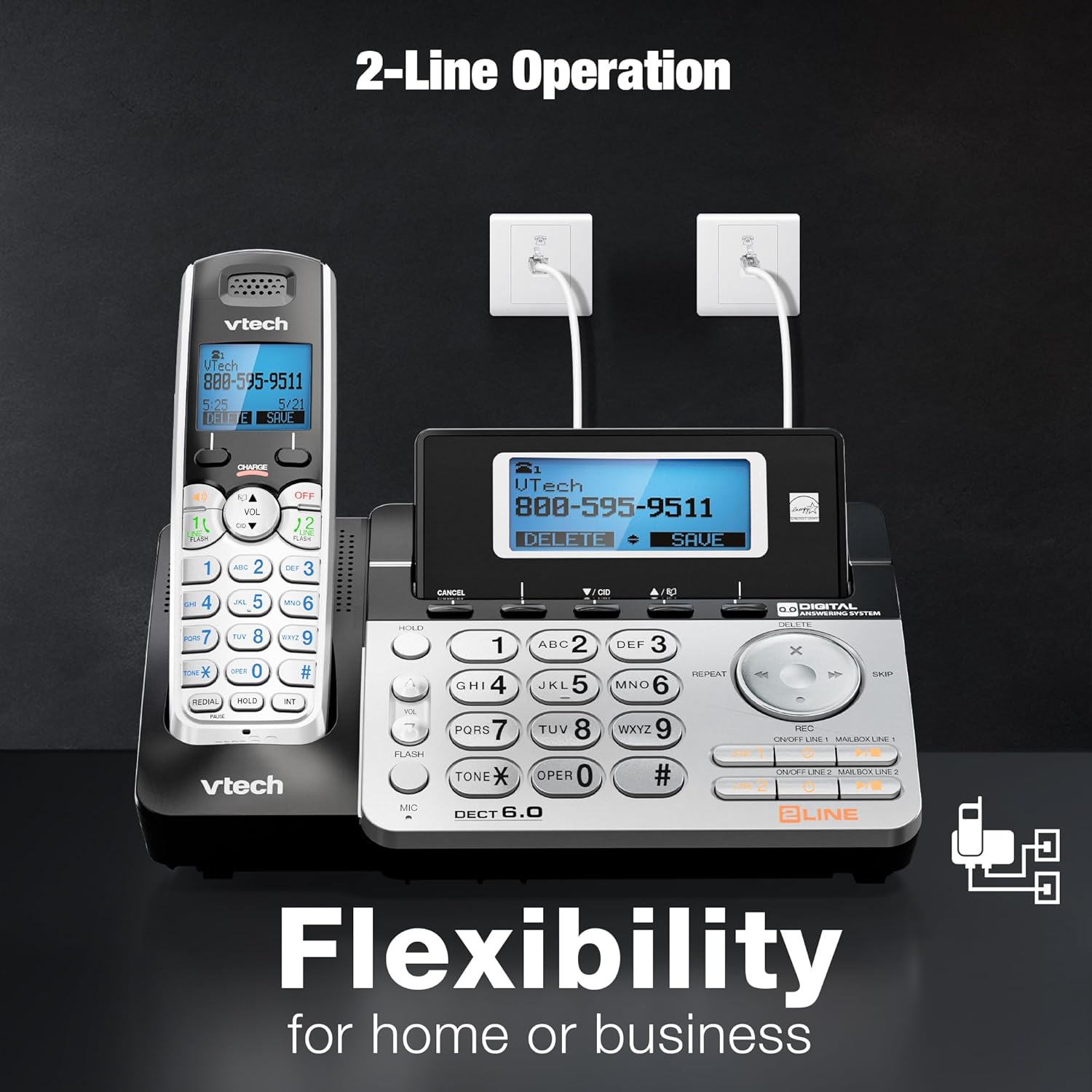
Image: The VTech DS6151-2 base unit and a handset, illustrating the connection of two telephone lines to wall jacks, highlighting the 2-line operation capability.
- Instalace baterií do telefonu:
- Otevřete kryt přihrádky na baterie na zadní straně každého sluchátka.
- Bezpečně zapojte zástrčku bateriového bloku do zdířky uvnitř přihrádky.
- Place the battery pack with the label UP and tuck the wires inside the compartment.
- Zavřete kryt prostoru pro baterie.
- Nabíjení sluchátek:
- Place each handset in the base unit or charging cradle with the display facing up.
- The CHARGE light on the handset will illuminate, indicating proper charging.
- Před prvním použitím nechte sluchátka nabíjet alespoň 16 hodin.
- Nastavit datum a čas:
- After the handsets are charged, follow the on-screen prompts to set the date and time. This is important for the answering system's message time and date stamps.
Návod k obsluze
2-Line Operation
The system supports two separate telephone lines. You can conference between an outside line and up to 2 cordless handsets. The system is expandable up to 12 handsets.
- To select a line for an outgoing call, press ŘÁDEK 1 or ŘÁDEK 2 na sluchátku nebo základně.
- When a call comes in, the corresponding line button will flash. Press it to answer.
Digitální záznamník
The integrated digital answering system records up to 13 minutes of messages and features a voice guide. Each line has its own mailbox.
- Chcete-li přehrávat zprávy, stiskněte PLAY/STOP na základní jednotce.
- To delete messages, press VYMAZAT během přehrávání zprávy.
- Messages are time and date stamped pro snadnou orientaci.

Image: The VTech DS6151-2 base unit and handset, highlighting the digital answering system with a visual indicator of "13 Minutes Recording time."
Caller ID / Call Waiting
The system stores up to 50 names and numbers in the Caller ID history, allowing you to review příchozí hovory.
- Stiskněte CID on the handset or base to review protokol ID volajícího.
- When a new call comes in while you are on another call, a tone will sound, and the new caller's information will appear on the display (requires Call Waiting service from your provider).

Image: The VTech DS6151-2 phone system, emphasizing the Caller ID / Call Waiting feature with a display indicating storage for "50 Names and Numbers."
Intercom Between Handsets and Base Unit
Communicate privately between handsets or between a handset and the base unit without using a telephone line.
- To initiate an intercom call, press INT on the handset or base, then select the desired destination.
Handset and Base Speakerphones
Enjoy hands-free conversations with the built-in speakerphones on both the handsets and the base unit.
- Stiskněte tlačítko REPRODUKTOR button on the handset or base during a call to activate the speakerphone.

Image: The VTech DS6151-2 base unit and a handset, illustrating the speakerphone function for "Hands-Free" conversations.
Trilingual Prompts
The system offers voice prompts and menu options in English, Spanish, and French.
- Refer to the full user manual for instructions on changing the language settings.
Voicemail Waiting Indicator
The handset display provides a visual alert for new voicemail messages (requires voicemail service from your provider).

Image: A VTech DS6151-2 handset displaying a voicemail alert, indicating new messages are waiting.
High-Contrast Backlit Screen and Large Buttons
The handsets feature a high-contrast backlit screen and enlarged buttons, making it easy to see details and dial even in low light conditions.
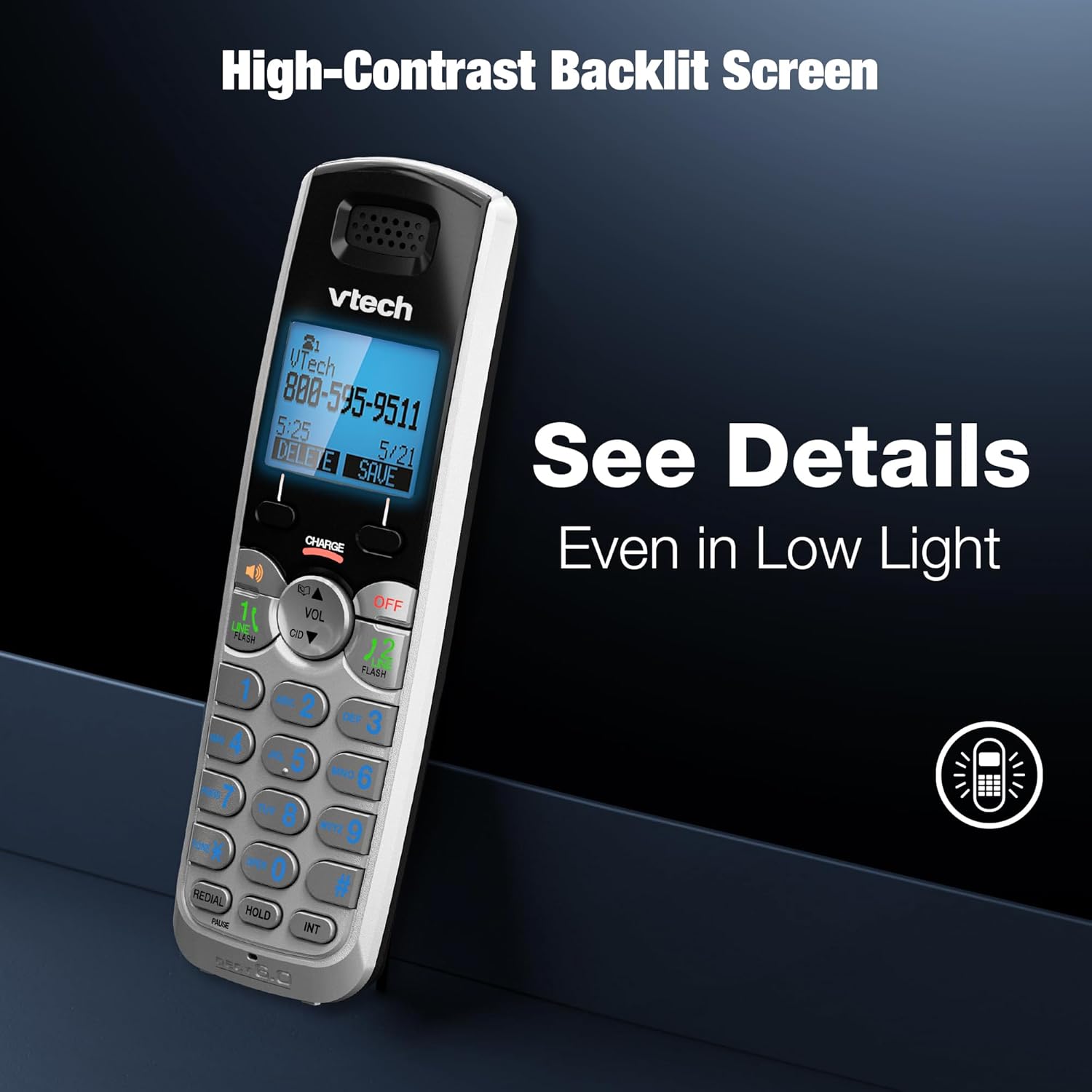
Image: A VTech DS6151-2 handset showcasing its high-contrast backlit screen, designed for clear visibility in various lighting conditions.

Image: The VTech DS6151-2 phone system, illustrating the large display and enlarged buttons on both the base and handset for improved readability and ease of use.
Long Range with DECT 6.0
DECT 6.0 digital technology provides superior sound quality, security, and range. Enjoy clear, interference-free audio and extended range for long distances with exceptional clarity.

Image: The VTech DS6151-2 phone system depicted in a large home environment, demonstrating its long-range capability with DECT 6.0 technology.
Konferenční hovory
Easily conference between an outside line and up to 2 cordless handsets for seamless communication.

Image: A woman using the VTech DS6151-2 phone system, illustrating its ability to conference calls between an outside line and multiple handsets.
Údržba
Proper maintenance ensures the longevity and optimal performance of your VTech DS6151-2 phone system.
- Čištění: Otřete telefon a základnovou jednotku měkkým hadříkemamp hadříkem. Nepoužívejte čisticí spreje ani agresivní chemikálie.
- Péče o baterie:
- If the handset will not be used for a long period, remove the battery to prevent leakage.
- Replace batteries when the handset indicates low battery or when talk time significantly decreases. Use only the specified AAA rechargeable batteries.
- Umístění: Avoid placing the phone system in direct sunlight, near heat sources, or in areas with excessive moisture.
Odstraňování problémů
If you experience issues with your phone system, try the following troubleshooting steps:
| Problém | Řešení |
|---|---|
| Žádný oznamovací tón. |
|
| Sluchátko se nenabíjí. |
|
| Špatná kvalita zvuku nebo statický šum. |
|
| Záznamník nezaznamenává zprávy. |
|
Pro podrobnější informace o řešení problémů se prosím podívejte do kompletní uživatelské příručky.
Specifikace
| Funkce | Detail |
|---|---|
| Rozměry produktu | 8.5 x 6.5 x 5 palce |
| Hmotnost položky | 1.9 libry |
| Číslo modelu | DS6151-2 |
| Baterie | Vyžaduje 2 AAA baterie (součástí balení) |
| Značka | VTech |
| Barva | Stříbrná/černá |
| Typ telefonu | Bezdrátový |
| Materiál | Plast |
| Zdroj napájení | Elektrický kabel |
| Typ systému odpovědí | Digitální |
| Doba hovoru po telefonu | 1.5 hodiny |
| Rozšiřitelnost | Rozšiřitelné až na 12 sluchátek |
| Caller ID History | 50 Name and number |
| Doba nahrávání záznamníku | Až 13 minut |
| Technologie | Digitální technologie DECT 6.0 |
Záruka a podpora
VTech products are designed for reliability and performance. For detailed warranty information, technical support, and frequently asked questions, please refer to the official user manual or visit the VTech support webmísto.
Oficiální uživatelská příručka (PDF): Stáhnout zde
For further assistance, please contact VTech customer service.


