1. Úvod
This manual provides detailed instructions for the setup, operation, and maintenance of your Digoo DG-M1X HD 960P IP Camera. Please read this manual thoroughly before using the product to ensure proper functionality and safety.
The Digoo DG-M1X is a 960P HD wireless IP camera designed for home security, featuring night vision, two-way audio, and app monitoring capabilities.
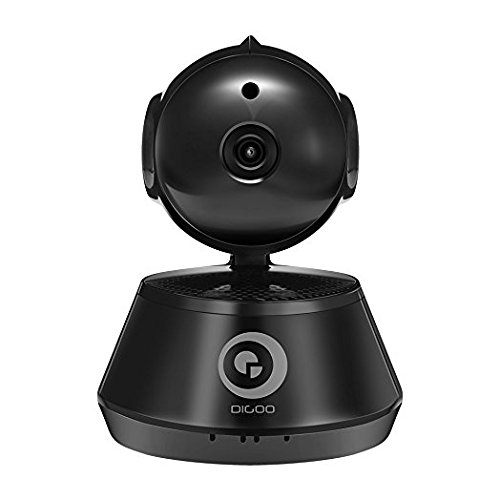
Obrázek 1: Přední view of the Digoo DG-M1X HD 960P IP Camera. This image shows the camera's main body, lens, and base, highlighting its compact dome form factor.
2. Obsah balení
Ověřte, zda jsou v balení přítomny všechny položky:
- 1 x Digoo DG-M1X 960P Wireless PAN/Tilt IP Camera Monitor
- 1 x Digoo DG-M1X Micro USB Power Cable
- 1 x Digoo DG-M1X Full English User Manual (this document)
- 1 x Digoo DG-M1X Original Color Gift Package
- 1 x Pack of Installing Accessories
3. Průvodce nastavením
3.1 Fyzická instalace
- Vyberte umístění: Vyberte vnitřní místo s jasným view of the area you wish to monitor. Ensure it is within range of your Wi-Fi network. The camera is designed for surface mount installation.
- Montáž: Use the provided installing accessories to securely mount the camera. The camera has a dome form factor and can be mounted on a flat surface or inverted.
- Připojení napájení: Connect the Micro USB Power Cable to the camera's power input and plug the other end into a power outlet. The camera will power on and initiate its startup sequence.
3.2 Konfigurace sítě
The Digoo DG-M1X supports wireless Wi-Fi connectivity.
- Stáhněte si aplikaci: Hledat the official Digoo app on your smartphone's app store (compatible with Android devices).
- Registrace účtu: Otevřete aplikaci a podle pokynů na obrazovce zaregistrujte nový uživatelský účet.
- Přidat zařízení: In the app, select the option to add a new device. Follow the prompts to connect your camera to your Wi-Fi network. This typically involves scanning a QR code on the camera or entering your Wi-Fi credentials into the app.
- Počáteční nastavení: Once connected, the app will guide you through any initial setup steps, such as setting a device password.
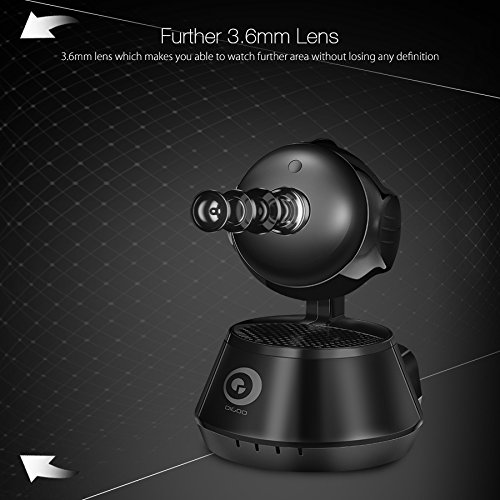
Obrázek 2: Strana view of the Digoo DG-M1X camera, emphasizing its 3.6mm lens. This lens provides a further and higher definition view pro dohled.
4. Návod k obsluze
4.1 Živě View a monitorování
Open the Digoo app on your smartphone. Select your DG-M1X camera from the device list to access the live video feed. You can view the area in 960P HD resolution.
4.2 Ovládání otáčení/náklonu
The camera supports pan and tilt functions. Use the controls within the app to remotely adjust the camera's viewing angle horizontally (pan) and vertically (tilt) to cover a wider area.
4.3 Obousměrný zvuk
The DG-M1X features two-way audio. Tap the microphone icon in the app to speak through the camera's speaker, and listen to audio from the camera's surroundings through your phone.
4.4 Noční vidění
The camera is equipped with a 1/3 Progressive CMOS Sensor with night vision capabilities. It automatically switches to night vision mode in low-light conditions, providing clear black and white video footage.
Obrázek 3: A night vision capture from the Digoo DG-M1X camera, displaying a clear black and white image of an outdoor scene at night. This demonstrates the camera's ability to monitor in low-light conditions.
4.5 Nahrávání a přehrávání
The camera supports video recording. Depending on your setup (e.g., local storage via microSD card, cloud storage), you can record footage. Access recorded videos through the app for playback.
4.6 Detekce pohybu a upozornění
Configure motion detection settings within the app. When motion is detected, the camera can send alerts to your smartphone, allowing for immediate awareness of activity.
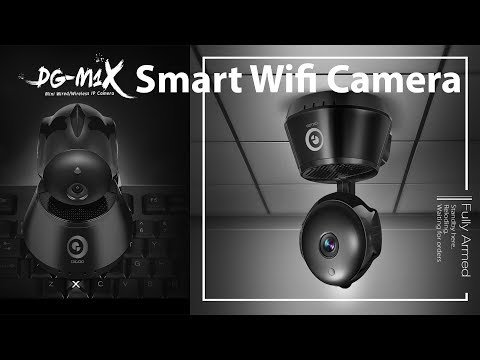
1 video: An official product video demonstrating the features of the Digoo DG-M1X Smart Wifi Camera. This video showcases the camera's design, pan/tilt functionality, and app interface, providing a visual overview svých schopností.
5. Údržba
- Čištění: Jemně otřete objektiv a tělo fotoaparátu měkkým, suchým hadříkem. Nepoužívejte agresivní chemikálie ani abrazivní materiály, které by mohly fotoaparát poškodit.
- Aktualizace firmwaru: Regularly check the Digoo app for available firmware updates. Keeping the camera's firmware updated ensures optimal performance and security.
- Cyklus napájení: If the camera experiences issues, try power cycling it by unplugging it from the power source for a few seconds and then plugging it back in.
- Podmínky prostředí: The camera is designed for indoor use and is not water-resistant. Ensure it is kept in a dry environment and within recommended operating temperatures.
6. Řešení problémů
| Problém | Možná příčina | Řešení |
|---|---|---|
| Kamera se nepřipojuje k Wi-Fi | Incorrect Wi-Fi password; camera too far from router; router firewall settings | Verify Wi-Fi password; move camera closer to router; check router settings or temporarily disable firewall for testing. |
| Žádný živý video přenos | Camera offline; network issue; app malfunction | Check camera power and network connection; restart camera and app; ensure stable internet connection. |
| Nefunguje obousměrný zvuk | Microphone/speaker muted in app; app permissions | Ensure audio is enabled in the app; check app permissions for microphone access on your smartphone. |
| Nejasné noční vidění | Obstruction near lens; insufficient ambient light for IR to activate | Clear any obstructions from the camera's view; ensure the area is dark enough for night vision to engage automatically. |
7. Specifikace
| Funkce | Detail |
|---|---|
| Model | DG-M1X |
| Obrazový snímač | 1/3 Progressive CMOS Sensor |
| Rozlišení záznamu videa | 960P (1,300,000 Pixel) |
| Čočka | 3.6 mm |
| Komprese | H.264 |
| Snímková frekvence | 30 snímků za sekundu |
| Technologie připojení | Bezdrátové (Wi-Fi) |
| Speciální funkce | Night Vision, Two-Way Audio, Pan/Tilt |
| Vnitřní/venkovní použití | Krytý |
| Form Factor | Kupole |
| Typ montáže | Povrchová montáž |
| Zdroj napájení | Elektrický kabel |
| Kompatibilní zařízení | Notebook (pro viewing, primarily app-controlled) |
| Typ ovladače | Android (prostřednictvím aplikace) |
| Barva | Černý |
| Materiál | Ostatní |
| Hmotnost položky | 340 g |
| Rozměry balení | 16.1 x 13 x 11 cm |
8. Záruka a podpora
8.1 Informace o záruce
Specific warranty details for the Digoo DG-M1X camera are typically provided at the point of purchase or within the product packaging. Please refer to your purchase receipt or contact your retailer for warranty terms and conditions.
8.2 Zákaznická podpora
For technical assistance, troubleshooting beyond this manual, or inquiries regarding your Digoo DG-M1X camera, please contact Digoo customer support through their official webwebu nebo kontaktních informací uvedených v dokumentaci k produktu.


