1. Důležité bezpečnostní informace
Read all instructions carefully before assembling, installing, operating, or maintaining this fan. Failure to follow these instructions may result in electric shock, fire, or serious personal injury.
- Elektrická bezpečnost: Ensure the fan is connected to a properly grounded 120 Volt AC outlet. Do not operate the fan with a damaged cord or plug. Do not run the power cord under carpeting or cover it with throw rugs, runners, or similar coverings. Arrange the cord away from traffic areas where it will not be tripped over.
- Obecný provoz: Always place the fan on a stable, level surface to prevent tipping. Keep hands, hair, clothing, and other objects away from the fan blades during operation. Do not insert fingers or foreign objects into the grille.
- Prostředí: This fan is designed for indoor use. Do not use outdoors or in wet locations. Keep the fan away from water and excessive humidity.
- Údržba: Před čištěním nebo jakoukoli údržbou vždy odpojte ventilátor ze zásuvky.
- Návrh 65 Varování: Tento produkt může obsahovat chemikálie, o nichž je ve státě Kalifornie známo, že způsobují rakovinu a vrozené vady nebo jiné poškození reprodukce.
2. Vlastnosti produktu a dalšíview
The Master 24-Inch Oscillating Industrial High Velocity Pedestal Fan is designed for powerful air circulation in various indoor environments such as shops, garages, and warehouses. It features durable all-metal construction and OSHA-compliant safety guards.
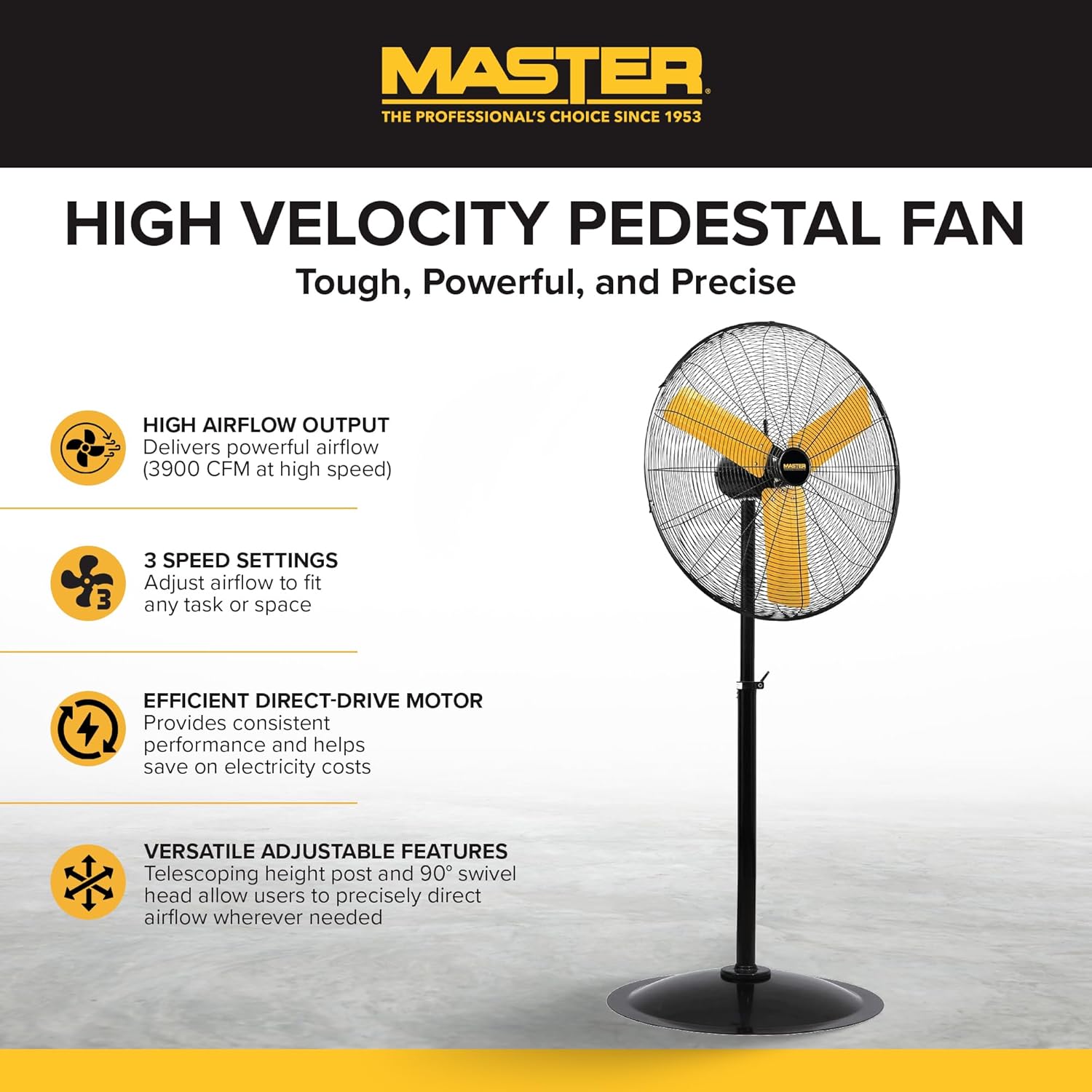
Plný view of the Master 24-Inch Oscillating Pedestal Fan, showcasing its black metal construction and yellow fan blades.

Strana view of the Master 24-Inch Oscillating Pedestal Fan, showing its adjustable height post and stable base.
Klíčové vlastnosti:
- High Airflow Output: Delivers powerful airflow up to 3900 CFM.
- 3 nastavení rychlosti: Allows adjustment of airflow to suit various needs.
- Efficient Direct-Drive Motor: Provides consistent performance and helps conserve electricity.
- Plně nastavitelné: Features a telescoping adjustable height post for customized positioning.
- Kmitání: The fan head oscillates to cool a wide area.
- Pevná základna: A wide, heavy-duty pedestal base prevents the fan from tipping over.
- Celokovová konstrukce: Ensures durability and longevity.
3. Nastavení a montáž
Assembly is required for this fan. Follow these steps to ensure proper setup:
- Rozbalte komponenty: Opatrně vyjměte všechny díly z obalu. Zkontrolujte, zda jsou přítomny všechny součásti uvedené v dodacím listu.
- Sestavte základnu: Attach the main support pole to the sturdy pedestal base. Ensure it is securely fastened.
- Attach Motor Assembly: Secure the fan motor assembly to the top of the support pole. This typically involves attaching the motor to a bolt that connects to the pole via a bracket. Ensure all screws and fasteners are tightened.
- Install Grilles and Blades: Mount the fan blades onto the motor shaft, followed by the front and rear safety grilles. Ensure the grilles are properly aligned and secured to prevent accidental contact with the blades.
- Upravit výšku: Adjust the telescoping height post to your desired operating height. Secure it in place using the provided locking mechanism.
- Pozice ventilátoru: Place the assembled fan on a firm, level surface in the desired location.

A close-up of the fan's wide, heavy-duty round base designed for stability.

A close-up showing the bolt and knob used to adjust the fan head's tilt angle.
4. Návod k obsluze
Once assembled and placed, the fan is ready for operation.
- Připojení napájení: Plug the fan's power cord into a standard 120 Volt AC electrical outlet.
- Turn On/Adjust Speed: Locate the push-button switch, typically on the rear of the motor housing. Rotate the knob to select one of the three available speed settings (1, 2, or 3). Position '0' is off.
- Adjust Oscillation: The fan head is designed to oscillate automatically. To stop oscillation, consult the fan's specific mechanism, which may involve disengaging a drive arm or a dedicated switch.
- Nastavení úhlu náklonu: Loosen the adjustment knob on the side of the fan head to tilt the fan up or down to direct airflow. Tighten the knob securely once the desired angle is set.
- Způsob ovládání: This model may support app control. Refer to the manufacturer's website or additional documentation for details on connecting and using the fan with a compatible application.
- Vypnout: Rotate the speed control knob to the '0' position to turn off the fan. Unplug the fan from the outlet when not in use for extended periods.

A close-up of the fan's rotary switch, indicating three speed settings (0-1-2-3).

Detailní view of the fan's yellow blades and protective metal grille.
5. Údržba
Pravidelná údržba zajišťuje optimální výkon a prodlužuje životnost vašeho ventilátoru.
- Čištění: Před čištěním vždy odpojte ventilátor ze zásuvky. Použijte měkký,amp cloth to wipe down the exterior surfaces. For the fan blades and grilles, hand wash with mild soap and water if necessary, ensuring they are completely dry before reassembly and operation. Do not use abrasive cleaners or solvents.
- Mazání motoru: Motor ventilátoru je trvale mazaný a nevyžaduje další mazání.
- Skladování: Pokud budete ventilátor skladovat delší dobu, zakryjte jej, aby nebyl prachový, a skladujte na suchém místě.
6. Řešení problémů
If you encounter issues with your fan, refer to the following common troubleshooting steps:
- Ventilátor se nezapne:
- Ujistěte se, že je napájecí kabel bezpečně zapojený do funkční zásuvky 120 V.
- Zkontrolujte jistič nebo pojistkovou skříňku.
- Verify the speed control knob is set to a speed setting (1, 2, or 3) and not '0' (off).
- Snížený průtok vzduchu:
- Check for any obstructions around the fan grilles.
- Clean any dust or debris from the fan blades and grilles.
- Neobvyklý hluk nebo vibrace:
- Ujistěte se, že ventilátor je umístěn na stabilním a rovném povrchu.
- Check that all assembly screws and fasteners are tight.
- Inspect fan blades for any damage or imbalance.
- Oscillation Not Working:
- Verify that the oscillation mechanism is engaged (if applicable).
- Check for any obstructions preventing the fan head from moving.
If these steps do not resolve the issue, contact Master customer support for further assistance. Availability of replacement parts may vary; inquire with customer support.
7. Specifikace
| Název modelu | MAC-24POSC |
| Značka | Zvládnout |
| Styl | 24-Inch Oscillating Pedestal Fan |
| Barva | Černý |
| Design elektrického ventilátoru | podlaha Fan |
| Zdroj napájení | Elektrický kabel |
| Rozměry produktu | 7"H x 35"Š x 31.5"V |
| Speciální funkce | Oscilující |
| Wattage | 2.2 kW |
| Počet čepelí | 3 |
| Proud vzduchu | 3900 kubických stop za minutu |
| svtage | 120 voltů |
| Typ přepínače | Stiskněte tlačítko |
| Hmotnost položky | 52.9 libry |
| Vnitřní/venkovní použití | Krytý |
| Specifikace splněna | OSHA |
| Kontrolní metoda | App (refer to manufacturer for details) |
| Počet úrovní výkonu | 3 |
| Montáž Vyžadována | Ano |
| Průměr | 24 palce |
8. Záruka a podpora
Informace o záruce:
This Master 24-Inch Oscillating Industrial High Velocity Pedestal Fan (MAC-24POSC) comes with a 1 rok omezená zárukaTato záruka se vztahuje na vady materiálu a zpracování při běžném používání. Uschovejte si prosím doklad o koupi pro případ uplatnění záruky.
Zákaznická podpora:
For technical assistance, warranty claims, or inquiries regarding replacement parts, please contact Master customer support. Refer to the product packaging or the official Master webstránky s nejaktuálnějšími kontaktními informacemi.


