1. Úvod
Welcome to the user manual for your KLIM TK1200 Helmet. This manual provides essential information for the safe and effective use, maintenance, and care of your helmet. The KLIM TK1200 is engineered for performance and comfort, featuring advanced materials and design for an optimal riding experience. Please read this manual thoroughly before using your helmet.

Přední strana view of the KLIM TK1200 Helmet in Architek Redrock Karbon, showcasing its carbon fiber shell and clear visor.
2. Bezpečnostní informace
Your KLIM TK1200 Helmet is certified to ECE and DOT safety standards, ensuring it meets rigorous requirements for head protection. Always wear your helmet correctly fastened.
2.1 Certifikace
- ECE Certification: Splňuje evropské bezpečnostní normy.
- Certifikace DOT: Meets U.S. Department of Transportation safety standards.
2.2 Varování k návrhu 65
⚠VAROVÁNÍ: Tento produkt vás může vystavit chemikáliím, o kterých je ve státě Kalifornie známo, že způsobují rakovinu a vrozené vady nebo jiné reprodukční poškození. Více informací naleznete na www.P65Warnings.ca.gov.
3. Vlastnosti produktu
- Transition Lens: Instantly reacts to changing UV levels for optimal visibility.
- Proprietary Break Away Chin Bar: Designed to reduce force on the head and neck in the event of an accident when the modular system is in the open position.
- Premium Polycarbonate Anti-Scratch Shield: Features Pinlock Ready Systems as standard to ensure a clear view.
- ULTRA VISION: An optically superior shield system with adaptive lens technology from TRANSITIONS, reducing eye fatigue and providing superior clarity.
- ENGINEERED AERO ACOUSTICS: Optimized aerodynamics and ventilation design combined with a premium liner system for a quiet and comfortable ride.
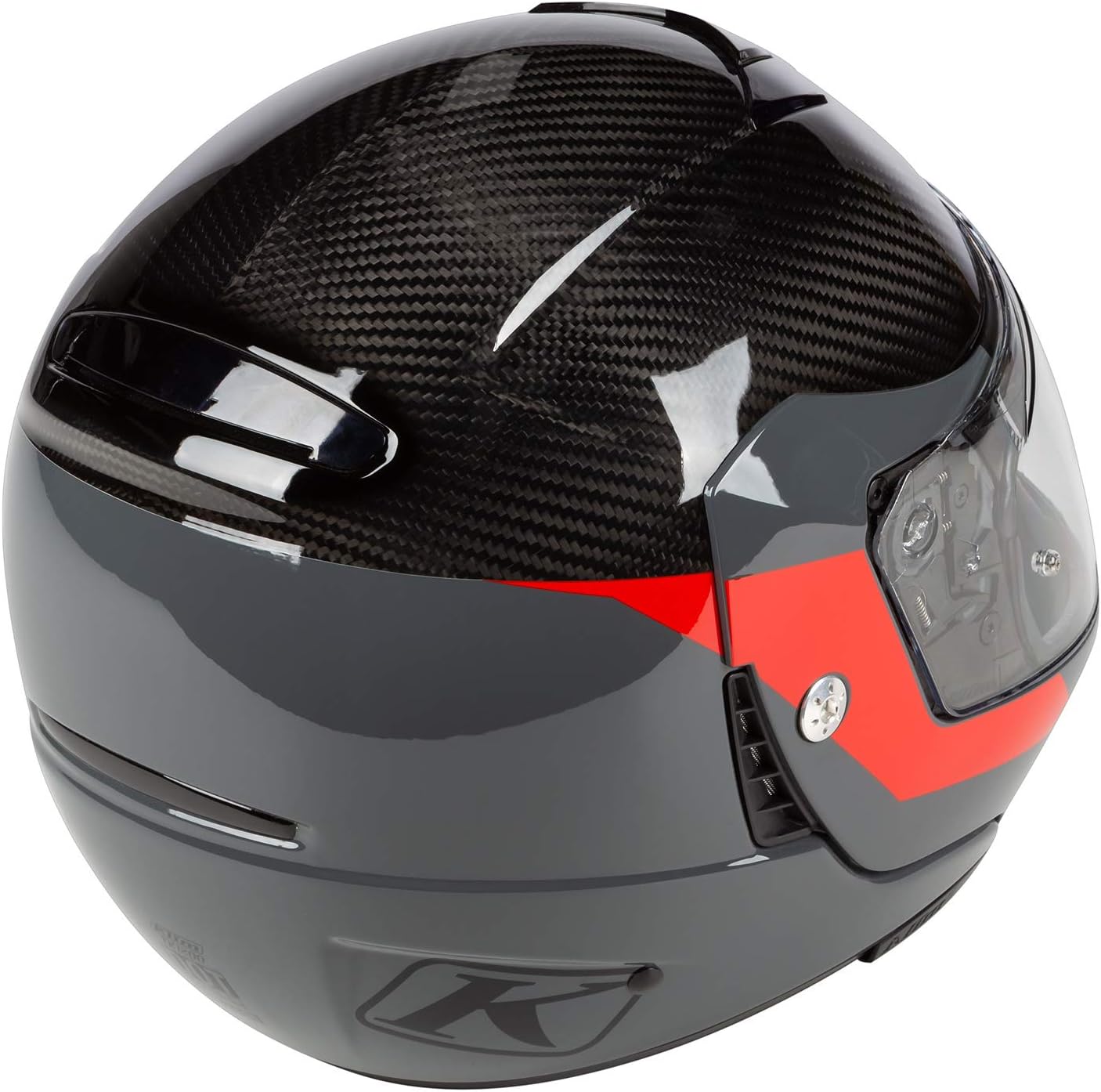
Strana view of the KLIM TK1200 Helmet, highlighting the visor and ventilation system.

The KLIM TK1200 Helmet in action, demonstrating its design for touring and adventure riding.
4. Průvodce velikostmi
A proper helmet fit is crucial for safety and comfort. To measure your head circumference, wrap a measuring tape around the fullest part of your head – just above the ears and about a half-inch above the eyebrows. For the most accurate measurement, have a friend assist you.

Official KLIM Sizing Chart for TK1200 Helmet, detailing head circumference measurements for different helmet sizes.
US TK1200 Helmet Sizing
| Velikost značky | Obvod hlavy (in) |
|---|---|
| S | 21.6–22 |
| M | 22.4–22.8 |
| L | 23.2–23.6 |
| XL | 24–24.4 |
| 2XL | 24.8–25.2 |
5. Nastavení a instalace
Proper setup ensures maximum protection and comfort.
5.1 Počáteční nastavení usazení
- Place the helmet on your head, ensuring it sits level and comfortably.
- The helmet should feel snug around your head, cheeks, and jaw, without causing pressure points.
- Fasten the chin strap securely. It should be tight enough that you cannot remove the helmet by pulling it upwards from the back.
- Shake your head gently. The helmet should move with your head, not independently.
5.2 Instalace/demontáž clony
Refer to the quick-release mechanism on the side of the helmet for specific instructions on installing or removing the visor. Ensure the visor is securely locked in place before riding.
6. Návod k obsluze
6.1 Obsluha clony
The visor can be opened and closed using the tab located at the bottom center. The Transition Lens technology automatically adjusts to varying light conditions, darkening in bright sunlight and clearing in low light.
Ventilační systém 6.2
The TK1200 features adjustable vents located on the chin bar and top of the helmet. Open these vents to increase airflow and close them to reduce it, allowing you to control internal temperature and minimize fogging.
6.3 Modular Chin Bar
To operate the modular chin bar, locate the release mechanism, typically near the chin. Press the button and lift the chin bar upwards until it locks into the open position. To close, press the release again and lower the chin bar until it securely latches. Always ensure the chin bar is fully closed and locked before riding at speed.
7. Údržba
Regular maintenance extends the life of your helmet and ensures continued safety.
7.1 Cleaning the Shell
- Použijte měkký, damp cloth and mild soap to clean the exterior shell.
- Avoid harsh chemicals, solvents, or abrasive cleaners, as these can damage the helmet's finish and materials.
- Důkladně opláchněte čistou vodou a osušte měkkým hadříkem, který nepouští vlákna.
7.2 Visor Care
- Clean the visor with warm water and a soft cloth.
- Do not use abrasive materials or chemical cleaners on the visor, especially the Transition Lens, as this can damage its coating.
- For stubborn dirt, soak the visor in warm water before gently wiping.
7.3 Interior Liner
The interior comfort liner is removable and washable. Hand wash with mild soap and cool water, then air dry completely before re-installing.
7.4 Skladování
Store your helmet in a cool, dry place away from direct sunlight and extreme temperatures. Use a helmet bag to protect it from scratches and dust.
8. Řešení problémů
If you encounter any issues with your KLIM TK1200 Helmet, refer to the following common solutions:
- Visor Fogging: Ensure ventilation vents are open. Consider using anti-fog treatments or the Pinlock insert if available.
- Nesprávné přizpůsobení: Re-check your head measurement against the sizing chart. If the helmet feels too loose or too tight, it may be the wrong size.
- Chin Bar Not Latching: Ensure no debris is obstructing the latch mechanism. Apply gentle, even pressure when closing. If issues persist, inspect for damage.
- Visor Scratches: Minor scratches can sometimes be polished out with specialized visor polish. Deep scratches may require visor replacement for optimal visibility.
For issues not covered here, please contact KLIM customer support.
9. Specifikace
| Funkce | Detail |
|---|---|
| Název modelu | KLIM TK1200 |
| Název značky | KLIM |
| Typ certifikátu | DOT, ECE |
| Typ skořepiny | Tvrdý |
| Tvar | Ovál |
| Typ uzávěru | Řemínek na bradu |
| Vnější materiál | Polycarbonate, Carbon Fiber |
| Doporučení uživatelé | Unisex |
| Sport | Motocyklování |
| Číslo dílu | 3768-000 : 3768-000-120-009 |
| Barva (jakoviewed) | Architek Redrock Karbon |
10. Záruka a podpora
For detailed warranty information and customer support, please visit the official KLIM webnebo se obraťte na jejich zákaznický servis. Uschovejte si doklad o koupi pro případné reklamace.
Více informací a kontaktní údaje naleznete na KLIM Store on Amazon.


