1. Úvod
The VisionTek VT1000 Universal Dual Full HD USB 3.0 Laptop Monitor Docking Station is designed to expand the connectivity of your laptop, whether it runs Windows, macOS, or Chrome OS. This docking station allows you to connect to dual displays and a variety of peripherals through a single USB connection, transforming your laptop into a complete workstation.
Konec produktuview
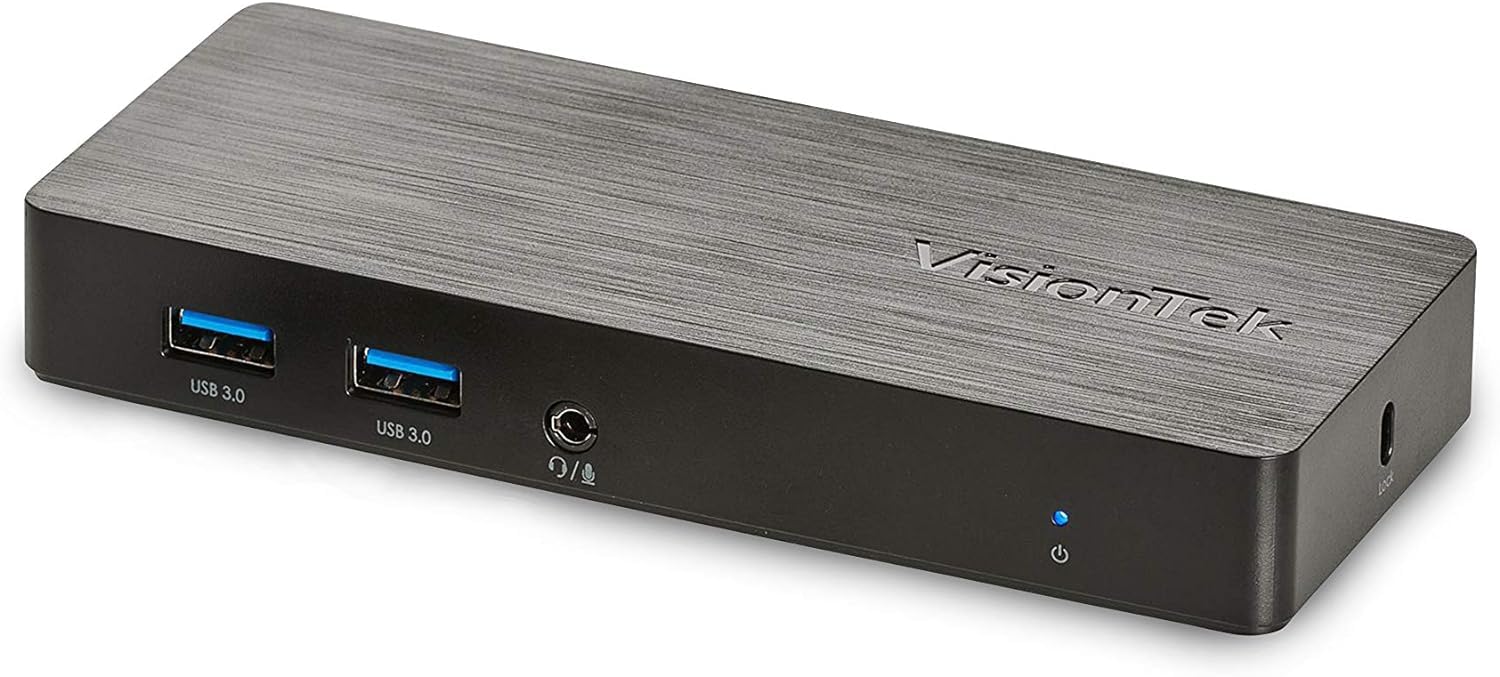
Obrázek: Přední strana view of the VisionTek VT1000 docking station.
Co je v krabici
- Univerzální dokovací stanice USB 1000 s duálním displejem VT3.0
- Kabel USB 3.0
- User Manual (Quick Installation Guide)
- Napájecí adaptér

Image: The VisionTek VT1000 docking station and its included accessories.
2. Klíčové vlastnosti
- Dual Full HD Displays: Connect two monitors to your laptop with full HD resolution (1920 x 1080 @ 60Hz) via 1x DisplayPort, 1x HDMI, and 1x 1080P VGA.
- Rozšířená konektivita: Features 3x USB 3.0 ports (5 Gbps transfer speed), 1x RJ45 (10/100/1000) Gigabit Ethernet port, and a headphone audio line in/out jack.
- Plug and Display: Utilizes DisplayLink drivers for plug-and-play functionality, simplifying setup for various workspaces.
- Široká kompatibilita operačního systému: Compatible with Ultrabook, MacBook, Microsoft Surface Pro, Chromebook, Windows 11, Windows 10, Windows 8.1, Windows 7, and Mac OS 10.13 and up operating systems.
- Kompaktní design: Designed to be compact, taking up minimal desk space while providing extensive functionality.
3. Porty a indikátory
The VT1000 docking station provides a comprehensive set of ports for various connectivity needs. Refer to the video below for a visual guide to the ports.
Přední panel
- 2x USB 3.0 porty: Pro připojení vysokorychlostních USB zařízení.
- Audio výstup (konektor pro sluchátka): Pro připojení sluchátek nebo externích reproduktorů.
- Vstup mikrofonu: Pro připojení mikrofonu.
- LED indikátor napájení: Illuminates when the dock is powered on.
Zadní panel
- 1x VGA Port: For connecting a VGA monitor.
- 1x HDMI port: For connecting an HDMI monitor.
- 1x DisplayPort: Pro připojení monitoru s DisplayPort portem.
- 1x RJ45 Gigabit Ethernet Port: Pro kabelové síťové připojení.
- 1x port USB 3.0: Pro připojení vysokorychlostních USB zařízení.
- USB-B Port (Upstream): For connecting the dock to your laptop via the included USB 3.0 cable.
- Vstup DC 5V: Pro připojení napájecího adaptéru.
- Slot pro bezpečnostní zámek: Pro upevnění dokovací stanice.
Official Product Video: VisionTek VT1000 Universal Dual Display USB 3.0 Dock
Video: This official VisionTek video provides a visual overview of the VT1000 docking station, highlighting its features, ports, and connectivity options. It demonstrates how the dock can expand your laptop's capabilities into a full workstation.
4. Pokyny k nastavení
- Připojte napájení: Plug the included power adapter into the DC 5V input port on the rear of the VT1000 docking station, then plug the adapter into a power outlet. The power indicator LED on the front of the dock should illuminate.
- Připojení k notebooku: Use the provided USB 3.0 cable to connect the USB-B port on the rear of the docking station to an available USB 3.0 port on your laptop.
- Připojení monitorů: Connect your external monitors to the desired video output ports on the rear of the docking station (HDMI, DisplayPort, or VGA). The VT1000 supports dual displays.
- Připojení periferií: Connect your keyboard, mouse, external hard drives, printers, webcams, or other USB devices to the USB 3.0 ports on the front and rear of the docking station.
- Připojení k síti (volitelné): For a wired internet connection, connect an Ethernet cable from your router or network switch to the RJ45 Gigabit Ethernet port on the rear of the docking station.
- Připojit zvuk (volitelné): If desired, connect headphones or speakers to the audio out jack and a microphone to the mic in jack on the front of the docking station.
- Instalace ovladače: The VT1000 features DisplayLink Plug and Play technology, typically requiring no manual driver installation on compatible operating systems. If prompted, follow on-screen instructions or visit the VisionTek support website for the latest DisplayLink drivers.
5. Návod k obsluze
Once the VT1000 docking station is set up, it operates seamlessly with your connected laptop.
- Konfigurace displeje: After connecting your monitors, your operating system should automatically detect them. You can configure display settings (e.g., extend, duplicate, primary display) through your computer's display settings.
- Použití USB zařízení: Connected USB devices will function as if directly connected to your laptop.
- Přístup k síti: Gigabitový ethernetový port poskytuje stabilní a rychlé kabelové síťové připojení.
- Funkce zvuku: The audio ports allow for external audio output and microphone input. Ensure your operating system's sound settings are configured to use the docking station's audio device.
- Řízení spotřeby: The docking station requires external power and does not supply power to your laptop. Ensure your laptop's power adapter is connected for charging.
6. Specifikace
| Funkce | Detail |
|---|---|
| Značka | VisionTek |
| Číslo modelu | 901147 (VT1000 Series) |
| Kompatibilita operačního systému | Windows 11, Windows 10, Windows 8.1, Windows 7, macOS 10.13 and later, Chrome OS |
| Hmotnost položky | 8 unce |
| Rozměry produktu (DxŠxV) | 5.95 x 2.8 x 0.8 palce |
| Hardwarové rozhraní | DisplayPort, Ethernet, HDMI, USB, USB 3.0, VGA |
| Kompatibilní zařízení | Přenosný počítač |
| Celkový počet portů USB | 3 3.0 (USB XNUMX) |
| Celkový počet portů HDMI | 1 |
| Wattage | 20 wattů |
7. Řešení problémů
- Žádný výstup na displej:
- Ensure the docking station's power adapter is securely connected and the power indicator LED is on.
- Verify that the USB 3.0 cable connecting the dock to your laptop is firmly seated at both ends.
- Check that monitor cables (HDMI, DisplayPort, VGA) are securely connected to both the dock and the monitors.
- Confirm that your monitors are powered on and set to the correct input source.
- Restartujte notebook a dokovací stanici.
- Ensure DisplayLink drivers are installed and up-to-date, if necessary. Although typically plug-and-play, some systems may benefit from manual driver installation from the DisplayLink webmísto.
- Nefunkční zařízení USB:
- Ujistěte se, že je dokovací stanice zapnutá a připojená k notebooku.
- Try connecting the USB device to a different USB port on the dock or directly to your laptop to rule out device issues.
- Some high-power USB devices may require their own external power supply.
- Problémy s připojením k síti:
- Verify the Ethernet cable is securely connected to both the dock and your network.
- Zkontrolujte síťové nastavení notebooku a ujistěte se, že je ethernetový adaptér povolen.
- Restart your router/modem, the docking station, and your laptop.
- Zvuk nefunguje:
- Check your laptop's sound settings to ensure the docking station's audio output is selected as the default playback device.
- Ensure headphones/speakers are properly connected to the audio out jack.
- Adjust volume levels on both your laptop and the connected audio device.
8. Údržba
- Čištění: K čištění vnější strany dokovací stanice používejte měkký, suchý hadřík. Nepoužívejte tekuté čisticí prostředky ani rozpouštědla.
- Skladování: Store the docking station in a cool, dry place away from direct sunlight and extreme temperatures when not in use for extended periods.
- Správa kabelů: Abyste předešli poškození, ujistěte se, že kabely nejsou nadměrně ohnuté ani zamotané.
9. Záruka a podpora
The VisionTek VT1000 Universal Dual Full HD USB 3.0 Laptop Monitor Docking Station comes with a 2letá omezená záruka. To ensure coverage, register your product with VisionTek within 30 days of purchase.
VisionTek offers excellent US-based customer support for any technical assistance or inquiries you may have. For support, please visit the official VisionTek webwebu nebo se podívejte na kontaktní informace uvedené na obalu produktu.
For further information and driver downloads, please visit: Podpora VisionTek