Konec produktuview
The Amazon Basics Full Size Ergonomic Wireless Mouse is designed for comfort and seamless functionality, ideal for right-hand use. This black wireless mouse provides reliable performance for both laptops and PCs, enhancing your computing experience with its advanced features.
Key features include fast-scrolling capabilities, a clickable scroll wheel, and convenient forward/back thumb buttons for streamlined navigation. It connects via a compact USB receiver, allowing for a tidy workspace without occupying additional ports. The optical sensor offers a 1600 DPI resolution for smooth and accurate tracking on most surfaces. An integrated on/off switch helps extend battery life, making it a dependable choice for continuous use. The mouse operates on a stable 2.4 GHz non-Bluetooth wireless connection and comes with 2 AA batteries and a battery LED light for user convenience.
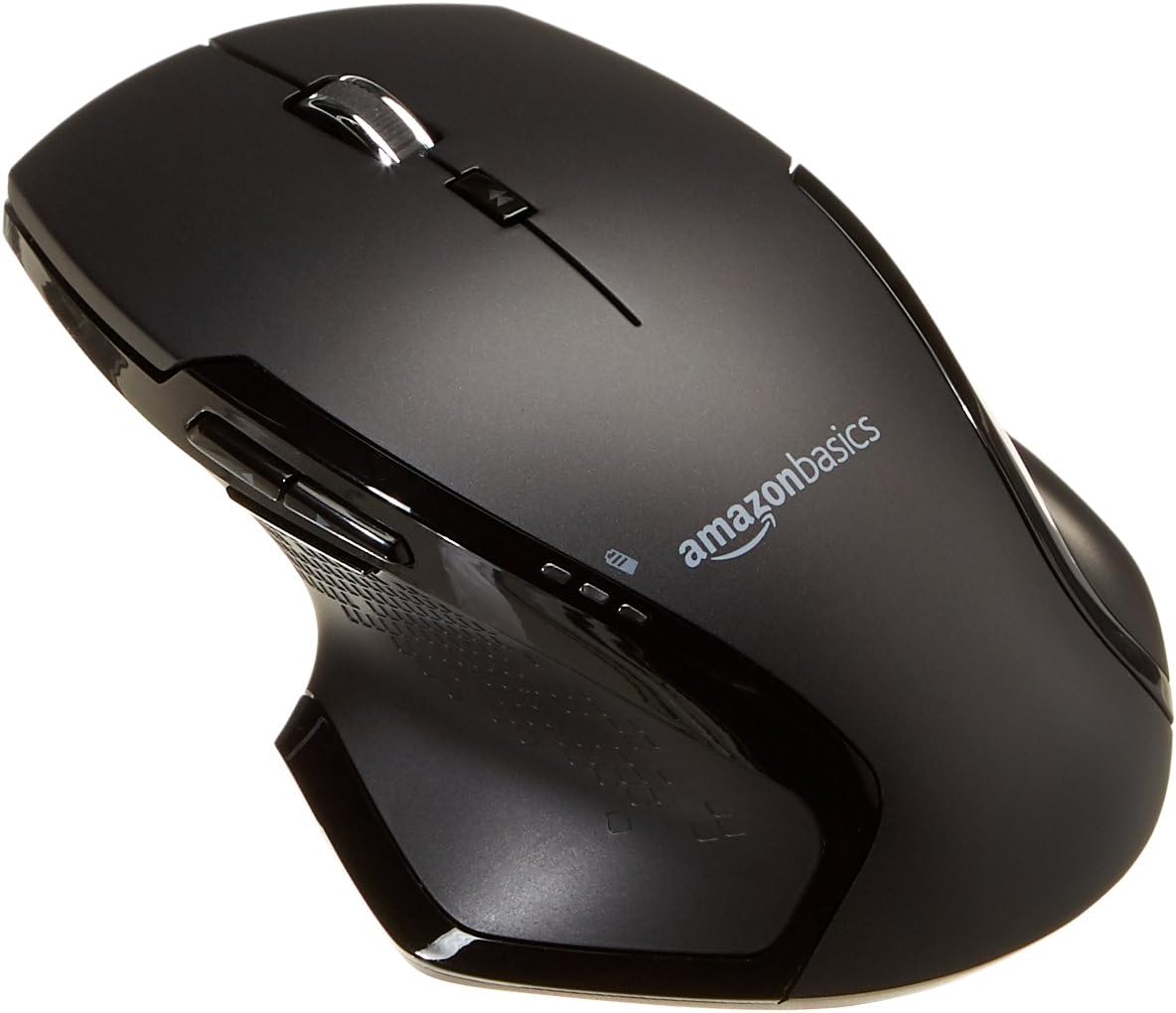
Obrázek: Nahoře view of the Amazon Basics Full Size Ergonomic Wireless Mouse, showcasing its black finish and ergonomic design.
Obsah balení
Před zahájením instalace se ujistěte, že jsou k dispozici všechny položky:
- Bezdrátová myš
- 2 x AA baterie
- USB přijímač
Nastavení
1. Instalace baterií
- Turn the mouse upside down.
- Najděte kryt přihrádky na baterie na spodní straně myši.
- Posunutím otevřete kryt.
- Insert the two (2) AA batteries, ensuring correct polarity (+/-) as indicated inside the compartment.
- Bezpečně zavřete kryt bateriového prostoru.

Image: Underside of the mouse with the battery compartment open, showing the slots for two AA batteries and the stored USB receiver.
2. Připojení USB přijímače
- Remove the USB receiver from its storage slot within the battery compartment of the mouse.
- Plug the USB receiver into an available USB port on your computer (PC or Mac).
- Otočte myší ON using the on/off switch located on the underside of the mouse.
- Váš počítač by měl automaticky detekovat a nainstalovat potřebné ovladače. Může to chvíli trvat.

Image: The Amazon Basics wireless mouse positioned next to a laptop, illustrating a typical setup.
The mouse is plug-and-play and does not require additional software installation. For pointer speed adjustments, refer to your operating system's system settings.
Návod k obsluze
Základní funkce
- Levé kliknutí: Hlavní tlačítko pro výběr položek, otevírání filea interakce se softwarem.
- Klikněte pravým tlačítkem myši: Sekundární tlačítko pro přístup k kontextovým nabídkám a dalším možnostem.
- Rolovací kolečko: Procházejte dokumenty nahoru nebo dolů a web pages. The wheel is also clickable for middle-click functions.

Obrázek: Boční view of the Amazon Basics wireless mouse, highlighting its ergonomic contours and side buttons.
Advanced Functions (Thumb Buttons)
- Tlačítko vpřed: Naviguje vpřed web prohlížeče popř file průzkumníci.
- Tlačítko Zpět: Naviguje zpět web prohlížeče popř file průzkumníci.

Image: A hand demonstrating the ergonomic grip on the Amazon Basics wireless mouse, showing natural placement of fingers and thumb on the buttons.
Údržba
- Čištění: K čištění myši použijte měkký, suchý hadřík. V případě odolných nečistot použijte lehceamp Lze použít hadřík, ale dbejte na to, aby se do vnitřních součástí nedostala vlhkost.
- Výměna baterie: When the battery LED light indicates low power, replace both AA batteries promptly to ensure optimal performance.
- Skladování: When not in use for extended periods, turn off the mouse using the on/off switch to conserve battery life. The USB receiver can be stored inside the battery compartment for safekeeping.
Odstraňování problémů
| Problém | Možná příčina | Řešení |
|---|---|---|
| Myš nereaguje. |
|
|
| Pohyb kurzoru je nepravidelný nebo trhaný. |
|
|
| Forward/Back buttons not working on Mac. |
|
|
Specifikace
| Funkce | Detail |
|---|---|
| Značka | Základy Amazonu |
| Číslo modelu | GP8-BK |
| Technologie připojení | Bezdrátové připojení 2.4 GHz (USB přijímač) |
| Technologie detekce pohybu | Optický |
| Rozlišení DPI | 1600 DPI |
| Zdroj napájení | 2 x AA baterie (součástí balení) |
| Barva | Černý |
| Hmotnost položky | 8 unce (cca 227 gramů) |
| Rozměry produktu (DxŠxV) | 4.96 x 1.77 x 3.24 palců (přibližně 12.6 x 4.5 x 8.2 cm) |
| Kompatibilní operační systémy | PC (Windows 7 and above), Mac, Laptop, Chromebook |
Záruka a podpora
Informace o záruce a zákaznické podpoře naleznete v oficiálních základních dokumentech Amazonu. website or the documentation included with your product. You can also find additional resources and contact information via the following links:
For further assistance, please contact Amazon Basics customer service.


