Důležité bezpečnostní informace
Před montáží a použitím si pečlivě přečtěte všechny pokyny. Uschovejte si tento návod pro budoucí použití.
- Nosnost: Do not exceed the maximum weight capacity of 42.5 kilograms (93.7 lbs) for the entire stand. Distribute weight evenly across shelves.
- Body sevření: Use caution when adjusting the shelves to avoid pinch points.
- Stabilita: Always ensure the TV stand is stable and level before placing a television or any components on it.
- Umístění: Place the stand on a flat, stable surface. Avoid placing it in high-traffic areas where it could be easily bumped.
- Děti: Keep children away from the stand during assembly. Do not allow children to climb on or play with the stand.
Konec produktuview
The Insignia TV Stand (Model B077SNBPFH) is designed to support most televisions up to 48 inches. It features a durable alloy steel frame and safety-tempered glass shelves, providing a secure and organized space for your entertainment components. The open frame design facilitates easy cable management.

Figure 1: Insignia TV Stand with a television and various media devices on its shelves, showcasinjeho design a kapacitu.
Nastavení a montáž
This Insignia TV stand is designed for freestanding installation and does not require assembly. It comes pre-assembled for your convenience.
Vybalení a kontrola
- Carefully remove the TV stand from its packaging.
- Inspect all components for any signs of damage. If any parts are damaged or missing, do not proceed with setup. Contact customer support immediately.
- Ensure all packing materials are removed before placement.
Umístění
- Choose a flat, level, and stable surface for the TV stand.
- Ensure there is adequate space around the stand for ventilation of electronic devices and easy access to cables.
- Verify that the chosen location can support the combined weight of the stand, your television, and all components.
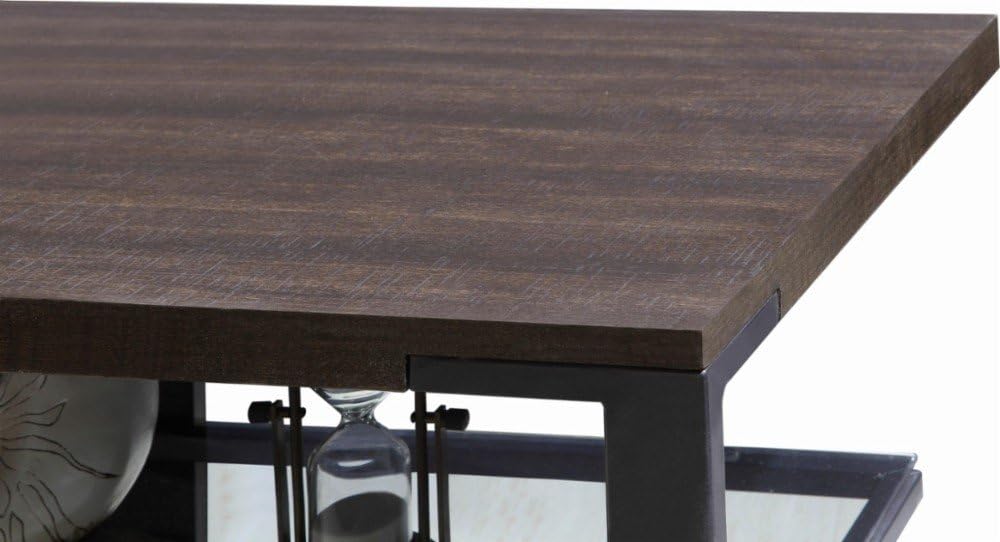
Figure 2: Detail of the top shelf and frame connection, highlighting the sturdy construction.
Návod k obsluze
Placing Your Television
- Carefully lift your television and center it on the top surface of the TV stand.
- Ensure the television's base is fully supported by the stand's top surface.
- Do not place a television larger than 48 inches or exceeding the stand's weight capacity (42.5 kg / 93.7 lbs).
Uspořádání komponent
The stand features two safety-tempered glass shelves for organizing your media devices, such as DVD players, gaming consoles, soundbars, and cable boxes.
- Distribute the weight of your components evenly across the shelves.
- Ensure adequate airflow around electronic devices to prevent overheating.
Správa kabelů
The open frame design and integrated cable management holes (as shown in Figure 3) allow for neat routing of power cords and signal cables.
- Route cables through the designated holes at the back of the stand.
- Use cable ties or wraps (not included) to bundle cables together for a tidy appearance and to prevent tangling.
- Ujistěte se, že kabely nejsou skřípnuté ani napnuté.

Obrázek 3: View of the stand's shelves and the circular cutouts designed for cable routing.
Údržba
Čištění
- Skleněné police: Use a soft, lint-free cloth and a non-abrasive glass cleaner. Spray cleaner onto the cloth, not directly onto the glass, to avoid streaks and potential damage to other materials.
- Frame and Wood Surfaces: Otřete měkkým, damp hadříkem. Na odolné skvrny použijte jemný, neabrazivní čisticí prostředek. Ihned osušte čistým hadříkem.
- Nepoužívejte agresivní chemikálie, abrazivní čisticí prostředky nebo drátěnky, protože by mohly poškodit povrchovou úpravu.
Pravidelné kontroly
- Periodically check the stand for stability. Ensure it remains level and all connections are secure.
- Inspect glass shelves for any chips or cracks. If damage is found, discontinue use and contact customer support.
Odstraňování problémů
Tato část se zabývá běžnými problémy, se kterými se můžete setkat při používání televizního stolku.
Stand is Unstable/Wobbly
- Zkontrolujte povrch: Ensure the stand is placed on a completely flat and level surface. Uneven flooring can cause instability.
- Rozložení hmotnosti: Verify that the weight of your television and components is evenly distributed. Overloading one side can affect stability.
- Zkontrolujte rám: Check the alloy steel frame for any signs of bending or damage.
Glass Shelf Damage
- If a glass shelf is chipped, cracked, or broken, discontinue use immediately to prevent injury.
- Contact Insignia customer support for replacement options. Do not attempt to repair damaged glass yourself.
Cables are Tangled/Messy
- Utilize the cable management holes at the back of the stand.
- Bundle cables together using cable ties or Velcro straps to keep them organized and out of sight.
Specifikace
| Značka | INSIGNIE |
| Číslo modelu | B077SNBPFH |
| Barva | Espresso/Gray |
| Doporučená velikost TV | Až 48 palce |
| Hmotnostní limit | 42.5 kilogramů (93.7 liber) |
| Materiál | Alloy Steel (Frame), Tempered Glass (Shelves) |
| Počet polic | 2 |
| Typ instalace | Volné stání |
| Montáž Vyžadována | Žádný |
| UPC | 600603212314 |
Informace o záruce
Specific warranty details for the Insignia TV Stand (Model B077SNBPFH) are typically provided with the product packaging or can be found on the official Insignia webwebu. Nejpřesnější a nejaktuálnější záruční podmínky naleznete v těchto zdrojích.
Generally, warranties cover manufacturing defects under normal use. Keep your proof of purchase for any warranty claims.
Zákaznická podpora
If you have any questions, require assistance with your Insignia TV stand, or need to report a damaged part, please contact Insignia customer support.
- Online podpora: Visit the official Insignia website for FAQs, support documents, and contact options.
- Podpora prodejců: S dotazy týkajícími se nákupu se můžete také obrátit na prodejce, od kterého jste produkt zakoupili.


