1. Úvod
Děkuji za nákupasing the KECAG CD Player. This versatile device offers multiple functions including CD playback, Bluetooth 3.0 connectivity, full-band FM radio, USB MP3 playback, and 3.5mm audio input/output. It features built-in HiFi stereo speakers for outstanding sound quality and can be easily mounted on a wall or placed on a desk. This manual provides detailed instructions for setup, operation, and maintenance to ensure optimal performance and longevity of your device.
2. Obsah balení
Po vybalení zkontrolujte obsah balení:
- CD přehrávač x 1
- 5V-2A USB adaptér x 1
- Dálkové ovládání x 1
- Wall-mounted kit x 1
- Wall-mounted plate x 1
- User manual x 1 (This document)
- Player desk stand x 1
- 3.5mm audio kabel samec-male x 1

Image: All components included in the KECAG CD Player package, including the player, remote, power adapter, cables, wall mount kit, and desk stand.
3. Konec produktuview
Familiarize yourself with the main components and controls of your KECAG CD Player.

Obrázek: Podrobný view of the KECAG CD Player's side and top, highlighting the 3.5mm input/output jack, USB port, power cord (pull-switch), MODE button, Volume controls, and Previous/Next buttons.
- A. 3.5mm Input/Output Jack: For connecting headphones, external speakers, or AUX input from other devices.
- B. USB Port: For playing MP3/WMA files from a U-disk.
- C. Power Cord (Pull-Switch): Pull the cable to turn the unit on or off.
- D. MODE Button: Short press to cycle between CD, FM, and USB modes. Press and hold for 3 seconds to enter Bluetooth mode.
- E. Volume +/- Buttons: Upravte hlasitost výstupu zvuku.
- F. Previous / Next Buttons: Navigate tracks in CD/USB mode or stations in FM mode.
- G. Remote Control: Provides full control over all functions from a distance.
4. Nastavení
4.1 Připojení napájení
Connect the provided 5V-2A USB adaptor to the CD player and then plug it into a standard wall outlet. The unit will power on when the power cable is pulled.
4.2 Montáž na stěnu
To mount the CD player on a wall:
- Identify a suitable location on your wall.
- Use the wall-mounted plate as a template to mark the drilling points.
- Drill holes and insert the wall anchors (if necessary).
- Secure the wall-mounted plate to the wall using the provided screws.
- Carefully slide the CD player onto the mounted plate until it clicks securely into place.

Image: The KECAG CD Player elegantly mounted on a white wall in a bedroom setting, demonstrating its vertical loading and space-saving design.
4.3 Desk Stand Setup
To use the CD player on a desk or table:
- Attach the player desk stand to the bottom of the CD player.
- Ujistěte se, že je stojan bezpečně upevněn.
- Sestavenou jednotku umístěte na rovný a stabilní povrch.
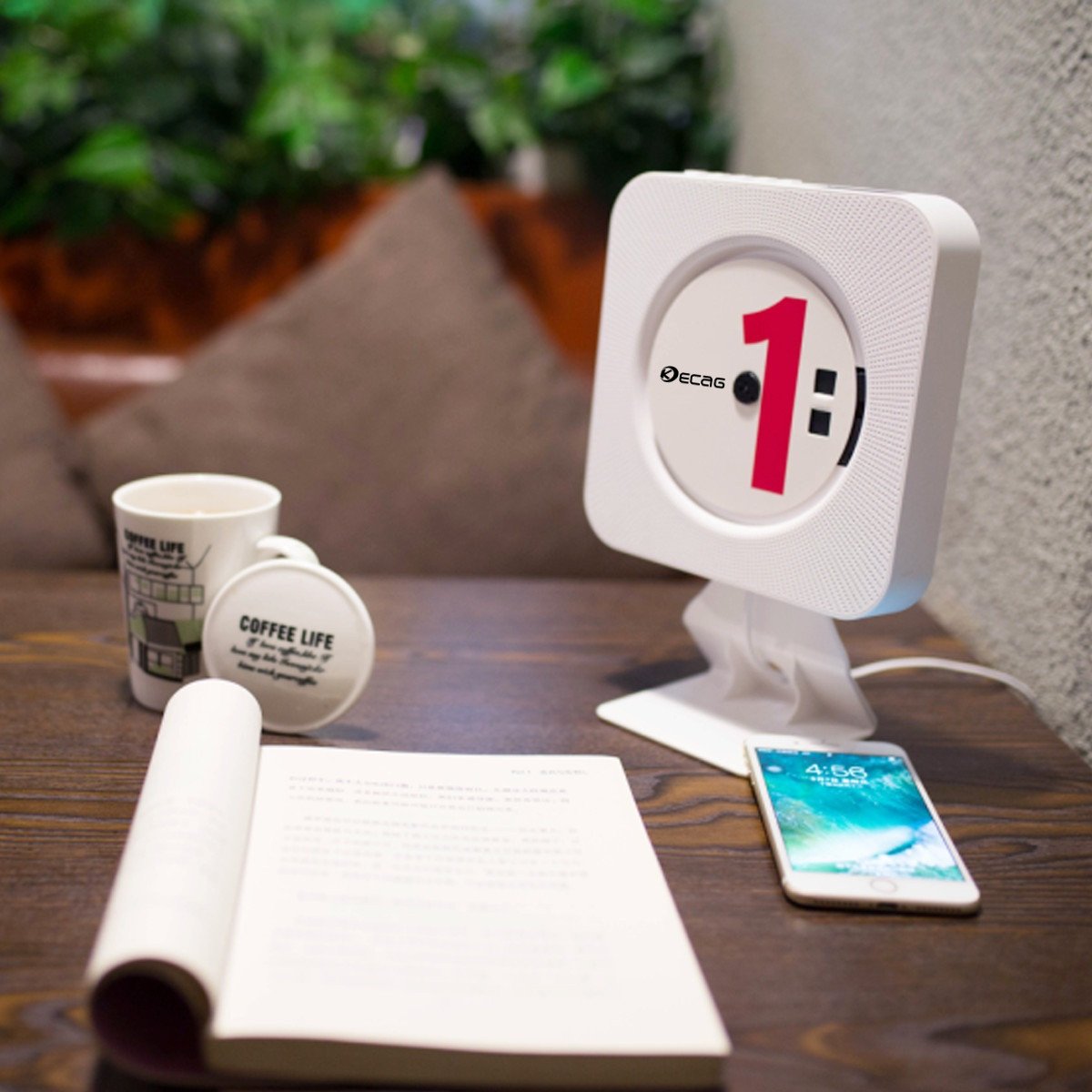
Image: The KECAG CD Player positioned on its desk stand, showcasing its compact design suitable for tabletops and office environments.
5. Návod k obsluze
5.1 Zapnutí/vypnutí
- To turn on: Pull the power cable downwards.
- To turn off: Pull the power cable downwards again.
- The remote control can also be used to power on/off if the main unit's pull-switch is in the 'on' position.
5.2 Přehrávání CD
- Insert a CD (CD, CD-R, CD-RW, MP3, WMA format supported) into the disc slot.
- The player will automatically detect the CD and begin playback.
- Použijte Předchozí/Další buttons on the unit or remote to skip tracks.
- Použijte Svazek +/- tlačítka pro úpravu hlasitosti.
- Stiskněte tlačítko Opakovat button on the remote for single song loop or whole disc loop.
- Stiskněte tlačítko AB button on the remote to set A-B repeat.
5.3 Přehrávání MP3 z USB
- Insert a U-disk (USB flash drive) containing MP3/WMA filedo portu USB.
- Stiskněte tlačítko MODE button on the unit or remote until "USB" mode is selected.
- The player will automatically begin playing files from the U-disk.
- Použijte Předchozí/Další tlačítka pro procházení stop.
5.4 FM rádio
- Stiskněte tlačítko MODE button on the unit or remote until "FM" mode is selected.
- The player will automatically scan and store available FM stations.
- Použijte Předchozí/Další buttons to switch between stored stations.
- For manual tuning, refer to the remote control functions.
5.5 Bluetooth Connection (as a Bluetooth Speaker)
- Stiskněte a podržte MODE button for 3 seconds to enter Bluetooth mode. The unit will indicate it's ready for pairing.
- On your Bluetooth-enabled device (e.g., smartphone, tablet), search for "KECAG" in the Bluetooth settings.
- Select "KECAG" to pair. Once connected, you can play audio from your device through the CD player's speakers.
- Note: This CD player functions as a Bluetooth receiver only. It cannot transmit Bluetooth audio to other Bluetooth speakers or headphones.
5.6 AUX Input/Output
- Vstup AUX: Connect an external audio device (e.g., mobile phone, tablet, laptop) to the 3.5mm AUX input jack on the CD player using the provided 3.5mm male-to-male audio cable. Press the MODE button until "AUX" mode is selected. The CD player will now act as a wired speaker for your external device.
- AUX výstup: Connect the 3.5mm AUX output jack of the CD player to an external wired speaker or headphones using a 3.5mm audio cable. This allows you to output the CD player's audio to a different sound system.
6. Údržba
- Čištění: K čištění vnější strany jednotky používejte měkký, suchý hadřík. Nepoužívejte abrazivní čisticí prostředky ani rozpouštědla.
- Manipulace s disky: Always handle CDs by their edges. Avoid touching the playing surface. Store CDs in their cases when not in use to prevent scratches and dust accumulation.
- Větrání: Ensure the unit has adequate ventilation. Do not block the speaker grilles or place the unit in an enclosed space without airflow.
- Vypnout: When not in use for extended periods, disconnect the power adapter from the wall outlet.
7. Řešení problémů
| Problém | Možná příčina | Řešení |
|---|---|---|
| Jednotka se nezapne. | Power cable not pulled, power adapter not connected, or power outlet issue. | Ensure the power cable is pulled to the ON position. Check if the power adapter is securely connected to both the unit and a working wall outlet. |
| CD se nepřehrává nebo přeskakuje. | CD is dirty, scratched, or inserted incorrectly. Incorrect disc format. | Clean the CD with a soft, lint-free cloth. Check for deep scratches. Ensure the CD is inserted correctly with the label side facing outwards. Verify the disc format is supported (CD, CD-R, CD-RW, MP3, WMA). |
| Žádný zvuk. | Volume too low, incorrect mode selected, or external audio device issue. | Increase the volume. Ensure the correct mode (CD, USB, FM, Bluetooth, AUX) is selected. If using AUX, check the connection and volume on the external device. |
| Párování Bluetooth selhalo. | CD player not in Bluetooth pairing mode, or device too far. | Press and hold the MODE button for 3 seconds to enter Bluetooth pairing mode. Ensure your device's Bluetooth is on and within range (approx. 10 meters). |
| Příjem FM rádia je špatný. | Slabý signál nebo rušení. | Adjust the position of the unit to improve reception. Avoid placing near other electronic devices that may cause interference. |
| Dálkové ovládání nefunguje. | Vybitá baterie nebo překážka. | Replace the battery in the remote control. Ensure there are no obstructions between the remote and the CD player. |
8. Specifikace
| Funkce | Detail |
|---|---|
| Číslo modelu | KC-808 |
| Disc Format Support | CD, CD-R, CD-RW, MP3, WMA |
| Rádiová frekvence | 87.5KHZ-108.0MHZ |
| Reproduktor | 45 mm * 2 |
| Jmenovitá impedance | 3Ω |
| Výstup reproduktoru | 3W*2 (Total 6 Watts RMS) |
| Napájení | AC100V-220V, 50HZ/60HZ (via 5V-2A USB adaptor) |
| Power/Switch Cable Length | 2.3 m |
| Rozměry (hlavní jednotka) | 189 x 189 x 37mm (approx. 19.05 x 19.05 x 3.81 cm) |
| Čistá hmotnost | 540g (approx. 544.31 g) |
| Verze Bluetooth | 3.0 |
| Technologie připojení | Pomocný, Bluetooth, USB |
| Speciální funkce | FM Radio, Bluetooth, HiFi Speakers, Vertical Loading, Wall Mountable |
9. Záruka a podpora
The KECAG CD Player comes with a 1-year warranty from the date of purchase, covering manufacturing defects. Please retain your proof of purchase for warranty claims.
For technical support, troubleshooting assistance, or warranty inquiries, please contact KECAG customer service through the retailer where you purchased the product or refer to the contact information provided on the product packaging or KECAG's official webmísto.
Důležité: Do not attempt to repair the unit yourself. Unauthorized repairs may void your warranty and could cause damage to the device or personal injury.


