Zavedení
The ZAGG Rugged Messenger is a versatile keyboard case designed to enhance the functionality and protection of your iPad Pro 10.5" or iPad Air 10.5" (Gen 3). It features a durable, detachable case and a Bluetooth keyboard with backlit keys, offering both robust protection and a comfortable typing experience. This manual provides instructions for setup, operation, and maintenance of your device.

Image: The ZAGG Rugged Messenger keyboard case in an open position, displaying the integrated keyboard and the protective shell designed for the iPad.
Obsah balení
Ověřte, zda jsou v balení přítomny všechny položky:
- ZAGG Rugged Messenger Keyboard Case
- Micro USB nabíjecí kabel
- Rychlý průvodce
- Výstražná karta
Nastavení
1. Připojení iPadu
- Zarovnejte iPad s ochranným pouzdrem.
- Gently press the iPad into the case until it is securely seated. Ensure all corners are protected.
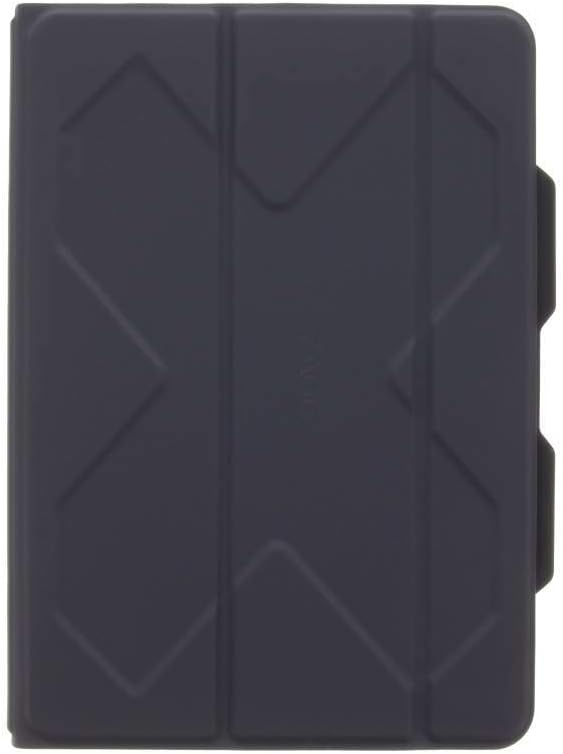
Image: The ZAGG Rugged Messenger case in a closed position, highlighting its robust exterior design.
2. Nabíjení klávesnice
Before initial use, fully charge your keyboard. The rechargeable battery provides up to two years of use between charges, depending on usage.
- Connect the micro USB charging cable to the keyboard's charging port.
- Připojte druhý konec kabelu ke zdroji napájení USB.
- Rozsvítí se kontrolka nabíjení. Po úplném nabití se světlo změní nebo zhasne.
3. Párování klávesnice přes Bluetooth
The Rugged Messenger keyboard can connect to two devices simultaneously.
- Ujistěte se, že máte na iPadu povoleno Bluetooth (Nastavení > Bluetooth).
- Na klávesnici stiskněte a podržte klávesu Bluetooth 1 or Bluetooth 2 key for three seconds. The LED indicator will flash, indicating pairing mode.
- On your iPad, select "ZAGG Rugged Messenger" from the list of available devices.
- Follow any on-screen prompts to complete the pairing process. The LED will stop flashing once paired.
Návod k obsluze
Keyboard and Case Modes
The Rugged Messenger offers two primary modes for versatile use:
- Režim klávesnice: Position your iPad in the stand above the keyboard for typing. The magnets will secure the iPad in place.
- Case Mode: Detach the iPad in its protective case from the keyboard for tablet-only use. The case provides protection against impacts and corner damage.

Image: A user actively typing on the ZAGG Rugged Messenger keyboard, with the iPad securely positioned in the integrated stand.
Ovládání podsvícení
The keyboard features 7-color backlighting for typing in low-light conditions.
- Stiskněte tlačítko klíč k žárovce pro cyklické přepínání úrovní jasu.
- Stiskněte Fn + light bulb key to cycle through the backlight colors.
Multi-Device Toggling
To switch between two paired devices:
- Stiskněte tlačítko Bluetooth 1 key to connect to the first paired device.
- Stiskněte tlačítko Bluetooth 2 key to connect to the second paired device.
Držák na tužky Apple
A dedicated holder is integrated into the case to store your Apple Pencil securely.

Obrázek: Podrobný view of the ZAGG Rugged Messenger case, highlighting the built-in holder designed for the Apple Pencil.
Viewúhly
The built-in stand allows for multiple viewing angles, providing flexibility for typing or media consumption.
Údržba
Čištění
- Otřete klávesnici a pouzdro měkkým hadříkemamp, hadřík nepouštějící vlákna.
- Vyhněte se používání agresivních chemikálií nebo abrazivních čisticích prostředků.
Péče o baterie
- Charge the keyboard regularly to maintain optimal battery performance.
- The sleep/wake function helps conserve battery life when the keyboard is not in use.
Odstraňování problémů
Klávesnice nereaguje
- Ujistěte se, že je klávesnice zapnutá.
- Zkontrolujte stav baterie a v případě potřeby ji nabijte.
- Verify that Bluetooth is enabled on your iPad and the keyboard is paired.
- Try re-pairing the keyboard to your iPad.
Problémy s připojením
- Move the keyboard closer to your iPad to ensure a strong Bluetooth signal.
- Disconnect other Bluetooth devices from your iPad to reduce interference.
- Restartujte iPad i klávesnici.
Specifikace
| Funkce | Detail |
|---|---|
| Číslo modelu | ID9RMK-BB0 |
| Kompatibilní zařízení | Apple iPad Pro 10.5", Apple iPad Air 10.5" (Gen 3) |
| Technologie připojení | Bluetooth, bezdrátové připojení |
| Popis klávesnice | Wireless QWERTY |
| Podsvícení | 7-Color Backlit |
| Ochrana proti pádu | Až 6.6 stop |
| Životnost baterie | Up to 2 years (rechargeable Lithium Polymer) |
| Materiál | Polykarbonát |
| Hmotnost položky | 1.53 libry |
| Rozměry produktu (DxŠxV) | 7.67 x 0.91 x 10.28 palce |
Záruka a podpora
For detailed warranty information, technical support, or further assistance, please refer to the official ZAGG website or the included Quick Start Guide and Warning Card.
Elektronická verze uživatelské příručky je k dispozici ke stažení:


