
Zavedení
The mophie Power Boost XXL is a high-capacity portable power pack designed to charge your mobile devices on the go. With a 20,800 mAh internal battery and dual USB-A charging ports, it provides extended power for smartphones, tablets, and other USB-enabled devices. This manual will guide you through the proper use and care of your Power Boost XXL.
Co je v krabici
- mophie Power Boost XXL Power Pack
- Nabíjecí kabel USB-A na Micro USB
- Stručný průvodce (podrobné pokyny naleznete v tomto návodu)
Nastavení
Charging Your Power Boost XXL
Before initial use, fully charge your mophie Power Boost XXL. This ensures optimal battery performance and longevity.
- Connect the included USB-A to Micro USB charging cable to the Micro USB input port on the Power Boost XXL.
- Zapojte konec kabelu USB-A do kompatibilního adaptéru USB do zásuvky (není součástí balení) nebo do portu USB počítače.
- The integrated four-light LED power indicator will illuminate to show the charging status. All four LEDs will be solid when the Power Boost XXL is fully charged.
Charging time may vary depending on the power source. A full charge can take several hours.
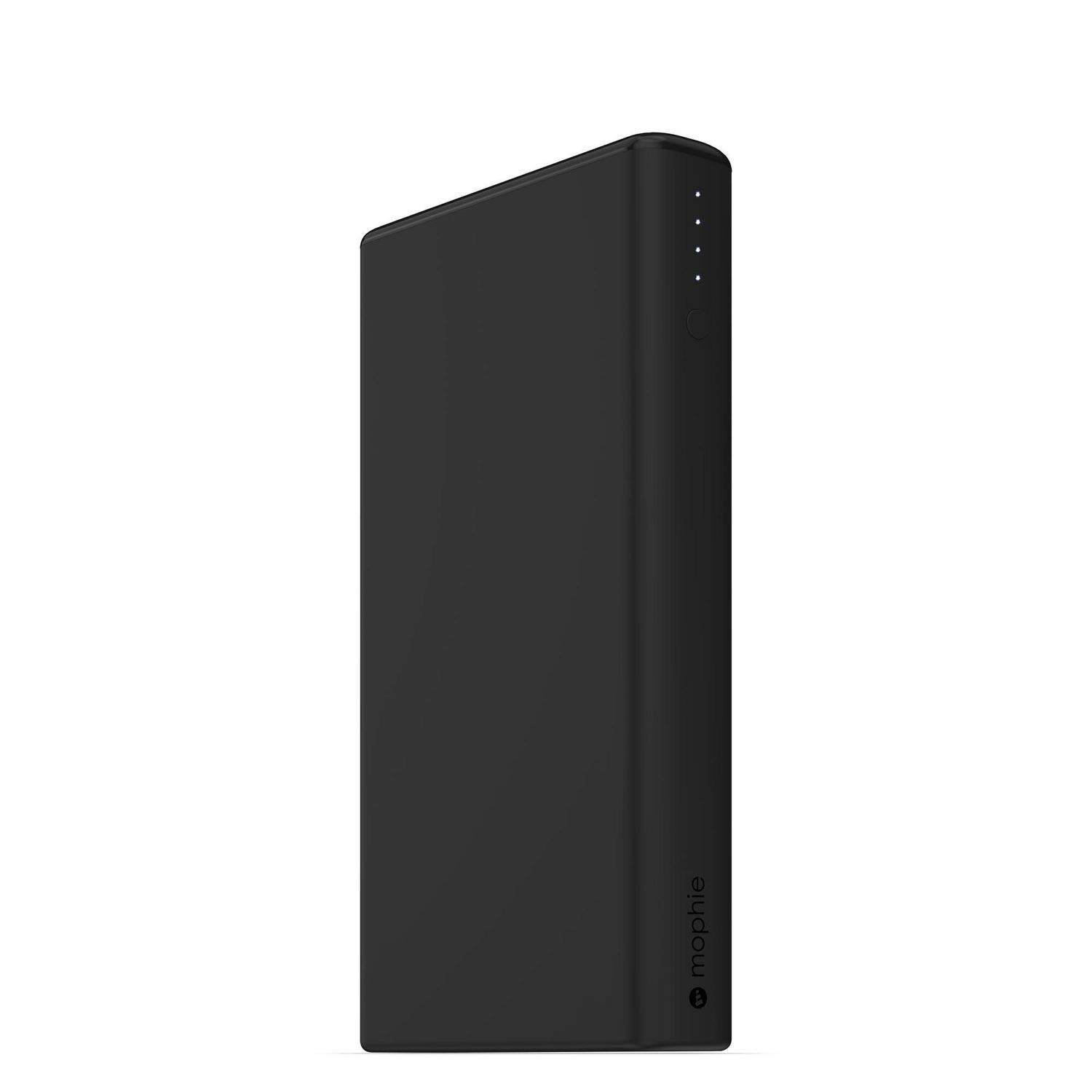
Image: mophie Power Boost XXL showing LED power indicators.
Návod k obsluze
Nabíjení vašich zařízení
The Power Boost XXL features dual USB-A output ports, allowing you to charge two devices simultaneously.
- Connect your device's charging cable (USB-A end) to one of the USB-A output ports on the Power Boost XXL.
- Connect the other end of your device's charging cable to your smartphone, tablet, or other USB-enabled device.
- The Power Boost XXL will automatically begin charging your device. If charging does not start, press the power button on the Power Boost XXL once.
- The LED power indicator lights will show the remaining battery life of the Power Boost XXL during charging.
The Power Boost XXL provides up to 2.1A output per port for efficient charging.
Kontrola úrovně baterie
To check the remaining battery level of your Power Boost XXL, simply press the power button once. The LED indicators will light up, with each light representing approximately 25% of the battery capacity.
- 4 LED diody: 75-100% účtováno
- 3 LED diody: 50-75% účtováno
- 2 LED diody: 25-50% účtováno
- 1 LED diod: Nabito 0–25 % (brzy dobití)
Údržba
- Keep the Power Boost XXL dry and away from moisture.
- Nevystavujte zařízení extrémním teplotám (horkým ani nízkým).
- Zařízení čistěte měkkým, suchým hadříkem. Vyhněte se používání agresivních chemikálií nebo abrazivních materiálů.
- Store the Power Boost XXL in a cool, dry place when not in use.
- For optimal battery health, fully charge the Power Boost XXL at least once every three months if stored for extended periods.
Odstraňování problémů
Power Boost XXL Not Charging
- Ensure the Micro USB cable is securely connected to both the Power Boost XXL and the power source.
- Try using a different USB wall adapter or computer USB port.
- Ověřte, zda je zdroj napájení aktivní a dodává energii.
- Check the Micro USB cable for any damage. Try a different cable if available.
Device Not Charging from Power Boost XXL
- Ensure your device's charging cable is securely connected to both the Power Boost XXL and your device.
- Press the power button on the Power Boost XXL once to initiate charging.
- Check if the Power Boost XXL has sufficient charge (refer to "Checking Battery Level").
- Try using a different USB-A output port on the Power Boost XXL.
- Ensure your device's charging cable is not damaged.
- Ověřte, zda je vaše zařízení kompatibilní s nabíjením přes USB.
Pomalé nabíjení
- Ujistěte se, že používáte kvalitní nabíjecí kabel.
- If charging the Power Boost XXL, use a wall adapter with a higher output (e.g., 2.1A or higher) for faster charging.
- If charging a device, ensure the device's cable supports fast charging if applicable.
Specifikace
| Funkce | Detail |
|---|---|
| Kapacita interní baterie | 20,800 XNUMX mAh |
| Výstupní porty | 2 x USB-A (up to 2.1A per port, 4.2A total) |
| Vstupní port | Micro USB |
| Rozměry | 3.35 x 0.87 x 6.1 palce |
| Hmotnost | 1 liber |
| Číslo modelu | 4061_PWR-BOOST-20.8K-BLK |

Image: mophie Power Boost XXL with labeled dimensions (1.25" H x 7.25" L x 4.25" W).
Důležité bezpečnostní informace
- Do not attempt to disassemble the Power Boost XXL.
- Avoid dropping, puncturing, or exposing the device to strong impacts.
- Keep away from fire, water, and corrosive materials.
- Nepoužívejte, pokud je zařízení poškozené nebo oteklé.
- Dispose of the battery pack according to local environmental regulations.
Záruka a podpora
mophie products are designed for durability and performance. For warranty information, product registration, and customer support, please visit the official mophie webwebu nebo se přímo obraťte na jejich zákaznický servis.
Official mophie webmísto: www.mophie.com
Video o produktu
Pro vizuální představu se podívejte na toto videoview of the mophie Power Boost XXL.
Video: mophie Power Boost XXL Universal External Battery - 8 Charges (20,800mAh) - Black. This video provides a customer's perspective on the product's features and performance.


