1. Úvod
The Turtle Beach Stealth 700 is a premium wireless gaming headset designed for an immersive audio experience on PlayStation 5 and PlayStation 4 consoles. This manual provides essential information on setting up, operating, and maintaining your headset, ensuring optimal performance and longevity.

Figure 1: Turtle Beach Stealth 700 Wireless Gaming Headset
2. Co je v krabici
Upon unboxing your Turtle Beach Stealth 700 headset, please ensure all the following components are present:
- Bezdrátový herní headset Turtle Beach Stealth 700
- Bezdrátový USB vysílač
- Nabíjecí kabel USB-C
- Stručný průvodce / Dokumentace
Video 1: Oficiální produkt skončilview and unboxing of the Turtle Beach Stealth 700 headset.
3. Konec produktuview
Familiarize yourself with the physical components and controls of your Stealth 700 headset.
3.1 Součásti náhlavní soupravy

Figure 2: User wearing the Stealth 700 headset, demonstrating its over-ear design.
- Nastavitelná čelenka: Features a synthetic leather-wrapped headband for comfort.
- Polštářky do uší: Premium synthetic leather-wrapped ear cushions with ProSpecs glasses-friendly design to relieve pressure.
- 50mm Over-Ear Speakers: Deliver immersive surround sound and chat audio.
- High-Sensitivity Flip-Up Mic: Integrated microphone that mutes when flipped up.
3.2 Ovládací prvky
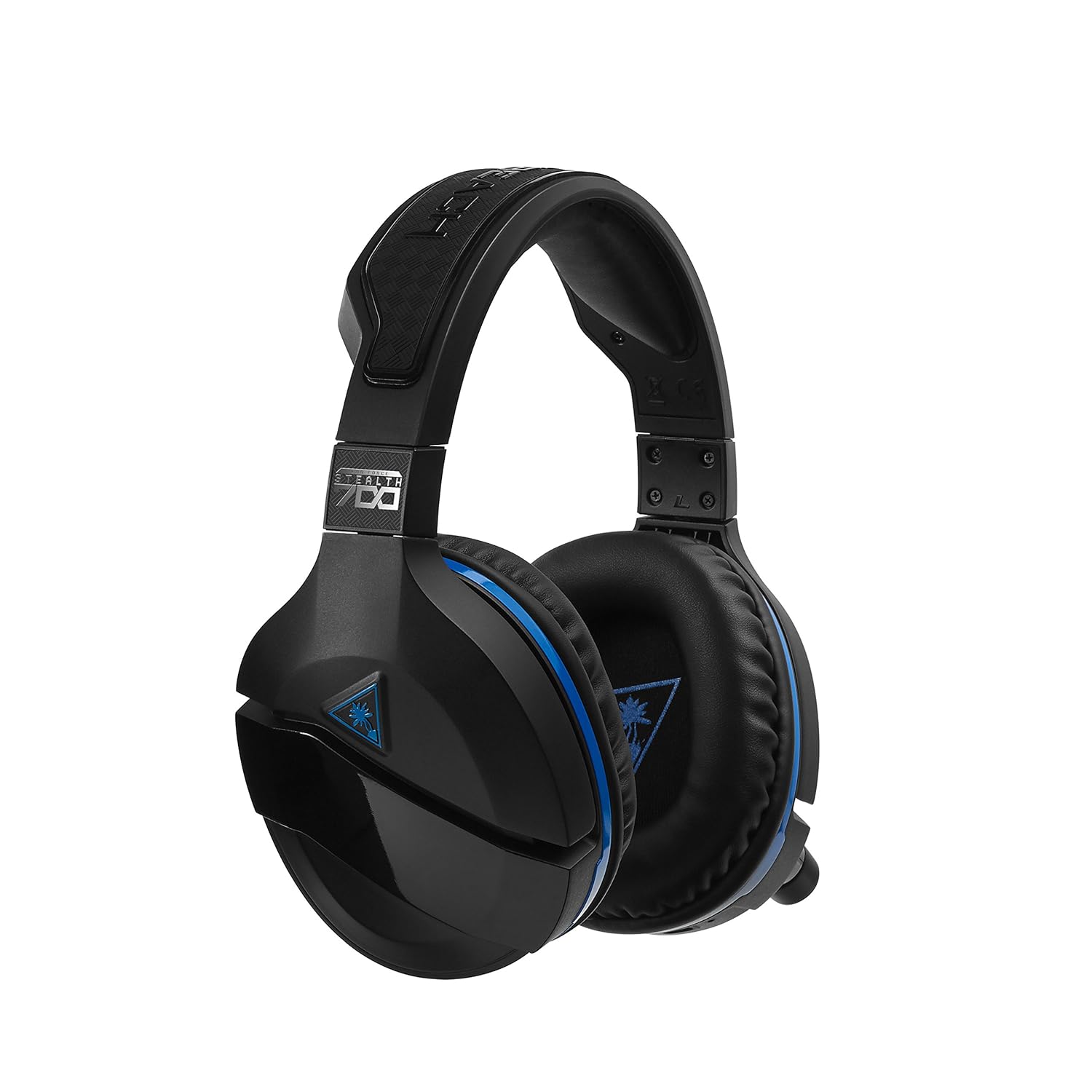
Figure 3: Right earcup controls and microphone in the down position.
- Vypínač: Zapíná/vypíná sluchátka s mikrofonem.
- Tlačítko Bluetooth: Zahájí párování Bluetooth.
- Otočný ovladač hlasitosti hry: Upravuje celkovou hlasitost zvuku hry.
- Otočení hlasitosti chatu: Nezávisle upravuje hlasitost zvuku chatu.
- Otočný ovladač pro monitorování mikrofonu: Adjusts the level of your own voice heard in the headset.
- Superhuman Hearing Button: Activates/deactivates the Superhuman Hearing sound setting.
- Tlačítko režimu: Cycles through DTS surround sound modes and audio presets.

Figure 4: Microphone in the flipped-up (muted) position.
4. Pokyny k nastavení
Follow these steps to set up your Turtle Beach Stealth 700 headset with your PlayStation console.
4.1 Počáteční nabíjení
- Connect the USB-C Charging Cable to the headset and a USB power source.
- Charge the headset fully before first use (approximately 5 hours). The LED indicator will change when fully charged.
4.2 Connecting to PlayStation (Wireless)
- Plug the Wireless USB Transmitter into an available USB port on your PlayStation console.
- Power on your Stealth 700 headset by pressing and holding the Power Button until the LED illuminates.
- The headset and transmitter should automatically pair. A solid LED on both indicates a successful connection.
- Na PlayStationu přejděte na Nastavení> Zařízení> Zvuková zařízení.
- Soubor Vstupní zařízení na USB sluchátka (Turtle Beach Stealth 700).
- Soubor Výstupní zařízení na USB sluchátka (Turtle Beach Stealth 700).
- Soubor Výstup do sluchátek na Všechny audio.
- Adjust your volume levels as desired.
4.3 Bluetooth Pairing (for Mobile Devices)
The Stealth 700 supports Bluetooth connectivity for calls, music, and the Turtle Beach Audio Hub app while gaming.
- With the headset powered on, press and hold the Tlačítko Bluetooth until the headset announces "Bluetooth Pairing" and the LED flashes blue.
- V mobilním zařízení přejděte do nastavení Bluetooth a v seznamu dostupných zařízení vyberte „Stealth 700“.
- The headset will announce "Bluetooth Paired" when the connection is successful.
5. Návod k obsluze
5.1 Základní ovládání zvuku
- Objem hry: Use the upper dial on the left earcup to adjust game audio.
- Chat Volume: Use the lower dial on the left earcup to adjust chat audio.
5.2 Použití mikrofonu
- Zapnutí zvuku: Sklopte mikrofon dolů.
- Ztlumení: Flip the microphone up. The headset will provide an audible cue.
- Variabilní mikrofonní monitoring: Adjust the lower dial to control how much of your own voice you hear in the headset.
5.3 Aktivní potlačení hluku (ANC)
The Stealth 700 features active noise-cancellation to minimize external distractions.
- To Activate/Deactivate: Press the Power Button briefly while the headset is on. The headset will announce the status.
5.4 Nadlidský sluch
This exclusive Turtle Beach sound setting enhances critical in-game sounds like footsteps and weapon reloads.
- To Activate/Deactivate: Press the dedicated Superhuman Hearing button on the left earcup.
5.5 Audio Presets and DTS Surround Sound
Cycle through different audio presets and DTS surround sound modes for an optimized listening experience.
- To Cycle: Stiskněte tlačítko Tlačítko režimu to switch between available presets (e.g., Bass Boost) and DTS Headphone:X 7.1 surround sound options.
6. Aplikace Turtle Beach Audio Hub
The Turtle Beach Audio Hub app (available for iOS and Android) allows you to customize various settings of your Stealth 700 headset via Bluetooth.
- Adjust mic monitoring levels.
- Select DTS surround sound modes.
- Choose from various audio presets, including Bass Boost.
- Enable/disable Dynamic Chat Boost.
- Správa připojení Bluetooth.
7. Údržba
Správná péče zajistí dlouhou životnost a výkon vašich sluchátek.
- Čištění: Použijte měkký, damp cloth to clean the headset. Avoid harsh chemicals.
- Skladování: Sluchátka skladujte na chladném a suchém místě mimo dosah přímého slunečního záření a extrémních teplot.
- Péče o baterie: Pro optimální životnost baterie se vyvarujte častého úplného vybíjení. Pravidelně ji nabíjejte.
8. Řešení problémů
If you encounter issues with your Stealth 700 headset, try the following solutions:
8.1 No Audio / Disconnection
- Ujistěte se, že jsou sluchátka plně nabitá a zapnutá.
- Verify the Wireless USB Transmitter is securely plugged into the console.
- Check PlayStation audio settings (Settings > Devices > Audio Devices) to ensure the headset is selected as input/output.
- Try re-pairing the headset and transmitter by powering both off and on.
8.2 Mikrofon nefunguje
- Pro zapnutí zvuku se ujistěte, že je mikrofon sklopený dolů.
- Check PlayStation audio settings to confirm the headset is selected as the input device.
- Adjust the Mic Monitoring dial to ensure it's not set to zero.
- Pokud je to možné, otestujte mikrofon s jinou aplikací nebo zařízením.
8.3 Problémy s párováním Bluetooth
- Ensure the headset is in Bluetooth pairing mode (LED flashing blue).
- Forget the "Stealth 700" device from your mobile device's Bluetooth settings and try pairing again.
- Ujistěte se, že žádná jiná zařízení Bluetooth neruší připojení.
9. Specifikace
| Funkce | Detail |
|---|---|
| Číslo modelu | TBS-3770-01 |
| Konektivita | Wireless (USB Transmitter), Bluetooth |
| Kompatibilní zařízení | PlayStation 5, PlayStation 4 |
| Typ zvukového ovladače | Dynamický ovladač |
| Velikost reproduktoru | 50 mm |
| Životnost baterie | Až 10 hodin |
| Doba nabíjení | Přibl. 5 hodin |
| Verze Bluetooth | 5.0 |
| Dosah Bluetooth | 10 metrů |
| Speciální funkce | DTS Headphone:X 7.1 Surround Sound, Active Noise Cancellation, Superhuman Hearing, ProSpecs Glasses Friendly Design, Dynamic Chat Boost, Variable Mic Monitoring |
| Materiál | Faux Leather (ear cushions, headband) |
| Hmotnost položky | 1.6 libry |
10. Záruka a podpora
For detailed warranty information, product registration, and further technical support, please visit the official Turtle Beach webmísto na www.turtlebeach.com. You can also find FAQs and additional resources there.


