1. Úvod
The LeapFrog LeapPad Ultimate is a learning tablet designed for children, offering a secure and engaging platform for educational content. This manual provides essential information for setting up, operating, maintaining, and troubleshooting your device to ensure a positive learning experience.
2. Konec produktuview
The LeapPad Ultimate features a 7-inch shatter-safe, multi-touch capacitive screen and a built-in bumper for enhanced durability. It comes pre-loaded with a variety of learning games, applications, and videos. The tablet also includes exclusive Just-for-Me learning technology, which adapts the curriculum to suit your child's individual progress, maintaining engagement and motivation. A kid-friendly web browser provides access to pre-selected, expert-approved websites. Parental controls are available to manage multiple user profiles and set playtime limits.

Figure 1: The LeapFrog LeapPad Ultimate tablet showing its main interface with educational apps.
3. Co je v krabici
- LeapPad Ultimate Learning Tablet
- Stylus
- USB kabel (pro nabíjení a přenos dat)
- Rychlý průvodce

Figure 2: The retail packaging for the LeapFrog LeapPad Ultimate, highlighting its features and contents.
4. Nastavení
- Nabíjení zařízení: Before first use, fully charge the LeapPad Ultimate using the provided USB cable and a compatible USB power adapter (not always included). The battery indicator will show charging status.
- Zapnutí: Press and hold the power button located on the side of the tablet until the LeapFrog logo appears.
- Počáteční nastavení: Follow the on-screen prompts to select your language, connect to a Wi-Fi network, and create a parent account.
- Creating Child Profiles: Nastavit individuální profíkfiles for each child. This allows for personalized learning experiences and separate progress tracking.
- Content Download: Once connected to Wi-Fi, the tablet may automatically download updates or additional pre-loaded content.
5. Návod k obsluze
5.1 Navigace v rozhraní
- Dotyková obrazovka: Use your finger or the included stylus to tap, swipe, and drag on the screen.
- Tlačítko Domů: Stisknutím tlačítka Domů se vrátíte do hlavní nabídky.
- Směrová podložka: Use the directional pad for navigation within certain games or menus.
5.2 Používání stylusu
The stylus provides precise interaction with the touchscreen, which is beneficial for drawing, writing, and fine motor skill development activities. Ensure the stylus tip is clean and free from debris for optimal performance.
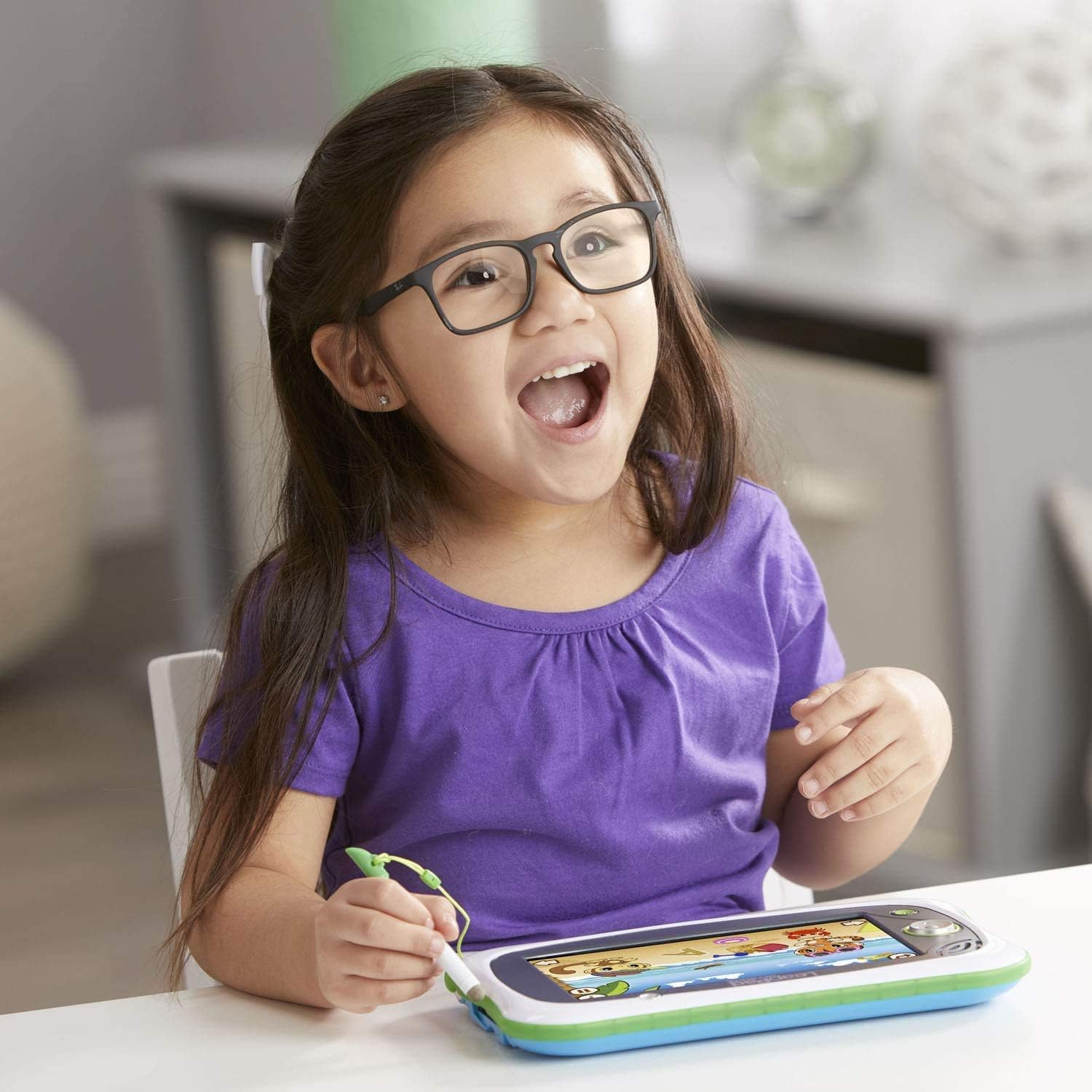
Figure 3: A child interacting with the LeapPad Ultimate using the tethered stylus.
5.3 Playing Games and Apps
Tap on any app icon from the home screen to launch it. Many games feature adaptive learning technology that adjusts difficulty based on your child's performance.

Figure 4: The tablet screen showing an interactive learning game with animal characters.
Funkce 5.4 fotoaparátu
The tablet includes a built-in camera. Tap the camera icon to access photo and video recording features. Children can take pictures and apply fun effects.

Figure 5: A child enjoying the LeapPad Ultimate in a relaxed setting.
6. Údržba
- Čištění: K čištění obrazovky a vnější strany tabletu používejte měkký, suchý hadřík. Nepoužívejte abrazivní čisticí prostředky ani rozpouštědla.
- Ochrana obrazovky: While the screen is shatter-safe, consider applying a screen protector to prevent scratches, especially with frequent stylus use.
- Péče o baterie: Chcete-li prodloužit životnost baterie, vyvarujte se častého úplného vybíjení baterie. Zařízení pravidelně nabíjejte.
- Skladování: Tabletu skladujte na chladném a suchém místě mimo dosah přímého slunečního záření a extrémních teplot.
7. Řešení problémů
- Zařízení se nezapíná: Ensure the tablet is fully charged. Connect it to a power source and try again.
- Obrazovka nereaguje: If the touchscreen is not responding, try restarting the device. If the issue persists, ensure the screen is clean and free from obstructions.
- Problémy s připojením Wi-Fi: Check your Wi-Fi router and ensure it is functioning correctly. Re-enter the Wi-Fi password on the tablet.
- Výkon aplikace: If an app is running slowly or crashing, try closing and reopening it. Ensure the tablet's software is up to date.
- Problémy se zvukem: Check the volume settings on the tablet. Ensure headphones are properly connected if in use.
8. Specifikace
| Funkce | Detail |
|---|---|
| Rozměry produktu | 0.98 x 9.41 x 5.96 palce |
| Hmotnost položky | 1 liber |
| Číslo modelu položky | 80-602000 |
| Výrobcem doporučený věk | 36 měsíců - 9 roky |
| Baterie | 1 lithium-polymerová baterie (součástí balení) |
| Kapacita paměti | 8 GB |
| Velikost obrazovky | 7 palce |
| Maximální rozlišení displeje | 1024x600 |
| Datum vydání | 1. března 2018 |
| Výrobce | V Tech |
9. Záruka a podpora
The LeapFrog LeapPad Ultimate typically includes a 2-year warranty from the manufacturer. For detailed warranty information, product support, or to access additional resources, please visit the official LeapFrog webwebu nebo kontaktujte jejich zákaznický servis. Více informací naleznete také na LeapFrog Store on Amazon.


