1. Konec produktuview
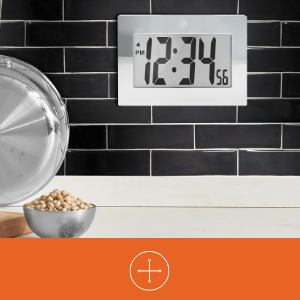
The MARATHON Large Digital Wall Clock (Model CL030064-BK-00-NA) is designed for clear time display with its high-contrast 7.5-inch LCD screen and large digits. This versatile clock can be used as a wall-mounted or desktop unit, suitable for various indoor environments such as offices, classrooms, labs, or homes. It includes an alarm function with snooze capability.

2. Bezpečnostní informace
- Nevystavujte hodiny extrémním teplotám, přímému slunečnímu záření ani vysoké vlhkosti.
- Zabraňte pádu hodinek na zem nebo jejich vystavení silným nárazům.
- Udržujte baterie mimo dosah dětí. Při požití okamžitě vyhledejte lékařskou pomoc.
- Dispose of used batteries according to local regulations. Do not mix old and new batteries or different types of batteries.
- Hodiny čistěte měkkým, suchým hadříkem. Nepoužívejte abrazivní čisticí prostředky ani rozpouštědla.
3. Obsah balení
- MARATHON Large Digital Wall Clock (Model CL030064-BK-00-NA)
- 3 x AAA baterie (předinstalované nebo přiložené samostatně)
4. Vlastnosti produktu
- Velký digitální displej: High-contrast 7.5-inch LCD with 3.5-inch digits for easy readability.
- Všestranné umístění: Integrated keyholes for wall mounting and a fold-out stand for desktop use.
- Budík s odložením: Features a loud, easy-to-set alarm with a snooze function.
- Provoz na baterie: Vyžaduje 3 baterie AAA (součástí balení).

5. Nastavení
5.1 Instalace baterie
- Najděte kryt přihrádky na baterie na zadní straně hodin.
- Kryt sejměte jeho posunutím dolů nebo zvednutím.
- Vložte 3 nové baterie AAA a dbejte na správnou polaritu (+ a -) vyznačenou uvnitř přihrádky.
- Nasaďte kryt prostoru pro baterie.
5.2 Identifying Control Buttons
On the back of the clock, you will find the following buttons:
- REŽIM: Used to switch between time display, alarm setting, and other modes.
- ALARM ON/OFF (Bell Icon): Aktivuje nebo deaktivuje alarm.
- UP (Triangle Up): Zvyšuje hodnoty během nastavování.
- DOWN (Triangle Down): Snižuje hodnoty během nastavování.
- PODŘIMOVAT: Located on the top or front, used to temporarily silence the alarm.
5.3 Nastavení času
- Stiskněte tlačítko MODE Jedním stisknutím tlačítka přejděte do režimu nastavení času. Číslice hodin budou blikat.
- Použijte UP or DOLŮ buttons to adjust the hour. Pay attention to AM/PM indicators.
- Stiskněte MODE znovu. Číslice minut budou blikat.
- Použijte UP or DOLŮ tlačítka pro nastavení minut.
- Stiskněte MODE a third time to confirm the time setting and return to normal display.
5.4 Nastavení alarmu
- Z běžného zobrazení času stiskněte tlačítko MODE button twice to enter alarm setting mode. The alarm hour digits will flash, and an alarm icon (bell) may appear.
- Použijte UP or DOLŮ tlačítka pro nastavení hodiny budíku.
- Stiskněte MODE again. The alarm minute digits will flash.
- Použijte UP or DOLŮ tlačítka pro nastavení minut budíku.
- Stiskněte MODE a third time to confirm the alarm setting.
- Chcete-li aktivovat budík, stiskněte tlačítko ALARM ZAPNUTO / VYPNUTO button. The alarm icon will remain visible on the display. Press it again to deactivate.
5.5 Možnosti montáže
The clock offers two convenient placement options:
- Montáž na stěnu: Use the integrated keyholes on the back of the clock to hang it securely on a wall hook or screw.
- Umístění na počítači: Extend the fold-out stand located on the back of the clock to place it on any flat surface.

6. Návod k obsluze
6.1 Using the Alarm and Snooze
- Když zazní alarm, stiskněte PODŘIMOVAT button (usually located on the top of the clock) to temporarily silence it. The alarm will sound again after a few minutes (typically 5-10 minutes).
- Chcete-li budík úplně vypnout, stiskněte tlačítko ALARM ZAPNUTO / VYPNUTO button on the back of the clock. The alarm icon will disappear from the display.
7. Údržba
7.1 Výměna baterie
When the display becomes dim or the clock stops functioning, it is time to replace the batteries. Follow the battery installation steps in Section 5.1.
7.2 Čištění
Wipe the clock's surface with a soft, dry, or slightly damp cloth. Do not use chemical cleaners, as they may damage the finish or display.
8. Řešení problémů
| Problém | Možná příčina | Řešení |
|---|---|---|
| Displej je prázdný nebo tmavý. | Slabé nebo vybité baterie. Nesprávná instalace baterií. | Vyměňte baterie za nové baterie AAA a dbejte na správnou polaritu. |
| Čas je nesprávný. | Čas nebyl správně nastaven. | Refer to Section 5.3 to reset the time. |
| Alarm se nespustí. | Budík není aktivován. Čas budíku je nesprávný. | Ensure the alarm icon is visible on the display (press ALARM ON/OFF button). Verify the alarm time setting (Section 5.4). |
| Funkce odložení buzení nefunguje. | Snooze button not pressed during alarm. | Press the SNOOZE button when the alarm is actively sounding. |
9. Specifikace
| Funkce | Detail |
|---|---|
| Značka | MARATHON |
| Číslo modelu | CL030064-BK-00-NA |
| Typ zobrazení | Digitální LCD |
| Velikost displeje | 7.5 palců (úhlopříčka) |
| Výška číslic | 3.5 palců (9 cm) |
| Rozměry produktu (Š x V) | 9 palce x 6.5 palců (23 cm x 16.5 cm) |
| Zdroj napájení | 3 x AAA baterie (součástí balení) |
| Typ montáže | Wall Mount, Desk Clock |
| Speciální funkce | Alarm with Snooze, Integrated Keyholes, Fold-out Stand |
| Materiál rámu | Akrylonitril-butadien-styren |
| Barva | Černý |
| Vnitřní/venkovní použití | Krytý |
| Hmotnost položky | 11.2 unce (318 gramů) |

10. Záruka a podpora
10.1 Informace o záruce
This MARATHON product comes with a Limited Warranty. For specific details regarding the warranty period and coverage, please refer to the warranty card included with your purchase or contact MARATHON customer support.
10.2 Zákaznická podpora
If you encounter any issues or have questions about your MARATHON Large Digital Wall Clock that are not addressed in this manual, please contact MARATHON customer support. Contact information can typically be found on the product packaging or the official MARATHON webmísto.


