1. Úvod
This manual provides essential information for the safe and effective operation of your Holmes Desktop HEPA-Type Air Purifier, Model HAP242B-U. This air purifier is designed to improve indoor air quality by capturing airborne particles and reducing odors in small rooms.
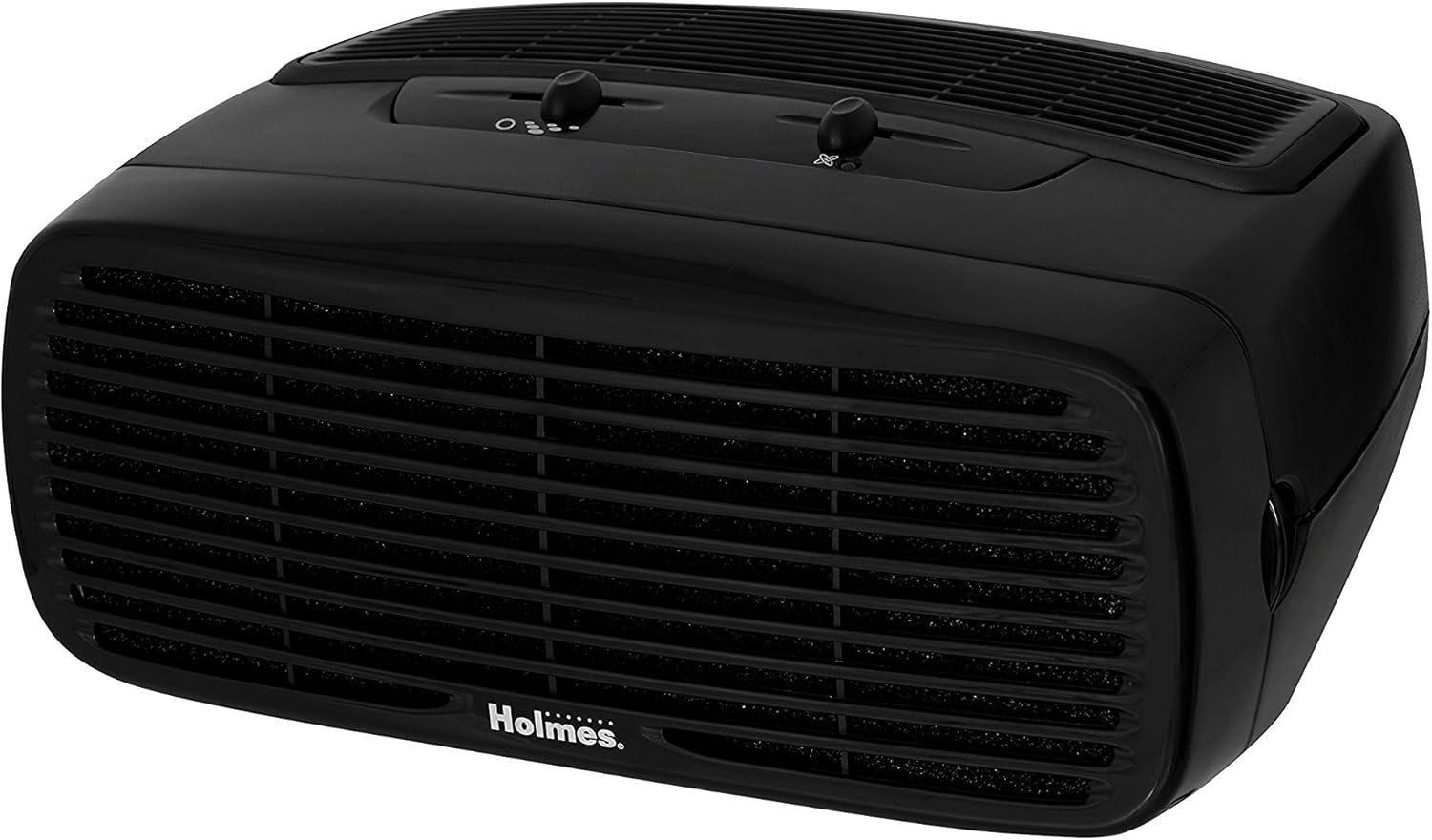
Figure 1: Holmes Desktop HEPA-Type Air Purifier (HAP242B-U)
2. Vlastnosti produktu
- HEPA-Type Filtration: Captures up to 99% of airborne particles as small as 2 microns, including pollen, dust, mold, pet dander, and smoke.
- Optional Ionizer: Helps bind negative ions to airborne particles, making them easier to capture and assisting in odor reduction.
- Tři nastavení rychlosti: Allows for customizable airflow and purification intensity.
- Kompaktní design: Suitable for rooms up to 109 sq. ft. and can be positioned vertically or horizontally.
- Tichý provoz: Designed to operate quietly, especially on lower settings.
3. Nastavení
- Rozbalte jednotku: Opatrně vyjměte čističku vzduchu z obalu.
- Odstraňte ochranný obal: Open the front grille by pressing the release tabs (if applicable) or gently pulling the cover. Remove any plastic bags or protective materials from the filter(s).
- Instalace filtru: Insert the HEPA-Type filter into the designated slot. Ensure it is seated correctly.
- Replace Front Grille: Securely close the front grille until it clicks into place.
- Umístění jednotky: Place the air purifier on a flat, stable surface. It can be positioned either vertically or horizontally. Ensure there is adequate space around the air intake and outlet for optimal airflow.
- Připojit: Zapojte napájecí kabel do standardní elektrické zásuvky.

Figure 2: Airflow and Filter System Diagram
4. Návod k obsluze
- Zapnutí/vypnutí: Turn the fan speed dial to the desired setting (1, 2, or 3) to power on the unit. Turn the dial to 'Off' to power off.
- Upravte rychlost ventilátoru: Vyberte si ze tří rychlostí ventilátoru:
- Rychlost 1 (nízká): For quiet operation and continuous use.
- Rychlost 2 (střední): For general air purification.
- Rychlost 3 (vysoká): For rapid air purification.
- Activate Ionizer (Optional): Locate the ionizer switch on the control panel. Slide the switch to the 'On' position to activate the ionizer. An indicator light will illuminate when the ionizer is active. Slide to 'Off' to deactivate.

Obrázek 3: Ovládací panel
5. Údržba
Výměna filtru
The HEPA-Type filter should be replaced approximately every 3 to 6 months, depending on usage and air quality. The unit may have a filter indicator light to signal when replacement is needed.
- Vypnutí a odpojení: Ensure the air purifier is turned off and unplugged from the electrical outlet.
- Demontáž přední mřížky: Gently press the release tabs or pull the front grille to detach it from the main unit.
- Odstraňte starý filtr: Carefully pull out the used HEPA-Type filter. Dispose of the old filter responsibly.
- Instalace nového filtru: Insert a new Holmes HEPA-Type filter (Model HAPF30AT-U or compatible) into the unit. Ensure the filter is oriented correctly according to the arrows on the filter frame.
- Replace Front Grille: Reattach the front grille, ensuring it snaps securely into place.
- Indikátor resetování filtru (pokud je k dispozici): If your unit has a filter reset button, press and hold it for a few seconds until the indicator light turns off.

Figure 4: Replacement HEPA-Type Filter
Čištění exteriéru
- Vnější povrchy otřete měkkým, damp tkanina. Nepoužívejte abrazivní čisticí prostředky nebo rozpouštědla.
- Před opětovným zapojením se ujistěte, že je jednotka zcela suchá.
6. Řešení problémů
| Problém | Možná příčina | Řešení |
|---|---|---|
| Jednotka se nezapne. | Není zapojeno do zásuvky; výpadek napájenítage; fan speed dial is off. | Ensure unit is securely plugged into a working outlet; check circuit breaker; turn fan speed dial to 1, 2, or 3. |
| Snížený průtok vzduchu nebo špatné čištění. | Clogged filter; unit placed too close to walls or furniture. | Replace the HEPA-Type filter; ensure adequate clearance around the unit. |
| Neobvyklý hluk. | Filtr není správně nainstalován; uvnitř jednotky je cizí předmět. | Check filter installation; unplug unit and inspect for obstructions. |
| Zápach přetrvává. | Ionizer off; filter needs replacement. | Ensure ionizer is on; replace the HEPA-Type filter. |
7. Specifikace
| Funkce | Detail |
|---|---|
| Číslo modelu | HAP242B-U |
| Značka | HOLMES |
| Barva | Černý |
| Rozměry produktu | 7.2"H x 14.6"Š x 11.3"V |
| Hmotnost položky | 5.79 libry |
| Wattage | 45 wattů |
| Úroveň hluku | 70 decibelů |
| Třída filtru | Typ HEPA |
| CADR | 70 (Clean Air Delivery Rate) |
| Doporučená velikost pokoje | Až 109 čtverečních stop. |
| Typ ovladače | Ovládání tlačítkem |
| Speciální funkce | Programovatelné |
8. Záruka a podpora
This Holmes Desktop HEPA-Type Air Purifier (Model HAP242B-U) comes with a 3letá omezená záruka od data nákupu. Tato záruka se vztahuje na vady materiálu a zpracování při běžném používání v domácnosti.
For warranty claims, technical support, or replacement parts, please contact Holmes customer service. Refer to the product packaging or the official Holmes webstránky s nejaktuálnějšími kontaktními informacemi.
Uschovejte si prosím doklad o koupi pro účely záruky.


