1. Úvod
This manual provides detailed instructions for the safe and correct installation and use of your One For All WM6211 Ultra-Slim Fixed TV Wall Mount. This mount is designed to securely hold televisions with screen sizes ranging from 13 to 42 inches and a maximum weight of 40 kg (88 lbs). It offers a fixed mounting solution with a minimal wall distance of only 13 mm, suitable for LED, LCD, and Plasma TVs.
Před zahájením instalace si prosím pečlivě přečtěte tento návod a uschovejte si jej pro budoucí použití.
2. Bezpečnostní informace
- Ujistěte se, že konstrukce stěny unese celkovou hmotnost držáku a televizoru. V případě nejistoty se poraďte s odborníkem.
- Nepřekračujte maximální nosnost 40 kg (88 liber).
- Use only the provided mounting hardware or appropriate hardware for your specific wall type.
- Always use a spirit level to ensure the mount is installed horizontally.
- Udržujte děti a domácí zvířata mimo dosah místa instalace.
- Improper installation can result in serious injury or damage to property.
3. Obsah balení
Verify that all components are present before starting the installation. The package for the One For All WM6211 TV Wall Mount includes:
- One For All WM6211 TV Wall Mount bracket
- Mounting hardware kit (screws, wall plugs, spacers)
- Návod k použití
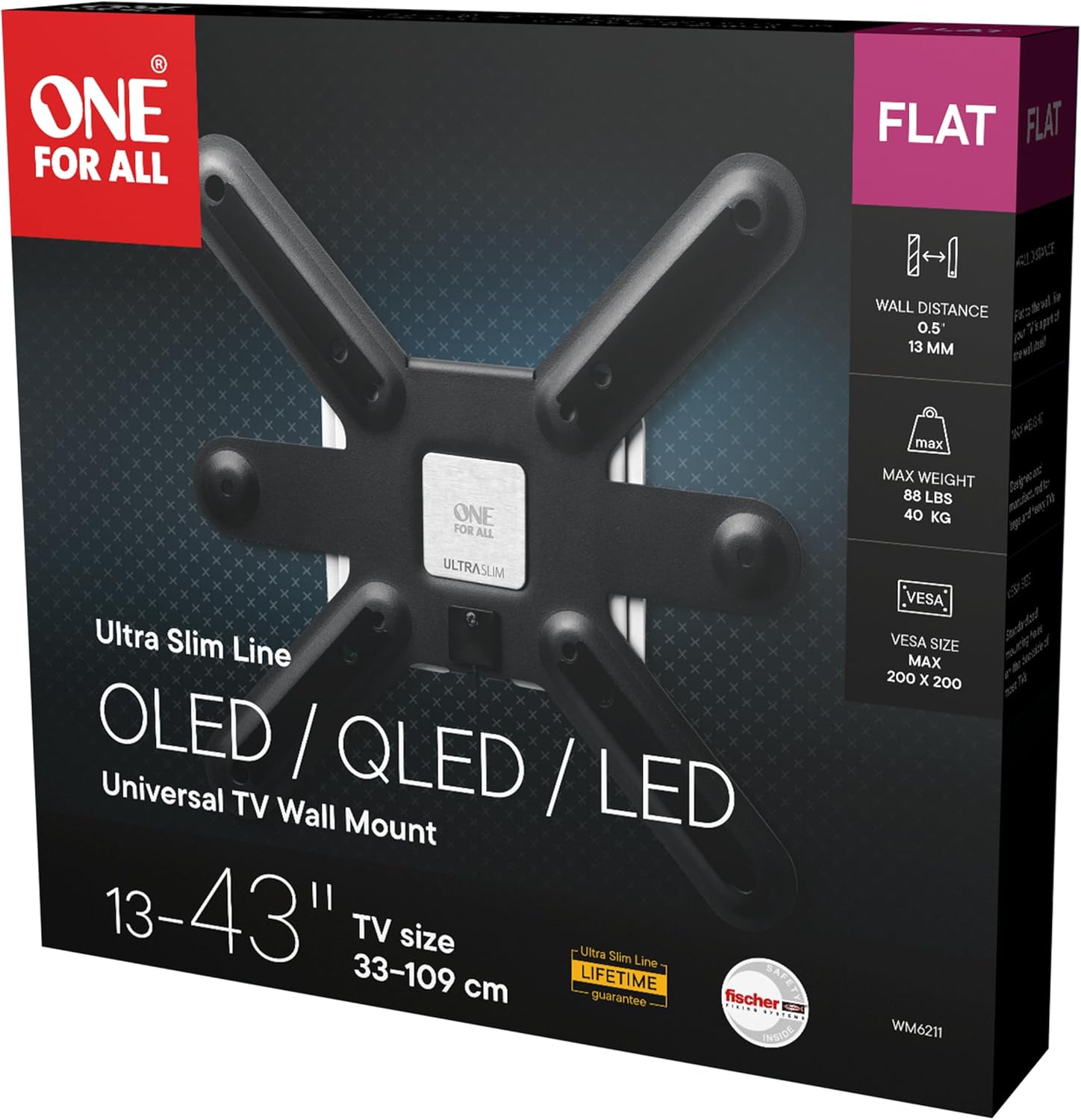
Image: The retail packaging for the One For All WM6211 TV Wall Mount, showing the product name, features, and specifications.
4. Specifikace
| Značka | Jeden za všechny |
| Číslo modelu | WM6211 |
| Typ produktu | Pevný držák TV na stěnu |
| Kompatibilní zařízení | Televisions (LED, LCD, Plasma) |
| Kompatibilita velikosti obrazovky | 13 - 42 palce |
| Maximální nosnost | 40 kg (88 lb) |
| Kompatibilita VESA | 75x75, 100x100, 200x100, 200x200 mm |
| Vzdálenost od zdi | 13 mm |
| Typ montáže | Držák na zeď |
| Typ pohybu | Opraveno |
| Materiál | Kov |
| Barva | Černý |
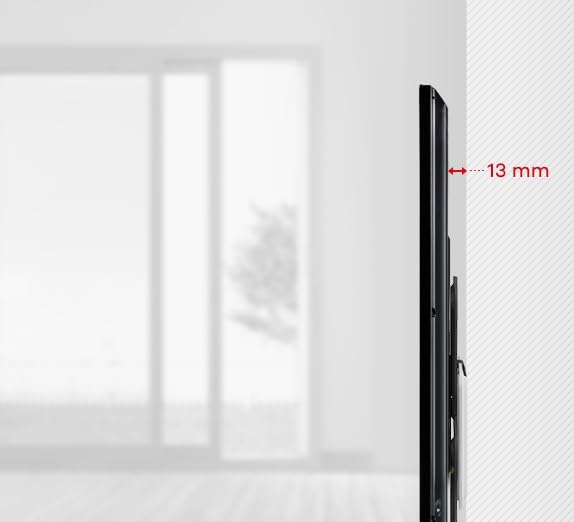
Obrázek: Vedlejší profesionálfile view illustrating the ultra-slim 13 mm distance between the mounted television and the wall.
5. Nastavení a instalace
Follow these steps carefully to install your TV wall mount.
5.1 Prepare the TV Mount

Obrázek: Přední strana view of the One For All WM6211 TV Wall Mount, showing the central mounting plate and four arms for VESA compatibility.
- Vybalte všechny součásti a ověřte je podle seznamu obsahu balení.
- Identify the VESA mounting holes on the back of your television. The WM6211 supports VESA patterns: 75x75, 100x100, 200x100, and 200x200 mm.
- Attach the TV mount arms to the back of your television using the appropriate screws and spacers from the hardware kit. Ensure they are securely fastened.
5.2 Mark Drilling Positions
- Determine the desired height for the top of your television.
- Hold the wall plate of the mount against the wall at the desired position.
- Use a spirit level to ensure the mount is perfectly horizontal.
- Označte si body pro vrtání skrz otvory na nástěnné desce.

Obrázek: Detailní záběr view of a small spirit level integrated into or placed on the TV mount, indicating proper horizontal alignment during installation.
5.3 Drill Holes and Secure Wall Plate
- Drill holes at the marked positions using an appropriate drill bit for your wall type (e.g., concrete, brick, wood stud).
- Vložte hmoždinky (pokud jsou pro váš typ zdi vyžadovány) do vyvrtaných otvorů.
- Připevněte nástěnnou desku ke zdi pomocí dodaných šroubů. Ujistěte se, že je pevně připevněna a vodorovná.
5.4 Montáž televizoru
- Carefully lift the television (with the attached mount arms) and align the arms with the wall plate.
- Hook the television onto the wall plate. The mount features an automatic lock-and-release mechanism for secure attachment.
- Gently push the bottom of the TV towards the wall until it clicks into place, indicating it is securely locked.
6. Provoz
The One For All WM6211 mount is designed for fixed positioning. Once installed, your TV will remain in a static position, 13 mm from the wall.
6.1 Detaching the Television
To remove the television from the wall mount:
- Locate the pull cords extending from the bottom of the mount behind the TV.
- Gently pull the cords downwards to disengage the locking mechanism.
- With the locking mechanism disengaged, carefully lift the television off the wall plate. It is recommended to have assistance when detaching the TV.
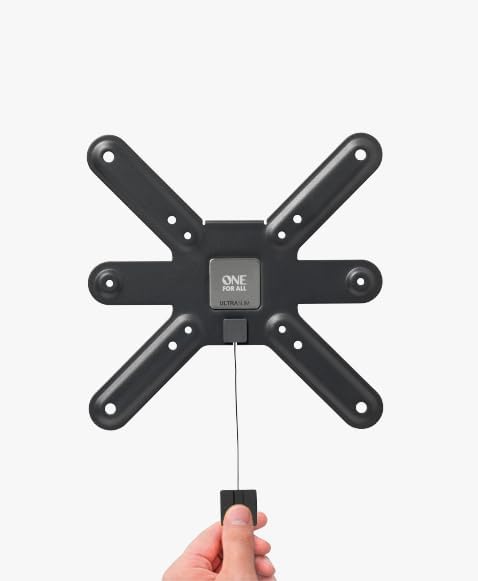
Image: A hand demonstrating the use of the pull cord mechanism, which is used to release the television from the wall mount for removal.
7. Údržba
- Pravidelně kontrolujte všechny šrouby a spoje, abyste se ujistili, že jsou pevně utažené a bezpečné.
- Držák čistěte měkkým, suchým hadříkem. Nepoužívejte abrazivní čisticí prostředky ani rozpouštědla.
- Do not hang objects from the mount or apply excessive force to the television while it is mounted.
8. Řešení problémů
- Televizor není vodorovně: Ensure the wall plate was installed perfectly horizontally using a spirit level. If not, detach the TV, adjust the wall plate, and re-mount.
- TV not locking into place: Verify that the TV mount arms are correctly aligned with the wall plate and that no obstructions prevent the locking mechanism from engaging. Ensure the pull cords are not accidentally engaged.
- Difficulty detaching TV: Ensure the pull cords are fully engaged to release the locking mechanism. Do not force the TV off the mount.
- Držák se zdá být nestabilní: Re-check all wall plate screws and TV arm screws for tightness. Ensure the wall structure is adequate for the weight.
9. Záruka a podpora
One For All products are designed for durability and reliability. For specific warranty information, please refer to the documentation included with your purchase or visit the official One For All webmísto.
For additional installation assistance, you may consult the free One For All application, which provides practical installation aids.
If you encounter any issues not covered in this manual, please contact One For All customer support through their official channels.


