Zavedení
This manual provides comprehensive instructions for the VTech Two-Line Expandable Cordless Phone with Answering System, model DS6151. It covers setup, operation, maintenance, and troubleshooting to ensure optimal performance and user experience. This system is designed for homes and small offices requiring two telephone lines and features an integrated digital answering system and expandable cordless handsets.
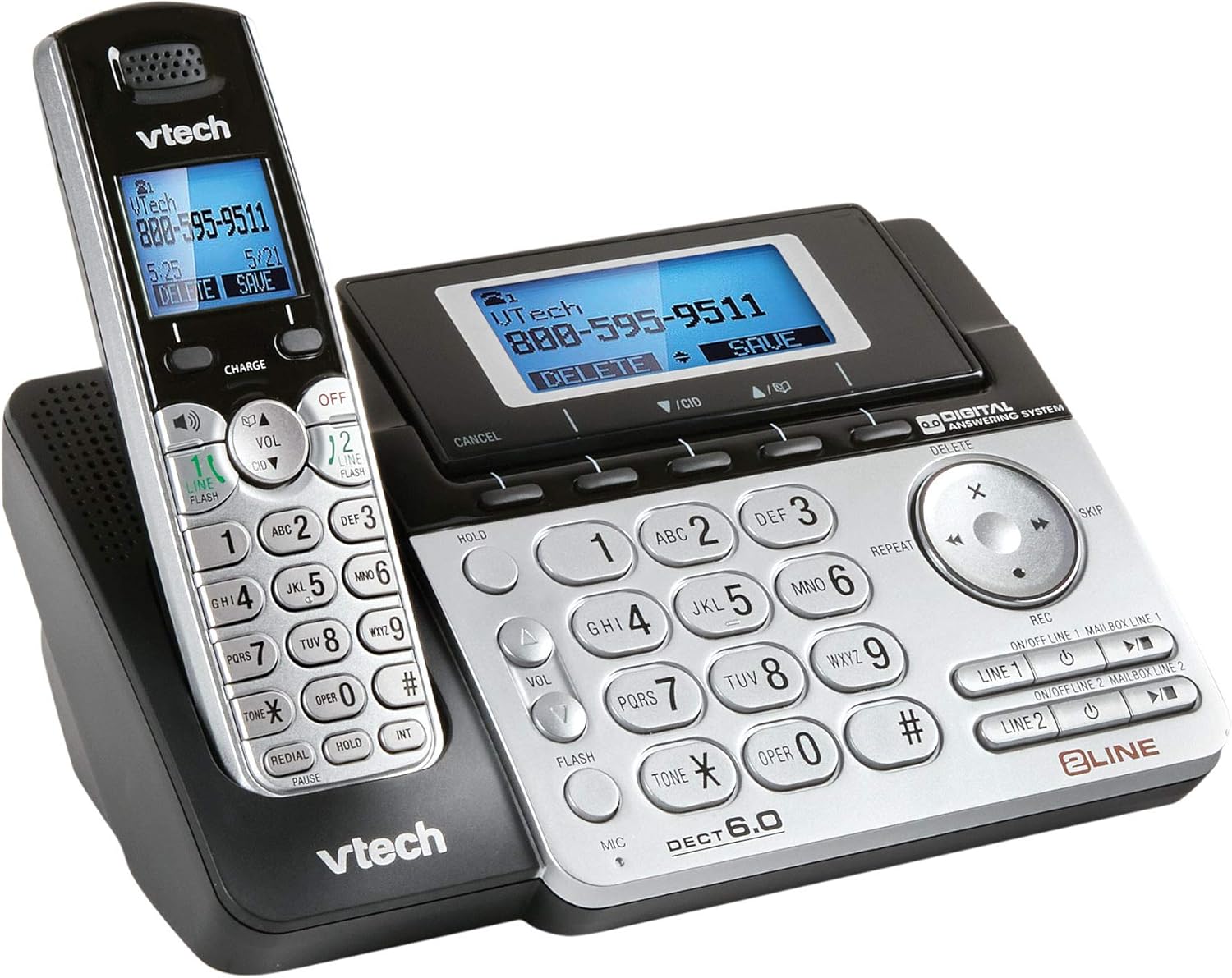
Image 1: The VTech Two-Line Expandable Cordless Phone System, showing the base unit and a cordless handset.
Obsah balení
Ověřte, zda váš balíček obsahuje následující položky:
- Bezdrátové sluchátko(a)
- Základní jednotka
- AC napájecí adaptér pro základní jednotku
- Telephone Line Cords (2)
- Rechargeable Battery Pack(s) for Handset(s)
- Handset Battery Compartment Cover(s)
- Držák pro montáž na stěnu (volitelný)
- Uživatelská příručka (tento dokument)
Nastavení
1. Připojení základní jednotky
- Connect the small end of the AC power adapter to the power jack on the back of the base unit.
- Zapojte větší konec napájecího adaptéru do standardní elektrické zásuvky.
- Position the power cord to prevent tripping hazards.
2. Installing Handset Batteries
- Otevřete kryt přihrádky na baterie na zadní straně bezdrátového sluchátka.
- Bezpečně zapojte zástrčku bateriového bloku do zdířky uvnitř přihrádky.
- Place the battery pack with the label UP, as indicated.
- Replace the battery compartment cover, sliding it into place until it clicks.

Image 2: The VTech phone system from a different angle, highlighting the handset and base unit design.
3. Nabíjení sluchátka
Place the cordless handset in the base unit with the display facing up. The CHARGE light on the handset will illuminate, indicating proper charging. Allow the handset to charge for at least 16 hours before initial use.
4. Connecting Telephone Lines
- Plug one end of the first telephone line cord into the LINE 1 jack on the back of the base unit.
- Plug the other end of the cord into a telephone wall jack.
- Repeat for the second telephone line, connecting it to the LINE 2 jack and another telephone wall jack.
- Ujistěte se, že jsou všechna připojení bezpečná.
Návod k obsluze
Základní funkce volání
- Uskutečnění hovoru: Stiskněte ŘÁDEK 1 or ŘÁDEK 2a poté vytočte číslo.
- Přijetí hovoru: Stiskněte HOVOR / FLASH or any line button when the phone rings.
- Ukončení hovoru: Stiskněte VYPNUTO/VYMAZAT or place the handset in the base.
- Hlasitý telefon: Během hovoru stiskněte REPRODUKTOR pro aktivaci nebo deaktivaci hlasitého odposlechu.
- Držet: Stiskněte DRŽET to place an active call on hold. Press the corresponding line button to resume.
Two-Line Operation
The system supports two independent telephone lines. You can switch between lines or use both simultaneously for conference calls.
- Switching Lines: During an active call on one line, press the other ČÁRA button to answer an incoming call or make a new call on that line. The first call will be put on hold automatically.
- Konferenční hovor: With two active calls (one on hold), press KONF (if available) or follow on-screen prompts to join both calls.
Odpovídací systém
The integrated digital answering system records messages for both lines.
- Zapnutí/vypnutí: Stiskněte ANS ON/OFF on the base unit or through the handset menu.
- Přehrávání zpráv: Stiskněte PLAY/STOP on the base unit or access through the handset menu.
- Nahrávání pozdravu: Access the "Greeting" option in the answering system menu on the handset or base.
- Mazání zpráv: Stiskněte VYMAZAT during message playback or through the handset menu.
Directory/Phonebook
Uložte si často volaná čísla pro rychlou volbu.
- Přidání záznamu: Navigate to the "Directory" menu, select "Add New Entry," and follow the prompts to enter a name and number.
- Volba z adresáře: Stiskněte DIR, scroll to the desired entry, and press HOVOR / FLASH nebo a ČÁRA tlačítko.
ID volajícího
Requires subscription to Caller ID service from your telephone service provider.
- ReviewZáznam ID volajícího: Stiskněte CID or TELEFONNÍ ZÁZNAM na view nedávné hovory.
- Volání zpět: Select an entry from the Caller ID log and press HOVOR / FLASH nebo a ČÁRA tlačítko.
Údržba
Čištění telefonu
Wipe the phone and base unit with a soft, slightly damp hadříkem. Nepoužívejte čisticí spreje ani agresivní chemikálie, protože by mohly poškodit povrchovou úpravu nebo elektrické součástky.
Péče o baterie
- Use only the supplied or approved replacement battery packs.
- Nevhazujte baterie do ohně; mohou explodovat.
- Do not open or mutilate the battery. Released electrolyte is corrosive and may cause burns or injury.
- Remove the battery if the phone is not used for extended periods.
Odstraňování problémů
| Problém | Řešení |
|---|---|
| Žádný oznamovací tón. |
|
| Sluchátko se nenabíjí. |
|
| Špatná kvalita zvuku. |
|
| Záznamník nezaznamenává zprávy. |
|
Specifikace
- Rozměry produktu: 4.7 x 5.7 x 8.9 palce
- Hmotnost položky: 1.4 libry
- Číslo modelu: DS6151
- Baterie: 2 AA batteries required (for handset)
- Typ telefonu: Bezdrátový
- Počet řádků: Two-Line Operation
- Typ systému odpovědí: Digitální
- Zdroj napájení: Elektrický kabel (pro základní jednotku)
- Typ vytáčení: Jedna klávesnice
- Kompatibilní zařízení: Two phone lines, answering machines, multiple cordless handsets, computers, VoIP services, fax machines
- Datum první dostupnosti: 21. listopadu 2013
Záruka a podpora
For detailed warranty information, please refer to the warranty card included with your product or visit the official VTech webweb. Pro technickou podporu, registraci produktu nebo zakoupení příslušenství navštivte www.vtechphones.com or contact VTech customer service.
Důležité: Tento výrobek obsahuje chemikálie, o kterých je ve státě Kalifornie známo, že způsobují rakovinu a vrozené vady nebo jiné reprodukční poškození. Zacházejte s ním opatrně a dodržujte bezpečnostní pokyny.


