1. Úvod
The YI 4K Action Camera is designed to capture high-quality video and photos in various environments. Featuring advanced technology such as 4K/30fps video recording, 12MP raw image capture, Electronic Image Stabilization (EIS), and voice control, it offers versatility and ease of use for all your adventures.
This manual provides detailed instructions on setting up, operating, maintaining, and troubleshooting your YI 4K Action Camera.

Figure 1.1: YI 4K Action Camera Overview
2. Obsah balení
Ověřte, zda jsou v balení přítomny všechny položky:
- 1x YI 4K Action Camera
- 1x dobíjecí baterie
- 1x USB kabel
- 1x Uživatelská příručka
3. Fotoaparát skončilview
Seznamte se s komponenty a ovládacími prvky fotoaparátu.
3.1. Přední a zadní View
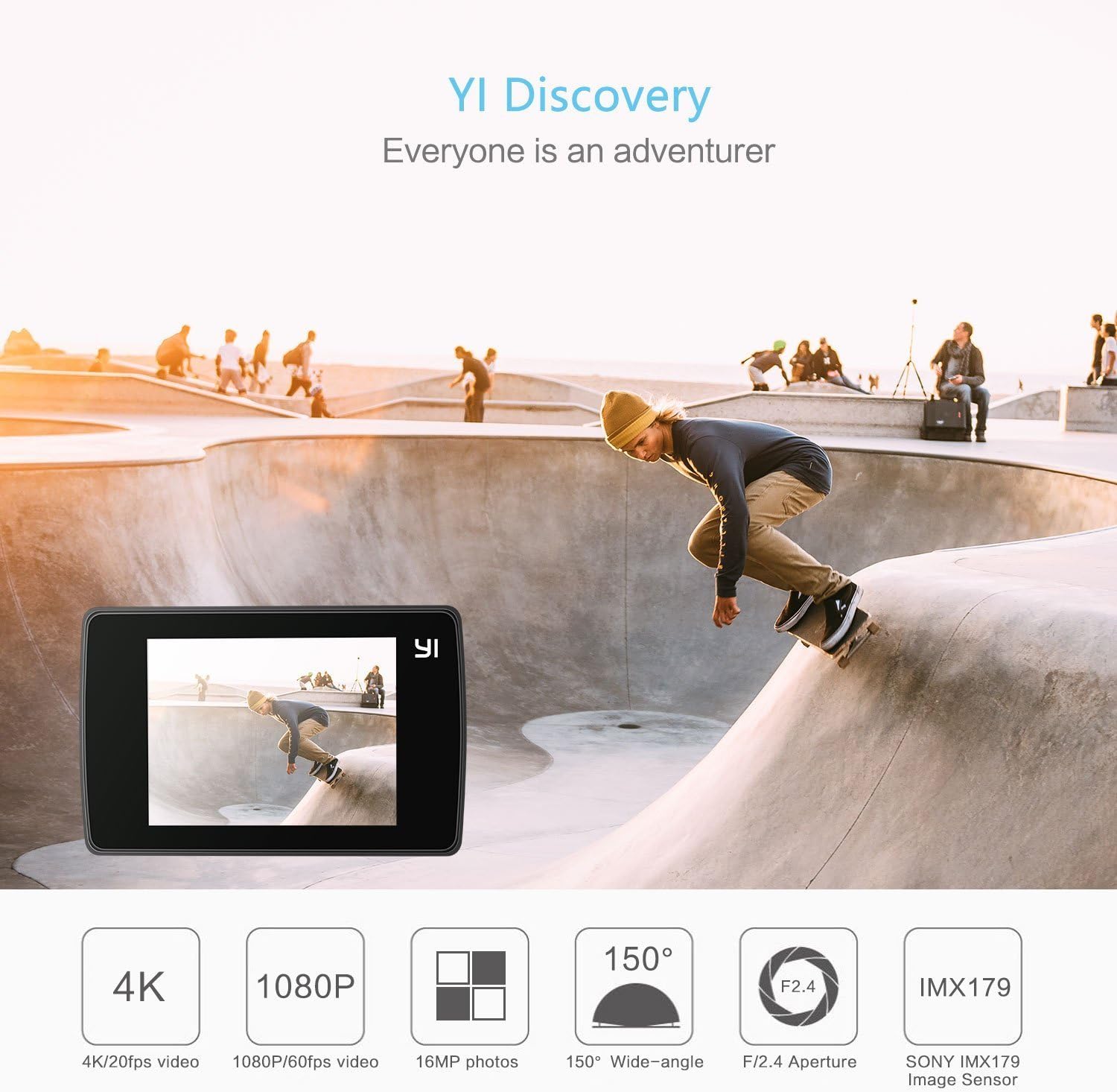
Obrázek 3.1: Přední strana View s klíčovými vlastnostmi
The front features the lens, status indicator light, and microphone. The rear is dominated by the 2.2-inch LCD touchscreen for intuitive control.
3.2. Dotykové rozhraní

Figure 3.2: Touchscreen Operation
The touchscreen allows for easy navigation through settings, previewing footage, and initiating recording. It is made with Gorilla Glass Retina for durability.
3.3. Porty a tlačítka
- Power/Shutter Button: Located on top, used to power on/off the camera and start/stop recording or take photos.
- Micro USB port: Located on the side, used for charging and data transfer.
- Slot pro microSD kartu: Located at the bottom, for inserting the memory card.
- Přihrádka na baterie: Located at the bottom, for inserting the rechargeable battery.
- Držák na stativ: Standard 1/4" thread on the bottom for mounting accessories.
4. Počáteční nastavení
4.1. Nabíjení baterie
Before first use, fully charge the included rechargeable lithium-ion battery.
- Otevřete kryt přihrádky na baterie na spodní straně fotoaparátu.
- Insert the battery into the compartment, ensuring correct orientation.
- Bezpečně zavřete kryt bateriového prostoru.
- Connect the camera to a USB power source (e.g., computer, wall adapter) using the provided USB cable. The status indicator light will show charging status.

Obrázek 4.1: Vložení baterie
4.2. Vložení karty MicroSD
A MicroSD card (not included) is required to store videos and photos. Use a high-speed card (Class 10 or UHS-I/UHS-3 recommended) for optimal performance.
- Ujistěte se, že je fotoaparát vypnutý.
- Locate the MicroSD card slot on the bottom of the camera.
- Vložte kartu MicroSD kontakty dolů, dokud nezacvakne na místo.
- Chcete-li kartu vyjmout, jemně ji zatlačte, dokud nezaklapne, a poté ji uvolněte.
5. Ovládání fotoaparátu
5.1. Zapnutí/vypnutí
- Zapnutí: Press and hold the Power/Shutter button for a few seconds until the screen turns on.
- Vypnout: Press and hold the Power/Shutter button for a few seconds until the screen turns off.
5.2. Nahrávání videí a pořizování fotografií
Once powered on, the camera defaults to video recording mode. You can switch between modes using the touchscreen.
- Spustit nahrávání: In video mode, press the Power/Shutter button once. The recording indicator will flash.
- Zastavit nahrávání: Press the Power/Shutter button again.
- Vyfotit: Switch to photo mode via the touchscreen, then press the Power/Shutter button once.
5.3. Režimy fotografování
The YI 4K Action Camera offers various shooting modes to suit different scenarios:

Figure 5.1: Available Shooting Modes
- Video: Standard video recording (up to 4K/30fps).
- Fotografie: Single photo capture (up to 12MP).
- Časová prodleva: Captures a series of photos at set intervals to create a video.
- Zpomalený pohyb: Records high frame rate video for slow-motion playback.
- Burst: Captures multiple photos in quick succession.
- Časovač: Sets a delay before taking a photo.
5.4. Connecting to the YI Action App (Wi-Fi)
The YI Action App allows for remote control, live preview, and easy sharing of content.

Figure 5.2: Wi-Fi Connection for App Control
- Download the YI Action App from your smartphone's app store.
- On the camera, enable Wi-Fi through the touchscreen settings.
- On your smartphone, connect to the camera's Wi-Fi network (SSID and password displayed on the camera screen).
- Open the YI Action App to connect and control your camera.

Figure 5.3: YI Action App Interface
5.5. Hlasové ovládání
The camera supports voice commands for hands-free operation. Ensure the latest firmware is installed to enable this feature.
- Specific voice commands can be found in the camera's settings menu or the YI Action App.
5.6. Elektronická stabilizace obrazu (EIS)
EIS helps to stabilize video footage, reducing shakiness. This feature is available for certain resolutions and frame rates (e.g., up to 2.7K/60fps).
- Enable or disable EIS through the camera's settings menu on the touchscreen.
6. Údržba a péče
- Čištění: Use a soft, lint-free cloth to clean the camera body and lens. Do not use harsh chemicals or abrasive materials.
- Skladování: Store the camera in a cool, dry place away from direct sunlight and extreme temperatures. Remove the battery if storing for extended periods.
- Vystavení vodě: The camera itself is not waterproof. Use a compatible waterproof case (sold separately) for underwater use.
- Aktualizace firmwaru: Regularly check for and install firmware updates via the YI Action App or YI Technology webwebu, aby byl zajištěn optimální výkon a přístup k novým funkcím.
7. Řešení problémů
If you encounter issues with your YI 4K Action Camera, refer to the table below for common problems and solutions.
| Problém | Možné řešení |
|---|---|
| Fotoaparát se nezapne. | Ensure the battery is fully charged. Reinsert the battery. |
| Chyba karty MicroSD. | Use a high-speed (Class 10/UHS-I/UHS-3) MicroSD card. Format the card in the camera's settings. Try a different card. |
| Problémy s připojením k Wi-Fi. | Ensure Wi-Fi is enabled on the camera. Restart both camera and smartphone. Check Wi-Fi password. |
| Špatná kvalita videa/fotek. | Clean the lens. Ensure sufficient lighting. Adjust exposure settings. Update firmware. |
| Baterie se rychle vybíjí. | Reduce screen brightness. Turn off Wi-Fi/Bluetooth when not in use. Limit continuous recording time. |
8. Specifikace
Key technical specifications for the YI 4K Action Camera:
| Funkce | Detail |
|---|---|
| Rozměry produktu | 2.6 x 1.7 x 1.2 palce |
| Hmotnost položky | 3.36 unce |
| Číslo modelu | 90003 |
| Baterie | Vyžadovány 1 lithium -polymerové baterie (součástí balení) |
| Technologie fotosenzoru | CMOS |
| Rozlišení záznamu videa | 4K |
| Maximální ohnisková vzdálenost | 10 milimetrů |
| Maximální clona | 2.8 milimetrů |
| Typ paměti Flash | Micro SD |
| Formát záznamu videa | AVI |
| Podporovaný formát zvuku | AAC |
| Velikost obrazovky | 2.2 palce |
| Technologie připojení | Bluetooth, Wi-Fi 4 (802.11n) |

Figure 8.1: Camera Dimensions
9. Záruka a podpora
The YI 4K Action Camera comes with a standard manufacturer's warranty. For detailed warranty terms and conditions, please refer to the warranty card included in your package or visit the official YI Technology webmísto.
For further assistance, technical support, or to download the full user guide in PDF format, please visit the YI Technology support page or refer to the official user manual: