Zavedení
This manual provides detailed instructions for the installation, operation, and maintenance of your TECKNET Wireless Doorbell (Model HDB01806). Please read this manual thoroughly before using the product to ensure proper function and longevity. This doorbell system offers a convenient and reliable solution for your home or office.
Konec produktuview
The TECKNET Wireless Doorbell is a battery-free, waterproof doorbell system designed for ease of use and reliability. It features a plug-in receiver with an integrated EU socket, a self-powered transmitter, multiple ringtones, and adjustable volume levels. The system is engineered to provide a stable wireless connection over a significant range.

Image: The TECKNET Wireless Doorbell system, showing the plug-in receiver with an integrated socket and the sleek, white transmitter unit.
Co je zahrnuto
Po otevření balení se prosím ujistěte, že jsou přítomny všechny následující komponenty:
- 1 x TECKNET Wireless Doorbell Receiver (Plug-in unit)
- 1 x TECKNET Wireless Doorbell Transmitter (Push button unit)
- Mounting Accessories (Screws, anchors, double-sided adhesive tape)
- 1 x Uživatelská příručka
Klíčové vlastnosti
- Plug-in Receiver with Integrated Socket: The receiver plugs directly into a standard EU wall socket and includes a pass-through socket, ensuring no power outlet is lost.
- Battery-Free Transmitter (Self-Powered): The transmitter generates its own power when pressed, eliminating the need for batteries and reducing environmental impact.
- Digital Code System: Utilizes a digital code system to prevent interference from other wireless devices, ensuring reliable operation.
- Rozšířený bezdrátový dosah: Offers a wireless range of up to 400 meters (1300 feet) in open areas, suitable for large homes or properties.
- 32 Selectable Ringtones: Choose from a variety of 32 melodies to personalize your doorbell sound.
- 5 nastavitelných úrovní hlasitosti: Adjust the volume from 25 dB to 90 dB to suit your preference and environment.
- Visual LED Signal: A blue LED light flashes on the receiver when the doorbell is pressed, providing a visual alert, especially useful in noisy environments or for individuals with hearing impairments.
- Vodotěsný vysílač IP65: The transmitter is rated IP65 waterproof, making it suitable for outdoor installation and resistant to dust and water splashes.

Image: The receiver unit plugged into a wall socket, demonstrating the integrated pass-through socket for continued use of the power outlet.
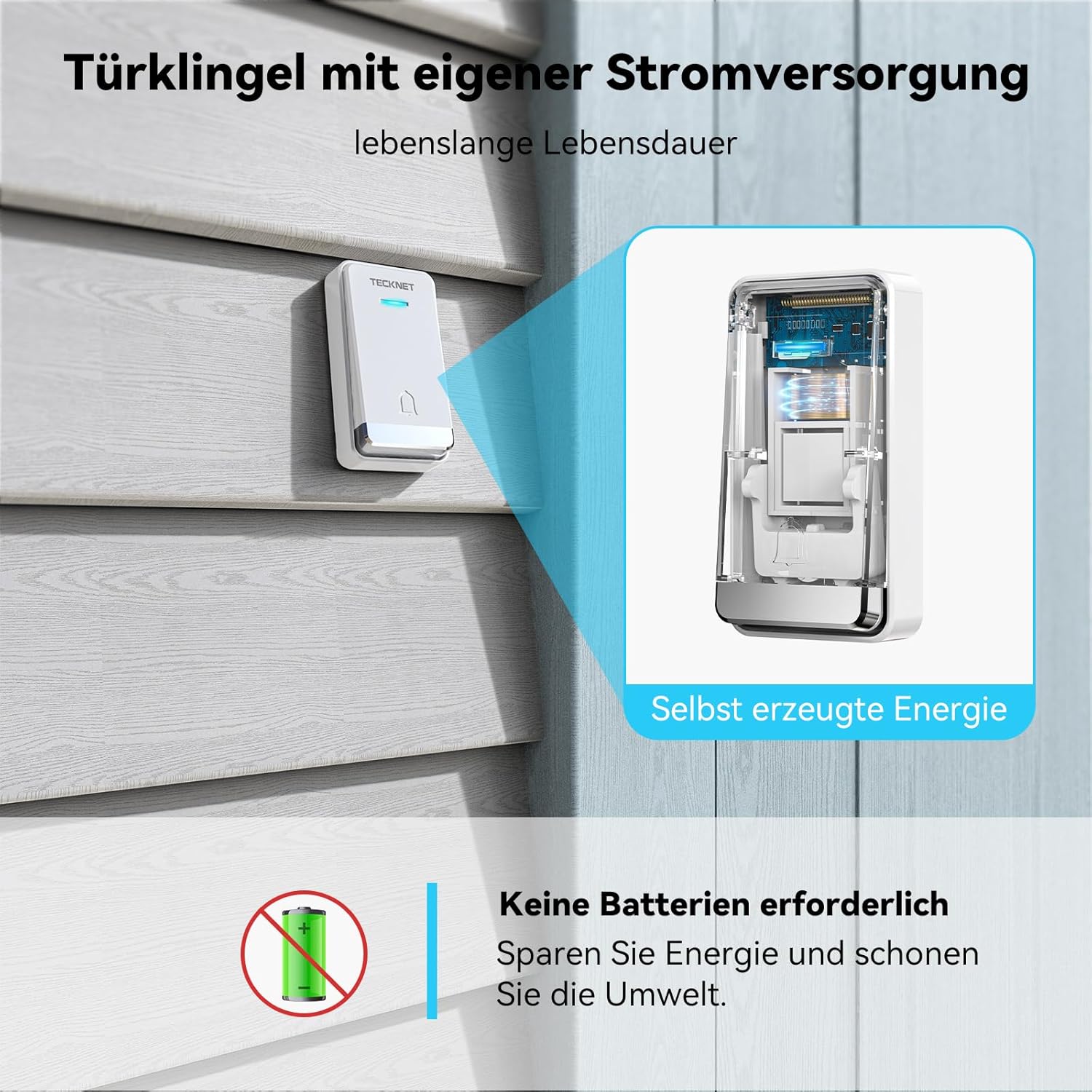
Obrázek: Výřez view of the transmitter, illustrating the internal self-powering mechanism that eliminates the need for batteries.

Image: An illustration showing the doorbell's effective range through various common building materials like wooden doors, brick walls, and concrete, extending up to 400 meters.

Image: A visual representation of the doorbell's 0-110 dB volume levels and 60 ringtones (note: product description states 32 ringtones, 5 volume levels, using product description for accuracy).
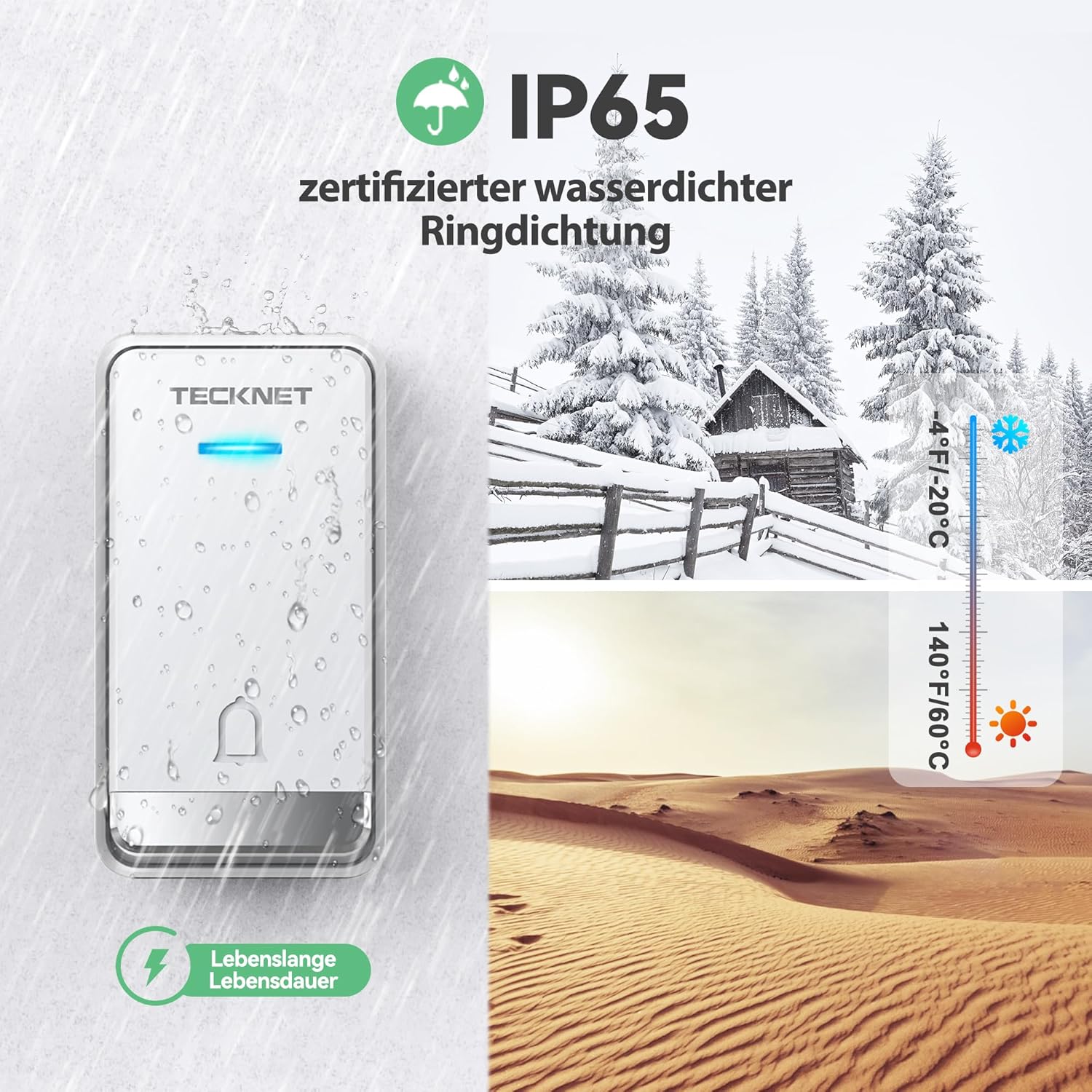
Image: The transmitter unit shown with water droplets, illustrating its IP65 waterproof rating and suitability for various weather conditions, from cold to hot climates.
Pokyny pro nastavení
1. Instalace přijímače
- Select a suitable indoor EU wall socket for the receiver. Ensure it is within the desired range of the transmitter.
- Plug the receiver directly into the chosen wall socket. The integrated socket on the receiver allows you to continue using the power outlet for other devices.
2. Instalace vysílače
Choose a location for the transmitter (push button unit) outside your door. Consider factors like direct sunlight, rain exposure, and ease of access for visitors. The transmitter is IP65 waterproof, but placing it under a small overhang can offer additional protection.

Image: An illustration detailing two methods for installing the transmitter: using double-sided adhesive tape for a quick setup, or using screws and anchors for a more permanent fixture.
There are two primary methods for mounting the transmitter:
- Using Double-Sided Adhesive Tape:
- Důkladně očistěte montážní povrch, aby byl suchý a bez prachu nebo mastnoty.
- Peel off one side of the protective film from the double-sided adhesive tape and attach it to the back of the transmitter.
- Peel off the other side of the protective film and firmly press the transmitter onto the desired surface for at least 30 seconds.
- Using Screws and Anchors:
- Mark the desired drilling points on the wall using the transmitter as a template.
- Vyvrtejte dva otvory na vyznačených místech.
- Vložte plastové kotvy do vyvrtaných otvorů.
- Zarovnejte vysílač s otvory a upevněte jej dodanými šrouby.
The transmitter and receiver are pre-paired at the factory. If re-pairing is ever needed, refer to the troubleshooting section.
Návod k obsluze
1. Změna vyzváněcích tónů
To change the ringtone, locate the 'Music Selection' button on the side of the receiver. Press this button repeatedly to cycle through the 32 available melodies. The receiver will play each melody as you press the button. Once you hear your preferred melody, stop pressing the button, and it will be set.
2. Nastavení hlasitosti
To adjust the volume, locate the 'Volume Control' button on the side of the receiver. Press this button to cycle through the 5 available volume levels (ranging from 25 dB to 90 dB). Select the volume level that best suits your needs.
3. Indikátor LED
When the transmitter button is pressed, the receiver's blue LED light will flash simultaneously with the chosen ringtone. This visual indicator is helpful in loud environments or for individuals who may not hear the chime.

Image: The receiver unit plugged into a wall, with a visual representation of its memory function, indicating that selected ringtones and volume levels are retained even after power loss.
The doorbell system features a memory function, retaining your selected ringtone and volume level even after a power outage or if the receiver is unplugged.
Údržba
To ensure the optimal performance and longevity of your TECKNET Wireless Doorbell, follow these simple maintenance guidelines:
- Čištění: Wipe both the transmitter and receiver with a soft, dry cloth. Avoid using abrasive cleaners, solvents, or harsh chemicals, as these can damage the surfaces.
- Umístění vysílače: Periodically check the transmitter's mounting to ensure it remains securely attached to the surface. If using adhesive tape, ensure the surface is still clean and dry.
- Bez výměny baterie: The transmitter is self-powered, so no battery replacement is ever required.
- Podmínky prostředí: While the transmitter is waterproof (IP65), extreme temperatures or prolonged exposure to direct harsh weather conditions (e.g., blizzards, intense heat waves) should be minimized if possible to extend its lifespan.
Odstraňování problémů
If you encounter any issues with your TECKNET Wireless Doorbell, please refer to the following common problems and solutions:
| Problém | Možná příčina | Řešení |
|---|---|---|
| Zvonek nezvoní. | Přijímač je odpojený nebo není napájen. Transmitter too far from receiver. Překážky mezi jednotkami. Jednotky nejsou spárované. | Ensure receiver is securely plugged into a working power outlet. Přesuňte přijímač blíže k vysílači. Reduce obstructions (e.g., thick walls, metal objects). Re-pair the units (see below). |
| Krátký bezdrátový dosah. | Silné zdi nebo kovové konstrukce. Rušení od jiných zařízení. Receiver placed too low. | Přemístěte přijímač nebo vysílač, abyste minimalizovali překážky. Move doorbell away from other wireless devices (e.g., Wi-Fi routers, microwaves). Place receiver higher on a wall. |
| False ringing. | Rušení od jiných bezdrátových zařízení. | The digital code system minimizes this, but if it occurs, try re-pairing the units to reset the code. |
| How to re-pair the units. | Units lost pairing due to power surge or reset. | 1. Plug in the receiver. 2. Press and hold the 'Volume Control' button on the receiver for approximately 5-7 seconds until you hear a 'ding' sound and the LED flashes rapidly. 3. Within 10 seconds, quickly press the transmitter button. The receiver should chime with the selected melody, indicating successful pairing. |
Technické specifikace
| Funkce | Specifikace |
|---|---|
| Číslo modelu | HDB01806 |
| Přijímač svtage | AC 100-220V, 50HZ/60HZ |
| Spotřeba energie přijímače | 0.5 W |
| Úrovně hlasitosti | 5 levels (25 dB to 90 dB) |
| Vyzváněcí tóny | 32 melodie |
| Provozní frekvence | 433.92 + 2 MHz |
| Bezdrátové Dosah | Až 400 metrů (otevřená plocha) |
| Vodotěsnost vysílače | IP65 |
| Rozměry přijímače (D x Š x V) | 8.51 x 5.99 x 7.49 cm |
| Rozměry vysílače (D x Š x V) | 8.5 x 6 x 7.5 cm |
| Hmotnost | 190 g (celé balení) |
Záruka a podpora
TECKNET products are designed and manufactured to the highest quality standards. This product is covered by a manufacturer's warranty. For specific warranty terms and conditions, please refer to the warranty card included in your product packaging or visit the official TECKNET webmísto.
If you require technical assistance or have any questions regarding your TECKNET Wireless Doorbell, please contact TECKNET customer support through their official website or the contact information provided in your product documentation. Please have your model number (HDB01806) and purchase details ready when contacting support.


