1. Úvod
Thank you for choosing the TECKNET Wireless Doorbell. This manual provides detailed instructions for the installation, operation, and maintenance of your new doorbell system. Designed for convenience and reliability, this system features a 400-meter wireless range, IP65 waterproof rating, multiple melodies, and adjustable volume levels to suit various environments.

Obrázek 1.1: Konecview of the TECKNET Wireless Doorbell system highlighting its 400-meter wireless range. The image shows the doorbell button and receiver in a modern home setting by the sea.
2. Obsah balení
Zkontrolujte prosím obsah balení, abyste se ujistili, že jsou přítomny všechny položky:
- 1 x Waterproof Transmitter (Doorbell Button)
- 2 x Plug-in Receivers (Chime Units)
- 1 x CR2032 Battery (pre-installed in transmitter)
- Mounting Hardware (screws, anchors, double-sided adhesive tape)
- Uživatelská příručka
3. Nastavení a instalace
3.1. Instalace přijímače
- Plug the receiver unit into a standard electrical outlet in your desired location. Ensure the outlet is easily accessible and not obstructed.
- For optimal performance, place receivers centrally within your home to maximize signal coverage.
3.2. Instalace vysílače
The transmitter can be installed using either the provided double-sided adhesive tape or screws.
Metoda 1: Instalace lepicí pásky
- Důkladně očistěte montážní povrch, aby byl suchý a bez prachu nebo mastnoty.
- Odlepte jednu stranu oboustranné lepicí pásky a přilepte ji na zadní stranu vysílače.
- Peel off the other side of the tape and firmly press the transmitter onto the desired location next to your entrance door for at least 30 seconds.
Metoda 2: Instalace šroubem
- Otevřete vysílač casing carefully using a small screwdriver to reveal the mounting holes.
- Mark the positions for drilling on the wall.
- Drill two holes and insert the provided wall anchors.
- Secure the transmitter base to the wall using the screws.
- Reattach the front cover of the transmitter.

Image 3.1: Step-by-step guide for mounting the doorbell transmitter using either adhesive tape or screws.
4. Návod k obsluze
4.1. Změna melodií
The doorbell offers 60 different melodies. To change the melody:
- Press the 'Music Selection' button on the side of the receiver to cycle through the available melodies.
- Once you hear your preferred melody, stop pressing the button. The doorbell will remember your selection.
4.2. Nastavení hlasitosti
There are 5 adjustable volume levels, ranging from 0dB (mute) to 110dB.
- Press the 'Volume Control' button on the side of the receiver to adjust the volume level.
- Each press will cycle through the 5 levels.
4.3. Mute Mode and LED Indicator
The doorbell features a mute mode (0dB) and a blue LED indicator for visual alerts.
- When the volume is set to 0dB, the doorbell is in mute mode, providing only a visual LED flash when the button is pressed. This is useful for quiet environments or for individuals with hearing impairments.
- The blue LED on the receiver will flash when the doorbell is activated, providing a clear visual signal.

Image 4.1: Visual representation of the doorbell's features including 60 melodies, 5 volume levels, and 3 operating modes.

Image 4.2: The doorbell receiver operating in mute mode, ideal for maintaining quiet environments.
5. Údržba
5.1. Výměna baterie (vysílač)
The transmitter uses one CR2032 battery, which has an estimated lifespan of 4.5 years. When the doorbell button no longer activates the chime, it may be time to replace the battery.
- Opatrně otevřete vysílač casing.
- Vyjměte starou baterii CR2032.
- Vložte novou baterii CR2032 a dbejte na správnou polaritu.
- Zavřete casinbezpečně.
5.2. Čištění
Pro zachování vzhledu a funkčnosti vašeho zvonku:
- Wipe the transmitter and receiver with a soft, damp tkanina.
- Nepoužívejte abrazivní čisticí prostředky ani rozpouštědla, protože by mohly poškodit povrch.
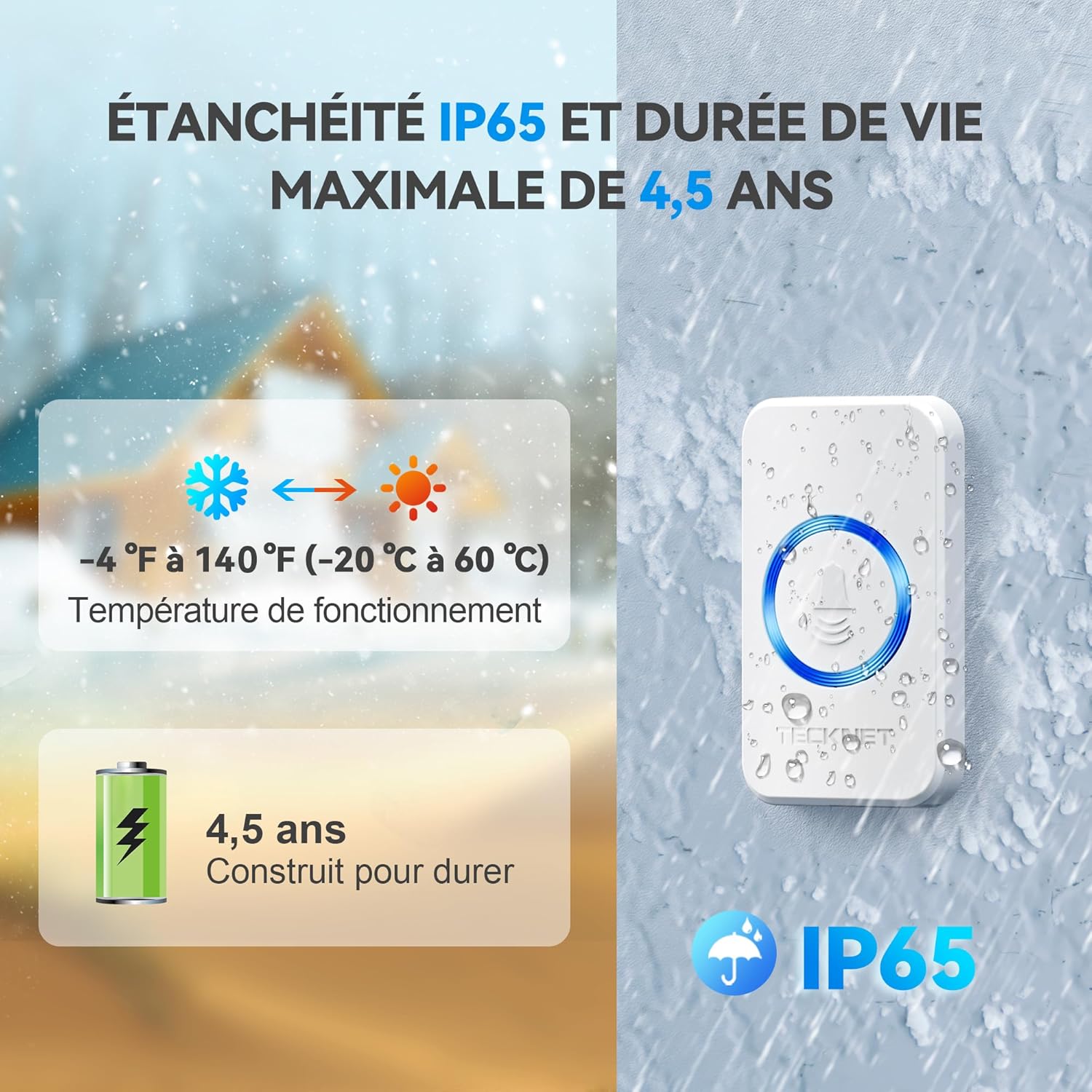
Image 5.1: The doorbell's IP65 waterproof rating, wide operating temperature range, and long battery life for the transmitter.
6. Řešení problémů
| Problém | Možná příčina | Řešení |
|---|---|---|
| Zvonek nezvoní. |
|
|
| Rušení od jiných zařízení. |
|
|
| Shortened wireless range. |
|
|
7. Specifikace
| Číslo modelu | 841584 |
| Bezdrátové Dosah | Až 400 metrů (1300 stop) v otevřeném prostoru |
| Hodnocení voděodolnosti | IP65 (vysílač) |
| Melodie | 60 volitelných melodií |
| Úrovně hlasitosti | 5 levels (0dB to 110dB) |
| Provozní teplota | -20 °C až 60 °C (-4 °F až 140 °F) |
| Baterie vysílače | 1 x CR2032 (součástí balení) |
| Napájení přijímače | AC 220V (zásuvka) |
| Rozměry vysílače | Rozměr 7.2 cm x 4.2 cm |
| Rozměry přijímače | Rozměr 8.6 cm x 7.4 cm |
| Hmotnost produktu | 251 gramů |

Obrázek 7.1: Detailní view of the transmitter and receiver, including their dimensions and the location of control buttons.
8. Záruka a podpora
8.1. Informace o záruce
TECKNET offers a Záruka 36 měsíců for this product, subject to registration. Please refer to the warranty card included in your package for registration details and terms and conditions. This warranty covers manufacturing defects and ensures long-term reliability.
8.2. Zásady vrácení
A hassle-free 30denní zásada vrácení is provided for your peace of mind. If you are not satisfied with your purchase within 30 days, please contact your retailer for return options.
8.3. Zákaznická podpora
For any questions, technical assistance, or warranty claims, please contact TECKNET customer support. Contact information can typically be found on the TECKNET official webmístě nebo na obalu produktu.