Zavedení
The Sena 10R Low Profile Motorcycle Bluetooth Communication System is designed to enhance your riding experience by providing seamless communication and entertainment. This ultra-slim and feather-light device allows riders to make hands-free phone calls, listen to music, receive GPS directions, and engage in full-duplex intercom conversations with other riders.
Equipped with Bluetooth 4.1 and advanced noise control technology, the 10R ensures crystal-clear audio quality, even in noisy environments. Its versatile features make it an essential companion for both solo and group rides.
Bezpečnostní informace
Always prioritize safety while operating your motorcycle. The Sena 10R is designed to assist communication, but it should not distract you from safe riding practices. Ensure you are aware of your surroundings and adhere to all local traffic laws and regulations regarding the use of communication devices while riding.
- Ovládání hlasitosti: Adjust the volume to a level that allows you to hear external sounds, such as traffic and emergency vehicles.
- Instalace: Ensure the device is securely installed in your helmet according to the instructions to prevent detachment during rides.
- Povětrnostní podmínky: While the device is water-resistant, avoid prolonged exposure to heavy rain or submersion.
- Bezpečnost baterie: Do not disassemble, crush, or expose the battery to extreme temperatures.
Obsah balení
Upon opening your Sena 10R package, please verify that all components are present:
- Sena 10R Headset Unit
- USB napájecí a datový kabel
- Sada reproduktorů
- Drátový boom mikrofon
- Kabelový mikrofon
- Montážní příslušenství (např. clamp unit, adhesive mounts, speaker pads, hook and loop fasteners)
- Uživatelská příručka (tento dokument)
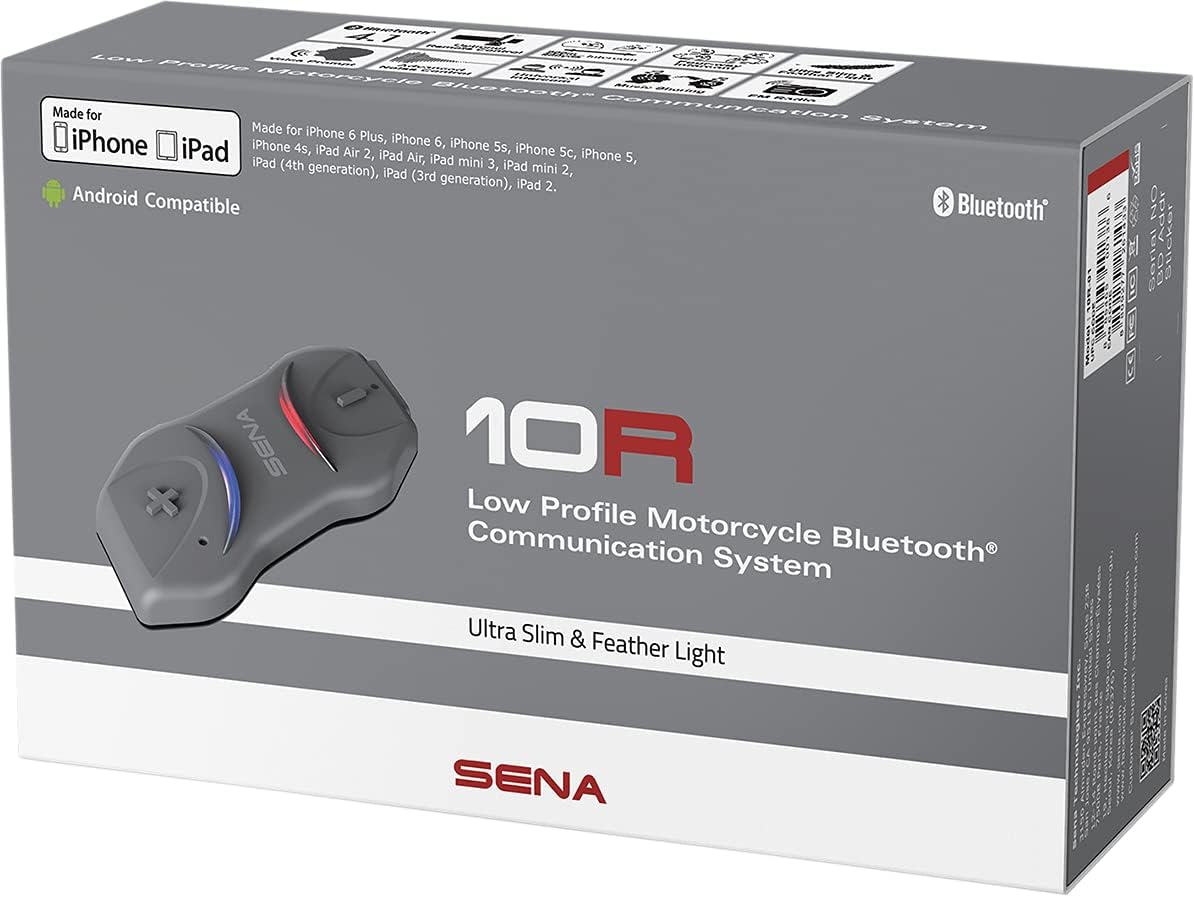
Image: The Sena 10R product box, displaying the headset and various included components, highlighting its low-profile design and Bluetooth compatibility.
Nastavení
1. Nabíjení zařízení
Before initial use, fully charge the Sena 10R. Connect the provided USB cable to the headset and a USB power source. The LED indicator will show charging status. A full charge typically takes approximately 2.5 hours.
2. Instalace do helmy
The Sena 10R is designed for easy installation in most motorcycle helmets. Choose between the clamp unit or adhesive mounts based on your helmet type and preference. Position the speakers inside the helmet's ear pockets and the microphone near your mouth for optimal audio clarity.

Image: A Sena 10R unit is shown securely attached to the side of a motorcycle helmet, demonstrating its low-profile design and integration with the helmet structure.
3. Párování Bluetooth
The 10R utilizes Bluetooth 4.1 for stable connections.
- Párování telefonu: In power-off state, press and hold the Phone Button for 5 seconds until the LED flashes red and blue alternately. Select "Sena 10R" from your phone's Bluetooth device list.
- Párování interkomu: For intercom conversations with other Sena users, put both devices into intercom pairing mode and they will automatically connect. The 10R supports up to four-way intercom.
- Univerzální interkom: The 10R is compatible with other Bluetooth communication systems on the market, allowing for broader connectivity.
For detailed pairing instructions and device settings, download the Sena Headset App available for Android and iPhone devices. The app provides an interactive quick start guide and allows configuration of various settings.
Operating the Sena 10R
The Sena 10R features a simple three-button control system for intuitive operation. Familiarize yourself with the button functions for optimal use.

Image: A rider is shown adjusting the Sena 10R unit on their helmet, illustrating the ease of access to the controls while wearing the helmet.
Základní funkce:
- Zapnutí/vypnutí: Press and hold the Center Button and (+) Button simultaneously.
- Nastavení hlasitosti: Press the (+) Button to increase volume, (-) Button to decrease volume.
- Telefonní hovory:
- Answer/End Call: Tap the Phone Button.
- Voice Dial: Press and hold the Phone Button.
- Přehrávání hudby:
- Play/Pause: Tap the Center Button.
- Next Track: Press and hold the (+) Button.
- Previous Track: Press and hold the (-) Button.
- Interkom:
- Start/End Intercom: Tap the Center Button.
- Group Intercom: Follow specific sequences for multi-person intercom as detailed in the full manual or Sena Headset App.
Klíčové vlastnosti:
- Pokročilé potlačení hluku: Reduces background noise for both incoming and outgoing audio, ensuring clear communication.
- Multitasking zvuku: Allows intercom conversation while simultaneously listening to music or GPS instructions.
- Hlasové výzvy: Provides audible cues for device status and functions.
- Dlouhá výdrž baterie: Offers up to 10 hours of talk time on a single charge.
- Rozšířený rozsah: Communicate with other riders up to 900 meters (0.5 miles) in open terrain.
Údržba
Proper maintenance ensures the longevity and optimal performance of your Sena 10R.
- Čištění: Použijte měkký, damp cloth to wipe the exterior of the unit. Avoid harsh chemicals or abrasive cleaners.
- Skladování: Pokud zařízení nepoužíváte, skladujte ho na chladném a suchém místě. Nevystavujte extrémním teplotám.
- Péče o baterie: For long-term storage, charge the battery every 3-6 months to prevent deep discharge.
- Aktualizace firmwaru: Regularly check for and install the latest firmware updates via the Sena Device Manager software on your computer. Firmware updates improve performance, add new features, and enhance compatibility. The 10R is upgradeable for the life of your headset.
Odstraňování problémů
If you encounter issues with your Sena 10R, try the following troubleshooting steps:
- Bez napájení: Ujistěte se, že je baterie nabitá. Připojte ji ke zdroji napájení a zkontrolujte indikátor nabíjení.
- Žádný zvuk/nízká hlasitost:
- Check volume levels on both the 10R and your connected device.
- Ensure speakers are correctly positioned within the helmet and connected to the unit.
- Note: In very noisy environments or at high speeds, wind noise may affect perceived sound quality.
- Odpojení Bluetooth:
- Restart both the 10R and the connected Bluetooth device (phone, GPS).
- Clear the pairing history on your 10R and re-pair the devices.
- Ensure no physical obstructions are blocking the Bluetooth signal.
- Problémy s interkomem:
- Ensure all intercom participants are within the working range (up to 900 meters).
- Verify that all devices are properly paired for intercom communication.
- Perform a factory reset if persistent issues occur.
- Obnovení továrního nastavení: If problems persist, a factory reset can resolve many issues. Refer to the full Sena 10R manual for specific instructions on performing a factory reset. This will clear all pairing information and restore default settings.
Specifikace
| Název modelu | 10R |
| Číslo modelu | 10R-01 |
| Verze Bluetooth | 4.1 |
| Doba hovoru | 10 hodin |
| Working Distance (Intercom) | Up to 900 meters (0.5 miles) in open terrain |
| Kontrola hluku | Aktivní potlačení hluku |
| Frekvenční odezva | 10000 Hz |
| Citlivost | 20 Hz |
| Hmotnost položky | 0.7 uncí |
| Rozměry produktu | 7.27 x 4.81 x 2.26 palce |
| Typ baterie | 1 lithium-polymerová baterie (součástí balení) |
| Úroveň odolnosti proti vodě | Vodě odolný |
| UPC | 885465001386 |
Podpora
For further assistance, detailed manuals, firmware downloads, and frequently asked questions, please visit the official Sena webnebo kontaktujte jejich zákaznickou podporu.
Můžete také prozkoumat Sena Store on Amazon pro informace o produktech a příslušenství.


