1. Úvod
Thank you for choosing the Renkforce 4161c12 Radio Controlled Alarm Clock. This manual provides essential information for the safe and efficient operation of your device. Please read these instructions carefully before use and retain them for future reference.
2. Bezpečnostní pokyny
- Nevystavujte zařízení extrémním teplotám, přímému slunečnímu záření nebo vysoké vlhkosti.
- Zabraňte pádu zařízení nebo jeho vystavení silným nárazům.
- Udržujte zařízení mimo dosah vody a jiných kapalin.
- Only use the specified battery type (AA). Ensure correct polarity when inserting batteries.
- Pokud zařízení nebudete delší dobu používat, vyjměte baterie, abyste zabránili jejich vytečení.
- Nepokoušejte se zařízení rozebírat ani upravovat. Veškerý servis svěřte kvalifikovanému personálu.
3. Obsah balení
Please check that all items listed below are present and in good condition:
- Renkforce 4161c12 Radio Controlled Alarm Clock
- Uživatelská příručka (tento dokument)
Note: 1 AA battery is required for operation and is not included.
4. Konec produktuview
The Renkforce 4161c12 is a compact radio-controlled alarm clock designed for clear time display and reliable alarm functions. Its sleek black design and easy-to-read display make it suitable for any bedside table or desk.
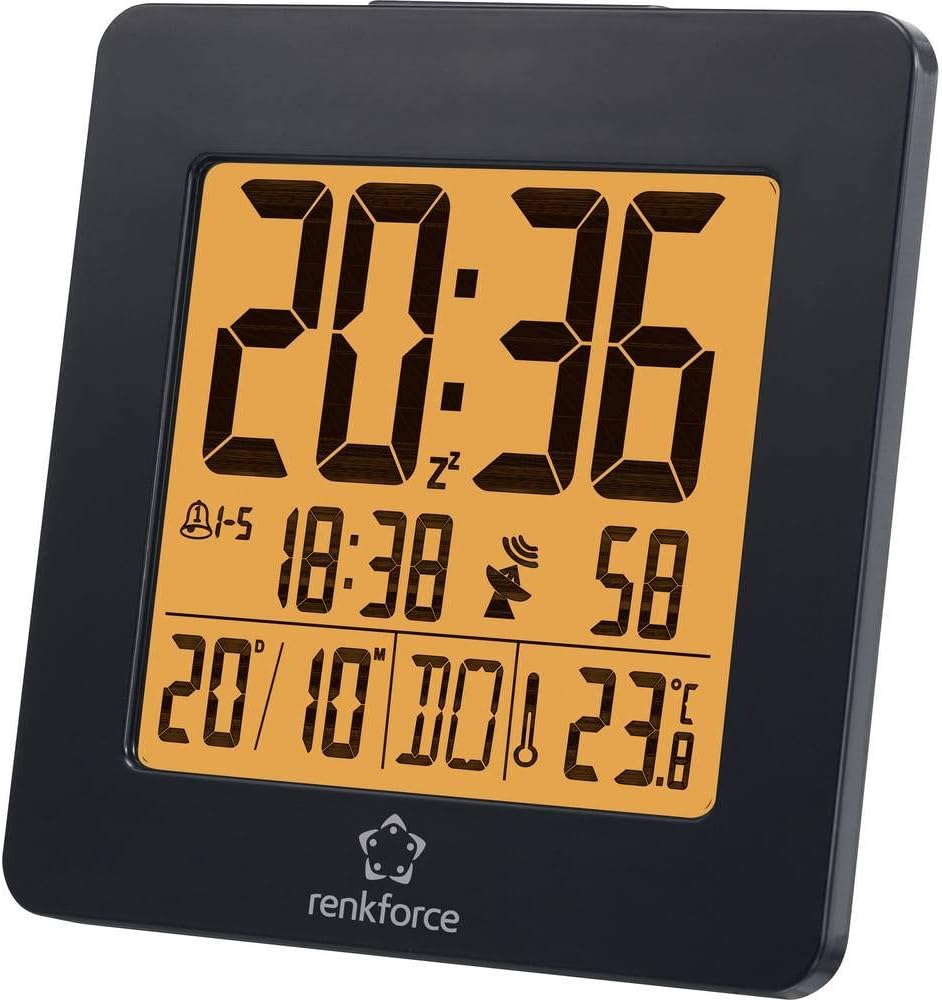
Obrázek 4.1: Přední view of the Renkforce 4161c12 Radio Controlled Alarm Clock. The display shows the current time (20:36), alarm indicators, date (20/10), and temperature (23.8°C). The Renkforce logo is visible at the bottom.
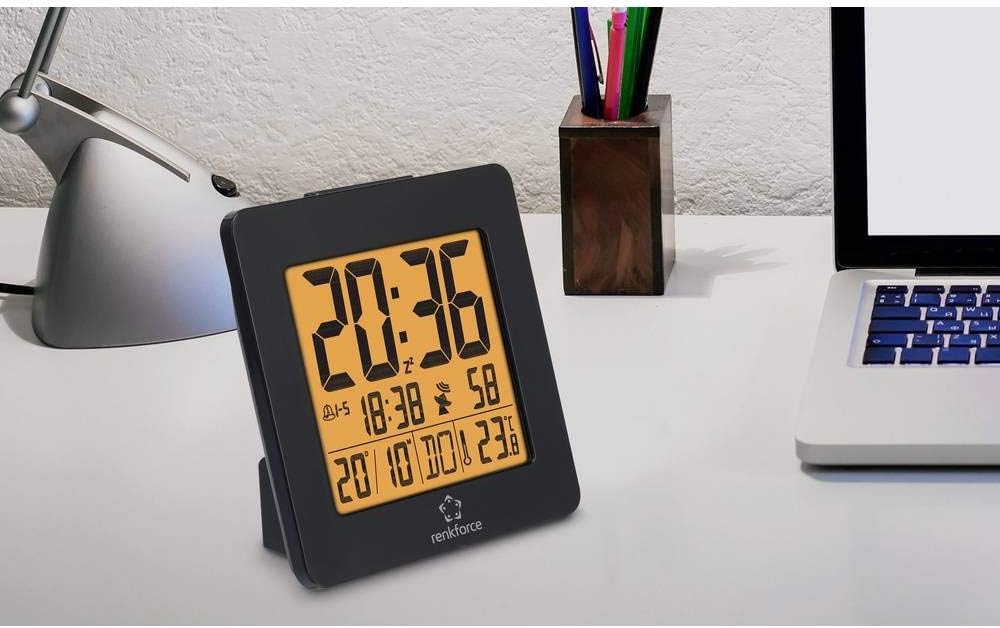
Obrázek 4.2: The alarm clock positioned on a desk, demonstrating its compact size and suitability for various environments. It is shown alongside a laptop and a desk lamp.

Obrázek 4.3: Zadní view of the alarm clock, highlighting the control buttons for settings and the battery compartment cover. This view is crucial for understanding how to operate the device.
5. Nastavení
5.1. Instalace baterie
- Locate the battery compartment cover on the back of the alarm clock (refer to Figure 4.3).
- Posuňte nebo zvedněte kryt pro otevření přihrádky.
- Insert one (1) AA battery, ensuring the correct polarity (+ and -) as indicated inside the compartment.
- Bezpečně nasaďte kryt prostoru pro baterie.
5.2. Initial Setup and Radio Signal Reception
Upon battery insertion, the alarm clock will automatically attempt to receive the radio time signal (DCF77 in Europe). This process may take several minutes. During reception, a signal icon (often a tower or antenna symbol) will typically flash on the display.
- Pro optimální příjem signálu umístěte budík blízko okna.
- Avoid placing it near electronic devices that may cause interference (e.g., TVs, computers, mobile phones).
- Once the signal is successfully received, the time and date will be automatically set and synchronized. The signal icon will appear solid on the display.
- If the signal is not received within a few minutes, try repositioning the clock or manually setting the time (see Section 6.1). The clock will continue to attempt signal reception periodically.
6. Návod k obsluze
Familiarize yourself with the buttons on the back of the device (refer to Figure 4.3 for general location). Common buttons include MODE, SET, UP/+, DOWN/-, ALARM, SNOOZE/LIGHT.
6.1. Ruční nastavení času
If radio reception is unavailable or you wish to set the time manually:
- Stiskněte a podržte MODE or SOUBOR button for a few seconds until the time display starts flashing.
- Použijte NAHORU/+ a DOLŮ/- tlačítka pro nastavení hodin.
- Stiskněte MODE or SOUBOR again to move to minutes, then adjust using NAHORU/+ a DOLŮ/-.
- Pokračujte v stisknutí MODE or SOUBOR to cycle through other settings like year, month, date, and 12/24-hour format, adjusting each as needed.
- Stiskněte MODE or SOUBOR one last time, or wait for a few seconds, to exit the setting mode.
6.2. Nastavení alarmů (Alarm 1 a Alarm 2)
This alarm clock supports two independent alarms. To set an alarm:
- Stiskněte tlačítko POPLACH button once to display Alarm 1 time. Press again for Alarm 2 time.
- While the desired alarm time is displayed, press and hold the POPLACH button until the alarm time starts flashing.
- Použití NAHORU/+ a DOLŮ/- pro nastavení požadované hodiny budíku.
- Stiskněte POPLACH again to move to minutes, then adjust using NAHORU/+ a DOLŮ/-.
- Stiskněte POPLACH one last time, or wait, to confirm and exit.
- Chcete-li aktivovat/deaktivovat budík, stiskněte tlačítko POPLACH button repeatedly until the alarm icon (e.g., a bell) appears or disappears for the respective alarm.
6.3. Funkce odložení buzení a podsvícení
- Když zazní alarm, stiskněte velké SNOOZE / SVĚTLO button to temporarily silence the alarm. The alarm will sound again after a few minutes (typically 5-10 minutes).
- To turn off the alarm completely, press any other button (e.g., POPLACH or MODE).
- To activate the backlight for a few seconds, press the SNOOZE / SVĚTLO tlačítko, když alarm nezvoní.
6.4. Weekend Function
This model may feature a weekend function, allowing the alarm to be active only on weekdays (Monday-Friday) or to have different settings for weekdays and weekends. Consult the display for specific indicators (e.g., "1-5" for weekdays) and use the MODE or POPLACH buttons in conjunction with NAHORU/+ or DOLŮ/- to cycle through alarm modes (e.g., everyday, weekday, weekend).
7. Údržba
- Čištění: Zařízení otřete měkkým, suchým hadříkem. Nepoužívejte abrazivní čisticí prostředky ani rozpouštědla.
- Výměna baterie: Replace the AA battery when the display dims or the clock stops functioning correctly. Follow the battery installation steps in Section 5.1.
8. Řešení problémů
| Problém | Možná příčina | Řešení |
|---|---|---|
| Displej je prázdný nebo tmavý. | Low or depleted battery. Incorrect battery installation. | Replace the AA battery. Ensure correct polarity (+/-). |
| Time is incorrect or not setting automatically. | Poor radio signal reception. Interference from other electronics. | Move the clock closer to a window. Keep away from electronic devices. Manually set the time (Section 6.1). |
| Alarm se nespustí. | Alarm is not activated. Alarm volume is too low (if adjustable). Incorrect alarm time set. | Ensure the alarm icon is displayed (Section 6.2). Verify alarm time. |
| Backlight is not working. | Backlight is momentary and requires button press. | Press the SNOOZE/LIGHT button to activate the backlight (Section 6.3). |
9. Specifikace
| Funkce | Detail |
|---|---|
| Značka | Renkforce |
| Číslo modelu | 4161c12 |
| Barva | Černý |
| Speciální funkce | Radio Controlled Time (DCF77) |
| Zdroj napájení | Napájení z baterie |
| Typ baterie | 1 x AA (nejsou součástí balení) |
| Tvar | Round (display), Square (overall casing) |
| Materiál | Akrylonitril-butadien-styren (plast) |
| Typ montáže | Stolní deska |
| Rozměry produktu | 3.66 x 1.42 x 3.66 palců (přibližně 9.3 x 3.6 x 9.3 cm) |
| Hmotnost položky | 5 unce (cca 142 gramů) |
| Budík | Yes, with 2 wake-up times and Snooze function |
| Provozní režim | Electrical (battery-powered) |
10. Záruka a podpora
Renkforce products are designed for reliability and performance. For information regarding warranty terms, technical support, or service, please refer to the warranty card included with your purchase or visit the official Renkforce website. Please have your model number (4161c12) and purchase details ready when contacting support.


