1. Úvod
This manual provides detailed instructions for the setup, operation, and maintenance of your Excelvan EHD11 Mini LED Projector. Please read this manual thoroughly before using the projector to ensure proper operation and to extend the product's lifespan. Keep this manual for future reference.
2. Důležité bezpečnostní pokyny
To prevent fire or electric shock, do not expose this appliance to rain or moisture. Observe the following safety precautions:
- Do not block any ventilation openings. Ensure adequate space around the projector for proper airflow.
- Neumisťujte projektor na nestabilní vozík, stojan nebo stůl.
- Do not operate the projector near water or moisture.
- Používejte pouze nástavce/příslušenství specifikované výrobcem.
- Unplug this projector during lightning storms or when unused for long periods.
- Veškeré opravy svěřte kvalifikovanému servisnímu personálu.
- Nedívejte se přímo do objektivu projektoru, když je lamp je zapnuto.
3. Obsah balení
Zkontrolujte prosím, zda jsou všechny položky přítomny a v dobrém stavu:
- Excelvan EHD11 Projector
- Napájecí kabel
- Dálkové ovládání
- AV kabel
- Uživatelská příručka
4. Konec produktuview
4.1 Projector Front and Top View

Obrázek 4.1: Přední a horní strana view of the Excelvan EHD11 projector, showing the lens, ventilation, and control buttons (Source, Menu).
4.2 Projector Rear View a porty

Obrázek 4.2: Zadní strana view of the Excelvan EHD11 projector, highlighting the dual built-in speakers and various input/output ports including USB, HDMI, VGA, AV, and audio out.
4.3 Možnosti připojení

Image 4.3: Diagram illustrating the wide range of devices compatible with the projector, such as PCs, smartphones, USB storage, TV set-top boxes, game consoles, DVD players, digital cameras, and external speakers.
5. Nastavení
5.1 Placement and Projection Distance
Position the projector on a stable, flat surface. The projection distance directly affects the screen size. Refer to the diagram below for recommended distances and corresponding screen sizes.

Image 5.1: Chart detailing the relationship between projection distance (in meters) and screen size (in inches) for a 16:9 aspect ratio, ranging from 32 inches at 1.2 meters to 200 inches at 6 meters.
5.2 Připojení napájení
Connect the power cable to the projector's power input and then to a power outlet. The power indicator light will illuminate.
5.3 Připojení vstupních zdrojů
The projector supports multiple input sources. Connect your desired device (e.g., PC, DVD player, game console, USB drive) to the corresponding port on the rear of the projector using the appropriate cable (HDMI, VGA, AV, USB).
5.4 Zaostření a korekce lichoběžníkového zkreslení
After powering on, adjust the focus ring around the lens until the image is clear. If the image appears trapezoidal, use the keystone correction dial to square the image. The projector supports a ±15° keystone adjustment.
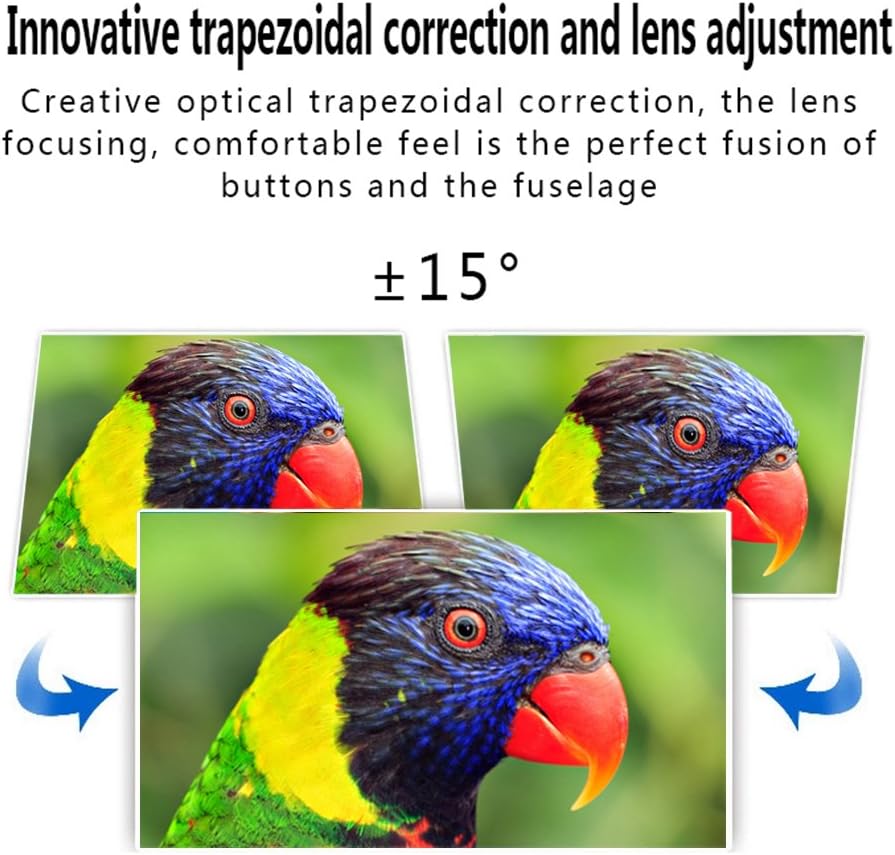
Image 5.4: Visual representation of the ±15° trapezoidal correction and lens adjustment feature, showing how to correct distorted images.
6. Návod k obsluze
6.1 Zapnutí/vypnutí
Stisknutím tlačítka napájení na projektoru nebo na dálkovém ovladači zapnete nebo vypnete zařízení.
6.2 Výběr zdroje
Press the 'Source' button on the projector or remote control to cycle through available input sources (HDMI1, HDMI2, USB1, USB2, VGA, AV, YPbPr, TV/DTV). Select the input corresponding to your connected device.
6.3 Navigace v nabídce
Press the 'Menu' button to access the projector's settings. Use the arrow keys on the projector or remote to navigate, and 'OK' or 'Enter' to confirm selections. Adjust settings such as picture mode, aspect ratio, sound mode, and language.
6.4 Audio výstup
The projector features built-in speakers. For enhanced audio, connect external speakers to the 'Audio Out' port using a 3.5mm audio cable.
7. Údržba
7.1 Čištění čoček
Use a soft, lint-free cloth and a specialized lens cleaning solution to gently wipe the projector lens. Avoid abrasive materials or excessive pressure.
7.2 Větrání
Regularly check that the projector's ventilation openings are clear of dust and debris. Blocked vents can lead to overheating and affect performance. Do not place the projector on soft surfaces that may obstruct airflow.
8. Řešení problémů
| Problém | Možná příčina | Řešení |
|---|---|---|
| Na obrazovce není žádný obraz | Power cable disconnected; Incorrect input source selected; Input device not powered on or connected properly. | Check power connection; Select correct input source; Ensure input device is on and cables are secure. |
| Obraz je rozmazaný | Zaostření není upraveno. | Upravte zaostřovací kroužek na objektivu projektoru. |
| Obraz je zkreslený (lichoběžníkový) | Lichoběžníkové zkreslení nebylo upraveno. | Upravte kolečko pro korekci lichoběžníkového zkreslení. |
| Žádný zvuk | Volume too low; Audio cables not connected; Incorrect audio output selected on source device; External speakers not connected or powered. | Increase volume; Check audio cable connections; Ensure source device is outputting audio; Connect external speakers if desired. |
| Input source needs to be set every time | Projector defaults to a specific input or does not save last setting. | Manually select the desired input source after powering on. Check menu settings for an 'Auto Source' or 'Last Input' option if available. |
9. Specifikace
- Značka: Excelvan
- Model: EHD11 (FBA_151224-F6)
- Typ displeje: LCD
- Rozlišení displeje: 1920 x 1080 (podpora Full HD)
- Technologie připojení: HDMI, USB, VGA, AV
- Speciální funkce: 3D-Ready, Portable
- Hmotnost položky: 6.49 libry
- Rozměry balení: 16.9 x 13.1 x 8.5 palce
- Výrobce: Excelvan
- Datum první dostupnosti: 8. listopadu 2014
10. Záruka a podpora
Informace o záruce nebo technickou podporu naleznete v dokumentaci dodané při nákupu nebo se obraťte na prodejce. Uschovejte si účtenku jako doklad o koupi.


