1. Úvod
This manual provides detailed instructions for the operation and maintenance of your EXCELVAN Weather Station. This device is designed to provide accurate indoor and outdoor temperature and humidity readings, barometric pressure, and weather forecasts. It also features time display with dual alarms and moon phase information.

Obrázek: Přední strana view of the EXCELVAN Weather Station main unit, showing its large LCD display with indoor/outdoor temperature, humidity, pressure history, time, date, moon phase, and sunrise/sunset times.
2. Obsah balení
Pečlivě zkontrolujte obsah balení. Pokud některé položky chybí nebo jsou poškozené, kontaktujte zákaznickou podporu.
- 1 x EXCELVAN Weather Station Main Unit
- 1 x Bezdrátový venkovní senzor
- 1 x Uživatelská příručka

Image: The complete package contents, including the main weather station unit, the wireless remote sensor, and the user manual.
3. Specifikace
| Funkce | Specifikace |
|---|---|
| Jednotky teploty | Volitelné °C / °F |
| Rozsah vnitřní teploty | 0 °C ~ 50 °C (32 °F ~ 122 °F) |
| Rozsah venkovních teplot | -20 °C ~ 60 °C (-4 °F ~ 140 °F) |
| rozsah vlhkosti | 20% ~ 95% RH |
| Kalendář | 2000 ~ 2099 (Year), Date, Month, Day of Week |
| Formát času | Volitelný 12/24hodinový formát |
| Bezdrátové kanály | Up to 3 external sensors supported |
| Napájení hlavní jednotky | 2 x 1.5V AA baterie (nejsou součástí balení) |
| Napájení dálkového senzoru | 2 x 1.5V AAA baterie (nejsou součástí balení) |
| Rozměry hlavní jednotky | Rozměr 171 x 123 x 50 mm |
| Rozměry LCD | 124 x 78 mm |
| Přenosová frekvence | 433 MHz |
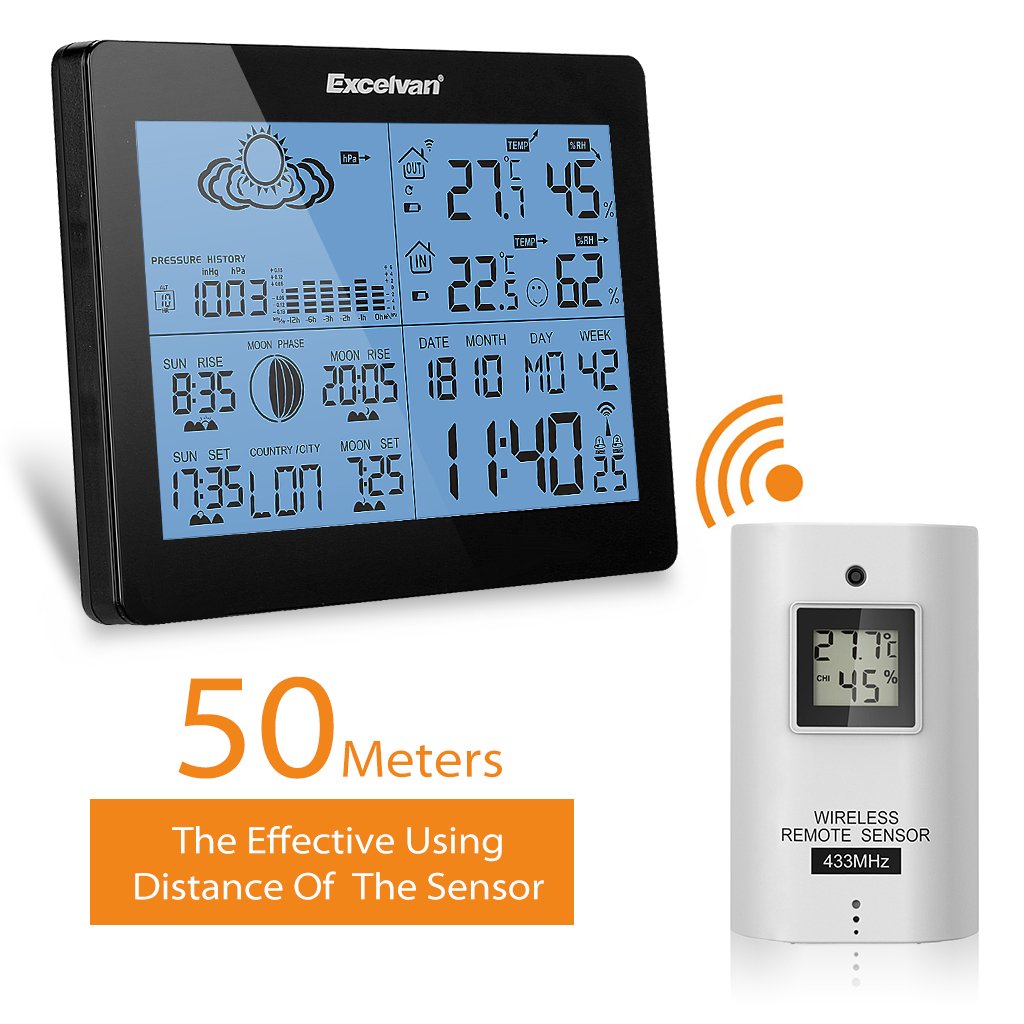
| Bezdrátové Dosah | Až 50 m (164 stop) v otevřeném prostoru |
4. Nastavení
4.1 Instalace baterie
- Hlavní jednotka: Open the battery compartment cover on the back of the main unit. Insert 2 x AA batteries, observing the correct polarity (+/-). Close the cover.
- Dálkový senzor: Open the battery compartment cover on the back of the remote sensor. Insert 2 x AAA batteries, observing the correct polarity (+/-). Close the cover.
Obrázek: Zadní view of the main weather station unit, showing the battery compartment with the cover removed, indicating where to insert AA batteries.

Obrázek: Přední a zadní strana views of the wireless remote sensor, highlighting its compact design and the mounting hole on the back.
4.2 Umístění snímače
- The main unit is designed for indoor use only and should be placed on a desktop.
- The remote sensor can be wall-mounted or placed on a desktop. For accurate outdoor readings, place the sensor in a shaded area, away from direct sunlight and precipitation.
- Ensure the sensor is within 50 meters (164 feet) of the main unit, free from major obstructions that could interfere with the wireless signal.

Image: The main weather station unit and the wireless remote sensor, illustrating the effective wireless range of 50 meters between them.
5. Návod k obsluze
5.1 Počáteční nastavení a synchronizace
After battery installation, the main unit will automatically search for the remote sensor signal. This may take a few minutes. Once connected, the outdoor temperature and humidity will be displayed.
5.2 Nastavení času a data
Stiskněte tlačítko MODE button to cycle through display modes. When in time display mode, press and hold MODE to enter setting mode. Use the UP a DOLŮ tlačítka pro úpravu hodnot a MODE to confirm and move to the next setting (e.g., 12/24 hour format, hour, minute, year, month, day, language for day of week).
5.3 Zobrazení teploty a vlhkosti
The main unit displays both indoor and outdoor temperature and humidity simultaneously. You can switch between °C and °F by pressing the ° C / ° F button (if available, or usually part of time setting).
5.4 Předpověď počasí
The weather station provides a forecast based on barometric pressure changes. The forecast icons (sunny, partly cloudy, cloudy, rainy, stormy) are displayed on the screen.
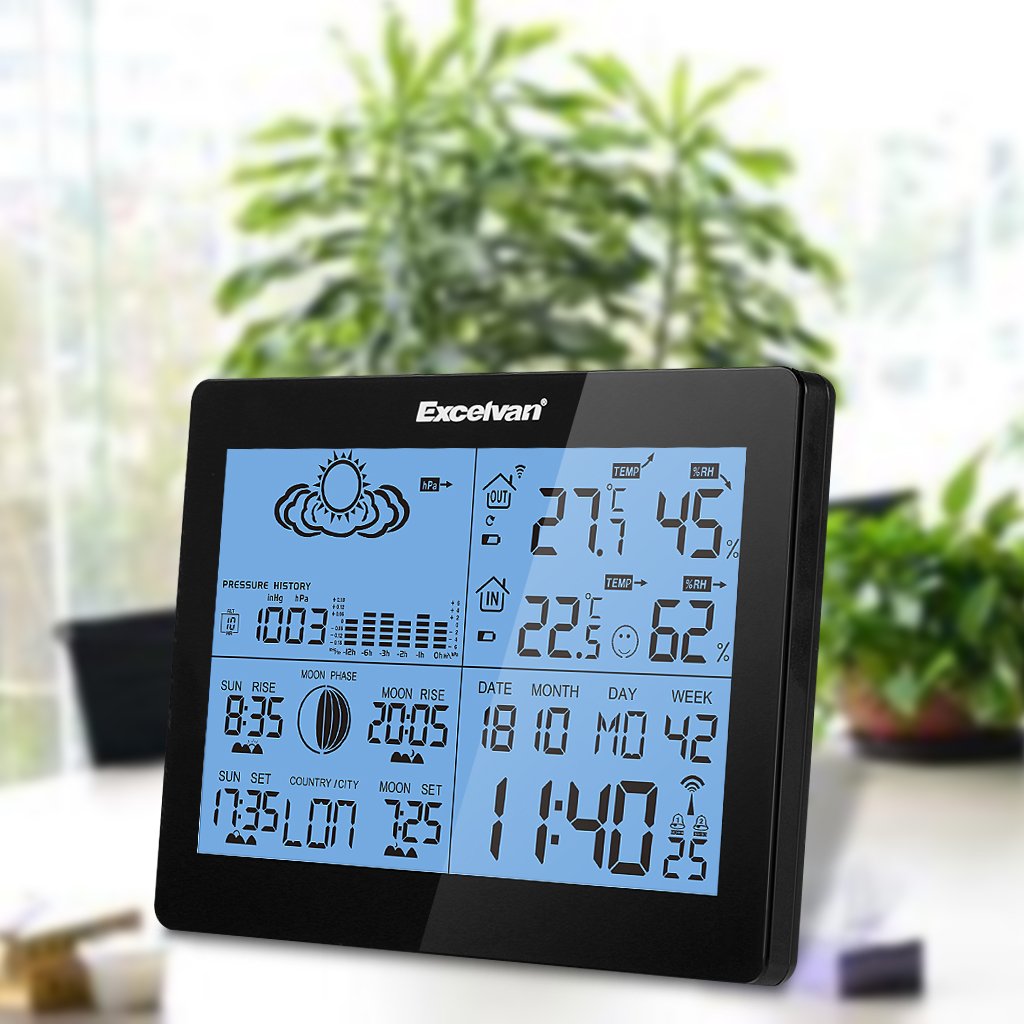
Image: Close-up of the EXCELVAN Weather Station display, highlighting the weather forecast icons at the top, such as sunny, cloudy, and rainy.
5.5 Nastavení alarmu
The unit features dual daily alarms. Press the POPLACH tlačítko na view alarm times. Press and hold POPLACH to set Alarm 1, then repeat for Alarm 2. Use NAHORU/DOLŮ upravit a POPLACH to confirm. The snooze function can be activated by pressing the SNOOZE / SVĚTLO tlačítko, když zazní budík.

Obrázek: Nahoře view of the EXCELVAN Weather Station, showing the prominent SNOOZE/LIGHT button located on the top edge of the unit.
5.6 Channel Selection (for multiple sensors)
If you have multiple outdoor sensors (up to 3 supported), press the KANÁL button on the main unit to cycle through the sensor channels (CH1, CH2, CH3) and view their respective readings.
6. Údržba
- Vyčistěte jednotku měkkým, damp tkanina. Nepoužívejte abrazivní čisticí prostředky nebo rozpouštědla.
- Nevystavujte hlavní jednotku přímému slunečnímu záření, extrémním teplotám nebo vysoké vlhkosti.
- Pokud displej ztmavne nebo nereaguje, vyměňte baterie.
- Do not disassemble the unit; this will void the warranty.
7. Řešení problémů
- Bez zobrazení venkovní teploty/vlhkosti:
- Ensure batteries are correctly installed in both the main unit and the remote sensor. Check that the sensor is within range (50m) and free from major obstructions. Try re-synchronizing by removing and reinserting batteries in both units, starting with the main unit.
- Nepřesné údaje:
- Ensure the sensor is placed in a shaded, well-ventilated area, away from heat sources or direct sunlight. Allow time for readings to stabilize after initial setup or relocation.
- Displej je tmavý nebo prázdný:
- Vyměňte baterie v hlavní jednotce.
8. Záruka a podpora
This EXCELVAN product comes with a standard manufacturer's warranty. For specific warranty terms and conditions, please refer to the warranty card included in your package or contact EXCELVAN customer support. For technical assistance or further inquiries, please visit the official EXCELVAN webnebo kontaktujte jejich oddělení zákaznických služeb.


