Zavedení
Děkuji za nákupasing the Capello Self-Setting Atomic Clock with Calendar & Indoor Temperature. This clock is designed to provide accurate timekeeping, date display, and indoor temperature readings, all within a sleek, contemporary design. Its self-setting atomic feature ensures precise time synchronization.
Klíčové vlastnosti
- Self-Setting Atomic Time: Automatically synchronizes with the WWVB radio signal for precise time.
- Digitální displej: Bright and easy-to-read digital readout.
- Funkce kalendáře: Displays month, date, and day of the week.
- Vnitřní teplota: Provides current indoor temperature in Fahrenheit or Celsius.
- Duální budíky: Two independent alarm settings for versatile use.
- Elegantní design: Durable polyurethane frame with a black plastic face, suitable for any room decor.
- Napájení z baterie: Operates on AAA batteries (not included).
Obsah balení
- Capello Self-Setting Atomic Clock
- Uživatelská příručka (tento dokument)
Nastavení
1. Instalace baterie
Locate the battery compartment on the back of the clock. Insert 3 AAA batteries (not included) according to the polarity indicators (+ and -). Ensure the battery compartment cover is securely closed.
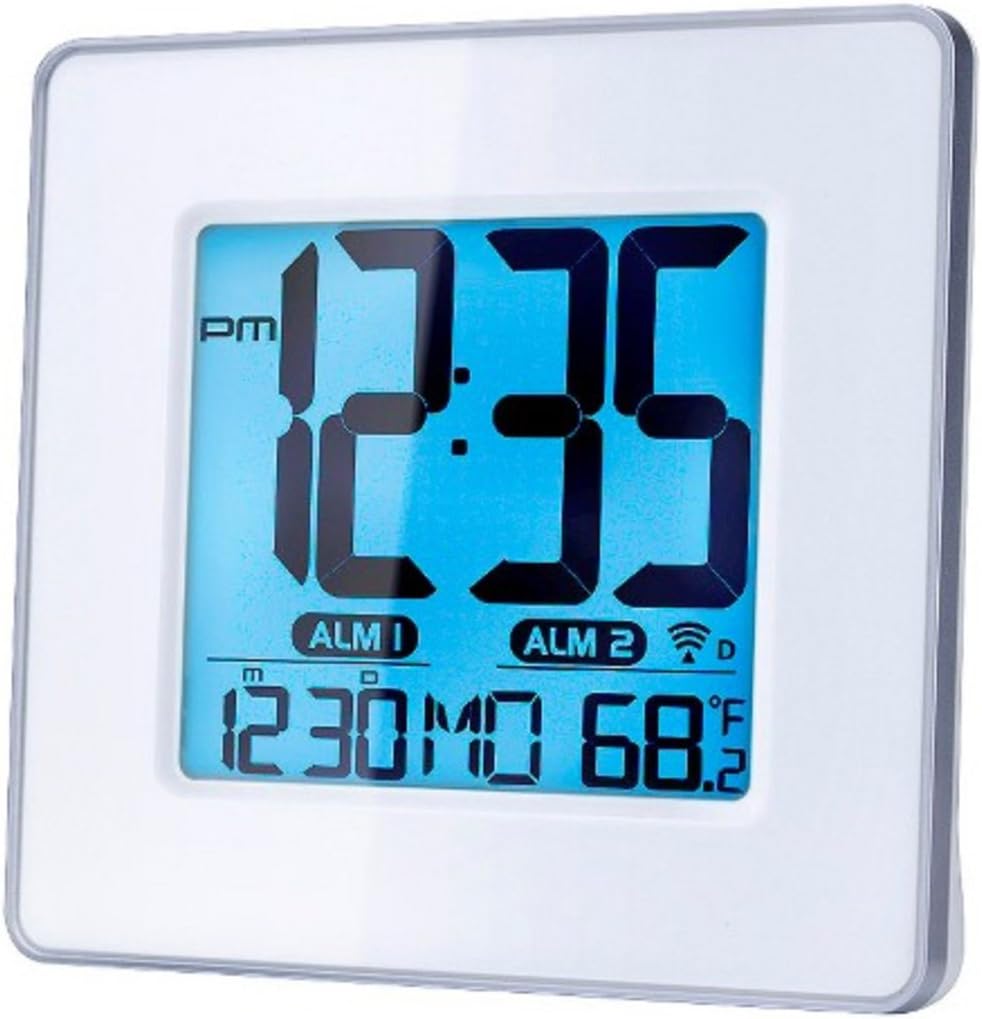
Obrázek 1: Přední view of the Capello Self-Setting Atomic Clock. This image displays the clock's digital screen, showing the time (12:35 PM), two alarm indicators (ALM 1, ALM 2), the date (12:30 MO), and the indoor temperature (68.2°F). The clock has a white frame and a blue-tinted digital display.
2. Initial Power-On and Atomic Signal Reception
Upon battery installation, the clock will automatically attempt to receive the WWVB atomic time signal. This process may take several minutes to several hours, especially during initial setup. For best reception, place the clock near a window and away from electronic devices that may cause interference. The atomic signal is typically stronger at night.

Obrázek 2: Detailní záběr zepředu view of the Capello Self-Setting Atomic Clock. This image highlights the clear digital display, which shows the time, date, and temperature. The white frame of the clock is visible, emphasizing its clean design.
A signal strength indicator (often a tower icon with waves) will appear on the display once a successful signal is received. If the signal is not received immediately, the clock will default to a manual time setting. You can manually initiate a signal search by holding the "WAVE" button (if present) on the back of the clock for a few seconds.
Návod k obsluze
1. Ruční nastavení času a data
In case the atomic signal is not available or for manual adjustment:
- Stiskněte a podržte SOUBOR button (or similar, refer to back panel buttons) for a few seconds until the display flashes.
- Použijte UP a DOLŮ tlačítka pro nastavení blikající hodnoty (např. hodina, minuta, rok, měsíc, den).
- Stiskněte SOUBOR again to confirm the selection and move to the next setting.
- Opakujte, dokud nebudou nakonfigurována všechna požadovaná nastavení.
2. Nastavení alarmu
The clock features two independent alarms (ALM 1 and ALM 2).
- Stiskněte tlačítko POPLACH button (or ALM 1/ALM 2 button) to select the alarm you wish to set.
- Stiskněte a podržte NASTAVENÍ ALARMU button (or similar) until the alarm time flashes.
- Použijte UP a DOLŮ tlačítka pro nastavení hodiny a minuty budíku.
- Stiskněte NASTAVENÍ ALARMU potvrdit.
- To activate/deactivate an alarm, press the corresponding ALARM ZAPNUTO / VYPNUTO button. An alarm icon will appear on the display when active.
3. Zobrazení teploty
The clock displays indoor temperature. To switch between Fahrenheit (°F) and Celsius (°C), locate the °F/°C button on the back of the unit and press it.

Obrázek 3: Úhlové view of the Capello Self-Setting Atomic Clock. This perspective shows the clock's depth and the sleek design of its white frame, along with the clear digital display from a side angle.
Údržba
Čištění
Hodiny otřete měkkým, suchým hadříkem. Nepoužívejte abrazivní čisticí prostředky ani rozpouštědla, protože by mohly poškodit displej neboasing.
Výměna baterie
When the display dims or the clock stops functioning, replace the AAA batteries. Always replace all batteries at the same time with new ones. Dispose of old batteries responsibly according to local regulations.
Odstraňování problémů
| Problém | Možná příčina | Řešení |
|---|---|---|
| Clock not setting automatically. | Weak or no atomic signal reception. Interference from other electronics. Incorrect time zone setting. | Relocate the clock closer to a window, away from electronic devices (TVs, computers, microwaves). Try initiating a manual signal search (WAVE button). Ensure correct time zone is set if applicable. Note that the signal is often stronger at night. |
| Displej je tmavý nebo prázdný. | Vybité baterie. | Replace all AAA batteries with new ones. |
| Time is incorrect after Daylight Saving Time change. | Atomic clock may take up to 24 hours to adjust or requires manual adjustment for DST. | Allow up to 24 hours for automatic adjustment. If it doesn't adjust, manually set the time. Some atomic clocks may not automatically adjust for DST and require manual intervention. |
| Alarm nezní. | Alarm není aktivován. Hlasitost alarmu je příliš nízká (pokud je nastavitelná). | Ensure the alarm icon is visible on the display. Check alarm settings and ensure the time is correctly set. |
Specifikace
| Funkce | Detail |
|---|---|
| Značka | Capello |
| Model | B0170ZSMGG |
| Typ zobrazení | Digitální |
| Zdroj napájení | Napájení z baterií (3 x AAA, nejsou součástí balení) |
| Speciální funkce | Atomic, Alarm, Calendar, Indoor Temperature |
| Typ montáže | Stolní deska |
| Rozměry produktu | 0.71 x 5.79 x 5.35 palce |
| Hmotnost položky | 9.6 unce |
| Materiál rámu | Polyuretan |
| Barva | White (Frame), Black (Dial) |
Záruka a podpora
For warranty information or technical support, please refer to the contact details provided with your purchase or visit the official Capello webwebu. Uschovejte si účtenku jako doklad o koupi.
For further assistance, you may contact Capello customer service through their official channels. Please have your model number (B0170ZSMGG) ready when contacting support.