1. Úvod
This manual provides detailed instructions for the Panasonic KX-TGF375S DECT 5-Handset Landline Telephone system. This intelligent system enhances home and home office communication with features like Link2Cell smartphone integration, a dedicated Call Block button, a large LCD display, power backup, and an integrated answering machine. Please read this manual thoroughly to ensure proper setup and operation of your telephone system.
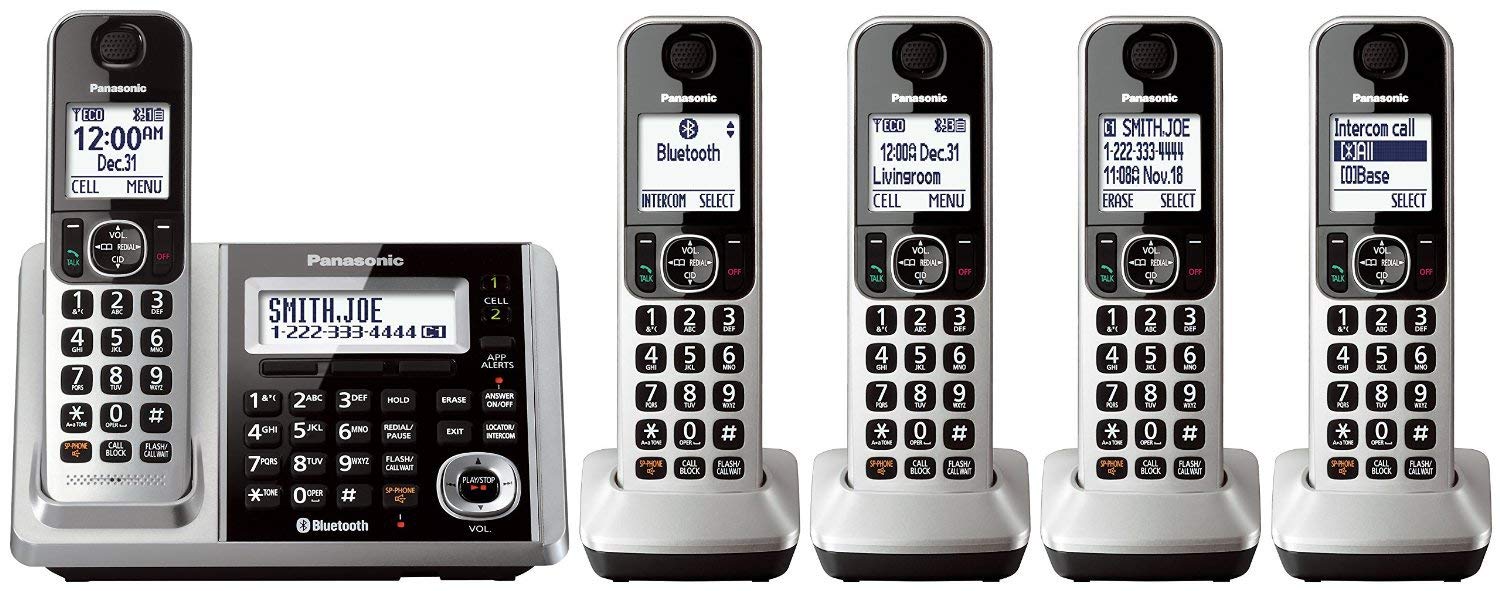
Figure 1: Panasonic KX-TGF375S DECT 5-Handset Landline Telephone System
Konec produktuview Video
Toto video poskytuje obecný přehledview of the Panasonic Cordless Phone system, highlighting its key features and components.
2. Obsah balení
Ověřte, zda váš balíček obsahuje následující položky:
- 1 x Základní jednotka s integrovaným záznamníkem
- 5 x bezdrátové sluchátka
- 5 x Handset Chargers (one for each handset)
- 5 x AC Adapters (for base unit and chargers)
- 10 x Rechargeable Batteries (2 per handset)
- 1 x telefonní kabel
- 5 x Belt Clips (for each handset)
- 1 x Návod k obsluze (tento dokument)
3. Nastavení
3.1. Připojení základní jednotky
- Connect the AC adapter to the base unit and plug it into a standard electrical outlet.
- Připojte telefonní kabel k základní jednotce a druhý konec zapojte do telefonní zásuvky ve zdi.
3.2. Installing Handset Batteries
- Remove the battery cover on the back of each handset.
- Insert the two supplied rechargeable batteries, observing the correct polarity (+ and -).
- Nasaďte kryt baterie.
3.3. Nabíjení sluchátek
Place each handset on its respective charger. The charge indicator on the handset display will show 'Charging'. Allow at least 7 hours for the initial charge to ensure optimal battery performance.
3.4. Počáteční nastavení (datum a čas)
Follow the on-screen prompts on the handset display to set the date and time. This is crucial for accurate call logging and answering machine timestamps.
4. Návod k obsluze
4.1. Uskutečňování a přijímání hovorů
- Chcete-li zavolat: Stiskněte tlačítko MLUVIT a poté vytočte telefonní číslo.
- Chcete-li přijmout hovor: Stiskněte tlačítko MLUVIT tlačítko, když telefon zvoní.
- Ukončení hovoru: Stiskněte tlačítko VYPNUTO tlačítko nebo vložte sluchátko zpět do základny/nabíječky.

Figure 2: Handset with large, illuminated buttons for easy dialing.
4.2. Link2Cell (Bluetooth)
The Link2Cell feature allows you to connect up to two smartphones to your Panasonic system via Bluetooth. This enables you to make and receive cell phone calls using your cordless handsets.
- Párování smartphonu: Access the Bluetooth menu on your handset, then follow the instructions to pair your smartphone.
- Volání/přijímání hovorů z mobilních telefonů: Once paired, you can use the BUŇKA 1 or BUŇKA 2 buttons on the base unit or handsets to manage calls from your connected smartphones.
- Upozornění v chytrém telefonu: A downloadable Android App can alert you on your handsets when your cell receives emails, social media updates, and more.
4.3. Call Block
Block unwanted calls with ease using the dedicated Call Block button. The system can block up to 250 numbers.
- One-Touch Blocking: During an unwanted call or after it ends, press the HOVOROVÝ BLOK button on the base unit or handset to add the number to the block list.
- Automatický blok hovorů: The system can be configured to automatically block robocalls and telemarketers before the phone rings.
Automated Call Block Demonstration
This video demonstrates how the Automated Call Block feature works, preventing unwanted robocalls from reaching you.
4.4. Záznamník
The integrated digital answering machine records incoming messages.
- Zapnout/Vypnout: Stiskněte tlačítko ODPOVĚĎ ZAPNUTO / VYPNUTO tlačítko na základní jednotce.
- Přehrát zprávy: Stiskněte tlačítko PLAY/STOP tlačítko na základní jednotce.
- Erase Messages: Stiskněte tlačítko VYMAZAT button during message playback.
4.5. Interkom
Use the intercom feature for communication between handsets or between a handset and the base unit.
- To Initiate: Stiskněte tlačítko LOCATOR/INTERCOM button on the base unit or the INTERCOM button on a handset, then select the desired unit.
4.6. Hlasitý telefon
Engage the speakerphone for hands-free conversations.
- Aktivovat: Během hovoru stiskněte SP-TELEFON button. Press again to switch back to the earpiece.
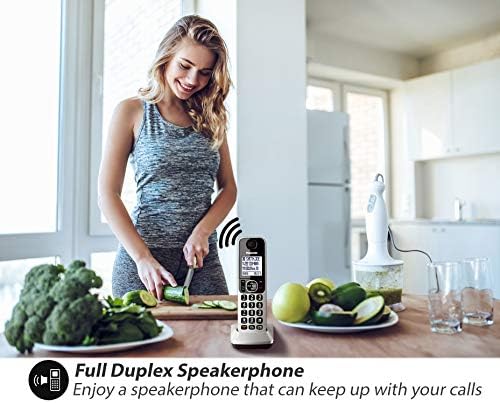
Figure 3: Full Duplex Speakerphone in use.
4.7. Telefonní seznam
Store up to 3,000 numbers in the shared phonebook for quick dialing.
- Přidání kontaktů: Follow the menu options on the handset to add new entries.
- Accessing Contacts: Stiskněte tlačítko TELEFONNÍ SEZNAM button and navigate through your stored contacts.
4.8. Identifikace volajícího
The system announces the caller's name or number, allowing you to screen calls without looking at the display.
4.9. Baby Monitor
Use a handset as a baby monitor to listen for sounds in another room.
4.10. Power Backup
V případě výpadku napájenítage, the base unit can temporarily draw power from the charged handsets, allowing you to make and receive calls.
5. Údržba
- Čištění: Wipe the telephone units with a soft, dry cloth. Avoid using abrasive cleaners or solvents.
- Péče o baterie: Ensure handsets are regularly placed on their chargers to maintain battery life. Replace batteries when their performance significantly degrades.
6. Řešení problémů
- Žádný oznamovací tón: Zkontrolujte, zda je telefonní kabel bezpečně připojen k základnové jednotce i k zásuvce ve zdi.
- Sluchátko nefunguje: Ensure the handset batteries are properly installed and fully charged. Place the handset on its charger for several hours.
- Špatná kvalita hovoru: Move closer to the base unit. Ensure there are no large metal objects or other electronic devices interfering with the signal.
- Záznamník nenahrává: Verify that the answering machine is turned ON. Check for sufficient recording time available.
For more detailed troubleshooting, refer to the full operating instructions available on the Panasonic support webmísto.
7. Specifikace
| Funkce | Specifikace |
|---|---|
| Číslo modelu | KX-TGF375S |
| Značka | Panasonic |
| Typ telefonu | Bezdrátový (DECT 6.0) |
| Počet sluchátek | 5 |
| Typ systému odpovědí | Digitální (až 18 minut nahrávání) |
| Kapacita bloku hovorů | Až 250 čísel |
| Kapacita telefonního seznamu | 3,000 čísla |
| Bluetooth | Link2Cell (syncs two smartphones) |
| Zobrazit | 2.5palcový LCD |
| Zdroj napájení | Napájení z baterie |
| Hmotnost položky | 4.85 libry (celkové balení) |
| Rozměry balení | 14.02 x 10 x 4.21 palce |
8. Záruka a podpora
This Panasonic KX-TGF375S product is tested and certified by Panasonic to function like new. It includes all original accessories and is backed by a 90-Day Warranty.
For further assistance, technical support, or warranty claims, please refer to the contact information provided in your product packaging or visit the official Panasonic support webmísto.